
Manage Photo Access Permissions for Event Stakeholders 2026

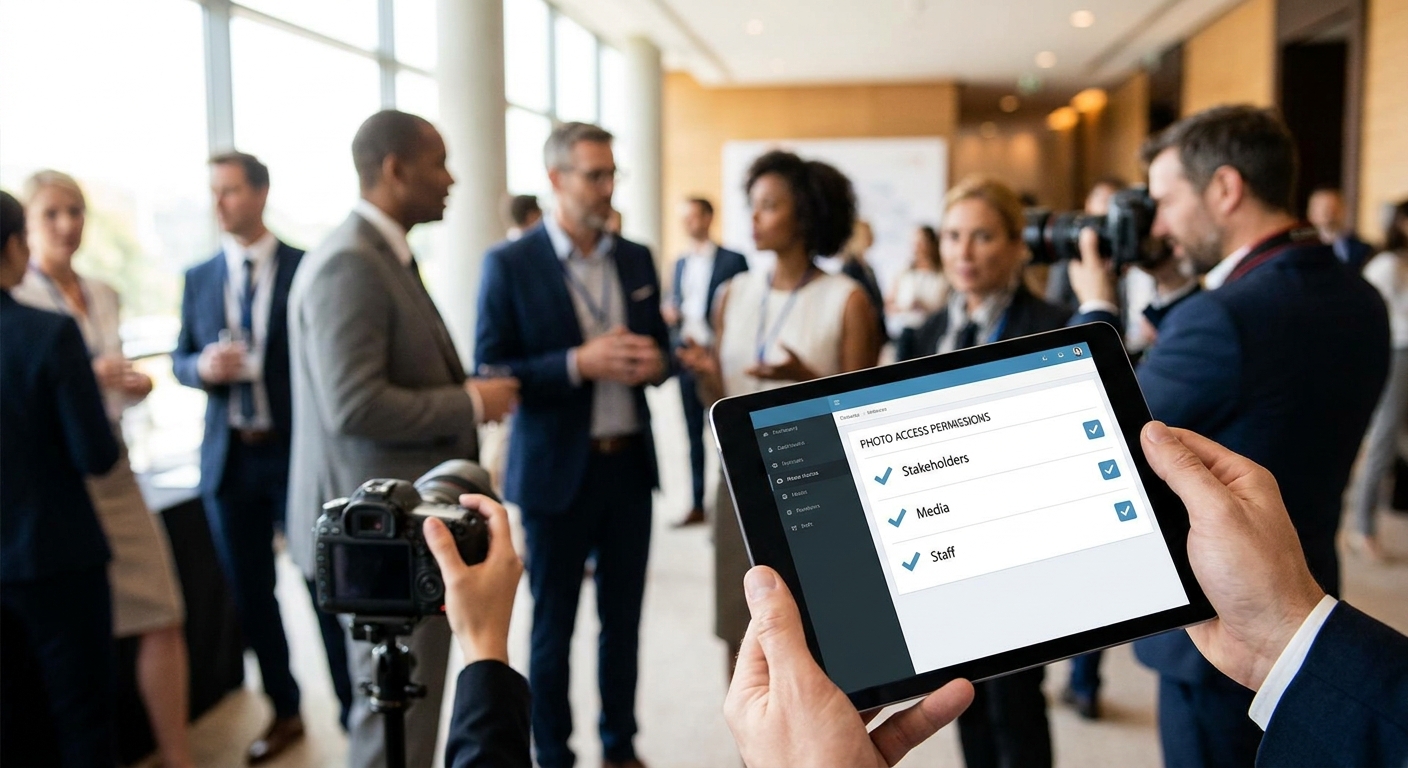
Wedding clients, corporate marketing teams, school administrators, and the photographers themselves all need different views into the same event gallery — and handing out one shared login is how private VIP shots end up in a group chat by accident.
This guide walks through setting up tiered photo access permissions for event stakeholders in 2026, so brides see only their gallery, sponsors see only branded assets, and school admins never touch a parent's individual order.
TL;DR
- Set up at least three permission tiers — admin, stakeholder, guest — before you share any gallery link in 2026.
- Face recognition search lets guests self-serve their own photos without touching the full event folder.
- Corporate clients need branded, download-limited access; wedding couples need full-resolution rights.
- Revoke access at the link level, not the password level, so one leaked URL doesn't expose the whole shoot.
Why this matters
A single unprotected Google Drive folder is still the default hand-off method for a lot of event photographers in 2026, and it's the fastest way to lose control of a shoot. Once one stakeholder forwards the link, anyone with it can download originals, resell prints, or leak VIP images before the client has approved anything.
Stakeholder access isn't a nice-to-have anymore — corporate clients ask about it during contract negotiation, and school districts often require it before they'll approve guest uploads. Managing photo access permissions for event stakeholders properly protects the shoot, the client relationship, and the photographer's resale revenue.
What you'll need
- An event gallery platform that supports role-based permissions, not just one shared link
- A stakeholder list sorted by role: client/couple, sponsor, vendor, guest, press
- A watermarking or preview-resolution setting for anyone outside the paying client
- Face recognition or tagging set up so guests can pull their own photos without browsing the full set
- A revocation plan — who can pull access, and how fast
The steps
1. Map every stakeholder role before uploading a single photo
List out who touches the gallery: the paying client, the venue, sponsors, vendors, press, and general guests. Each role needs a different combination of view, download, and share rights. Skipping this step is why photographers end up manually re-sending links mid-event when someone asks for "just the sponsor logo shots."
Common mistake: treating the venue and the paying client as the same access tier — venues usually only need branded highlight shots, not the full raw set.
2. Create a top-tier admin view for yourself and any co-shooters
The admin tier gets full-resolution access, upload rights, and the ability to add or remove stakeholder permissions mid-event. If you're managing multiple photographers on one event gallery, every shooter should upload into the same admin-controlled space instead of separate folders that need merging later.
Set this tier first because every other permission level gets built as a restricted subset of it.
3. Set the client/stakeholder tier with download rights but no re-share rights
The paying client — a bride, a marketing director, a school principal — gets full download access to their portion of the gallery, but not the ability to generate new public links. This stops one forwarded email from turning into an open gallery.
Expected outcome: the client downloads freely, but a stranger with the link still can't access anything without going through the same permission gate.
4. Configure a sponsor or VIP tier for branded, curated content only
Sponsors at a music festival or a product launch don't need the full 4,000-photo shoot — they need the 40 shots with their logo or booth visible. Use a filtered or tagged sub-gallery so sponsors only see what applies to them. If you're highlighting VIP photos at events, this is the same mechanism: a curated view layered on top of the full gallery.
Common mistake: sending sponsors the same link as guests. It works until a sponsor downloads a competitor's booth photo and asks why it's in "their" set.
5. Turn on face recognition so guests self-serve without full-gallery access
Guests almost never need to browse thousands of images — they need their own face. Face recognition search lets a wedding guest, marathon runner, or conference attendee type in their name or scan a QR code and pull only their photos, which removes the need to grant them broad gallery access at all.
This single change cuts support requests dramatically, because "can you send me my photos" stops being a manual task.
6. Apply watermarks and preview-only resolution to any unpaid or public-facing tier
Anyone outside the paying client — press, general public, unpaid guest views — should see watermarked, lower-resolution previews only. Full-resolution files stay locked behind the client and admin tiers. This protects resale revenue on photo-selling packages and stops screenshots from replacing a paid print order.
Expected outcome: previews look good enough to generate interest, not good enough to print or repost cleanly.
7. Set an expiration or revocation date on every external link
Sponsor galleries, press access, and guest links should expire — 30, 60, or 90 days after the event, depending on the contract. If a stakeholder relationship ends (a sponsor drops out, a vendor is replaced), revoke that specific link rather than resetting the whole gallery password. This is the single most common gap photographers report finding in 2026 audits of their own gallery setups: links that never expire.
Common mistake: using one master password for the whole event instead of link-level revocation — changing a shared password locks out everyone, including paying clients.
8. Document the permission structure in the contract or scope of work
Write down who gets which tier before the event, not after a dispute. Corporate clients in particular expect this in writing, and it's a fast way to look organized when pitching event photo platforms to conference organizers.
Set up stakeholder access in one gallery
Give clients, sponsors, and guests the right view without separate folders.
Troubleshooting
- A stakeholder says they can't find their photos. Confirm face recognition or tagging picked up their face clearly — poor lighting or profile angles sometimes miss a match, and manual tagging fixes it fast. For large weddings, guest face search handles this at scale.
- A link got forwarded outside the intended group. Revoke that specific link and reissue a new one with expiration set — don't reset the master gallery, which locks out the paying client too.
- Sponsors are seeing photos that aren't theirs. Check the tagging filter on the sponsor sub-gallery; a missed tag on a batch upload is the usual cause.
- A client wants full-resolution downloads but the tier is set to preview-only. Confirm the client's role is set to the paid tier, not the guest or press tier — this is a common setup error when roles are assigned in bulk.
- Watermarks aren't appearing on guest-tier previews. Check that the watermark setting is applied at the tier level, not the individual photo level, so new uploads inherit it automatically.
- School or corporate admins need read-only access to monitor uploads without downloading. Set a view-only tier separate from the client-download tier — this comes up often in organizing headshot day photos for HR and recruiting teams.
Tools and resources
- An event gallery platform with role-based permissions, not just link sharing
- Face recognition search for guest self-service
- Watermarking tools applied at the tier level
- A stakeholder access log — who has which link, and when it expires
- Custom branded frames for sponsor or corporate tiers — see how to brand event photo galleries with a custom frame
What to do next
Once permissions are set, the next gap is usually delivery speed — a well-permissioned gallery still frustrates stakeholders if photos take days to appear. Review same-day delivery setups for conference photo delivery to attendees to close that gap.
FAQ
What's the best way to manage photo access permissions for event stakeholders?
Set up separate permission tiers for admin, client/paying stakeholder, sponsor, and guest roles rather than sharing one link. Each tier controls resolution, download rights, and re-share ability, so a leaked guest link never exposes full-resolution client files.
Is a shared Google Drive link safe for event stakeholder access in 2026?
No — a shared drive link gives every recipient the same access level, including download and re-share rights. Once forwarded, it can't be revoked without resetting access for everyone, including the paying client.
How do sponsors get access without seeing the full event gallery?
Sponsors should get a filtered sub-gallery tagged to their logo, booth, or branded content only. This gives them what they need for marketing without exposing unrelated guest or client photos.
Can guests find their own photos without full gallery access?
Yes — face recognition search lets guests search by their own face or a QR code and pull only their photos. This removes the need to grant guests broad access to the entire event set.
How long should stakeholder photo links stay active?
Most photographers set expiration at 30 to 90 days after the event, depending on the contract. Sponsor and press links should expire sooner than paying client links.
Should corporate clients get watermarked or full-resolution photos?
Paying corporate clients typically get full-resolution downloads under the client tier, while press or public-facing previews stay watermarked and lower-resolution to protect resale rights.
What happens if a stakeholder link is leaked?
Revoke that specific link rather than resetting the whole gallery password. Link-level revocation keeps the rest of the stakeholders — including the paying client — unaffected.
Do school event galleries need different permissions than corporate ones?
Yes — schools usually need parent-level download access tied to individual student photos, plus a read-only admin view for staff, which differs from a corporate sponsor tier built around branded curated sets.
One last thing
The photographers who get burned in 2026 aren't the ones skipping permissions entirely — they're the ones who set up tiers once and never revisit them after a sponsor drops out or a vendor changes. Build a five-minute post-event checklist: revoke expired links, confirm the client tier still has download rights, and archive the sponsor sub-gallery. That single habit prevents most of the access disputes photographers deal with months after the event wraps.