
Deliver Conference Photos Same Day: 2026 Workflow Guide

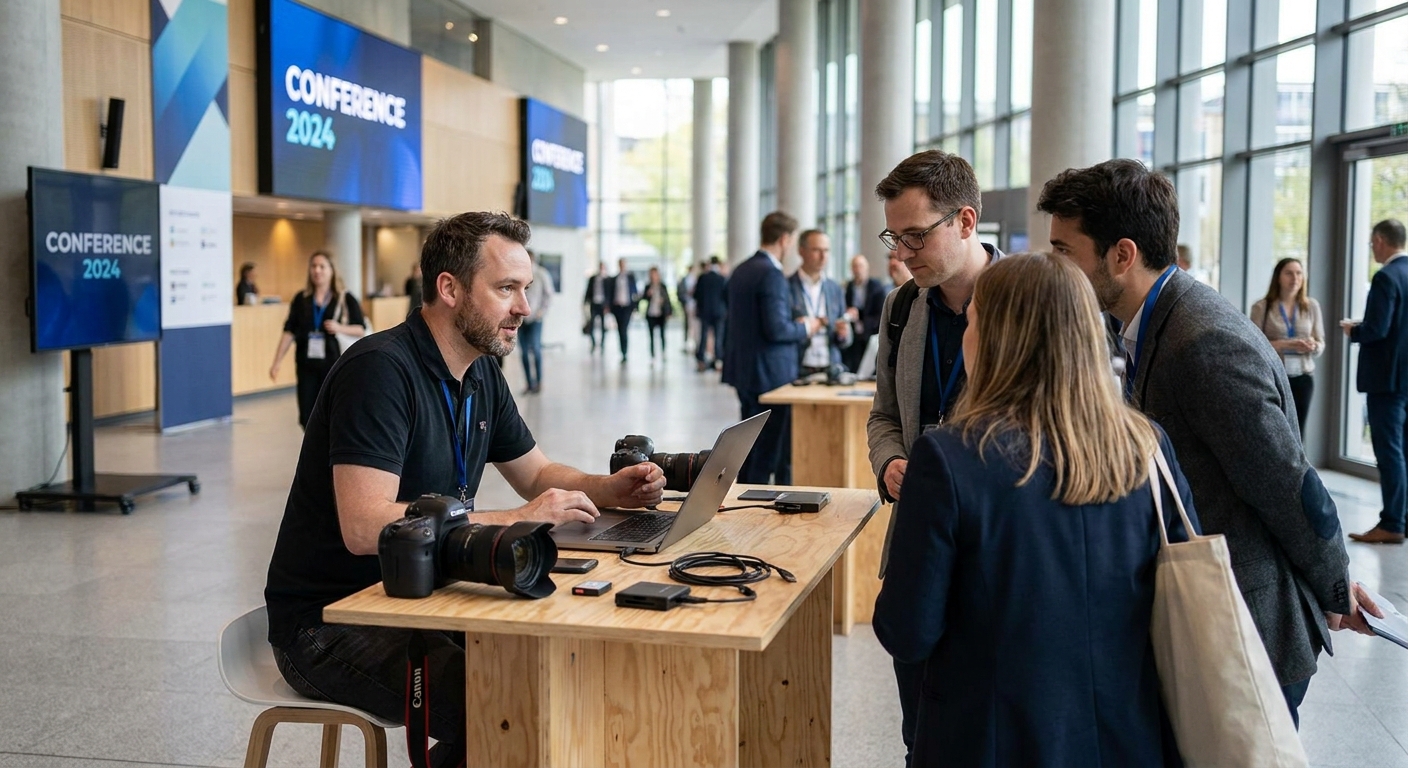
Conference attendees leave the venue by 6pm and forget the event happened by the next morning — unless they walk out with photos already on their phone. Same-day conference photo delivery in 2026 is a workflow problem, not a shooting-speed problem, and it's fixable with the right upload and sorting setup.
TL;DR
- Same-day conference photo delivery in 2026 needs automated uploads and AI sorting, not manual USB handoffs after the event.
- FotoOwl's Beam upload pushes camera shots to the cloud live, cutting post-event sorting from hours to minutes.
- AI face recognition matches attendees to their photos in seconds, removing the biggest bottleneck in bulk delivery.
- QR code galleries at exits let 500-plus attendees grab photos before they leave the building.
- Batch watermarking before the event, not on deadline day, keeps same-day delivery realistic for one photographer.
Why this matters
A conference photo gallery delivered three days later gets opened by maybe a third of attendees — the moment has passed and inboxes have moved on. Delivered the same day, while people are still tagging themselves on LinkedIn and posting recap threads, that same gallery gets shared while it's still relevant to the brand and the sponsor deck. Event marketing teams increasingly treat same-day turnaround as a baseline expectation for 2026 bookings, not a premium add-on — which means photographers who can't hit it are pricing themselves out of corporate work.
The old model — shoot all day, dump cards at night, cull in Lightroom for six hours, upload to a shared drive the next morning — was never built for a 500-attendee conference with a 9am opening keynote and a 5pm close. Same-day delivery only works when uploading, sorting, and distribution happen in parallel with the shoot, not after it.
What you'll need
- A mobile upload workflow (WhatsApp or a dedicated app like FotoOwl) so cards aren't the only copy of the day's shots
- AI face recognition or tagging set up before doors open, not scrambled together at lunch
- A stable venue wifi connection or a mobile hotspot as backup — conference center wifi drops more than most photographers expect
- Pre-built watermark and branding templates, so nothing gets designed on the day
- A QR code or short link ready to print on signage, name badges, or the registration desk screen
- One dedicated laptop or tablet for culling and gallery management, separate from the shooting cameras
The steps
1. Build the delivery plan before the event, not during it
Decide the gallery structure, folder logic, and access method a week out. This accomplishes the actual bottleneck removal — most delivery delays come from decisions made under pressure at 4pm, not from the photography itself. Map out sessions, speaker slots, and networking breaks as separate gallery segments so nothing gets dumped into one 2,000-photo folder attendees have to scroll through.
Common mistake: waiting until the event to decide how attendees will actually access photos. Pick the access method — QR code, SMS link, or email — before the first shutter click.
2. Upload in real time during the shoot
Instead of shooting all day and transferring cards at the end, push images off the camera continuously through the day using a Beam-style upload tool. This matters because it turns an 8-hour sorting job into a rolling process that finishes minutes after the last session ends, not hours after. Set upload intervals every 30-45 minutes rather than waiting for card-full moments.
Common mistake: relying on one wifi connection for both uploads and photographer coordination — bring a mobile hotspot as a fallback, since conference venues routinely throttle guest networks during high-traffic hours.
3. Let AI face recognition do the sorting
Manual tagging of 500+ attendees across multiple sessions is the single biggest reason same-day delivery fails. AI face recognition matches faces across the full shoot in seconds and builds individual attendee galleries automatically, which is what actually makes a 5pm close and a 6pm delivery possible. Feed it registration headshots or badge photos at check-in if the platform supports it, so matching accuracy is higher from session one.
Common mistake: skipping a face-recognition setup step and assuming the AI will figure it out cold — accuracy improves noticeably when it has a reference photo per attendee.
4. Cull fast, not perfectly
AI-assisted culling flags blurred, duplicate, and eyes-closed shots automatically, cutting the manual review pass down to spot-checking rather than frame-by-frame judgment. For a same-day deadline, a 90% pass is the target — perfect curation can happen in a follow-up gallery days later if the client wants it.
Common mistake: treating same-day delivery and final client deliverables as the same gallery. They don't need to be — ship fast now, refine later.
5. Batch the watermark and branding
Apply sponsor logos, event branding, or a photographer credit watermark as a batch process across the whole gallery, not photo-by-photo. This protects images shared before formal licensing while keeping the delivery pipeline moving. Templates set up in step one save real time here.
Common mistake: designing the watermark on event day. Lock the template a week before.
6. Distribute through a QR code at the exits
Print the gallery's QR code on badges, screens, or signage at the registration desk and exits so attendees scan and access their photos before they've left the parking lot. A QR code photo sharing setup removes the need for attendees to hunt down an email that lands in spam or gets buried under a hundred post-conference follow-ups.
Common mistake: only emailing the gallery link. Email delivery has the slowest open rate of any method for same-day access — QR and SMS beat it consistently.
7. Give sponsors and PR teams bulk access separately
Marketing and sponsor teams need different access than individual attendees — usually a bulk download of the full shoot within hours, not a personalized gallery link. Set up a separate bulk export permission so the events team can pull assets for a same-day recap post without waiting on individual attendee galleries to finish processing.
Common mistake: making the PR team wait in the same queue as 500 individual attendee downloads. Give them a direct bulk link.
Set up same-day delivery for your next conference
AI sorting, Beam uploads, and QR delivery in one gallery workflow.
Troubleshooting
- Venue wifi keeps dropping mid-upload. Switch to a mobile hotspot as the primary upload connection and treat venue wifi as backup — conference centers throttle guest bandwidth during peak session breaks more often than event planners admit.
- Face recognition is misidentifying attendees. Check that reference photos were fed in at check-in; matching accuracy drops sharply without a clean reference image per person.
- Multiple photographers are uploading to different folders. Assign one shared event code before the shoot starts so every camera feeds the same gallery instead of creating four separate deliveries to merge later.
- Attendees can't find the QR code fast enough. Print it larger than seems necessary and place it at every choke point — registration, exits, and the coffee station — not just one sign near the stage.
- The gallery is too slow to load with 2,000+ images. Segment by session or hour instead of one long feed; large unsegmented galleries load slower and attendees give up scrolling.
- Sponsor logos are missing from half the gallery. Batch watermarking applied mid-event misses photos uploaded after the batch ran — rerun the watermark pass once after the final upload, not only once at the start.
Tools and resources
- Bulk photo download for corporate event clients — for sponsor and PR team exports
- A watermark template set applied in one batch pass, not per photo
- A QR code generator tied directly to the live gallery link
- A mobile hotspot as wifi backup for upload-heavy events
- Registration-desk headshots or badge photos as face-recognition reference data
What to do next
Same-day delivery is the front half of the workflow — the back half is keeping a 500-attendee shoot organized enough that nothing gets lost between four photographers and three sessions. The full breakdown on folder structure, tagging conventions, and hand-off between shooters lives in how to organize corporate event photos for fast delivery — read that next if this is a recurring conference client rather than a one-off.
FAQ
How fast can conference photos actually be delivered the same day?
With real-time uploads and AI face sorting, attendee galleries can go live within 1-3 hours of a session ending in 2026 setups. Manual card-dump workflows typically take 24-48 hours for the same volume.
What's the best way to deliver conference photos to 500+ attendees?
A QR code linked to an AI-sorted gallery is the fastest method for large attendee counts. It beats email because attendees scan and access photos before leaving the venue, rather than waiting for an inbox notification.
Is face recognition reliable enough for a large conference?
Face recognition accuracy improves significantly when reference photos are captured at check-in. Without a reference image, matching still works but with more manual correction needed afterward.
How much does same-day photo delivery cost for a corporate event?
Cost depends on attendee count, session length, and how many photographers are shooting, since same-day delivery is a workflow choice rather than a separate line item on most platforms in 2026.
Can one photographer handle same-day delivery for a full-day conference alone?
Yes, if uploads happen continuously through the day rather than in one batch at the end. A single photographer relying on end-of-day card transfers will struggle to hit a same-day deadline past 200-300 attendees.
Do attendees need an app to access same-day conference photos?
No. QR code and link-based galleries work in a mobile browser without an app download, which is faster for one-time conference attendees than asking them to install anything.
What's the biggest reason same-day delivery fails?
Manual sorting after the event ends, not shooting speed. Most delays happen in the hours between the last session and gallery publish, which AI sorting and live uploads are built to remove.
Should sponsors get a different photo delivery method than attendees?
Yes. Sponsors and PR teams generally need a bulk download of the full shoot within hours, while attendees need individual, face-matched galleries — treating both the same slows down both groups.
One last thing
The fastest conferences to deliver same-day aren't the smallest ones — they're the ones where the photographer decided the folder structure and access method a week in advance. A 4pm decision about how attendees will get their photos is the single most common reason 6pm deadlines get missed in 2026, not camera speed, not venue size, not attendee count.