
Guest Face Search Wedding Photos: 2026 Buying Guide

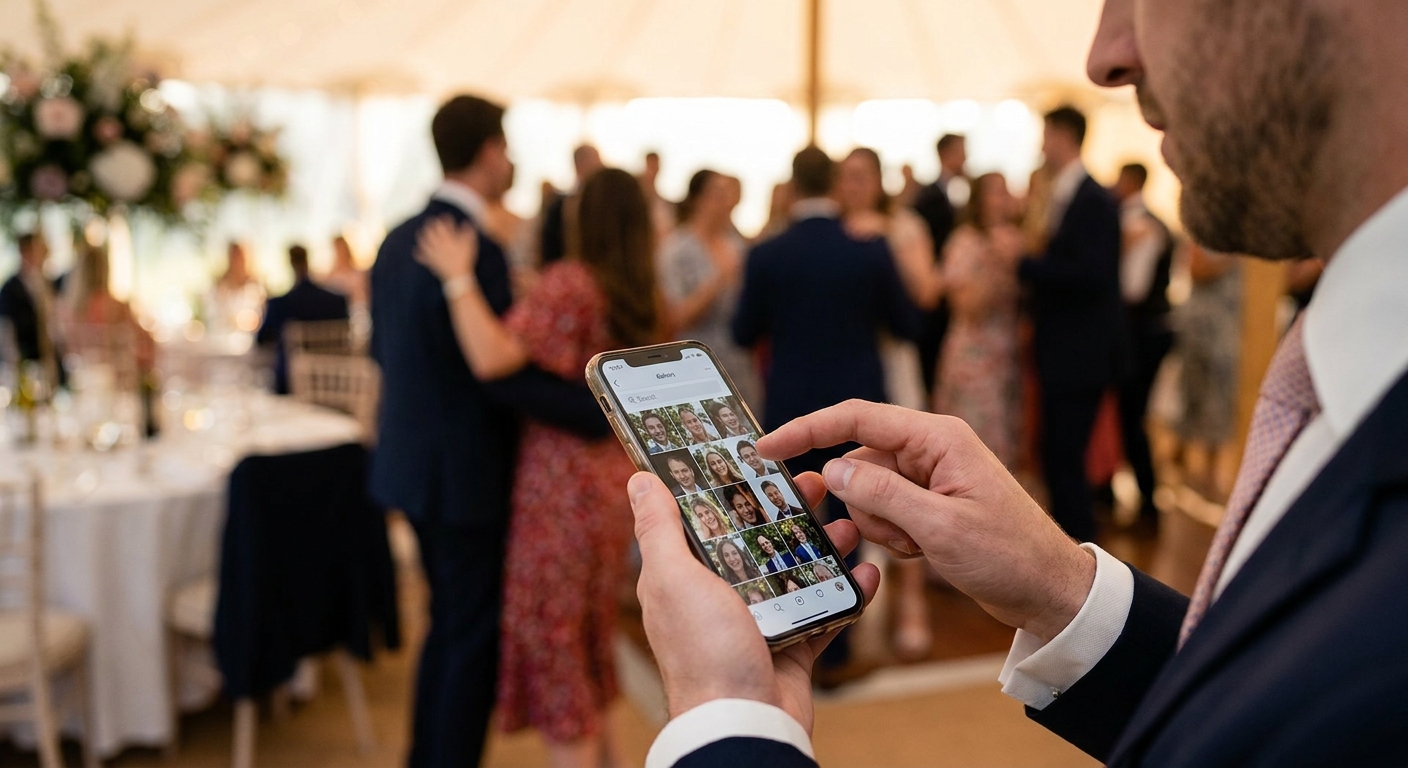
Guest face search lets every person at a wedding pull up their own photos in seconds, instead of scrolling through 6,000 images looking for the three where they're actually visible. This guide breaks down what to look for and which setup fits a 300-plus guest wedding in 2026.
TL;DR
- Selfie-based guest face search wins for weddings over 300 guests — buy it as the default setup.
- WhatsApp face search delivery is the mobile-first pick when guests won't download another app.
- QR code photo booths work as a zero-download entry point but need a face search backend behind them.
- Skip any tool that can't merge shots from multiple photographers into one searchable guest face search wedding photos gallery.
Why this matters
A 400-guest wedding with two or three shooters can generate 5,000 to 10,000 images across a weekend. Nobody is scrolling that manually, and "just check the shared Google Drive folder" is how photos go unclaimed and unshared. Guest face search wedding photos tools solve this by letting each guest upload a selfie and get back only the frames where their face appears — no scrolling, no group chats begging for the link. FotoOwl's approach to sorting wedding photos by face shows how this works when a gallery spans multiple shooters and thousands of frames.
The problem isn't whether face search exists — it's whether it holds up at wedding scale, where lighting changes across a reception, guests wear masks or sunglasses in half the shots, and 200 people try to search the same gallery within an hour of the couple posting a link.
Who this is for
This guide is for wedding photographers and studios booking events with 200 or more guests, multi-day destination weddings, or any wedding with more than one shooter on the ground. If you're delivering to 40 close friends and family, a simple shared album works fine. Once the guest list crosses into the hundreds, and especially once you're delivering same-day or next-day, guest-side face search stops being a nice-to-have and becomes the difference between a gallery guests actually use and one that sits unopened.
What to look for in guest face search for large weddings
Accuracy across lighting and angles
Reception lighting swings from bright ceremony daylight to dim dance-floor strobes within the same event, and a face search engine that only performs well in even light will miss half the dance-floor shots. Test any tool against low-light candid photos before the wedding day, not after guests start complaining.
Speed of the search return
Guests expect results in seconds, not minutes, especially when 150 people are searching the same gallery within the first hour of a link going live. A face search that takes 30+ seconds per query at that concurrency will feel broken even if the matches are accurate.
No-app, no-signup access
Every extra step — download an app, create an account, verify an email — cuts the number of guests who ever find their photos. A selfie-and-search flow that runs in a mobile browser removes the biggest drop-off point.
Multi-shooter, multi-batch handling
Large weddings almost always run two or more photographers, sometimes a separate videographer pulling stills too. The face search needs to index every batch into one searchable gallery, not three separate ones guests have to check individually.
Consent and data handling
Face data is sensitive, and guests will ask what happens to their selfie after they search. A tool that lets guests search without permanently storing their uploaded selfie, and that gives photographers a way to delete face data post-event, avoids the awkward follow-up questions.
See guest face search in action
Check how FotoOwl handles selfie search across multi-shooter wedding galleries.
Top picks for large-wedding guest face search
1. Selfie-upload web gallery search — the default pick
Guests take one selfie in the browser, and the gallery returns every matching frame across the full event, including shots from every shooter on the team. This is the setup most 2026 wedding studios should run first, since it needs zero app download and scales past 1,000 guests without a manual sort. FotoOwl's guide on using face recognition to sort wedding photos walks through the exact indexing flow. Buy — this is the baseline every large wedding gallery should have running before guests arrive.
2. WhatsApp face search delivery — the mobile-first pick
Instead of sending a web link, the couple shares a WhatsApp number and guests message a selfie back to get their photos delivered directly into the chat they already have open. This works especially well for weddings where guests skew older or where data connectivity at the venue is patchy, since WhatsApp handles the compression and retry logic guests already trust. The WhatsApp photo delivery flow for wedding photographers covers setup for a full guest list. Buy if more than a third of your guest list is over 45 or the venue has weak Wi-Fi — WhatsApp delivery removes the browser-link friction entirely.
3. QR code photo booth with face tagging — the zero-download pick
A physical QR code at the entrance or on tables lets guests scan, land straight on the upload-and-search screen, and never type a URL. It's the lowest-friction entry point for guests who never got the couple's shared link, but it only works if the backend behind the QR code actually runs face search rather than just a generic upload form. The QR code photo booth setup guide covers how to wire the two together. Consider this as a supplement to the selfie-search gallery, not a replacement — it drives traffic in, but the search engine behind it does the real work.
What to avoid
- A shared cloud folder with no search layer. Dropbox and Google Drive links look like a fast, free option, but at 5,000+ images guests give up scrolling within the first two minutes and never come back.
- Face search limited to one photographer's camera roll. If a wedding runs two shooters and the couple's cousin with a DSLR, and the face search only indexes the lead photographer's batch, guests miss half their own photos and assume the tool is broken.
- Tools with no stated data retention policy. If you can't answer "where does my selfie go after I search" in one sentence, guests will hesitate to use the feature at all, and you'll field the complaint after the wedding, not before.
Guest face search comparison for large weddings
| Method | Setup effort | Guest friction | Best guest-list size | Verdict |
|---|---|---|---|---|
| Selfie-upload web gallery | Low | Very low | 200+ guests | Buy |
| WhatsApp face search delivery | Low | Very low | Any size, older or low-connectivity guests | Buy |
| QR code booth + face tagging | Medium | Low | 300+ guests, multiple entry points | Consider |
| Shared cloud folder, no search | None | High | Under 50 guests only | Skip |
FAQ
What is guest face search for wedding photos?
Guest face search lets a wedding guest upload a selfie and instantly get back every photo they appear in, instead of scrolling the full gallery manually. It runs on face recognition indexed across every photographer's batch from the event.
Is guest face search accurate for large weddings with hundreds of guests?
Accuracy holds up well when the search engine is tested against varied lighting, from daylight ceremony shots to dim reception lighting. Weddings with 300 or more guests need a tool built to handle that variation, not one tuned only for studio-lit portraits.
Does guest face search work without a mobile app?
Yes, most 2026 platforms run the selfie upload and search directly in a mobile browser, so guests never install anything. WhatsApp-based delivery removes even the browser step by working inside a chat guests already use.
How does face search handle photos from multiple photographers?
A properly set up guest face search indexes every photographer's uploaded batch into one gallery, so a guest searching gets results from all shooters, not just the lead photographer. This matters most at weddings running two or more cameras.
What happens to a guest's selfie after they search for their photos?
Reputable platforms use the uploaded selfie only to match against the event gallery and don't keep it as a permanent file tied to the guest's identity. Ask any vendor directly how long selfie data is retained before booking them for a wedding.
Is WhatsApp or a web gallery better for guest face search at weddings?
WhatsApp face search delivery works better for guest lists with older attendees or venues with weak Wi-Fi, since guests already trust the app. A web gallery search works better for tech-comfortable guest lists who want to browse the full album, not just their own matches.
Can guest face search replace a QR code photo booth at a wedding?
Face search and QR codes solve different problems — the QR code gets guests to the upload screen, and face search is what returns their photos once they're there. The two work best paired together rather than as substitutes.
How many guests can a face search gallery handle at once?
A gallery built for large weddings should hold up when 100 or more guests search within the same hour, which is typical right after a couple shares the link at the reception. Slower tools that weren't built for that concurrency will lag or time out during exactly that peak window.
One last thing
The single biggest failure point isn't the face search accuracy — it's guests never getting the link in the first place. Put the QR code or WhatsApp number on the ceremony program, the reception tables, and the couple's thank-you message, not just in one Instagram story that half the guest list never sees.