
Manage Multiple Photographers on One Event Gallery (2026)

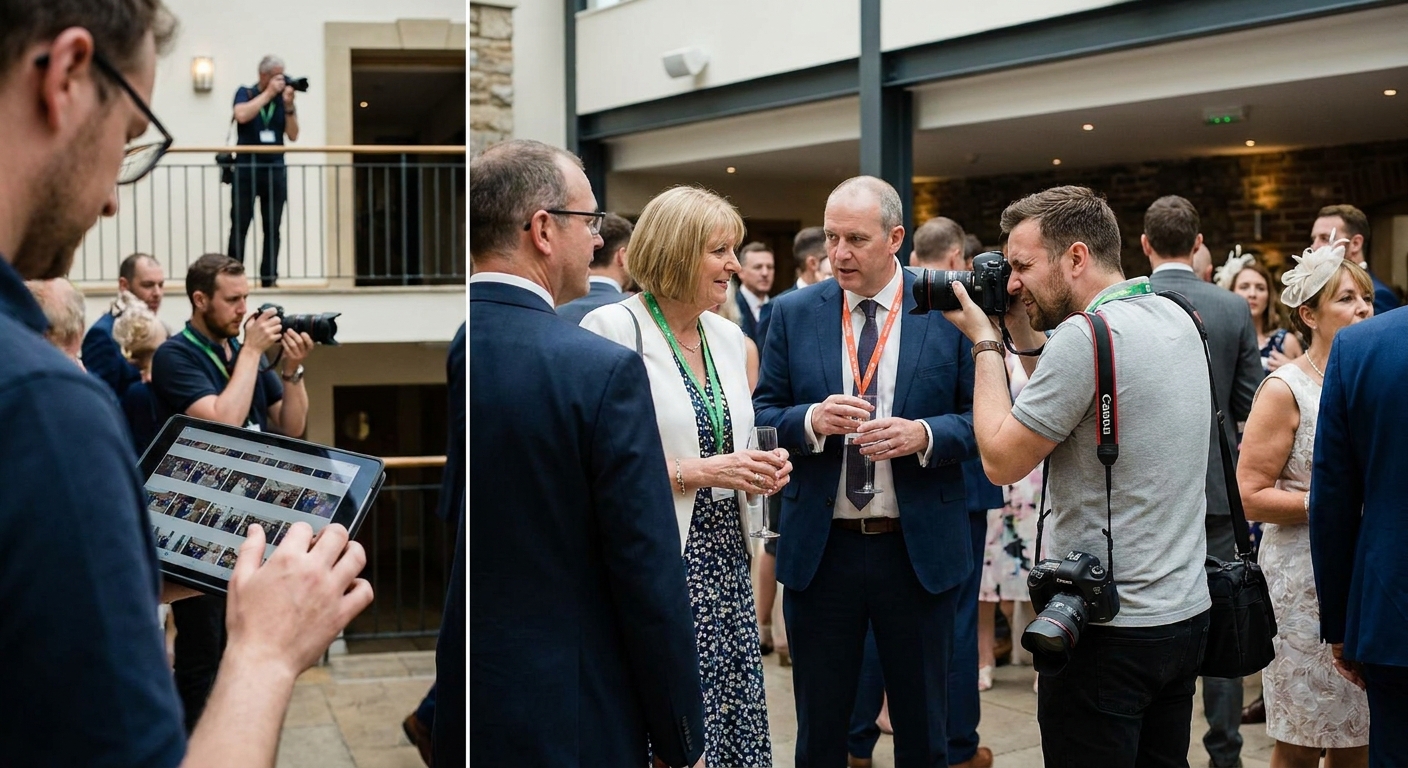
Running three shooters through one gallery only works if uploads, tagging, and delivery follow the same rules from the first click to the last download. This guide breaks down exactly how to manage multiple photographers on one event gallery without duplicate folders, missing credits, or a client asking why half the ceremony shots never showed up.
TL;DR
- Route every photographer through one ingestion point before shooting starts to manage multiple photographers on one event gallery without folder chaos.
- FotoOwl's face recognition sorts contributor photos automatically, cutting manual tagging time on multi-shooter events.
- Reconcile photo counts against each photographer's card at wrap, not the next morning, to catch missing uploads while shooters are still on-site.
- Separate raw ingestion folders from the client-facing gallery so quality control happens before delivery, not after complaints.
Why this matters
A wedding with two shooters, a sports tournament with four sideline photographers, or a music festival with a six-person crew all break the same way: photos land in scattered folders, nobody knows whose card has the ceremony kiss, and the client gets a gallery that looks assembled by three different vendors. In 2026, clients expect one unified gallery delivered within hours, not three separate Dropbox links stitched together after the fact.
The fix isn't more communication on the shoot day. It's a workflow that assigns structure before the first photo is taken, so uploads route correctly by default. Photographers working corporate events already deal with this at scale — organizing corporate event photos for fast delivery requires the same ingestion discipline as a five-photographer wedding crew, just with more badges to track.
What you'll need
- A shared upload destination every photographer accesses from their phone or camera (WhatsApp upload, Beam, or an SD card reader synced to the cloud)
- A gallery platform with contributor tagging, so each photo keeps a record of who shot it
- A shot list or coverage map splitting zones or moments across shooters (ceremony, reception, sideline A, sideline B, backstage)
- 15-20 minutes before doors open to brief the crew on upload cadence
- A wrap-time checklist to reconcile photo counts against each camera card
The steps
1. Assign shooter zones before doors open
Decide who covers what before anyone picks up a camera. A wedding needs one shooter on the couple and one on candids; a sports tournament needs sideline coverage split by field or court. Zone assignment prevents three photographers converging on the same handshake while the real moment happens 40 feet away unshot.
Write the zones on a single shared note, not a group text that scrolls out of view. Common mistake: assigning zones by time block instead of physical location, which leaves gaps whenever an event runs long.
2. Route every upload through one ingestion point
Every photographer's uploads need to land in the same gallery, tagged by contributor, not in five separate personal folders that get merged later. WhatsApp-based upload or a direct camera-to-cloud bridge like Beam keeps this automatic — no photographer has to remember to move files at the end of the night.
This single-ingestion rule is what separates a same-day gallery from a three-day-later Google Drive dump. Common mistake: letting one photographer upload from their personal phone gallery app instead of the shared workflow, which creates an orphaned folder nobody checks until the client complains.
3. Tag photographers at capture, not after
Contributor tagging at the point of upload means every photo carries a credit automatically. Manually sorting 2,000 photos by "who shot this" after the event costs hours you don't have on a 48-hour turnaround.
AI face recognition photo sharing does double duty here: it groups images by the people in them for guest self-serve downloads, and it keeps contributor metadata intact so you know exactly whose card produced the winning shot. Common mistake: stripping EXIF or contributor metadata during a batch edit pass, which erases the credit trail permanently.
4. Set gallery-wide face recognition rules once
Configure face recognition and folder structure at the gallery level before the event, not photographer by photographer. If each shooter sets their own tagging rules, guests searching for themselves get inconsistent results depending on whose photo they land on.
Set it once, apply it across all contributors, and the gallery behaves the same whether a guest searches from shooter A's ceremony shots or shooter B's reception candids.
5. Separate raw feeds from the client-facing gallery
Multi-photographer events produce far more duplicates and near-misses than a solo shoot. Route raw uploads into a staging folder first, cull for blur and duplicates, then push the approved set to the client-facing gallery.
Skipping this step means clients see 40 nearly-identical crowd shots because two photographers caught the same toast from different angles. Common mistake: publishing straight from ingestion to client view, which turns quality control into damage control.
6. Reconcile photo counts at wrap
Before anyone leaves the venue, check each photographer's card count against what landed in the gallery. A missing 200 photos from one shooter is a five-minute fix on-site and a full-blown crisis the next morning when the client asks where the first dance went.
This single step catches sync failures, dead batteries mid-upload, and forgotten cards before they become client-facing problems. Tournament photographers who manage photo galleries for sports tournaments with four or more shooters treat this reconciliation as non-negotiable, because a missing quarter of game footage is not something you can reshoot.
Run multi-shooter events on one gallery
See how FotoOwl handles contributor tagging and face recognition at scale.
Troubleshooting
Two photographers uploaded duplicate shots of the same moment. Cull at the staging-folder step before publishing; don't rely on the client to sort duplicates themselves.
A shooter's uploads never appeared in the gallery. Check upload connectivity first — WhatsApp and Beam both need a stable connection, and a venue's weak signal is the most common cause of a stalled batch.
Contributor credits disappeared after editing. A batch export in Lightroom or another editor can strip metadata. Export with metadata preservation turned on, or re-tag manually before the credits are lost for good.
Guests can't find themselves across all photographers' shots. Face recognition needs to run against the full merged gallery, not each contributor's folder separately, or search results miss half the coverage.
One photographer's photo count doesn't match their card. Reconcile at wrap, not the next day — a missing batch is far easier to recover while the shooter and the venue's WiFi are still accessible.
The client says the gallery "feels inconsistent." This usually means color grading or crop ratios weren't standardized across shooters before publishing. Set one editing pass style before the event, not after.
Tools and resources
- Shared cloud ingestion (WhatsApp upload or Beam) so every camera feeds one gallery automatically
- Contributor-level face recognition and tagging, configured once at the gallery level
- A staging-to-publish workflow that separates raw uploads from client-facing folders
- A wrap-time checklist tying photo counts to each contributor's card
- Backup automation so uploads sync to the cloud without manual transfers — see how photographers back up event photos to the cloud automatically
What to do next
Once the multi-photographer workflow is stable for one event type, apply the same zone-and-ingestion structure to your next format — corporate activations, school events, or festival crews all follow the same shooter-to-gallery logic, just with different zone maps. The core rule doesn't change in 2026: one ingestion point, contributor tagging at capture, and a wrap-time count reconciliation.
FAQ
How do you manage multiple photographers on one event gallery?
You route every photographer's uploads through one shared ingestion point, tag contributors at capture, and reconcile photo counts against each camera card at wrap. This keeps a multi-shooter event on a single gallery instead of scattered folders.
Can multiple photographers upload to the same gallery at once?
Yes, as long as the platform supports simultaneous contributor uploads with individual tagging. FotoOwl's WhatsApp and Beam upload paths let several shooters push photos into one gallery in real time without overwriting each other's files.
How do you credit different photographers in one gallery?
Contributor tagging at the point of upload attaches a credit to every photo automatically. Doing this manually after the event on a 2,000-photo shoot wastes hours that a 48-hour delivery window doesn't allow.
What's the best way to avoid duplicate photos from multiple shooters?
Route raw uploads into a staging folder before publishing to the client-facing gallery, then cull duplicates and near-misses in that pass. Publishing straight from ingestion skips quality control entirely.
Does face recognition work across photos from different photographers?
It does, but only if recognition rules are set at the gallery level rather than per contributor folder. Otherwise guests searching for themselves miss coverage shot by other photographers.
How many photographers can one event gallery handle?
There's no hard ceiling on contributor count in a cloud-based gallery — sports tournaments and festivals routinely run four to six shooters into one gallery. The bottleneck is workflow discipline, not the platform.
What happens if a photographer's uploads go missing?
Reconcile photo counts against each camera card at the end of the event, not the next day. Catching a missing batch on-site takes minutes; catching it after the crew has left costs a client-facing apology.
Should each photographer use their own editing style?
No. Set one color grade and crop standard before the event so the delivered gallery looks consistent regardless of which shooter caught which moment.
One last thing
Most multi-photographer galleries fall apart at the credit trail, not the upload speed — a batch edit that strips metadata can erase who shot what faster than any sync failure will. Lock contributor tagging in before the export step, and the rest of the workflow holds together on its own.