
Best face recognition photo sharing apps for events in 2026

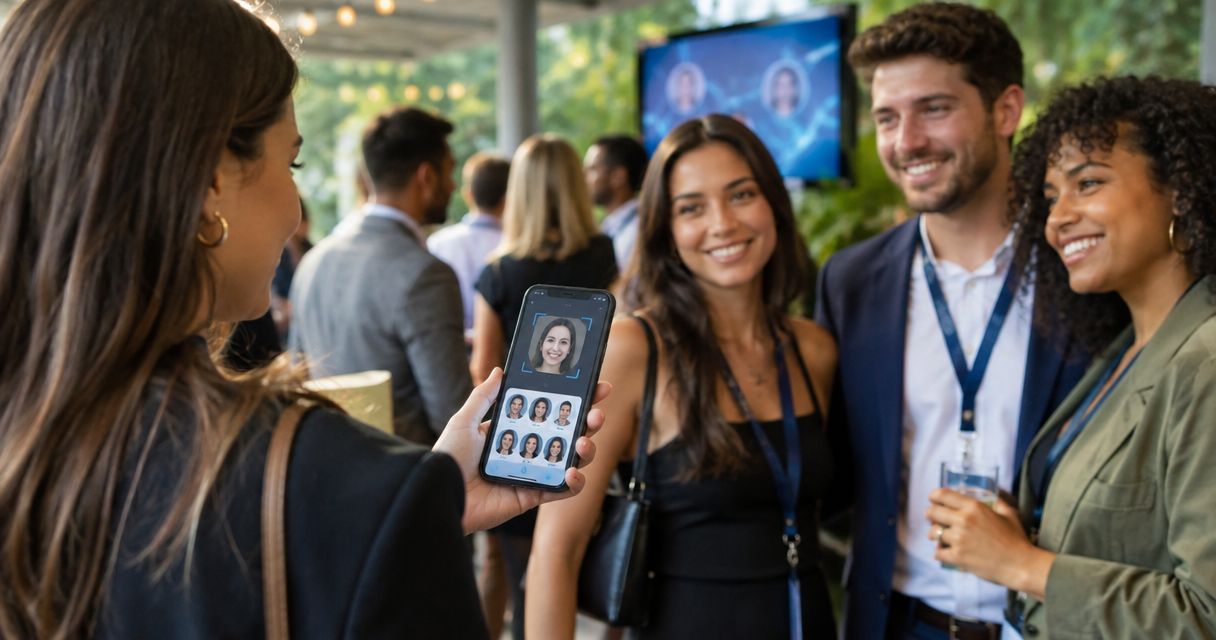
Best overall for professional event delivery: Fotoowl AI Gallery. Best for an existing Google photo library: Google Photos. Best for organising an Apple photo library: Apple Photos. For Indian wedding and event photographers choosing a face recognition photo sharing app in 2026, the deciding factor is whether you need client delivery or personal-library organisation.
TL;DR
- Fotoowl AI Gallery is the best fit for professional event photographers who need face recognition and client photo delivery.
- Google Photos suits shared albums and existing libraries; face grouping is not the same as guest photo retrieval.
- Apple Photos suits Apple-library organisation, not a dedicated photographer-to-guest delivery workflow.
- Test face search, recipient access and downloads separately before choosing your event photo sharing workflow.
Why this matters
An app that groups faces for the photographer does not necessarily help an attendee find their own photographs. Those are different jobs. Confusing them leaves your studio doing the final sorting and sending manually.
For a multi-function Indian wedding, you need to think beyond the couple's final album. Relatives want family portraits, friends want reception photographs, and your client still needs the full agreed delivery. A useful starting point is this guide to using face recognition to sort wedding photos.
Choose the retrieval workflow before choosing the sharing channel. Sending a gallery link through WhatsApp does not, by itself, make the gallery searchable by face.
What makes the best face recognition photo sharing app?
Use these criteria for your 2026 shortlist. They separate a professional delivery platform from an app that simply recognises familiar faces inside your own library.
- Recipient-side discovery: Establish whether the person receiving the gallery can find relevant photographs, rather than relying on the photographer's private face groups.
- Event delivery: Look for a workflow built around uploading, publishing and delivering an event collection. Library organisation alone is not enough.
- Access control: Check who can open the collection, what they can see and what happens when a link gets forwarded. Face matching and permission are separate decisions.
- Upload workflow: Decide whether post-event uploads meet your commitments or whether you need camera-to-cloud FTP uploads during the assignment.
- Image quality and downloads: Check the actual delivered files on a recipient's device. Do not judge a delivery system only by its preview thumbnails.
- Studio suitability: Assess the complete handover, including client instructions and support questions. An app your editor understands can still confuse your client's guests.
Face recognition photo sharing options at a glance
These options serve different purposes. The table ranks professional event delivery first, then identifies alternatives for photographers whose immediate need is library organisation rather than a dedicated client gallery.
| Option | Best for | Standout capability | Key limitation |
|---|---|---|---|
| Fotoowl AI Gallery | Professional wedding and event delivery | Face recognition galleries with photo and video delivery; Beam camera-to-cloud FTP uploads | Face matching does not replace image review or access checks |
| Google Photos | Sharing from an existing Google photo library | Face grouping for library organisation alongside shared albums | Private face groups are not a dedicated attendee retrieval workflow |
| Apple Photos | Organising an existing Apple photo library | People & Pets organisation alongside album sharing | Library face organisation is not a professional event delivery system |
The default recommendation is an event gallery, not a personal photo library. Choose a library app only when its simpler sharing workflow meets the assignment and your client does not require attendee-level discovery.
1. Fotoowl AI Gallery: best for professional event delivery
Fotoowl AI Gallery is the best face recognition photo sharing app for professional wedding and event photographers who need client delivery. It supports photo and video uploads, face recognition galleries, a portfolio builder and a reel generator. Beam is its camera-to-cloud FTP upload feature, not a separate gallery product.
That combination addresses the photographer's delivery workflow rather than only organising a personal collection. For a wedding studio, the relevant question is how the uploaded event photographs become a usable client handover. For a corporate event team, the question is how recipients locate useful photographs after the assignment.
Fotoowl AI Gallery pros:
- Face recognition sits inside a gallery built for client delivery.
- Photo and video delivery belong to the same product scope.
- Beam provides a camera-to-cloud FTP upload route within AI Gallery.
- Portfolio building and reel generation support additional presentation needs.
AI Gallery cons:
- Face recognition does not remove the need to review what you publish.
- Camera-to-cloud delivery still requires a working upload connection; it is not a substitute for a connectivity plan.
- A face match does not establish permission to view or distribute a photograph.
Best for: Indian professional photographers and studios delivering weddings, sports, corporate events, music festivals and school assignments.
Use the gallery as the delivery destination, then test the recipient experience against your actual brief. Do not assume face tags create CRM contacts or trigger studio-management actions; those are separate requirements.
Verdict: Buy for a professional event delivery workflow, after checking access and retrieval with a representative event set.
2. Google Photos: best for sharing an existing Google library
Google Photos combines photo-library organisation with album sharing. Its face grouping helps you organise photographs containing familiar people, subject to feature availability and account settings. Google Photos Help distinguishes face groups and labels from what other people see when photographs are shared.
That distinction matters to a working photographer. Organising a person's photographs inside your own account is not the same as giving every wedding guest a self-service event search experience.
Google Photos pros:
- Useful when your delivery photographs already sit in a Google Photos library.
- Face grouping supports finding people within your own collection.
- Shared albums provide a straightforward way to distribute a selected collection.
Google Photos cons:
- Your private face groups do not become a guest-facing search system simply because you share an album.
- A shared album still needs deliberate decisions about recipients and content.
- It does not replace a dedicated studio delivery process merely by organising faces.
Best for: Photographers sharing a selected collection from an existing Google library when individual guest retrieval is not required.
For your 2026 comparison, ask the client to open the exact shared album you intend to deliver. Check what the recipient can actually find, not what you can find while signed into the owner account.
Verdict: Hold for existing-library sharing; skip as your default when the brief requires dedicated guest face retrieval.
3. Apple Photos: best for organising an Apple photo library
Apple Photos organises recognised people and pets within a photo library and supports sharing through Apple's photo-sharing features. Apple Support documents People & Pets organisation separately from Shared Albums. Treat those as separate capabilities when assessing event delivery.
Apple Photos fits a photographer who wants to organise an existing Apple library and share a curated collection. It is not the same buying decision as selecting a photographer-managed event gallery for a mixed recipient audience.
Apple Photos pros:
- People & Pets organisation helps you browse a library by recognised subjects.
- Album sharing supports distributing selected photographs.
- It suits photographers already organising their personal collections through Apple Photos.
Apple Photos cons:
- Recognising a person inside your library does not create an attendee-facing event search service.
- Recipient access and the exact sharing method still need checking across devices.
- Personal-library organisation does not cover the full professional client handover.
Best for: Photographers organising an Apple photo library and sharing a small, curated collection rather than running event-wide guest discovery.
For Indian wedding assignments with varied recipient devices, test the actual shared result outside your own Apple account. Your studio's device setup should not become an unstated requirement for the client.
Verdict: Hold for Apple-library organisation; skip as the default for professional event face-search delivery.
How these options are ranked
This 2026 ranking prioritises professional event delivery, recipient discovery, upload workflow and the distinction between organisation and access. It is a workflow comparison, not a measured recognition-accuracy leaderboard.
The event gallery ranks first because its stated purpose matches the photographer's delivery job. Google Photos and Apple Photos occupy narrower slots because their library organisation and sharing capabilities answer a different need. No accuracy percentage or upload-speed result is implied by the order.
Test the complete delivery path before committing
A useful 2026 evaluation follows the same path your photographs will take on an assignment. Test uploading, finding and receiving separately so one successful step does not hide a failure elsewhere.
Prepare
Build a recommended test set of 30 photographs covering 5 people. Include solo portraits, group photographs, side profiles and difficult lighting from work you have permission to use. These are evaluation instructions, not a claim about any platform's performance.
Keep a simple record of who appears in each photograph. You need that reference to recognise missing results and incorrect matches.
Upload
Upload the same approved set to each option you are considering. Keep the files consistent so you compare the workflow rather than different exports.
If camera-to-cloud matters, assess that route separately from a normal post-event upload. A successful desktop upload does not demonstrate that your venue connection supports delivery during the event.
Find
Check whether the intended recipient can locate relevant photographs without your private library organisation. Look for both missing photographs and incorrect matches.
Ask someone outside the editing team to follow your instructions. Their questions expose unclear handover steps that your team already knows by habit.
Receive
Complete the handover on 2 recipient devices, ideally an Android phone and an iPhone. Check the actual access path, download result and image quality rather than stopping at a successful gallery opening.
Then test what happens when a permitted recipient forwards the link. Record the result and decide whether it fits the client's instructions.
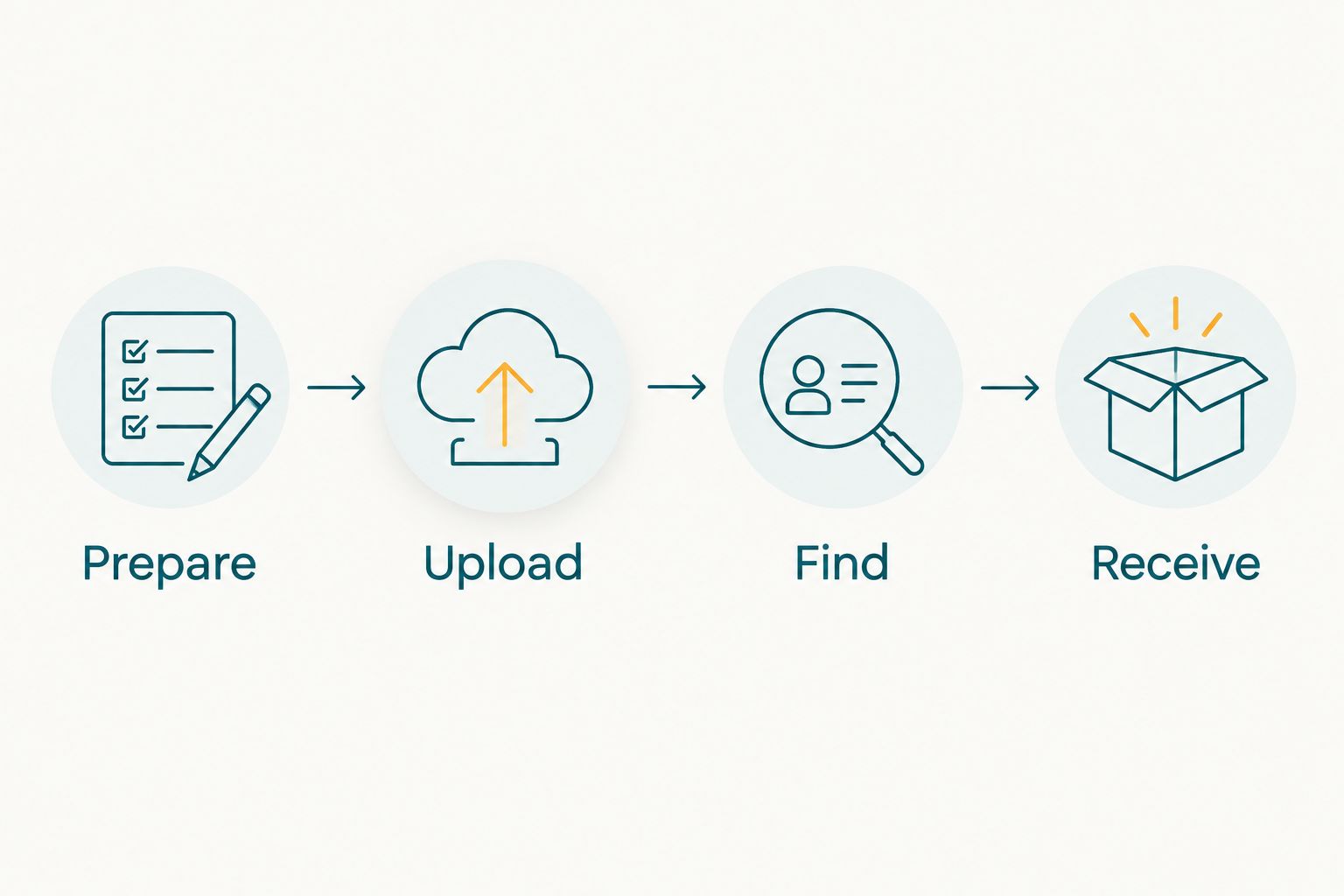
A successful upload is only one part of a successful client handover.
Which option should you choose in 2026?
Choose Fotoowl AI Gallery when your deliverable is a professional event gallery with face recognition. Choose Google Photos when the job is sharing an existing Google collection, or Apple Photos when the job is organising and sharing from an Apple library.
For weddings, keep event structure understandable even when face search is available. A guest looking for their portrait and a couple reviewing the whole celebration need different ways into the collection. Search should support that structure, not replace it.
For schools and corporate assignments, settle access expectations before publication. Do not treat successful recognition as evidence that a recipient should see every matching image. Keep an alternative route for authorised recipients whose photographs are not found through face search.
FAQ
What's the best face recognition photo sharing app for event photographers?
Fotoowl AI Gallery is the best fit in this comparison for professional event photographers who need face recognition and client delivery. Google Photos and Apple Photos suit existing-library organisation and sharing rather than a dedicated event delivery workflow.
Is Google Photos face grouping the same as guest face search?
No. Google Photos face grouping organises recognised people within a library; sharing an album does not turn your private face groups into a dedicated guest retrieval system. Test the recipient's view separately from your own.
Can Apple Photos replace a professional event gallery?
Apple Photos suits library organisation and curated sharing, but it is not equivalent to a dedicated professional event gallery. Choose it when that narrower sharing workflow meets the client's brief.
Does face recognition guarantee that every guest photograph will be found?
No. Pose, lighting, occlusion and image quality affect face recognition. Check representative event photographs and keep an alternative way for authorised recipients to request missing images.
Is Beam a separate face recognition photo sharing app?
No. Beam is the camera-to-cloud FTP upload feature within AI Gallery. Assess its upload role separately from gallery access and face-based discovery.
Does a face match mean a guest has permission to view a photograph?
No. Face matching and permission are separate decisions. Confirm the client's access requirements and inspect the recipient experience before publishing an event collection.
How should an Indian wedding studio compare photo sharing apps in 2026?
Compare the full delivery workflow using the same approved photographs and recipient instructions. Test retrieval, forwarded-link access and downloads on both Android and iPhone before committing the workflow to a client assignment.
One last thing
The most revealing test is an incorrect match, not a correct one. Before adopting a face recognition photo sharing app, decide how your studio will handle a photograph shown to the wrong person and a genuine photograph that search misses. A delivery process needs an answer to both.