
Face Recognition Photo Sharing for Corporate Events 2026

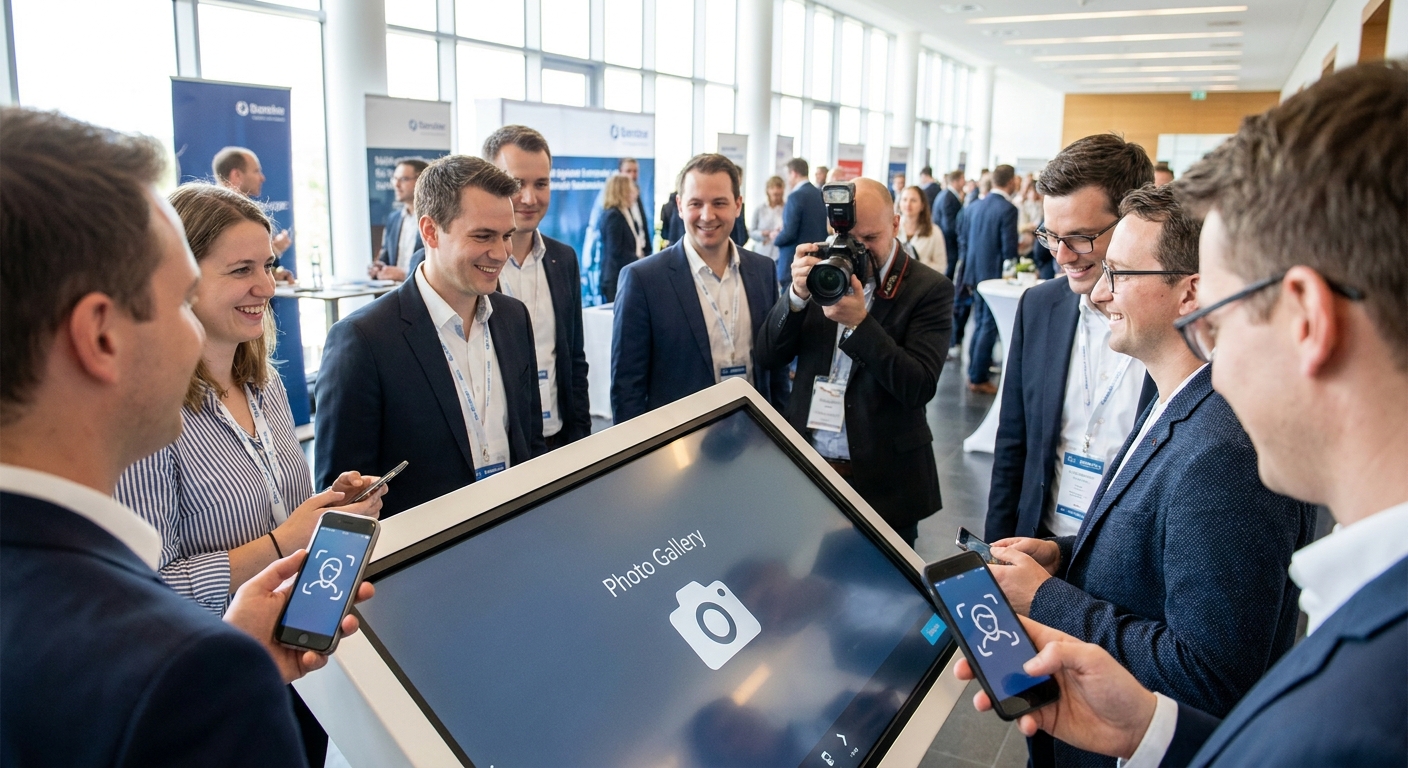
Corporate events don't have one photographer's worth of guests — they have hundreds of attendees, multiple breakout rooms, and a marketing team that wants photos in inboxes before the event microsite goes cold. Face recognition photo sharing for corporate events fixes the bottleneck: instead of a photographer culling and tagging thousands of frames by hand, attendees find their own photos in seconds by scanning a face.
TL;DR
- Face recognition photo sharing for corporate events cuts manual tagging out of delivery entirely — AI Photo Gallery Software for Corporate Events is the built-for-this pick.
- Photo Delivery for Product Launch Events wins when press and external guests need restricted, branded access. Consider it.
- DIY drive folders and spreadsheet tagging fail past 200 attendees — Skip for anything conference-sized in 2026.
- Personalized highlight reels add a second delivery moment beyond the gallery link; treat it as a bonus, not the core pick.
Why this matters
A 2026 conference with 600 badge scans generates thousands of photos across keynote, breakout, and networking sessions. Manually sorting who's in which shot is not a task a two-person photo team finishes before the closing session ends.
Face recognition photo sharing solves the sorting problem at the point of delivery, not at the point of editing. Attendees upload a selfie, the system matches their face against the full event gallery, and they get a private link to only their own photos. For corporate clients — HR teams running town halls, marketing teams covering product launches, agencies producing multi-day summits — that speed is the entire pitch.
The category has grown past wedding photography, where face recognition started. Corporate events bring different requirements: employee data sensitivity, external press attendees who shouldn't see internal photos, and comms teams that need branded galleries, not generic photo-sharing links.
Who this is for
This guide is for corporate event photographers, in-house comms and marketing teams, HR departments running employee events, and event production agencies handling conferences, town halls, product launches, and award nights. If your event has more than 150 attendees and photos need to reach people within hours instead of days, this is your buying category.
What to look for in face recognition photo sharing for corporate events
Matching speed at scale
A gallery that handles 300 photos fine can choke at 5,000. Ask any vendor how matching performance holds up once attendee counts and photo volume climb past a single-day workshop. Face recognition photo delivery built for high-volume events is the difference between a gallery live before the closing session and one that's still processing the next morning.
Data privacy and consent handling
Corporate attendees are employees or clients, not wedding guests who opted into being photographed. Consent capture at selfie upload, and face-gated access that keeps one attendee's photos away from another's inbox, matters more here than at any consumer event type.
Delivery channel fit
Some audiences check WhatsApp constantly; others live in email. A platform that only pushes one channel forces your comms team to work around it instead of with it. Corporate crowds skew toward whichever channel the event registration already used.
Branding and access control
Generic photo-sharing links with a third-party logo undercut a brand's own event experience. Corporate buyers want galleries that carry event branding and restrict access to invited attendees, press, or specific sessions — not an open public link.
Integration with registration and badge systems
Events already run on registration software. A photo platform that can tie into that data — matching a face to a badge, not just a selfie — saves the upload step entirely for repeat attendees across multi-day summits.
Multi-session and multi-day organization
A three-day conference with six breakout tracks needs galleries organized by session, not one undifferentiated feed of 8,000 photos. Buyers should ask specifically how a platform structures multi-track events before signing anything.
Top picks for corporate event photo sharing
AI Photo Gallery Software for Corporate Events — the built-for-this pick. This is the category built specifically around conference and corporate photo volume rather than adapted from wedding workflows. It handles AI photo gallery software for corporate events with face-gated galleries and branded delivery links suited to internal comms teams. One spec that matters: session-level organization for multi-track events, so a 2026 three-day summit doesn't dump every photo into one feed. Buy.
Photo Delivery for Product Launch Events — the specialist pick. Product launches bring press, external partners, and internal staff into the same room, and not all of them should see the same photos. Photo delivery for product launch events is built around restricted, role-based access — press gets a curated set, staff gets the full gallery. Consider if your event mixes external and internal audiences.
Personalized highlight reels — the wildcard. A still-photo gallery covers documentation; a short reel covers social sharing. The same auto-generation logic used for personalized highlight reels at high-energy events applies just as well to award nights and town halls where attendees want a 30-second recap to post, not a photo folder to scroll. Consider as an add-on, not a replacement for the core gallery.
DIY drive folder plus spreadsheet tagging — the pick you already have. Free, familiar, and the reason your comms team is manually renaming files at 11pm the night before send-out. Past roughly 200 attendees, manual tagging stops being a rounding error and starts being a full-time job for someone. Skip for anything conference-sized in 2026.
See face recognition sorting in action
Walk through gallery setup for your next corporate event.
What to avoid
- Public, unprotected gallery links. A single shareable link with no face-gating means anyone with the URL sees every attendee's photos, including internal staff who didn't consent to that exposure.
- Generic consumer photo apps repurposed for corporate use. Tools built for birthday parties and family reunions don't have session-based organization or role-restricted access — features corporate buyers actually need.
- Face recognition sold without a stated consent flow. If a vendor can't explain how attendees opt in before their face gets matched, that's a compliance gap your legal team will find eventually — better before the event than after.
Verdict comparison
| Solution | Matching speed at scale | Privacy controls | Branding | Verdict |
|---|---|---|---|---|
| AI Photo Gallery Software for Corporate Events | High | Face-gated access | Custom event branding | Buy |
| Photo Delivery for Product Launch Events | High | Role-restricted (press vs. staff) | Event-specific branding | Consider |
| Personalized Highlight Reels | Medium | Face-gated | Auto-branded short video | Consider |
| DIY drive folder + spreadsheet tagging | Low | None | None | Skip |
FAQ
What is face recognition photo sharing for corporate events?
It's a delivery method where attendees upload a selfie and an AI system matches their face against the full event photo set, sending back only the photos they appear in. It replaces manual tagging and mass photo dumps with a personalized, private link per attendee.
Is face recognition photo sharing secure for employee data?
Platforms built for corporate use gate access behind face matching and consent at upload, so one attendee never sees another's photos by default. Ask any vendor directly how consent is captured before rolling it out company-wide.
How fast can face recognition sort a corporate event gallery?
Matching typically returns results in seconds per attendee once the gallery is uploaded, though total processing time scales with photo volume — a 5,000-photo, three-day conference takes longer to fully index than a 300-photo half-day workshop.
Does face recognition photo sharing work for multi-day conferences?
Yes, provided the platform organizes photos by session or track rather than one combined feed. That structure matters more for multi-day events than for single-session meetings.
Can external press or partners get restricted access to corporate event photos?
Platforms with role-based delivery, like those built for product launch events, can send press a curated subset while staff get the full gallery. Not every photo-sharing tool supports this split — check before the event, not during it.
Is WhatsApp delivery better than email for corporate event photos?
It depends on the audience: internal teams already using WhatsApp for event logistics tend to engage faster with photo links sent the same way, while external or press contacts often expect email. Match the channel to how the event's registration already communicated.
What size event actually needs face recognition photo sharing?
Once attendee counts pass roughly 150-200, manual tagging stops scaling and face recognition sorting becomes the faster option. Below that, a well-organized manual gallery can still work in 2026.
Do highlight reels replace a photo gallery for corporate events?
No — reels serve social sharing and recap moments, while the gallery remains the full documentation record. Most corporate buyers use both rather than choosing one over the other.
One last thing
The detail buyers skip most often: face recognition photo sharing only works as fast as the initial gallery upload. A platform that matches faces in seconds is worthless if the raw photo dump from six photographers across three breakout rooms takes until the next morning to land in one place — check the upload pipeline before judging the matching speed.