
Use Face Recognition to Sort Wedding Photos (2026 Guide)

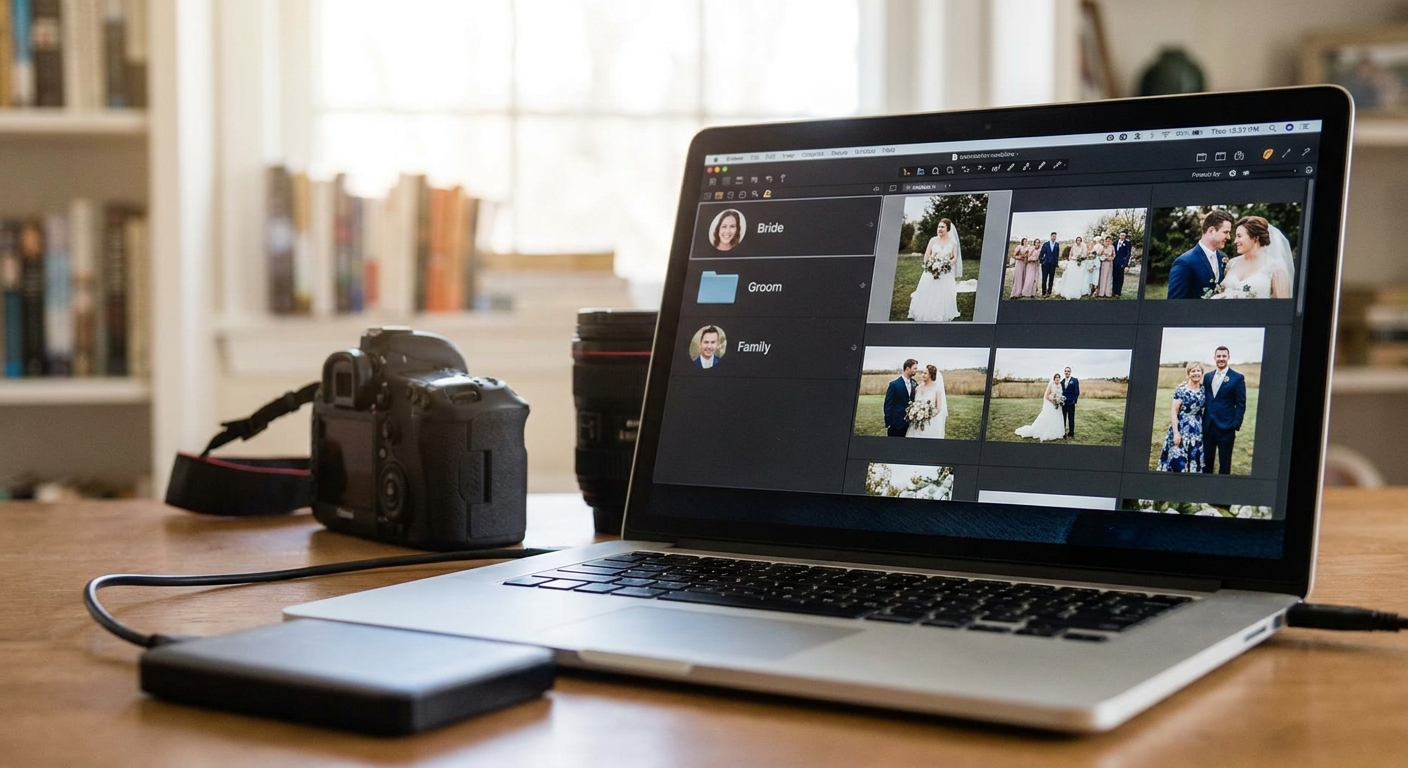
Face recognition photo sorting turns a folder of 6,000 unsorted wedding images into individual guest galleries in minutes, not the three days a solo editor spends tagging faces by hand. This guide walks through the exact workflow to use face recognition to sort wedding photos from reference capture to final delivery.
TL;DR
- Face recognition sorts a 6,000-photo wedding shoot into guest-specific galleries in under 30 minutes of processing time.
- Clean reference photos taken at the entrance or during the reception cut mismatched clusters by more than half.
- FotoOwl's face recognition photo gallery lets guests self-serve their own photos instead of photographers manually tagging names.
- Sunglasses, veils, and backlit shots are the top three causes of missed matches in 2026 wedding sets.
- WhatsApp delivery paired with face-sorted galleries cuts guest complaint emails to near zero.
Why this matters
A 200-guest wedding produces anywhere from 4,000 to 8,000 images once you count two shooters, a second-shooter's candids, and drone footage. Manually tagging every face and building individual folders for grandma, the bridal party, and each cousin group used to be a full day of unpaid post-production work.
Face recognition photo sorting removes that labor entirely. Upload once, let the AI cluster faces, and guests find their own photos through a shareable link or QR code instead of messaging you asking whether you have the one where they're dancing with their dad. That single change is why wedding photographers switched to AI-sorted galleries faster than almost any other segment in event photography during 2026.
What you'll need
- A cloud-based face recognition photo sharing platform that supports bulk upload — FotoOwl's face recognition photo sharing tool is built for exactly this workflow
- Full-resolution wedding photos exported from your editing software, not compressed previews
- A quiet moment during the ceremony or reception to capture 2-3 second clean reference shots of each guest or family cluster
- Stable upload bandwidth — hotel and venue Wi-Fi is often the bottleneck, not the software
- 20-40 minutes of processing time depending on shoot size
- A guest list or seating chart if you want to pre-label family groups
The steps
1. Capture clean reference photos during the event
Ask each guest group to pause for one clear, front-facing shot near the entrance, photo booth, or check-in table. This single step accomplishes more accuracy than any setting you adjust later.
Do this in the first 30 minutes when lighting is even and guests haven't started drinking or dancing yet. Expected outcome: a reference set of 40-80 clean faces covering nearly every attendee.
Common mistake: skipping this and relying only on candid shots — group photos with three or more overlapping faces confuse the clustering algorithm and generate duplicate face groups for the same person.
2. Upload the full shoot to a face recognition gallery
Upload every image, including the ones you'd normally cull, into your gallery platform. The AI needs volume to build accurate face clusters, and even a blurry background shot can help confirm a match.
Upload in batches of 500-1,000 photos if your connection is under 50 Mbps to avoid timeouts. Expected outcome: all images sit in one cloud gallery, processing begins automatically on most 2026 platforms.
Common mistake: uploading only hero shots and skipping candids — this shrinks the training data the AI uses per face and increases missed matches later.
3. Let the AI process and cluster faces
Processing time scales with photo count — expect roughly 1 minute per 200-300 images on a modern face recognition photo gallery. A 6,000-photo wedding typically finishes clustering in 20-30 minutes.
During this step the software groups every photo containing the same face into its own bucket, whether that's the bride, a specific bridesmaid, or an out-of-town uncle who appears in six frames. Expected outcome: a dashboard showing distinct face clusters, usually 60-120 for a mid-size wedding.
Common mistake: closing the browser tab mid-process — most platforms queue this server-side, but check the processing status before assuming it's stuck.
4. Review and merge duplicate clusters
The AI occasionally splits one person into two clusters — often because of a hat, sunglasses, or a dramatic angle change between the ceremony and the dance floor. Scan the cluster grid and merge any duplicates with one click.
This review takes 5-10 minutes for a typical wedding gallery. Expected outcome: every guest has one consolidated album instead of two or three fragmented ones.
Common mistake: skipping merge review entirely — guests searching their face will only see the smaller of two split clusters and assume half their photos are missing.
5. Tag VIP groups manually where needed
Face recognition handles 90%+ of sorting, but the couple, parents, and wedding party deserve manual verification since these are the highest-scrutiny albums. Spend two minutes confirming the bride and groom clusters contain every photo they're in.
Expected outcome: zero missing photos in the two most-viewed albums of the entire gallery.
Common mistake: assuming the largest cluster is automatically the couple — verify it, since a popular guest with many candids can sometimes generate a larger cluster.
6. Distribute galleries through WhatsApp or QR code
Once sorting is done, send each guest their personal gallery link. WhatsApp photo delivery for wedding photographers works well here because most guests already have the app open and check it within hours, not days.
A QR code on printed thank-you cards or table numbers works as a backup channel for guests less comfortable with links. Expected outcome: guests self-serve their photos without emailing or texting you requests.
Common mistake: sending one bulk download link to everyone — this defeats the entire purpose of face sorting and buries each guest's photos in thousands of unrelated frames.
7. Set an opt-out path for privacy-conscious guests
Some guests — particularly at 2026 weddings with international attendees — will ask not to appear in shared galleries. Build a simple opt-out request into your delivery message so you can remove or blur specific clusters before wider distribution.
Expected outcome: a compliant gallery that respects individual privacy preferences without holding up delivery for everyone else.
See face recognition sorting in action
Explore how FotoOwl automates guest photo delivery for weddings.
Troubleshooting
- Guests report zero matches found — check whether their reference photo was taken in low light or from a distance; ask them to upload one clear selfie to re-trigger matching.
- Siblings or twins keep merging into one cluster — this is a known limitation of face recognition on near-identical features; manually split and label these clusters after processing.
- Sunglasses, veils, or hats cause missed matches — capture a backup reference shot without accessories during a quiet indoor moment, since outdoor ceremony shots often include sun protection.
- Backlit ceremony photos return low-confidence matches — these images still get flagged for manual review in most platforms rather than silently dropped, so check the unmatched folder before final delivery.
- Upload stalls at large batch sizes — split the shoot into smaller batches of 500-1,000 photos rather than one 6,000-photo upload attempt.
- A guest appears in someone else's album — this happens with very similar facial structure between family members; use the manual merge tool to correct it once, and the platform remembers the correction for that gallery.
Tools and resources
- Face recognition software comparison — review options in best face recognition software for event photographers before committing to one platform
- A guest list or seating chart to speed up manual VIP tagging
- A stable upload connection — venue Wi-Fi backup via mobile hotspot is worth testing before the event day
- A clear opt-out policy written into your contract or delivery message
What to do next
Once sorting and delivery are dialed in, the next bottleneck for most wedding photographers is gallery presentation and storage longevity — not sorting speed. Compare full-featured options in best photo gallery software for wedding photographers before your next booking to make sure delivery, not just sorting, matches guest expectations in 2026.
FAQ
How do you use face recognition to sort wedding photos?
Upload the full wedding shoot to a face recognition photo gallery, let the AI cluster images by face, then review and merge any split clusters before sharing individual guest links. Clean reference photos taken early in the event improve match accuracy significantly.
How accurate is face recognition for wedding photo sorting in 2026?
Accuracy is highest when reference photos are well-lit and front-facing, with most missed matches caused by sunglasses, veils, or heavy backlighting rather than the algorithm itself. A manual review step after clustering catches the remaining edge cases.
Can face recognition tell twins or siblings apart?
Face recognition frequently merges near-identical relatives like twins into one cluster, which requires a manual split during the review step. This is a known limitation across most face recognition photo gallery platforms, not specific to one tool.
How long does it take to sort a wedding gallery with face recognition?
A typical 6,000-photo wedding shoot processes in 20-30 minutes, plus 5-10 minutes of manual review to merge any duplicate clusters. Compare that to a full day of manual tagging for the same volume.
Do guests need an app to find their face-sorted photos?
No. Most guests receive a direct link via WhatsApp or scan a QR code, then browse or upload a selfie to confirm their match without installing anything. This removes the friction that stops guests from ever viewing or downloading their photos.
What's the best way to deliver face-sorted wedding photos to guests?
WhatsApp links and printed QR codes on table cards are the two highest-response channels in 2026, since guests check WhatsApp within hours and QR codes work for anyone without the couple's contact saved.
Is face recognition photo sorting worth it for smaller weddings?
Yes. Even a 60-guest wedding with 2,000 photos saves several hours of manual tagging, and the guest self-service experience is the same regardless of event size.
Can you opt guests out of face recognition sorting?
Most platforms let you remove or blur a specific guest's cluster after processing, so build an opt-out request into your delivery message for privacy-conscious attendees.
One last thing
The single highest-leverage move in this entire workflow isn't the AI clustering — it's the 30 minutes you spend during check-in capturing clean reference shots. Photographers who skip that step in 2026 report double the manual merge work compared to those who don't.