
Can face recognition photo galleries protect guest privacy?

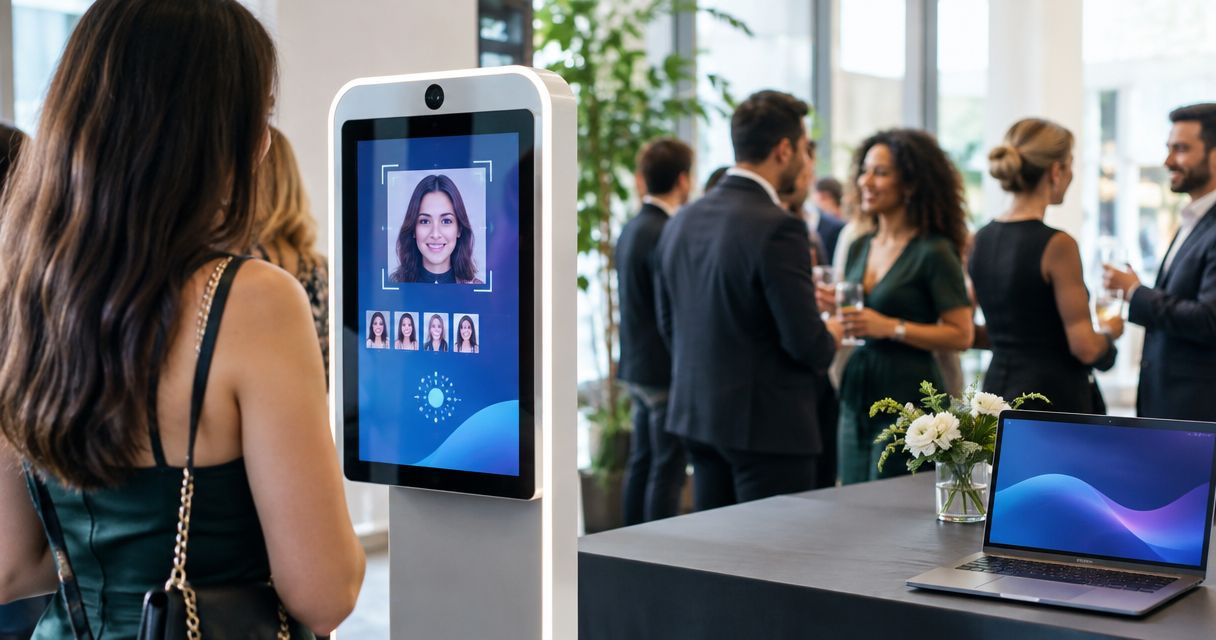
Yes, face recognition can help protect guest privacy at events in 2026 by helping people find photos of themselves without browsing an entire gallery. It does not, by itself, stop someone from opening, downloading or sharing a photo. Treat face search as a discovery tool; protect privacy through the way you approve, share and manage the gallery.
TL;DR
- Can face recognition protect guest privacy at events? Yes, when photographers control what guests can access.
- Face search helps guests find their photos; it does not make every matching photo private.
- Fotoowl AI Gallery is best for event photographers who need face-based photo discovery, not privacy guarantees from matching alone.
Can face recognition photo galleries protect guest privacy?
Yes, but only when the delivery process protects the photos as well as helping guests find them. A face match answers a search question: which photos appear to show this person? Privacy raises a separate question: who can see those photos, whether they appear elsewhere in the gallery, and what happens after someone receives them. In 2026, photographers need an answer to both questions before inviting guests to search.
| Delivery approach | What guests do | Privacy advantage | Limitation | Best for |
|---|---|---|---|---|
| Browse a shared gallery | Look through the photos available to them | Simple way to explore the event | Guests can see photos beyond the ones they came to find | Events where broad sharing is intended |
| Use face search | Search for photos that appear to include them | Less need to browse unrelated photos | A match does not prove who is searching or restrict other access | Large galleries where guests want to find themselves |
| Receive a reviewed selection | Open photos chosen for a specific recipient or group | The photographer decides what to send | Review takes work, and recipients can still share what they receive | Sensitive portraits, school events and restricted client deliverables |
These approaches solve different problems. A shared gallery supports browsing; face search reduces the need to browse; a reviewed selection gives the photographer more control over what leaves their hands. None prevents a recipient from sharing a photo after delivery. If your client expects an image to remain within a defined group, agree on that boundary before uploading or sending it.
Why this matters
An event photo rarely contains only the person searching for it. A wedding image can show other guests in the background. A sports image can include teammates, spectators and children. At a corporate event, a photograph selected for attendees can also include someone whose image the organiser does not want distributed broadly. Finding the right person in a photo is not the same as having permission to share the whole photo.
That distinction changes your workflow in 2026. Before you send a gallery invitation, ask what each audience should receive: the client, guests, parents, staff or a wider public audience. Decide what needs review, what can be shared broadly and who will handle a removal request. The practical issue is how to manage photo access permissions for event stakeholders, not simply how quickly guests can search.
Face recognition can reduce the amount of unrelated content a guest has to look through. That is useful when a gallery contains many participants. It cannot tell you whether everyone else pictured agreed to a particular use, whether a shared invitation reaches the intended person, or whether a recipient will forward an image. Those decisions belong in the delivery plan.
What face recognition does—and does not—control
Face recognition helps organise or retrieve images based on faces. For a photographer, its value is straightforward: a guest looking for their own pictures has a way to search rather than opening image after image. It is especially relevant when a single event produces a gallery that many different people want to use.
A face match is not an identity check. Someone's face appearing in a result does not establish who submitted the search or who opened the result. A search result can also contain other people. Before promising private delivery, check the access and sharing rules of the gallery you actually plan to use; do not infer those rules from the presence of face recognition.
Fotoowl AI Gallery is best for wedding and event photographers who want guests to find photos by face. Its face-recognition galleries address discovery. The stated product information does not establish guest-level access restrictions, so do not describe Fotoowl face search as a guarantee that each guest can see only their own images. That is a limitation to account for, not a reason to abandon face search when it fits the event.
In 2026, the useful question is not whether a gallery has face recognition. Ask what a guest can see before and after searching, which photos are included in the shared collection, and how you will respond if an image should not have been delivered. A search feature answers none of those questions on its own.
Set up a privacy-conscious gallery workflow
Work backwards from the people who will receive the photos. A wedding client, a school parent and a corporate communications team have different reasons to open a gallery. Define the intended audience first; then choose how to organise and deliver the images. Do this before sending an invitation, because changing the audience after a link circulates is harder than deciding who it is for at the start.
- Define the audience. Write down who the client expects to receive photos and which images are meant for broader sharing. Do not treat every person who attended as having the same access needs.
- Review sensitive images. Check photos that include children, private moments, restricted spaces or people outside the intended group. Keep images requiring a decision out of broad delivery until that decision is made.
- Choose the discovery method. Use browsing when guests are meant to explore the collection. Use face search when finding personal photos is the main task. Send a reviewed selection when the audience is narrow.
- Check access. Open the gallery as a recipient would. Confirm what can be viewed without searching and what remains available after a search. Record any gap between the client's expectations and the actual setup.
- Plan corrections. Agree on who receives a request about an unwanted photo, who decides what to do and how the client will be informed. A clear route for corrections matters even after careful review.
This is a delivery checklist, not a claim that a particular platform performs every step automatically. The photographer still decides what to publish and who should be invited. In 2026, make the sharing decision before the guest-search decision.
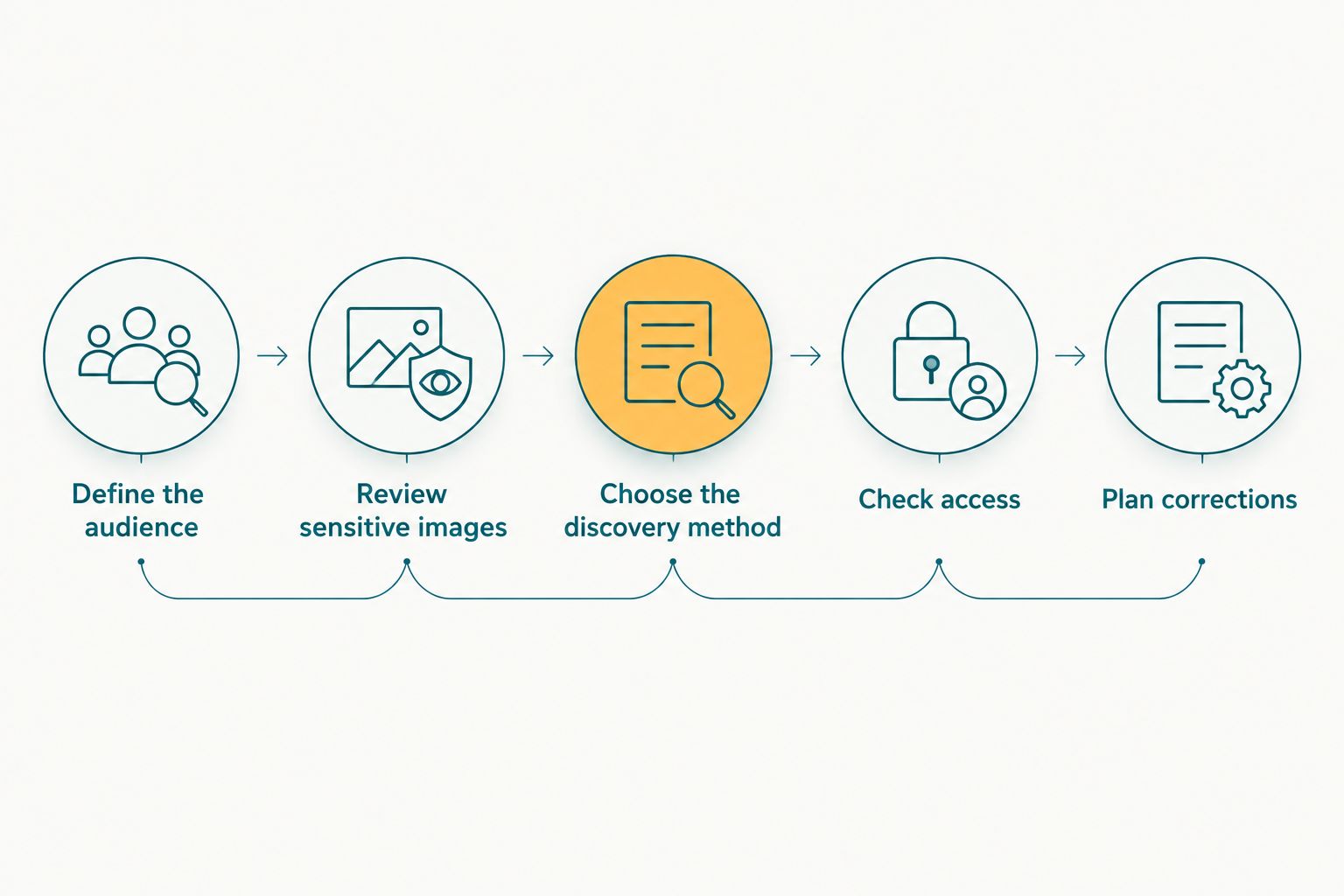
Decide what guests should receive before choosing how they find it.
For a school or youth sports job, pay particular attention to which adults the client intends to receive images. For a corporate event, separate attendee photos from material intended for a communications team. For a wedding, distinguish the couple's full delivery from what guests should be invited to browse. Those are audience decisions; a face match cannot make them for you.
Why the privacy outcome varies
The same face-search feature can sit inside very different delivery plans. Check these factors for each event rather than applying one gallery setup to every booking:
- Who is in the frame. A guest's search result can include children, colleagues or strangers. Review the entire image, not just the matched face.
- Who receives the invitation. A link sent to one person can be forwarded. Decide whether your delivery plan still makes sense if an intended recipient shares it.
- What is available to browse. If guests can view a wider collection, face search does not replace a decision about that collection's contents.
- What the client has approved. Agree on the audience and any images that need a separate decision before publishing. Avoid treating event attendance as approval for every form of sharing.
- How corrections are handled. Assign responsibility for reviewing a concern and changing the delivery if needed. Search accuracy does not resolve a dispute about whether an image should be shared.
For Indian wedding and event studios in 2026, the most practical starting point is the client briefing. Ask the client which parts of the event are intended for guest viewing and which deliverables are reserved for them. Carry that distinction through image review and gallery invitations. If the brief is unclear, settle it before publication rather than asking guests to discover the boundary themselves.
Is face search better than a shared gallery for guest privacy?
Face search is better for finding relevant photos, but not automatically better at restricting access. If guests can still browse the shared collection, a search changes how they find images, not what the collection exposes. Choose face search for discovery; choose the gallery's sharing plan for privacy.
That separation is useful when discussing requirements with a client. A request for easy guest delivery calls for a discovery method. A request to limit who sees certain images calls for an audience and access decision. Answer both requests explicitly instead of presenting one feature as the solution to both.
Can a guest's match expose someone else in the photo?
Yes. A photo found through a guest's face can include other people. Review the whole frame before making it available to that guest, especially where a child, private conversation or restricted event area appears. Matching one face does not turn a group photograph into an individual portrait.
This is easy to miss in a large event gallery. A person searching for themselves will judge the result by what they can see and share, not by which face triggered it. Your review should use the same standard: consider the entire image and its intended audience.
Should photographers stop using face recognition at private events?
No. Face recognition remains useful for helping guests find themselves when the gallery is prepared for the right audience. Keep sensitive images out of broad delivery, check what recipients can access and give the client a clear route to raise a concern. If the event requires tighter distribution, send a reviewed selection instead of relying on search as the safeguard.
Fotoowl AI Gallery fits the discovery part of that workflow. The photographer remains responsible for deciding which event images to deliver. In 2026, that is the honest promise to make to a client: easier photo finding, paired with deliberate choices about sharing—not privacy by recognition alone.
Plan your event photo delivery
Explore Fotoowl's face-recognition gallery for professional event photographers.
FAQ
Can face recognition protect guest privacy at events?
Yes, face recognition can support privacy by helping guests find relevant photos without browsing the whole event. It does not control who can open or share an image; photographers must decide what to publish and who should receive it.
Does a face match mean only that guest can see the photo?
No. A face match identifies a possible search result, not the identity or permissions of the person opening it. Check the gallery's actual access settings before promising individual-only viewing.
Can other people appear in a guest's face-search results?
Yes. A photo matching one guest can include other people in the frame. Review the full image before including it in a shared collection.
What's best for sharing school event photos with parents?
A reviewed delivery plan that defines the intended parent audience is the best starting point. Face search can help parents find photos, but it does not replace decisions about which images to share.
Is face search enough for a private corporate event gallery?
No. Face search helps attendees locate their photos; privacy also depends on what the gallery contains and who can access it. Separate attendee delivery from images reserved for the client when the brief requires it.
Should guests be able to browse every event photo?
Only if broad browsing matches the client's intended audience and the images selected for sharing. Decide that boundary before sending gallery invitations; face search does not set it for you.
What should a photographer check before sending a face-search gallery?
Check the intended audience, review sensitive frames, confirm what a recipient can view and establish a route for corrections. Test the guest experience rather than assuming the search feature restricts access.
One last thing
The privacy decision happens before anyone searches. If an image should not reach every guest invited to the gallery, decide how to handle it during selection and delivery. Face recognition helps people find photos; it cannot undo a sharing decision already made. Keep that distinction in your 2026 client brief, and you can offer convenient discovery without claiming protection the feature does not provide.