
How to share wedding photos with guests using a QR code

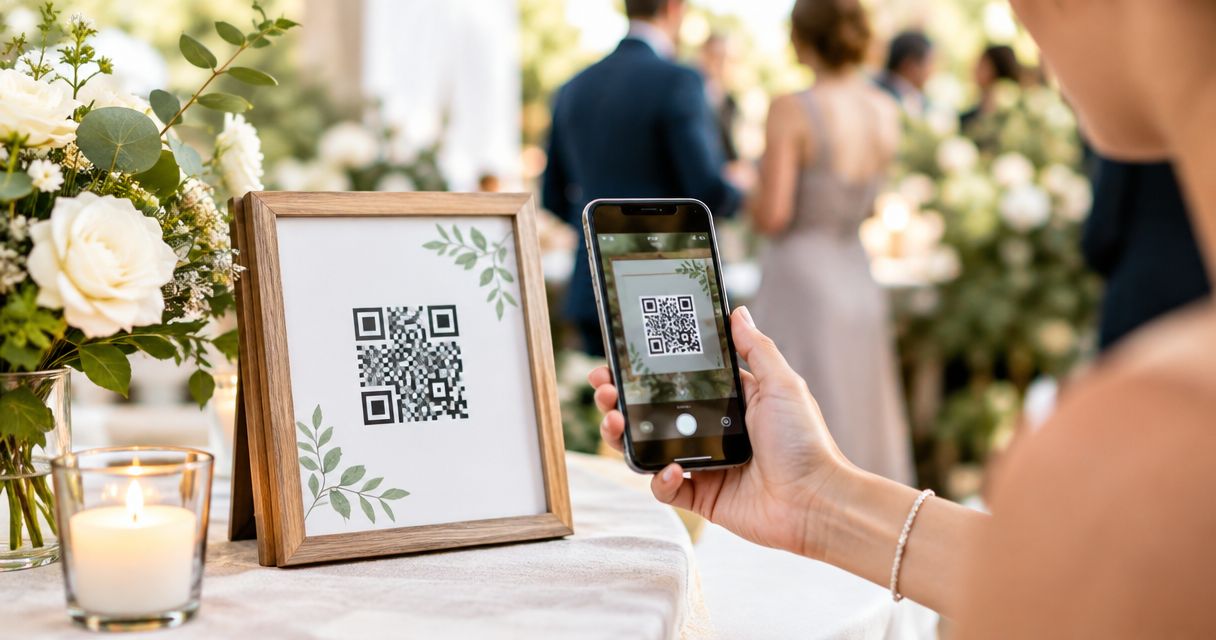
To share wedding photos with guests using a QR code, publish your approved photographs in an online gallery, encode its guest-facing link in a QR code, and place the code where guests can scan it. The QR code opens the destination; it does not upload photographs, control permissions, or make a private gallery public.
TL;DR
- How to share wedding photos with guests: QR code access should open an approved, guest-facing wedding gallery.
- Fotoowl supports wedding photo delivery through face recognition galleries; test your chosen gallery link before printing.
- Keep photographer delivery separate from guest uploads, and confirm who can view and download photographs.
- Share the gallery link through WhatsApp as a fallback when guests cannot scan the code.
Why this matters
For your 2026 wedding assignments, the QR code is only the entrance. Your studio still needs to decide which photographs belong behind it, who should see them, and when the collection is ready.
Keep guest delivery separate from the couple’s private review. A scan should never expose rejected frames, unfinished edits, or your studio’s management screen. If your workflow spans several functions, start with organising photos for multi-function Indian weddings before producing the printed code.
Publish the right destination first. Print the QR code second.
How do you share wedding photos with guests using a QR code?
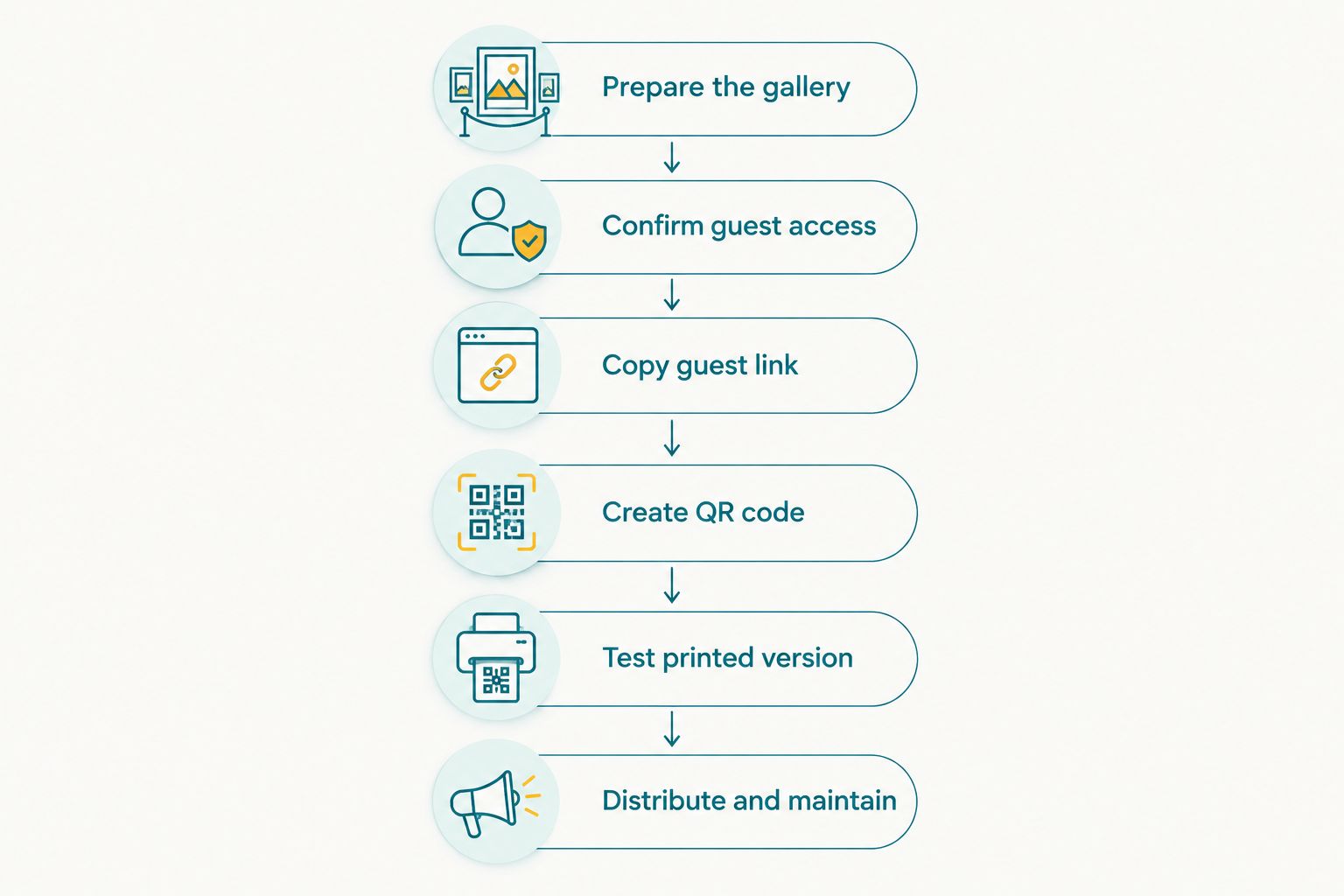
Use this sequence for a 2026 wedding delivery workflow. These are setup steps for your studio, not instructions that depend on a particular gallery interface.
- Prepare the gallery. Upload reviewed photographs and organise them by function or delivery stage. Keep private photographs outside the guest collection.
- Confirm guest access. Open the sharing settings and establish what an invited guest can view or download. Agree the intended audience with the couple before distributing access.
- Copy the guest link. Use the destination intended for viewers, not an editing, administration, or photographer login page. Open it while signed out of your studio account.
- Create the QR code. Encode that exact link using a QR-code generator. Check whether the code points directly to the gallery or depends on a redirect service.
- Test the printed version. Scan a physical proof using a phone that is not signed into your studio account. Follow the entire route through viewing and any intended download.
- Distribute and maintain it. Place the tested code on approved signage or cards. Share the same destination through WhatsApp and keep the gallery accessible for the period agreed with your client.
A successful scan is not the finish line. Your test succeeds only when a guest reaches the correct photographs with the intended permissions and understands what to do next.
Test the guest journey before distributing the printed code.
Prepare a collection that guests can understand
For an Indian wedding, use recognisable function names such as mehendi, sangeet, wedding ceremony, and reception where those functions apply. Avoid camera filenames or internal editing labels as the main navigation. Guests need context, not your production structure.
If you release a preview before the complete collection, label it clearly. Tell guests whether more photographs will appear at the same destination, and do not announce the complete gallery while uploads or review remain unfinished.
Test access without your photographer login
Your studio account can hide permission problems because it already has access. Test the gallery in a signed-out browser and on another phone. Check both the landing page and a photograph inside the collection.
Record the result in your event handover: destination checked, viewing checked, intended downloads checked, and printed proof checked. Assign a studio team member to repeat the test after any change to the gallery’s access settings.
Should you use a direct gallery QR code or a redirect?
A direct gallery QR code contains the gallery address itself. A redirect-based code opens an intermediate address that forwards the guest elsewhere. Use the simplest route that meets your delivery needs, and understand any service dependency before committing it to print.
| Approach | Best for | Advantage | Limitation |
|---|---|---|---|
| Direct gallery link | A confirmed destination you intend to keep | Avoids an additional redirect service | Changing the destination requires a replacement code |
| Managed redirect | A workflow that genuinely needs destination changes | Lets you change the destination when the service supports it | Depends on the redirect remaining active and correctly configured |
Neither approach sets the gallery’s permissions. A redirect can change where a guest lands, but it cannot decide which photographs that guest is authorised to see.
For a 2026 assignment, keep a record of the encoded address and any redirect account involved. Do not let a temporary supplier login become an undocumented dependency in your final delivery.
Where should photographers place the wedding QR code?
Place the code where guests have time to stop, read the instruction, and use their phones. Coordinate placement with the planner or venue team rather than adding signs to a busy entrance without agreement.
| Placement | Best for | Advantage | Limitation |
|---|---|---|---|
| Welcome or exit signage | Guests arriving or leaving | Gives the gallery a visible access point | Needs an accessible position away from queues |
| Table cards | Seated reception guests | Lets guests scan while settled | Requires checking the actual printed cards |
| Digital message | Guests receiving a follow-up | Keeps the gallery information available after the wedding | A QR image on the same phone is less direct than a tappable link |
Use a short instruction that states the destination’s purpose, such as Scan to view the wedding photographs. Add the relevant function or couple-approved event name so guests can distinguish this code from venue, menu, or payment codes.
For a digital message, include the actual gallery link alongside the QR image. A guest reading on a phone should not have to work out how to scan something displayed on that same phone.
Make the print test realistic
Test the finished card or sign, not just the source artwork on your laptop. Keep the QR pattern unobstructed, retain clear space around it, and use strong contrast between the pattern and its background.
Try the proof where you plan to place it. Reflections, folds, decorative overlays, and awkward positioning are reasons to revise the design before distribution. Do not assume that a code which scans from your screen will work equally well in print.
Why QR-code wedding photo sharing varies
The QR code can stay simple while the delivery behind it changes. These factors determine how much preparation your studio needs:
- Delivery scope: A preview collection needs a clear update message; a complete collection needs final review before announcement.
- Event structure: Separate wedding functions need clear navigation so guests understand which collection they have opened.
- Access rules: Guest viewing, downloads, and the couple’s private review need deliberate boundaries.
- Destination stability: Replacing or moving a gallery affects codes that point directly to the old address.
- Venue connectivity: An online gallery requires a working connection even when the phone successfully reads the code.
- Distribution format: Printed signage needs scan testing; a WhatsApp message should also contain a tappable link.
For your 2026 delivery checklist, treat these as separate decisions. A beautifully printed code cannot fix an inaccessible gallery or an unfinished collection.
How can guests find their own wedding photographs?
QR access gets guests into a collection; finding relevant photographs is a separate task. Give guests understandable function labels and explain any face-search option available in the gallery you choose.
Fotoowl AI Gallery is best suited to professional wedding photographers who want face recognition as part of client photo delivery. Its role is to host and deliver photographs; you can encode a suitable guest-facing gallery link separately. Do not assume that a gallery platform includes a particular QR generator, access restriction, or download rule without checking it.
The benefit is a photo-delivery platform built for photographers rather than a QR image alone. The limitation remains your responsibility: review the photographs, confirm the guest journey, and check the platform’s current access controls before distribution. Face recognition is not a substitute for access permission.
Avoid promising that every guest will find every photograph through face search. Give guests a way to report missing images or browse the permitted collection when a match does not surface what they expect.
Is a wedding photo QR code private?
A wedding photo QR code is not private by itself. Anyone who receives the image can attempt to open its destination, and guests can forward it. Privacy depends on the gallery’s access controls and the photographs you publish.
Before distributing a 2026 wedding gallery, agree the audience with the couple. Keep family-only photographs outside broader guest delivery unless the couple approves their inclusion. Check how the chosen platform handles access, downloads, and any facial images used for search.
Give guests a plain-language explanation of any face-search process you enable. Do not describe a gallery as legally compliant, fully private, or restricted to recognised faces unless the relevant facts and controls support those statements.
Can guests upload photos through the same QR code?
Guests can upload photographs only if the destination supports guest submissions and you enable the appropriate workflow. A QR code linked to a viewing gallery does not create an upload feature.
Keep guest submissions distinct from your studio’s finished delivery. If you offer both, label the actions clearly and decide who reviews submissions before they become visible. Do not present unreviewed guest images as part of your professional collection.
FAQ
How do I make a QR code for my wedding photography gallery?
Copy the guest-facing gallery link into a QR-code generator, then test the resulting code while signed out of your photographer account. Scan a printed proof before distributing cards or signage.
Do wedding guests need an app to scan the QR code?
Scanning a QR code and accessing the destination are separate requirements. Test the complete journey on a guest phone and confirm whether your chosen gallery requires a browser, an app, or a login.
Does Fotoowl create the wedding QR code for me?
You can create a QR code separately from a suitable Fotoowl guest-facing gallery link. Confirm the current gallery-sharing options rather than assuming a built-in QR generator is included.
Can I use face recognition after guests scan the code?
Fotoowl provides face recognition galleries for photo delivery. Check the guest-facing search process and access settings before telling guests how to use it.
Can guests download wedding photos after scanning?
Guests can download photographs only when the destination permits downloads. Test the intended download journey as a guest before printing instructions that promise it.
What should I do if the venue internet is unreliable?
Give guests the gallery link so they can open it later on a working connection. Reading the QR code does not make an online gallery available offline.
Can I add more wedding photographs after printing the QR code?
You can keep using the printed code if the encoded destination stays valid and your gallery supports adding photographs there. Test the link again after changing collections or permissions.
Should I send the QR code or the gallery link on WhatsApp?
Send the tappable gallery link with a clear delivery message. Include the QR image when useful, but do not make guests scan an image on the phone they are already using.
One last thing
Save the guest-facing destination in your studio’s delivery record, not just the QR artwork. The artwork shows what you printed; the destination tells your team what guests actually reach.
Before closing the assignment, ask someone outside the production team to follow the printed instructions without help. If they reach the right collection and understand the next action, your delivery is ready. If they need an explanation, fix the instruction or access route before sending it to everyone.