
How to deliver wedding photos to clients online in India

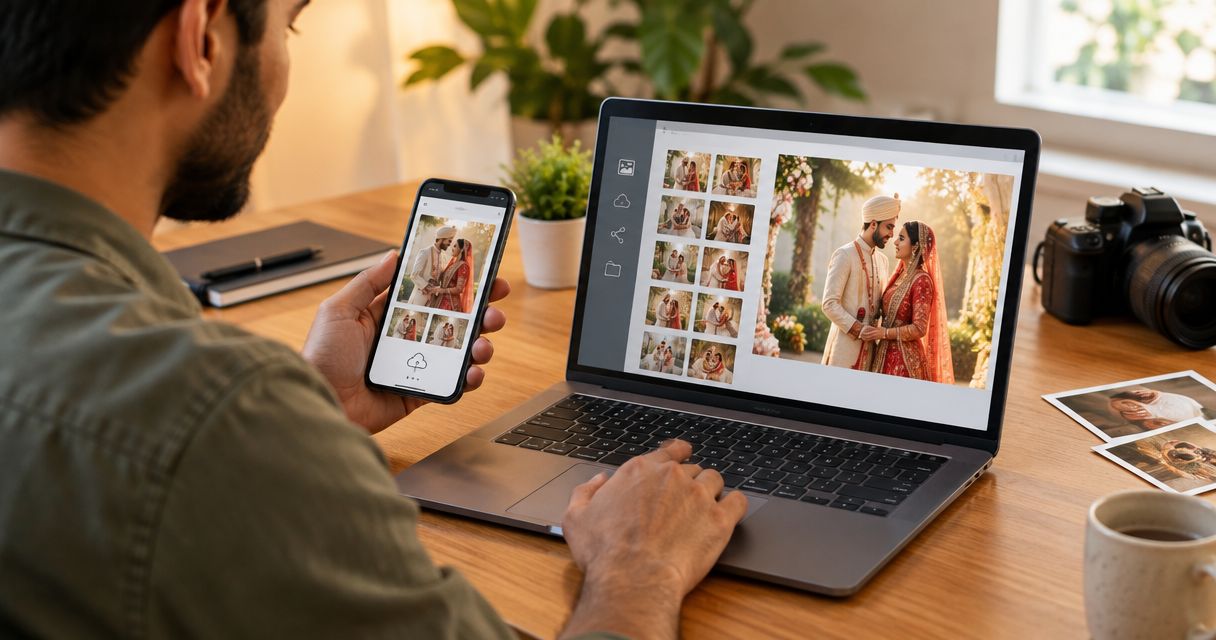
Deliver wedding photos to clients online by uploading your edited, reviewed images to a client gallery, organising them by wedding function, checking access and downloads, and sending the approved link through WhatsApp or email. For Indian wedding studios, separate previews from the final delivery and keep an independent backup; uploading files alone does not complete the handover.
TL;DR
- How to deliver wedding photos to clients online: review, organise, upload, test, then share the client gallery.
- Fotoowl AI Gallery suits wedding photographers who need photo delivery with face recognition.
- Use WhatsApp to send delivery instructions and the gallery link, not as your only archive.
- Keep previews, final photographs and album selections clearly separated.
Why this matters
A wedding gallery needs to make sense to someone who did not organise your shoot. The couple should know which functions are included, whether the photographs are final, and how to save them without asking your studio for instructions repeatedly.
For your 2026 delivery workflow, start with organising photos for multi-function Indian weddings. A clear structure gives the upload, client message and final checks a common reference.
How do you deliver wedding photos to clients online in India?
Use the following sequence for every wedding. Assign responsibility for the final handover, even when different photographers cover different functions.
- Confirm the deliverables. Check the agreed functions, image deliverables, delivery dates and intended recipients against the client agreement.
- Back up the source files. Keep an independent copy before culling, editing or uploading the delivery set.
- Cull and edit. Remove unwanted duplicates and weak frames, complete your edits, and review the selected photographs yourself.
- Organise the final exports. Group photographs by function and give each group a name the client recognises.
- Upload the client gallery. Upload the intended delivery files rather than your working folders or unfinished exports.
- Test the recipient experience. Open the shared destination as a recipient, check access, and download a sample photograph.
- Send the handover message. State what is included, how to download it, and whether anything remains pending.
- Confirm receipt and record completion. Ask the client to confirm access and keep a record of the delivery message.
Treat delivery as a checked handover, not an upload notification. The final step is complete when the client can reach the correct photographs and understands what they have received.
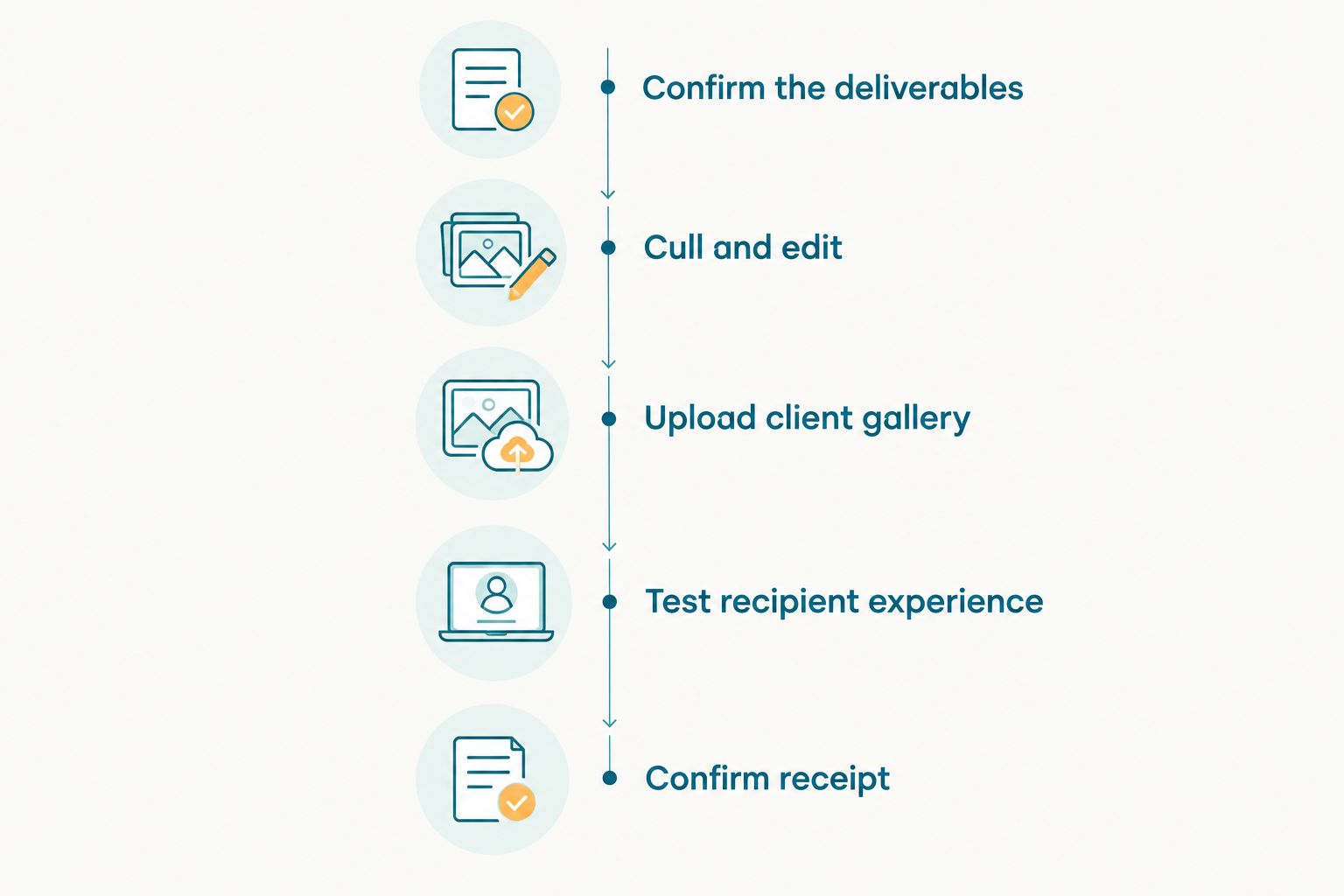
Test the client experience before sending the final delivery message.
Prepare the wedding photographs before uploading
Your delivery folder should contain only files you intend the client to receive. Keep rejected frames, editing experiments, working catalogues and unrelated assignments outside that folder.
Review the sequence as a story, not only as individual images. Check ceremony coverage, family groups, couple portraits and details against the assignment; a technically sharp image is not a substitute for a promised moment.
Use 2 delivery stages when previews are agreed
Separate a preview release from the final wedding collection. Label each clearly so the couple does not mistake an early selection for the completed assignment.
Your preview message should explain that the selection is incomplete. Your final message should identify the completed functions and name any outstanding deliverables rather than implying that every part of the booking is finished.
For 2026 bookings, record these stages in the agreement before the shoot. Do not promise a preview deadline simply because you can upload photographs during the event.
Keep human review before release
Automated selection does not decide which emotional moments matter to your client. Check expressions, ceremony sequences and important relationships before accepting the final set.
If your studio uses automated culling, review the result before export. Do not assume that removing duplicates also confirms complete wedding coverage or consistent editing.
Organise the gallery around the wedding functions
Use names such as Mehendi, Haldi, Sangeet, Wedding Ceremony and Reception when those functions belong to the assignment. Include the date when repeated events or multiple days would otherwise create confusion.
Keep the structure consistent with the delivery message. If you tell the couple that the reception photographs are ready, the gallery should make that collection easy to identify without opening unrelated folders.
For a multi-photographer assignment, settle the sequence before publishing. Check for repeated exports, inconsistent filenames and photographs placed under the wrong function.
Use 1 client-facing destination for the final wedding collection wherever practical. Separate working folders can remain inside your studio workflow; the client should not have to reconstruct the wedding from scattered messages.
Avoid naming folders after internal production stages. Labels such as final-new, revised-export or photographer-backup explain your process, not what the client is receiving.
Which online delivery method should you use?
Choose the delivery method by the recipient's task. Browsing a wedding, collecting a finished file set and receiving an announcement are different jobs.
| Delivery method | Best for | Advantage | Limitation to address |
|---|---|---|---|
| Client gallery | Browsing the finished wedding collection | Presents photographs as a viewable collection | Check access and download controls before sharing |
| Shared cloud folder | A straightforward file handover | Keeps exported files together | The client still needs clear organisation and instructions |
| WhatsApp message with a gallery link | Announcing delivery to the agreed contact | Keeps the message and destination together | Forwarding the message can widen access to the link |
| Email with a gallery link | A documented handover | Gives space for scope and download instructions | Confirm that the intended recipient received it |
Use a client gallery for presentation, then WhatsApp or email for the handover. A message tells the client that delivery is ready; the gallery holds the collection they need to browse.
Where Fotoowl AI Gallery fits
Fotoowl AI Gallery is best for professional wedding photographers who need online photo delivery with face recognition. It supports photo and video delivery, making it relevant when your studio needs a gallery rather than only a folder of exported files.
The limitation remains operational: Fotoowl AI Gallery does not remove your responsibility to review the photographs, confirm the intended audience or explain the handover. Face recognition helps people find photographs; it is not a replacement for access decisions or a complete wedding sequence.
Check access before sharing wedding photographs
Confirm who should receive the full collection. The couple, relatives, planner and venue do not automatically need identical access or permission to reuse the photographs.
Check the controls available in your chosen delivery system. Verify whether recipients can view, download or forward access, and do not describe a collection as private merely because you sent its link in a personal message.
Keep these decisions separate:
- Client delivery: Which photographs fulfil the assignment?
- Guest sharing: Which photographs has the client agreed to share more widely?
- Portfolio use: Which photographs can your studio publish under the agreed permissions?
- Face search: What information does the chosen system request, and how is its use explained?
For your 2026 handover checklist, include an explicit audience check. A working link proves that access works, not that the audience is correct.
Where children or sensitive moments appear, discuss the intended sharing scope with the client. Do not make legal compliance claims based solely on a platform feature or an access setting.
Test downloads and the mobile experience
Run 3 checks before sending the final link: access, navigation and download. Perform them from the recipient's view rather than relying only on your logged-in studio account.
Access
Open the destination through the same route the client will use. Confirm that it leads to the right wedding and does not require an unexplained action that would stop the recipient.
Navigation
Open each function and check the order. Test on a phone as well as your editing computer, particularly if your handover message will arrive through WhatsApp.
Download
Download a sample file and inspect it outside the gallery. Confirm that it is the intended export, opens correctly and matches the delivery you described.
Do not use a universal file-size target for every wedding. Export for the agreed purpose, then test the actual result rather than treating a smaller file as proof of a better handover.
What should your wedding photo delivery message include?
Keep the message short enough to act on. Include the wedding reference, the completed functions, the delivery destination and the next action.
Use this checklist rather than sending a link without context:
- Scope: Name the functions included in this release.
- Status: Say whether this is a preview or final photo delivery.
- Instructions: Explain where to browse and how to download.
- Next action: Ask the client to confirm access or submit the agreed feedback.
- Outstanding work: Identify pending albums, videos or other contracted deliverables separately.
Use the client's preferred language for practical instructions. If the couple and a family contact receive separate messages, keep the delivery status consistent.
For 2026 assignments, keep a copy of the handover message with the project record. If the client reports a problem later, that record identifies which release and instructions they received.
Why wedding photo delivery time varies
Set the deadline around the actual assignment, not the upload button. Explain the relevant dependencies before promising a completion date.
- Coverage scope: Multiple functions create separate collections to review and organise.
- Selection work: Duplicate removal and human review happen before final delivery.
- Editing requirements: The agreed treatment must be complete before you label files final.
- Upload connection: An online handover depends on transferring the delivery files successfully.
- Client decisions: Album choices and approval requests need their own deadlines when included.
- Access checks: Testing the recipient experience belongs inside the delivery schedule.
Avoid publishing a fixed turnaround that your contract does not support. Give the client a specific agreed date, then distinguish the photo delivery deadline from album or video completion.
Can I deliver wedding photos through WhatsApp alone?
Use WhatsApp to send the gallery link and delivery instructions rather than making the chat your only handover record or archive. Keep the reviewed collection in its designated destination and retain an independent backup.
If you send preview images in the conversation, label them as previews. Tell the couple where to find the final collection so the chat does not become a competing delivery destination.
Should I share the full wedding gallery with every guest?
No. Agree the guest-sharing scope with the client before distributing the collection beyond the intended recipients.
A guest finding their own photographs is a different requirement from receiving the entire wedding. Check the actual access behaviour of your delivery system instead of assuming face search restricts everything else.
FAQ
What's the best way to deliver wedding photos to clients online?
Use a client gallery for the reviewed photographs and send its link with clear handover instructions. Check access, navigation and downloads before announcing final delivery.
Can I send the wedding gallery link on WhatsApp?
Yes, send the gallery link through WhatsApp with the delivery status, included functions and download instructions. Agree who can receive or forward it before wider guest sharing.
Should I send RAW files to my wedding clients?
Deliver the file types agreed in your client contract. Do not include RAW files by default if the booking specifies edited photographs instead.
How long should I keep a wedding gallery online?
Keep the gallery accessible for the period you have agreed with the client and can support through your chosen service. Explain that period before handover and retain an independent backup.
Can face recognition replace organising wedding photos by function?
No, face recognition and function-based organisation serve different purposes. Face search helps locate people, while function labels preserve the sequence and context of the wedding.
Does Fotoowl AI Gallery support wedding photo delivery?
Fotoowl AI Gallery supports photo and video delivery with face recognition for professional photographers. Your studio still needs to review the collection and confirm the intended sharing scope.
One last thing
Test a download, not just the gallery opening. A collection can look ready while the recipient still cannot obtain the intended files.
Make that check a named responsibility in your 2026 studio workflow. Before closing the assignment, confirm that the client can access the correct collection and knows which deliverables remain outstanding.