
How to password-protect a client photo gallery

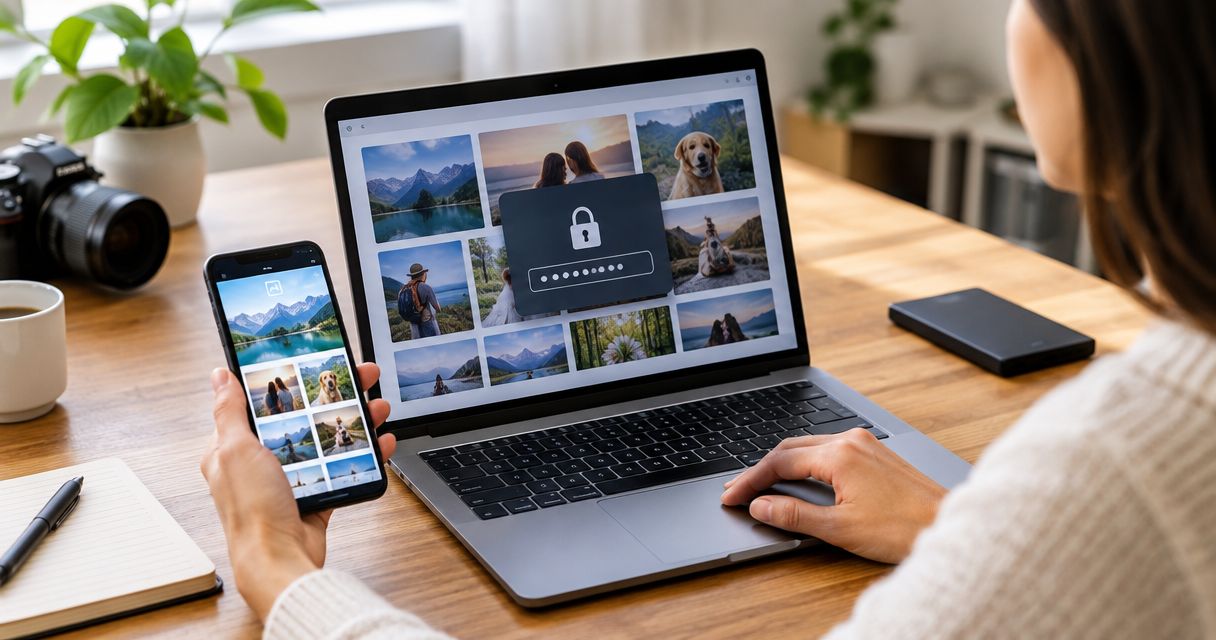
To password-protect a client photo gallery, enable its gallery-level password setting, create a unique password, save the change, and test the shared link while signed out. A password controls entry, not what authorised viewers do afterwards, so check download permissions and share the password separately from the gallery link.
TL;DR
- To password protect client photo gallery access, enable the password gate and test the visitor link while signed out.
- Use a unique password for each client gallery; do not reuse your studio account password.
- Viewing permission and download permission are separate decisions; test both before delivery.
- Fotoowl serves professional wedding and event photographers; verify gallery privacy controls before committing to a delivery workflow.
Why this matters
For an Indian wedding studio, delivering photographs to the couple does not automatically mean delivering every photograph to every guest. A school assignment needs an equally clear boundary between the commissioning client and families receiving photographs.
Decide who should see the photographs before deciding how to share the link. A password shared across a large WhatsApp group becomes a group credential, not proof of an individual viewer's identity. Start with your event photo access permissions, then configure the gallery around that decision.
For your 2026 delivery checklist, separate 2 decisions: who can view the gallery and who can download its files. Neither decision should depend on an assumption about the other.
How do you password-protect a client photo gallery?
Follow the sequence below in your gallery platform. Setting names differ, so look for controls labelled privacy, access, sharing, or password protection rather than expecting an identical menu everywhere.
1. Define access
Write down the intended audience before uploading the final delivery set. For a wedding, distinguish the couple's complete delivery from photographs approved for wider guest sharing. For a corporate assignment, distinguish the client's review set from photographs cleared for employees or press.
Do not put photographs with different audiences behind a shared password and expect viewers to respect invisible boundaries. Separate the delivery sets first.
2. Enable protection
Open the specific gallery's sharing or privacy controls and find the setting that requires a password before viewing. Confirm that the control protects entry to the gallery, rather than only protecting downloads or the photographer's administration account.
Save the setting before distributing anything. If the platform offers only an unlisted link, treat that as link-based sharing, not password protection.
3. Set credentials
Use 1 unique password per gallery as a studio rule. Generate it with a password manager, and store it against the correct client and assignment rather than in a public production sheet.
Avoid the couple's names, the venue, the event date, or a password reused across clients. Never give clients the password that signs into your studio account: gallery access and account access serve different purposes.
4. Check permissions
Review what a visitor can do after entering the password. Check full-resolution downloads, individual downloads, bulk downloads, and any separate download credential the platform offers.
Only configure controls that actually exist in your platform. Disabling a download button does not prevent screenshots, so describe the setting accurately when explaining delivery to the client.
5. Test access
Copy the visitor link and open it in a fresh private browsing window while signed out of your studio account. Run 3 access tests: no password, an incorrect password, and the correct password.
The first attempts should not expose protected photographs; the correct password should open the intended gallery. Then test the agreed download behaviour and confirm that unrelated client galleries are not accessible through the delivery page.
6. Share separately
Send the gallery link to the authorised client, then communicate the password through a separate channel. For example, send the link by email and give the password during a call with the agreed contact.
Sending separate WhatsApp messages in the same chat does not create meaningful channel separation. Tell the client who is authorised to receive the password and what to do if it reaches the wrong audience.
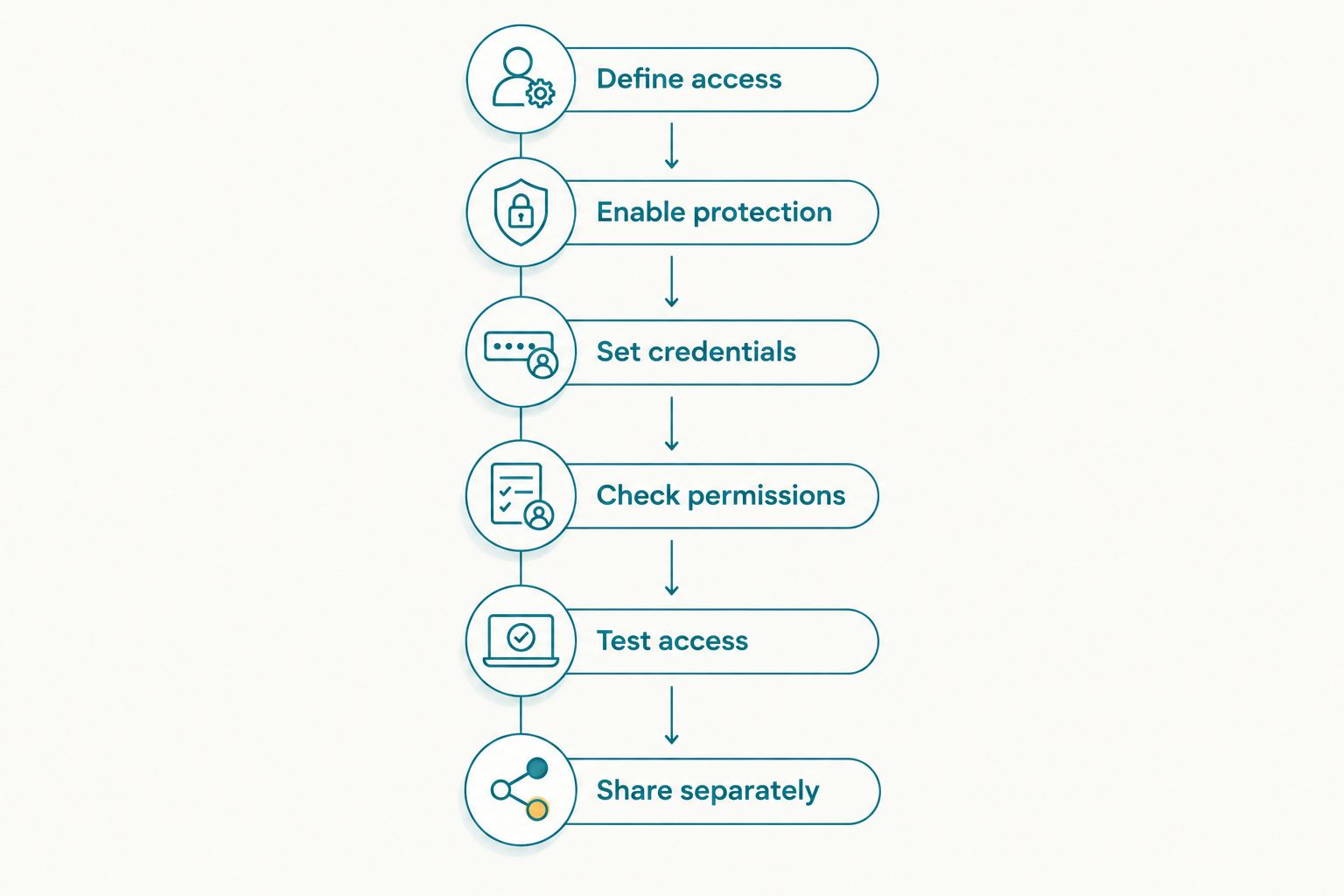
Test the visitor experience before sharing the link and password.
Your 2026 handover record should identify the gallery, the approved recipient, the access method, and the person responsible for changing access. Keep the password itself in your password manager, not in a widely shared handover document.
Which gallery access method should you use?
Use a shared gallery password when everyone receiving it is authorised to see the same photographs. Where access must be withdrawn for a particular person, assess individual invitations or authenticated access instead, if the platform supports them.
These methods solve different problems. An unlisted address reduces discoverability; a password adds an entry requirement; an individual account identifies an authorised account rather than everyone holding a shared secret.
| Access method | Best for | Advantage | Limitation |
|---|---|---|---|
| Unlisted link | Approved photographs intended for easy redistribution | Recipients open the link without credentials | Anyone receiving the link can use it |
| Shared gallery password | A client-approved audience viewing the same delivery set | Adds an entry requirement beyond knowing the link | Recipients can forward both the link and password |
| Individual invitation or sign-in, where supported | Assignments requiring recipient-specific access | Supports access decisions tied to individual accounts | Adds sign-in steps and account administration |
Do not select a method because it sounds more private. Select it because its actual behaviour matches the assignment, then test that behaviour from outside your studio account.
Where Fotoowl fits
Fotoowl is built for professional wedding and event photographers delivering client galleries. Its AI Gallery supports photo and video delivery with face recognition, which addresses finding photographs within an event collection.
For Fotoowl AI Gallery, assess entry controls separately from photo-finding features. Face recognition is a discovery capability; it is not, by itself, evidence that a viewer is authorised to see a photograph. Confirm the current privacy settings before promising a password-based delivery process to a client.
Why gallery protection varies by assignment
Your access policy should reflect the people and photographs involved, not simply the event label. Use these assignment-specific questions to decide whether a shared password is sufficient:
- Weddings: Has the couple approved the complete delivery for guests, or only a separate selection? Keep private family photographs outside the wider guest set unless approved.
- Schools: Who has authorised distribution, and which families should receive which photographs? Do not assume an event-wide password creates child-specific access.
- Corporate events: Are internal photographs cleared for employees, external partners, or public use? Separate the approved audiences before distributing credentials.
- Sports events: Are photographs intended for participants, parents, team staff, or wider spectators? Establish the audience before choosing an event-wide access method.
- Music festivals: Is the collection for the commissioning client, performers, press, or attendees? Keep restricted delivery sets distinct from material approved for broad circulation.
For 2026 assignments, record these answers during the delivery discussion rather than after the link has circulated. A stronger password cannot repair a gallery that contains photographs the audience was never meant to receive.
What should you check before sending the gallery?
Use a visitor-focused acceptance check. Your dashboard shows what you can manage; it does not establish what an outside recipient can see.
| Check | What to do | Required outcome |
|---|---|---|
| Entry protection | Open the visitor link without credentials | Protected photographs remain inaccessible |
| Incorrect credentials | Enter a deliberately incorrect password | Entry is refused |
| Correct credentials | Enter the current gallery password | Only the intended delivery set opens |
| Download behaviour | Try the download actions visible to visitors | Behaviour matches the client's agreed permissions |
| Mobile delivery | Open the actual message link on a phone | The intended recipient can complete access |
| Access changes | Test a changed password in a fresh session | The previous password no longer grants new entry |
Test the exact link you intend to send. A preview link, an administrator view, and a visitor link are not interchangeable evidence of protection.
When changing a password, also check how the platform handles viewers who are already signed in. A failed login with the old password does not establish that existing sessions have ended.
Can clients forward a password-protected gallery?
A shared password can be forwarded with the gallery link. Password protection does not bind that credential to the person who originally received it.
Tell the commissioning client whether forwarding is permitted. If the assignment requires recipient-specific access, assess individual access controls rather than relying on a request not to forward a shared password.
Does disabling downloads stop people saving photographs?
Disabling downloads does not prevent screenshots. It restricts the download actions controlled by the platform, not every way an authorised viewer can copy a displayed image.
Use download restrictions to match the delivery agreement, not as a promise that copying is impossible. Keep photographs out of the gallery entirely when a viewer must not see them.
What should you do if the gallery password is shared?
Change the gallery password and review the exposed delivery set. Contact the authorised client, establish who received access, and use any available session-revocation or unpublishing controls appropriate to the situation.
Retest the visitor link after changing access. Changing credentials cannot retrieve photographs that someone has already downloaded or captured.
Common setup mistakes to avoid
A working password prompt is only part of a private delivery process. These mistakes leave a gap between what you promise and what the client actually receives:
- Protecting downloads but leaving viewing open. Test gallery entry without credentials, not just the download button.
- Reusing a studio-wide password. Keep each client's gallery credential separate so a disclosure does not become a cross-client access problem.
- Testing while logged in. Repeat the visitor checks in a fresh session without studio privileges.
- Leaving an older public copy online. Review previous delivery links and public portfolio selections before calling the new gallery private.
- Sending everything to a large group. Confirm the recipient and audience before posting a link and credential.
- Promising that access changes erase copies. Explain that revoked access affects future access, not files already saved elsewhere.
Make this a repeatable 2026 release check for every team member who sends galleries. Assign a named owner for final access testing so it does not fall between the editor and the client-facing photographer.
FAQ
How do I password protect client photo gallery access before delivery?
Enable the gallery-level password requirement, save a unique password, and test the visitor link while signed out. Check that no password and an incorrect password both fail before sharing it with the client.
Is an unlisted photo gallery the same as a password-protected gallery?
No. An unlisted gallery relies on possession of its link, while a password-protected gallery also requires a password. Neither method prevents an authorised recipient from forwarding what they received.
Should I send the gallery link and password on WhatsApp?
Send the password through a separate channel when practical, rather than putting both credentials in the same WhatsApp conversation. Confirm the authorised recipient before sharing either item.
Can I use the same gallery password for every photography client?
Use a unique password for each client gallery instead. Reusing a password creates an avoidable connection between otherwise separate client deliveries.
Does face recognition make a client gallery private?
No. Face recognition helps find photographs; privacy depends on the platform's access and visibility controls. Test what visitors can browse outside their search results rather than assuming search results define their permissions.
Can I password-protect a school event gallery and share it with all parents?
A shared password gives every holder the access attached to that credential. Confirm the school's approved audience and photograph distribution rules before treating an event-wide password as sufficient.
Will changing the gallery password remove photos already downloaded?
No. Changing a password does not remove copies already saved by recipients. Also check whether the platform ends existing viewer sessions or only requires the new password for fresh access.
What should I verify before using Fotoowl AI Gallery for private client delivery?
Verify the current viewing controls, download permissions, and access-change behaviour against your assignment's requirements. Test the actual visitor experience before promising a specific privacy workflow.
One last thing
The most useful privacy test is opening the gallery as someone who should not have access. A successful client login proves delivery works; a failed unauthorised attempt checks the boundary you promised.
Add both outcomes to your 2026 handover checklist. Keep the access decision explicit, test it outside your account, and only then send the delivery message.