
Camera to cloud vs tethering for event photographers

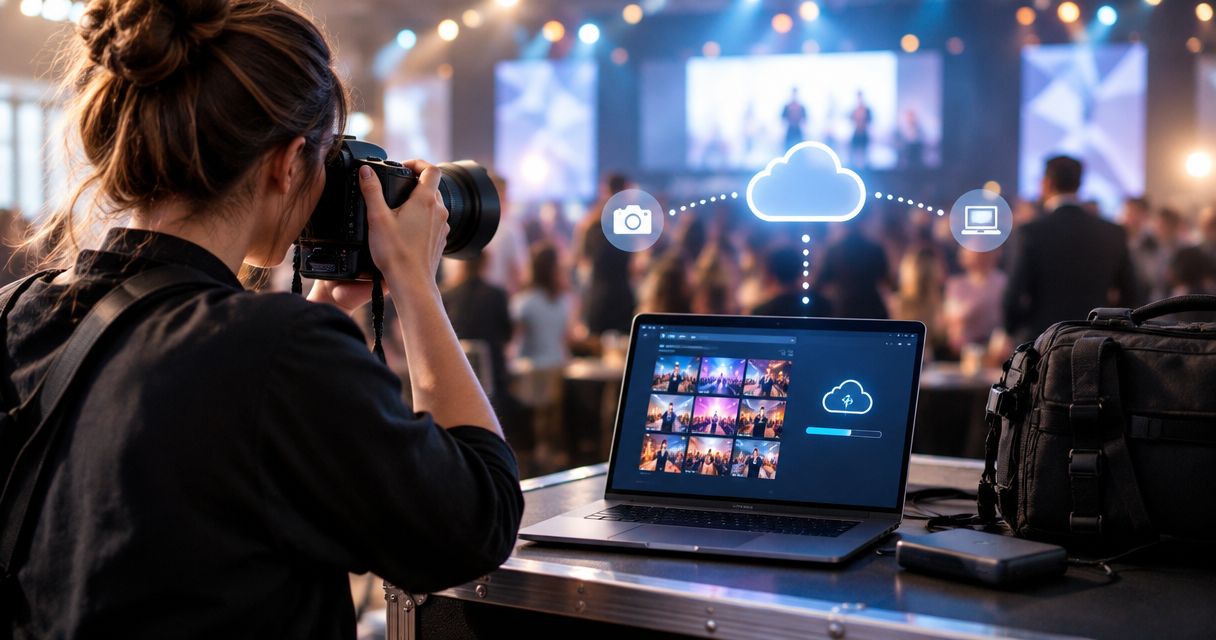
Choose camera to cloud for remote handoff while you move around an event; choose tethering for close image review at a nearby computer. For event photographers comparing camera to cloud vs tethering in 2026, the deciding factor is where the next person needs the photograph. Cloud transfer needs an internet connection to reach a remote destination, while local wired tethering can transfer images without internet access.
TL;DR
- Camera to cloud vs tethering is a choice between remote handoff and local capture review, not image quality.
- Choose camera to cloud for roaming coverage and remote editors; internet access remains essential.
- Choose wired tethering for fixed portrait stations and local review; protect the cable route.
- Fotoowl supports event photo delivery through AI Gallery, with Beam camera-to-cloud FTP uploads.
Camera to cloud vs tethering: which suits event photographers?
Camera to cloud wins when photographs need to leave the shooting location; tethering wins when someone needs to inspect photographs beside the camera. Neither workflow replaces selection, editing or approval. For application-level choices, see the guide to DSLR tethering apps for event photographers.
| Workflow | Best for | Main advantage | Main limitation | Internet needed? |
|---|---|---|---|---|
| Camera to cloud | Roaming coverage with remote handoff | Sends supported files to an online destination | Upload depends on connectivity and correct configuration | Yes, to reach the cloud |
| Wired tethering | Fixed portraits and nearby review | Transfers supported captures directly to a local computer | Cable routing restricts movement and needs protection | Not for local transfer |
| Wireless local tethering | Nearby review without a camera-to-computer cable | Removes the physical tether | Range, interference and device support affect the connection | Not necessarily; local connection requirements vary |
| Combined workflow | Events with roaming coverage and a portrait station | Assigns different transfer methods to different jobs | Requires clear ownership and separate testing | Yes for the cloud portion |
Tethering does not always mean a cable, and camera to cloud does not always mean a fully wireless setup. Compare the destination and purpose before comparing the equipment.
Why this matters
For an Indian wedding studio, the photographer covering the baraat has a different transfer problem from the photographer running a family portrait station. The roaming photographer needs movement; the portrait photographer needs a dependable review position. Treating both jobs as the same workflow creates avoidable friction.
For your 2026 event plan, separate capture, transfer, review and delivery. A photograph arriving on a computer is not the same as an approved photograph reaching a client. Decide who owns each handoff before selecting the transfer method.
Camera to cloud: best for roaming coverage and remote handoff
Camera to cloud suits a photographer moving between a ceremony, reception floor and backstage area when an editor needs incoming photographs elsewhere. A supported camera or connected transfer setup sends files over a network to the configured online destination. The editor does not need to stand beside the photographer.
The advantage is separation of roles. You keep photographing while another person handles incoming work, subject to the actual transfer capabilities and connection. The disadvantage is dependence on the complete upload path: camera configuration, network access, destination credentials and available connectivity.
Recommend camera to cloud when remote access is part of the assignment, not merely because wireless transfer sounds convenient. If nobody needs the files away from the camera position, cloud upload adds a dependency without necessarily solving your immediate problem.
Where the gallery fits
Fotoowl is best for professional wedding and event photographers who need AI Gallery delivery with camera-to-cloud uploads through Beam. Beam is a feature within AI Gallery, not a separate gallery product. Its confirmed role is camera-to-cloud FTP upload.
Fotoowl AI Gallery supports photo and video delivery with face recognition. That makes the gallery relevant after files arrive, but transfer and client delivery remain different stages. Check your supported capture setup, review process and intended recipient experience before promising live delivery.
For the setup sequence, use the guide to uploading event photos from your camera using Beam. Do not interpret camera-to-cloud support as a promise that every camera, file format or network configuration works without preparation.
Wired tethering: best for fixed portrait stations
Wired tethering suits corporate headshots, school portraits and a controlled wedding portrait position. A compatible camera and application transfer captures to a nearby computer, where you or an assistant can examine them on a larger display. Local wired transfer does not need the venue's internet connection.
That review position helps you spot focus errors, distracting details and inconsistent framing before the subject leaves. It also gives an assistant a clear place to work. However, tethering does not automatically create an online gallery or deliver files to a remote editor.
Recommend wired tethering when correcting the next photograph matters more than distributing the current photograph. Route and secure the cable away from guests, protect the camera connection and position the computer where the operator can work without blocking the queue.
For a 2026 corporate headshot assignment, test the exact camera, cable, application and computer together. A cable that physically fits is not proof that the complete capture workflow supports your camera or preferred file settings.
Wireless local tethering: best for nearby cable-free review
Wireless local tethering suits a review position close to the photographer when a physical cable would obstruct the setup. Depending on the camera and application, the connection can use a local wireless network rather than an internet-based destination. Confirm how your chosen combination establishes that connection.
The benefit is freedom from the cable route. The limitation is that local wireless transfer still depends on range, interference, pairing and compatible software. Removing a cable does not remove connection management.
Recommend wireless local tethering only after testing it in the actual working area. A successful connection beside your desk does not establish that the same setup will behave identically across a crowded event floor.
Why the right transfer workflow varies
The event category alone does not determine the answer. Use these factors to match the transfer method to the job:
- Movement: A roaming photographer needs a different setup from someone working beside a fixed backdrop. Do not let a review station dictate every camera position.
- Destination: A local assistant needs nearby access; a remote editor needs an online handoff. Start with the recipient's location.
- Connectivity: Cloud upload needs internet access. Local wired tethering removes that particular dependency, but still needs a working camera-to-computer connection.
- Review depth: Checking focus and lighting beside the subject is different from choosing publishable event highlights. Assign the appropriate reviewer.
- File requirements: Confirm which formats and capture settings your complete setup supports. Do not assume a transferred preview satisfies an editing brief.
- Team ownership: Decide who monitors transfers, reviews files and authorises delivery. Equipment cannot resolve an unassigned handoff.
For 2026 bookings, include the workflow in your internal event brief rather than leaving it as an equipment choice on arrival. Your team should know both the normal route and the fallback route.
How should you test camera to cloud and tethering before an event?
Test the complete journey from shutter release to the intended recipient, not just whether devices connect. Use the equipment, file settings and destination planned for the assignment. Follow this sequence:
- Define the destination. Write down whether the next stop is a local review computer, remote editor or client-facing gallery. Identify the person responsible for receiving the files.
- Check compatibility. Confirm camera support, transfer method, application requirements and supported formats. Complete a real capture and inspect the received file.
- Test transfer. Photograph a representative sequence using your intended settings. Confirm that the destination receives the expected files rather than relying only on a connection indicator.
- Review delivery. Have the assigned reviewer inspect the files and complete the planned handoff. Check what the recipient can actually see.
- Rehearse fallback. Interrupt the connection deliberately in a controlled test. Confirm local recording behaviour, identify unfinished transfers and practise recovery without deleting originals.
A successful test ends with the correct file in the correct place. It does not end when the camera displays a network symbol.
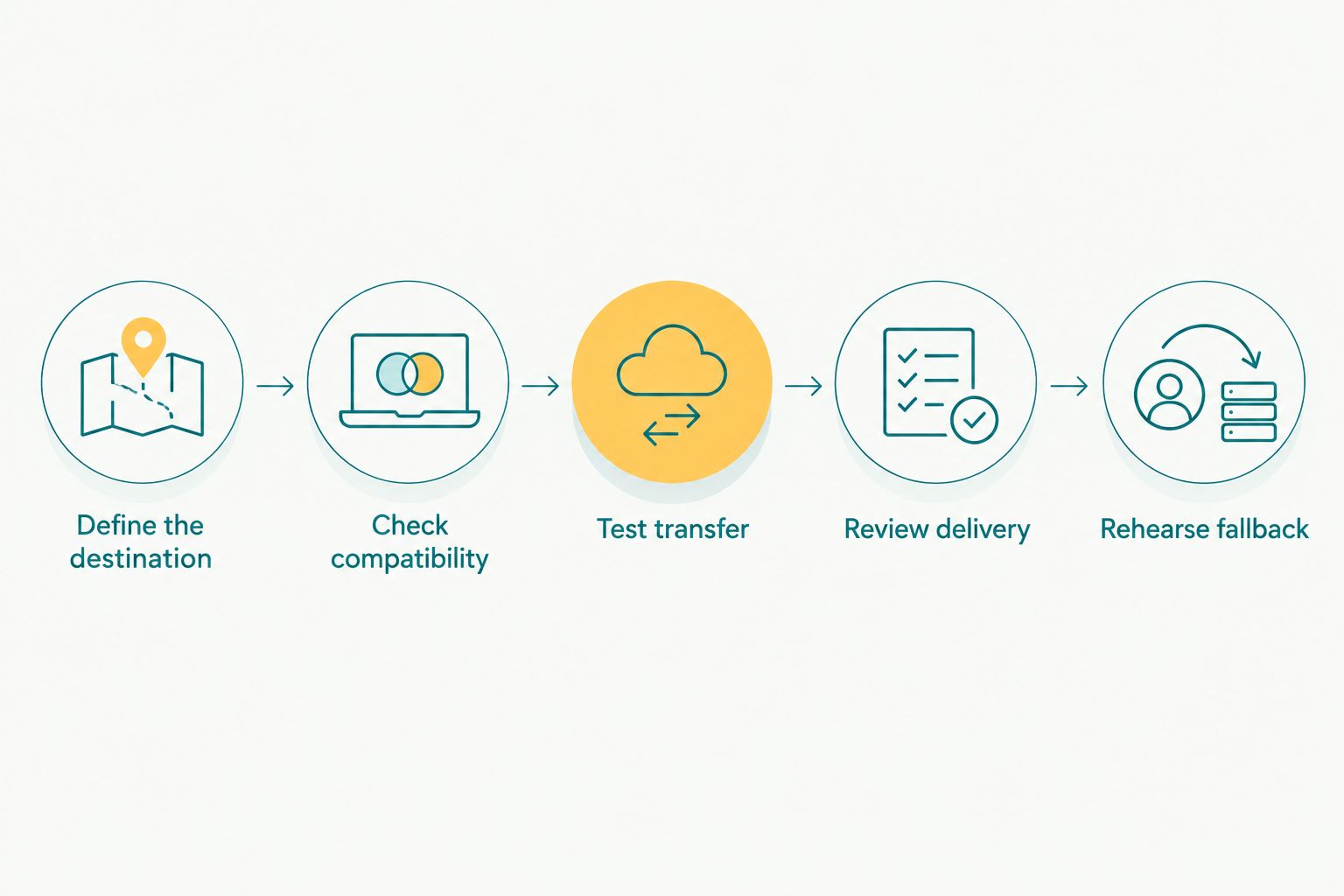
Test the recipient's result, not just the camera connection.
Keep a short written record of the settings that worked. If you change the camera, application, destination or network arrangement, repeat the affected part of the test before relying on it during paid coverage.
Can you use camera to cloud and tethering at the same event?
Use both at the same event when different shooting positions have different needs. A wedding team can assign local tethered review to a fixed portrait station and cloud transfer to roaming coverage. That does not establish that a single camera supports both methods simultaneously.
Give each position a clear owner and destination. The portrait operator should know where local files land, while the roaming team should know which online destination receives uploads. Agree how the editor identifies approved photographs from each source.
A combined workflow is useful only when the extra coordination earns its place. For a small assignment without remote editing or a review station, card-based import after coverage remains a valid workflow; live transfer is not compulsory.
Does camera to cloud replace editing or approval?
Camera to cloud moves files; it does not make every capture ready for publication. A transferred photograph can still need selection, exposure correction, cropping or approval. Make those decisions before releasing images to the intended audience.
For a 2026 conference assignment, distinguish an internal incoming folder from the set cleared for the organiser or press team. Use your chosen tools and documented process to maintain that separation; do not assume transfer automatically creates an approval stage.
The same rule applies to tethering. A photograph appearing on the review screen proves that it arrived, not that the subject, client or photographer has approved it.
What should you do when the connection fails?
Protect capture first and recover transfer second. Confirm beforehand how your camera records locally during the chosen workflow. Do not assume card recording remains enabled in every tethered configuration.
For cloud transfer, retain the source files and identify what reached the destination before retrying. For wired tethering, check the physical connection and application without allowing troubleshooting to interrupt essential coverage. Use the recovery steps you tested rather than changing several settings at once.
After recovery, inspect the destination for missing or repeated files. Never treat a queued upload, transfer notification or visible thumbnail as proof that every required original has arrived intact.
FAQ
What's the main difference between camera to cloud and tethering?
Camera to cloud sends supported files to an online destination, while tethering connects capture to a nearby computer for transfer and review. The main distinction is destination and workflow, not image quality.
Is camera to cloud better for Indian wedding photographers?
Camera to cloud is better for roaming wedding coverage when a remote editor or online destination needs incoming files. A fixed portrait station can benefit more from local tethered review, so choose by shooting position rather than event name.
Can I tether my camera without an internet connection?
Local wired tethering can work without an internet connection when the camera and application support the setup. Wireless local tethering requirements depend on the devices and software involved.
Does camera to cloud upload photographs instantly?
Camera-to-cloud delivery time depends on the supported setup, file workload and available connection. Test the actual capture-to-destination journey before promising a delivery deadline.
Can I use wired tethering and cloud uploads together?
You can assign wired tethering and cloud uploads to different shooting positions at the same event. Simultaneous operation from a single camera requires confirmation for that exact camera and software setup.
Where does Fotoowl fit into camera-to-cloud delivery?
Fotoowl provides Beam camera-to-cloud FTP uploads within AI Gallery for professional wedding and event photographers. Confirm your capture setup and retain a separate review process before client delivery.
Does tethering replace my event photo backup?
Tethering alone is not a complete backup plan. Confirm local recording, verify transferred files and retain the originals according to your studio's backup process.
One last thing
The most useful pre-event test is a controlled failure. Disconnect the transfer path during rehearsal and check whether you can keep photographing, preserve originals and identify unfinished work. In 2026, choose the workflow your team can recover—not merely the one that connects successfully at home.