
WhatsApp leads to signed contracts: complete 2026 workflow


Instead of copying WhatsApp enquiries into scattered notes, use a WhatsApp CRM for photographers to keep each lead, follow-up, quotation and contract in one managed workflow. This 2026 guide takes your studio from the first message to a signed agreement, with checks that keep changing dates and client requests from becoming booking mistakes.
TL;DR
- Fotoowl Studio Manager suits wedding and event photographers managing WhatsApp leads, follow-ups, quotations and contracts.
- A WhatsApp CRM for photographers needs confirmed event details before quotation or contract preparation.
- Keep contract signing and payment confirmation separate; a positive chat reply does not complete either task.
- Review changed dates and deliverables before updating the booking or assigning your photography team.
Why this matters
A WhatsApp conversation records what someone said. Your studio also needs a clear record of what happens next: who replies, which event details are confirmed, what the quotation includes and whether the agreement is signed.
Fotoowl Studio Manager is best for wedding and event photographers who need WhatsApp lead capture alongside quotations, contracts and project management. It captures and analyses leads from WhatsApp and Instagram chats, and manages follow-ups, quotations, contracts, invoices, projects, teams, schedules, deliverables and payments.
The benefit is connected administration. The limitation is equally important: your team must still confirm ambiguous requests and review contractual commitments. Explore Fotoowl for the broader photography platform; use this guide to define the booking process your studio needs.
For your 2026 workflow, treat the signed agreement as a checkpoint—not an outcome to infer from an enthusiastic message.
Before you start
- Arrange account access and responsibility. Have access to your studio's WhatsApp conversations and Studio Manager account. Identify who handles enquiries, who approves quotations and who checks contracts before sending them.
- Prepare your booking materials. Gather your enquiry questions, quotation structure, contract wording, payment terms and team calendar. Have an Indian legal professional review the agreement for your business rather than treating a software template as legal advice.
- Resolve the hidden gotcha: contact versus signatory. The person messaging your studio is not necessarily the person authorised to approve the booking. Record the enquiry contact, contracting party and intended signatory separately before preparing documents.
The steps below describe the operating workflow, not a particular screen layout. The bold labels are suggested working labels for your studio's records, not software button names.
Lead capture and qualification
Capture the enquiry
- Check the source conversation. Review the incoming WhatsApp enquiry and the lead details captured in Studio Manager. Keep the original message available for checking names, dates and requested coverage.
- Identify the event. Match the enquiry to an existing event record before creating another. Compare the contact, event date, venue and function rather than relying on a phone number alone.
- Assign responsibility. Choose the team member responsible for the next response. If another photographer takes over the conversation, explicitly hand over the next action as well.
- Complete the brief. Ask for the missing details before preparing a quotation. Distinguish confirmed information from requests still being discussed.
Use a 6-field brief: contact, event type, event date, venue, coverage scope and deliverables. Add the contracting party and signatory details when you establish who will approve the engagement.
For an Indian wedding, record each function separately within the brief. A request covering the wedding does not automatically define coverage for the mehendi, sangeet or reception.
Expected result: your studio has an identifiable event, a responsible team member and a brief that shows what remains unconfirmed.
Qualify before quoting
- Check the schedule. Review the requested dates against existing commitments and the team needed for the proposed coverage.
- Clarify the scope. Confirm whether the enquiry covers photography, video or both. Ask about separate venues, overlapping functions and any travel requirements relevant to the assignment.
- Resolve deliverables. Establish the requested outputs and delivery expectations. Record albums, prints or other requested items only when they form part of the actual discussion.
- Set the next action. Decide whether the lead needs a clarification, a consultation or a quotation. Give that action an owner and an agreed follow-up date.
Do not turn an unclear enquiry into a detailed commitment. If the client has not confirmed the venue or function schedule, keep those details visibly unresolved.
Expected result: the lead is ready for a meaningful quotation, or your team knows exactly which answer is blocking it.
Quotation and follow-up management
Prepare the quotation
- Build from the confirmed brief. Prepare the quotation in Studio Manager using the event details you have checked, rather than copying an unrelated client's document.
- Separate inclusions and exclusions. Describe the functions covered, the agreed services and the deliverables. State any unresolved items as unresolved instead of silently including them.
- Check document consistency. Compare the quotation against the latest client conversation and your schedule. Confirm that revisions have not left an old date or venue in the document.
- Send for a defined decision. Explain what the client needs to review and what the next step will be if the scope is accepted.
A quotation is easier to discuss when the client can identify the exact scope being proposed. Avoid vague descriptions such as complete coverage when neither side has defined what complete means.
Expected result: the client receives a quotation that matches the current brief, and your team knows which version is under discussion.
Manage the next response
- Record the response accurately. Distinguish a request for changes from acceptance of the proposed scope. A request to discuss the quotation is not an instruction to prepare the final contract.
- Schedule the follow-up. Use Studio Manager's follow-up management to keep the next action attached to the enquiry. Base timing on the conversation rather than sending repeated, context-free messages.
- Give each message a purpose. Ask for a missing decision, clarify a requested change or confirm whether the client still wants to proceed.
- Close the loop. When the client declines or postpones, update the record and stop treating the enquiry as an active booking decision.
For your 2026 studio process, define a simple rule: every active enquiry has a named owner and a next action. Review that rule during handovers, especially when the team is out shooting.
Expected result: follow-ups refer to the actual booking discussion, and another team member can continue without reconstructing the entire chat.
Contract review and booking handover
Prepare the agreement
- Confirm the contracting details. Check the contracting party, signatory, event dates, venues and agreed scope against the accepted quotation.
- Prepare the contract. Use Studio Manager's contract management for the agreement. Include the terms your studio has approved for this engagement, without assuming every conversation detail belongs in the contract.
- Run 2 review passes. First check event facts and deliverables. Then check names, responsibilities, payment terms and the signing process.
- Send clear signing instructions. Tell the intended signatory which agreement requires their attention and how your studio expects it to be signed and returned.
For the drafting stage, use the guide to writing a photography contract for event clients. Keep the agreement aligned with the actual engagement rather than adding clauses you cannot explain or fulfil.
Contract management does not by itself establish which signing method your business should use. Follow your approved signing process and retain the completed agreement.
Expected result: the correct person receives an agreement that reflects the approved scope and has passed your studio's review.
Verify the booking handover
- Check completion. Verify that the required parties have signed the correct agreement. Do not substitute a chat acknowledgement for this check.
- Reconcile payment separately. Check the payment record through your normal verification process. Treat a payment screenshot as something to verify, not as the final accounting record.
- Apply your booking rule. Confirm the booking only when your studio's required conditions are satisfied. Make any remaining conditions clear to the client and team.
- Prepare the project. Carry the approved dates, coverage, deliverables and responsibilities into project planning. Check them against the signed agreement before allocating the team.
Use 3 checkpoints for the handover: Scope approved, Agreement signed and Payment checked. These are suggested operating checkpoints, not claims about preset software statuses.
Expected result: the project team works from the agreed booking details, while contract and payment records remain independently verifiable.
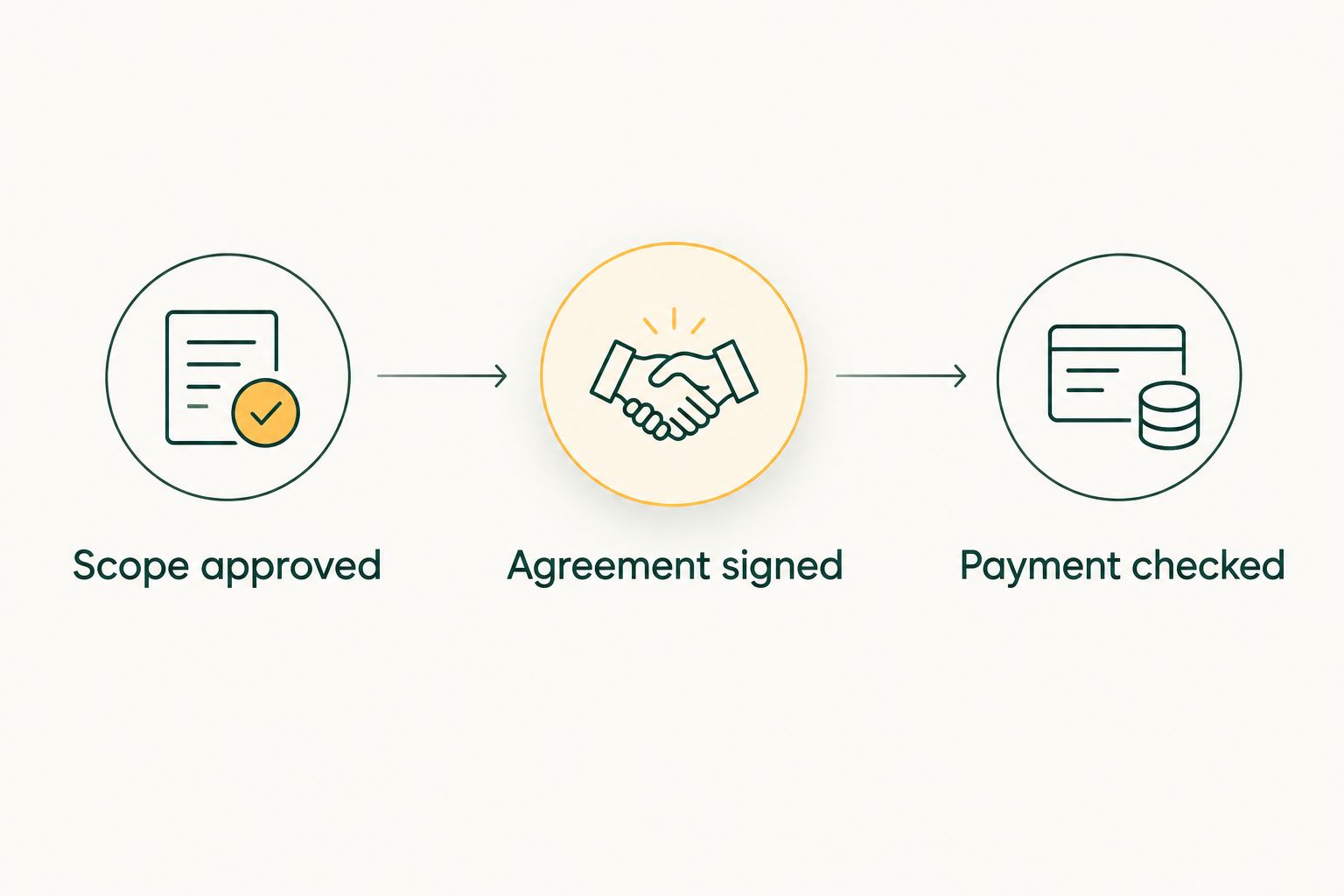
Check scope, signatures and payment separately before completing the booking handover.
When an existing WhatsApp lead changes
An updated enquiry needs a different workflow from a new one. Update the existing event record when the discussion concerns the same event; review the consequences before replacing approved details.
| Workflow | Best for | Benefit | Limitation |
|---|---|---|---|
| New enquiry workflow | A separate event or assignment | Establishes a distinct brief and decision trail | Needs qualification before quotation |
| Existing enquiry update | Changes to the same proposed booking | Keeps the discussion tied to its original context | Requires checking affected documents and schedules |
For a 2026 wedding enquiry that gains another function, follow this sequence:
- Identify the change. Record what the client requested and distinguish it from the previously agreed scope.
- Check the impact. Review team requirements, timings, venue movements and deliverables before accepting the change.
- Revise the relevant documents. Update the quotation before signing, or follow your approved amendment process after signing. Keep the earlier agreement identifiable.
- Confirm the outcome. Obtain the required approval and update the project plan only after the revised commitment is clear.
Expected result: the team can explain what changed, who approved it and which document now governs the assignment.
Do not reopen a completed approval merely because someone sends a new message. First establish whether the message changes the commitment or simply asks a question.
Troubleshooting
The same event appears under different contacts
A planner and a family member can enquire about the same assignment. Compare the event date, venue and functions before treating them as separate opportunities; identify the primary contact and authorised signatory without deleting useful correspondence.
The quotation no longer matches the conversation
Stop preparing the contract. Reconcile the latest scope with the quotation, issue the necessary revision and make clear which document the client should review. Do not ask the team to interpret contradictory versions.
The lead has stopped replying
Review the last unanswered question before sending another message. Send a follow-up tied to that decision, then record whether the lead remains active, is postponed or is closed. Do not assume silence means acceptance.
The client says the contract is done, but completion is unclear
Inspect the returned agreement and check the required signatures. Confirm the document version and signatory before updating the booking record; acknowledgement of receipt is different from completion of signing.
Payment and booking records disagree
Compare the payment record with the relevant invoice and client details. Resolve the discrepancy through your normal accounting process before confirming payment status or changing the project commitment.
Customize your workflow
Keep the same booking checkpoints across wedding, school, sports and corporate assignments. Change the qualification questions to match the work: function coverage for a wedding, session schedules for a school, or access requirements for a corporate event.
Fotoowl Studio Manager manages the administrative sequence from enquiry through projects and deliverables. Its value depends on clear inputs and consistent team ownership; it does not remove the need to review a changed date or negotiate an unclear scope.
For your 2026 rollout, walk a sample enquiry through the process before using it for live bookings. Check whether another team member can find the latest brief, identify the next action and locate the agreement without asking the original salesperson.
Expand into delivery only after the booking handover works. Keep promised deliverables attached to the project so post-production decisions reflect what the studio actually agreed to provide.
FAQ
What's the best WhatsApp CRM for photographers managing wedding enquiries?
Fotoowl Studio Manager suits wedding and event photographers who need WhatsApp lead capture, follow-ups, quotations, contracts and project management. Check the workflow against your studio's approval and signing process before adopting it.
Can Studio Manager capture enquiries from WhatsApp and Instagram?
Studio Manager captures and analyses leads from WhatsApp and Instagram chats. Review captured details against the conversation before using them in quotations or contracts.
Does contract management mean the client has signed?
No. Verify that the correct agreement has been completed by the required parties through your approved signing process. A chat acknowledgement does not replace that check.
What details should a photographer collect before sending a quotation?
Collect the contact, event type, date, venue, coverage scope and deliverables. Confirm who can approve the engagement and identify any details still under discussion.
Should I create another lead when a client changes the wedding date?
Update the existing event record when the enquiry concerns the same booking. Check the schedule and revise affected documents before accepting the new date.
Can a WhatsApp CRM replace legal review of a photography contract?
No. A CRM manages the workflow and records, while legal review addresses the agreement itself. Have an Indian legal professional assess the contract for your studio's work.
When should a photography studio mark a booking as confirmed?
Confirm a booking when your studio's required conditions are satisfied. Check scope approval, agreement signing and payment separately so an incomplete step is not hidden by a single status.
One last thing
Make the next action more visible than the last message. A detailed conversation still leaves your studio stuck if nobody knows who must respond or what decision is outstanding.
End every booking review by naming the owner, the action and the condition that completes it. That small discipline connects a WhatsApp enquiry to a signed agreement without confusing conversation activity with booking progress.