
Studio Manager quotations to instant invoices: complete 2026 workflow


Instead of rebuilding every approved photography quotation as a separate invoice, use Studio Manager to manage quotations, invoices, projects and payments around the same booking. This 2026 workflow explains the approval checks and billing handoffs that keep your invoice aligned with what the client actually accepted.
TL;DR
- Fotoowl Studio Manager suits professional photographers who need quotations, invoices, projects and payments managed within a studio CRM.
- Choose photographer quotation to invoice software around approval control, billing accuracy and payment tracking—not speed alone.
- Confirm the billing recipient and approved scope before preparing an invoice.
- Treat quotation approval, invoice issue and payment receipt as separate checkpoints.
Why this matters
A photography quotation describes the work you propose. An invoice requests payment for the agreed work. Moving between them requires an approval decision, not just copying a total.
For an Indian wedding studio, that decision includes which functions you will cover, who receives the bill and which deliverables the client accepted. For a corporate assignment, the person coordinating the shoot and the organisation paying the invoice can be different.
Fotoowl Studio Manager is best for professional wedding and event photographers who need quotations, invoices and project management in a studio CRM. It manages leads, follow-ups, quotations, contracts, invoices, projects, teams, schedules, post-processing, deliverables and payments.
The benefit is managing commercial and production work within the same product. The limitation is equally clear: software does not resolve an unclear scope or decide the correct tax treatment for your business. If you are still choosing a billing approach, start with this guide to invoicing software for wedding photographers.
Before you start
- Prepare access and ownership. Have access to Studio Manager and decide who prepares quotations, approves commercial changes and issues invoices. Confirm the actions your account supports before moving live bookings into the workflow.
- Gather the booking materials. Keep the enquiry, agreed coverage, deliverables, client billing details, payment terms and any existing payment records together. Use your accountant-approved business and tax details where applicable.
- Resolve the billing-recipient gotcha. The person approving wedding coverage is not automatically the invoice recipient. Confirm the legal billing name and relevant details before issuing a document; do not copy a WhatsApp display name into a bill without checking.
For your first 2026 setup, use 1 test project with clearly marked sample details. Walk through the process before using it for an active client, and keep sample documents away from real recipients.
Booking record and quotation scope
Establish the booking record
- Find the enquiry or project associated with the assignment in Studio Manager. Check the contact, event and date before preparing commercial documents.
- Review the source conversation. Studio Manager captures and analyses leads from WhatsApp and Instagram chats, but you should verify the client's actual request before turning it into a commitment.
- Separate the coordinator, decision-maker and billing recipient in your working notes. Record who can approve scope changes and who needs the invoice.
- Summarise the requested coverage and deliverables. For a multi-function wedding, describe each function rather than relying on a broad phrase such as complete wedding coverage.
- Assign an internal owner for the booking. That person should resolve conflicting instructions before the quotation leaves the studio.
Expected result: You can identify the assignment, the approval contact and the billing recipient without searching through unrelated conversations.
Keep this stage practical. A project description should help the person preparing the invoice understand what the team is delivering, even if that person never attended the sales call.
Prepare a quotation the client can approve
- Describe the services being offered, including the event coverage and deliverables relevant to this assignment.
- Distinguish included work from work that requires separate approval. Do not leave extra coverage or additional deliverables to an informal understanding.
- Add the agreed commercial terms using your studio's approved wording. Check the treatment of advances and later billing with your accountant where necessary.
- Review the quotation against the original enquiry. Remove assumptions that the client has not accepted.
- Share the quotation through the method supported by your account and retain the version the client receives.
Expected result: The client can approve a defined assignment rather than a vague package description.
Do not mistake this workflow for a screen-by-screen button map. Use the quotation and invoice functions available in your account; the steps here define the information and decisions required, without assuming an unverified conversion button or automatic field transfer.
Approval record and invoice preparation
Establish the approval checkpoint
- Obtain clear acceptance of the quotation and the agreed scope. Keep the acceptance with the booking's working records.
- Check for changes made during the approval conversation. An added function, a different delivery requirement or a changed billing recipient needs review before invoicing.
- Identify the quotation version that governs the booking. Mark earlier working versions clearly so your team does not bill from an outdated proposal.
- Review the contract alongside the quotation where your booking uses one. Resolve differences in coverage, deliverables or payment terms before proceeding.
- Confirm the event schedule separately. Commercial approval should not leave your production team guessing which functions are included.
Expected result: Your studio has an identifiable approved scope and a clear basis for preparing the invoice.
For your 2026 process, require 2 review passes: one for scope and one for billing details. A small studio can have the same person perform both, but the checks should remain distinct.
Approval is permission to proceed with agreed work; it is not proof that payment has arrived. Keep those decisions separate even when they happen during the same conversation.
Prepare the invoice from the approved scope
- Open the relevant booking and use the invoice function available in Studio Manager. Work from the approved quotation rather than reconstructing the assignment from memory.
- Verify the recipient's billing name and details. For a corporate shoot, confirm whether the invoice should name the organisation rather than the employee coordinating photography.
- Compare the invoice description with the accepted coverage and deliverables. Investigate every difference before issuing it.
- Check any recorded payments against your payment evidence. Ask your accountant how those payments should appear in the billing documents applicable to your business.
- Verify the invoice date, document identifier, payment terms and applicable business details. Review tax treatment with a qualified professional rather than assuming the CRM determines it.
- Review the final document before sending it through the supported method. Retain a copy of what the client actually receives.
Expected result: The invoice reflects the accepted booking and reaches the correct billing recipient.
In this guide, instant invoice preparation means having the approved information ready when billing begins. It is not a claim that Fotoowl provides a verified one-click quotation conversion, an automatic approval trigger or a particular processing time.
The core sequence is simple: scope first, approval second, invoice third. Keep a separate payment checkpoint after issue so a sent invoice never becomes shorthand for a paid booking.
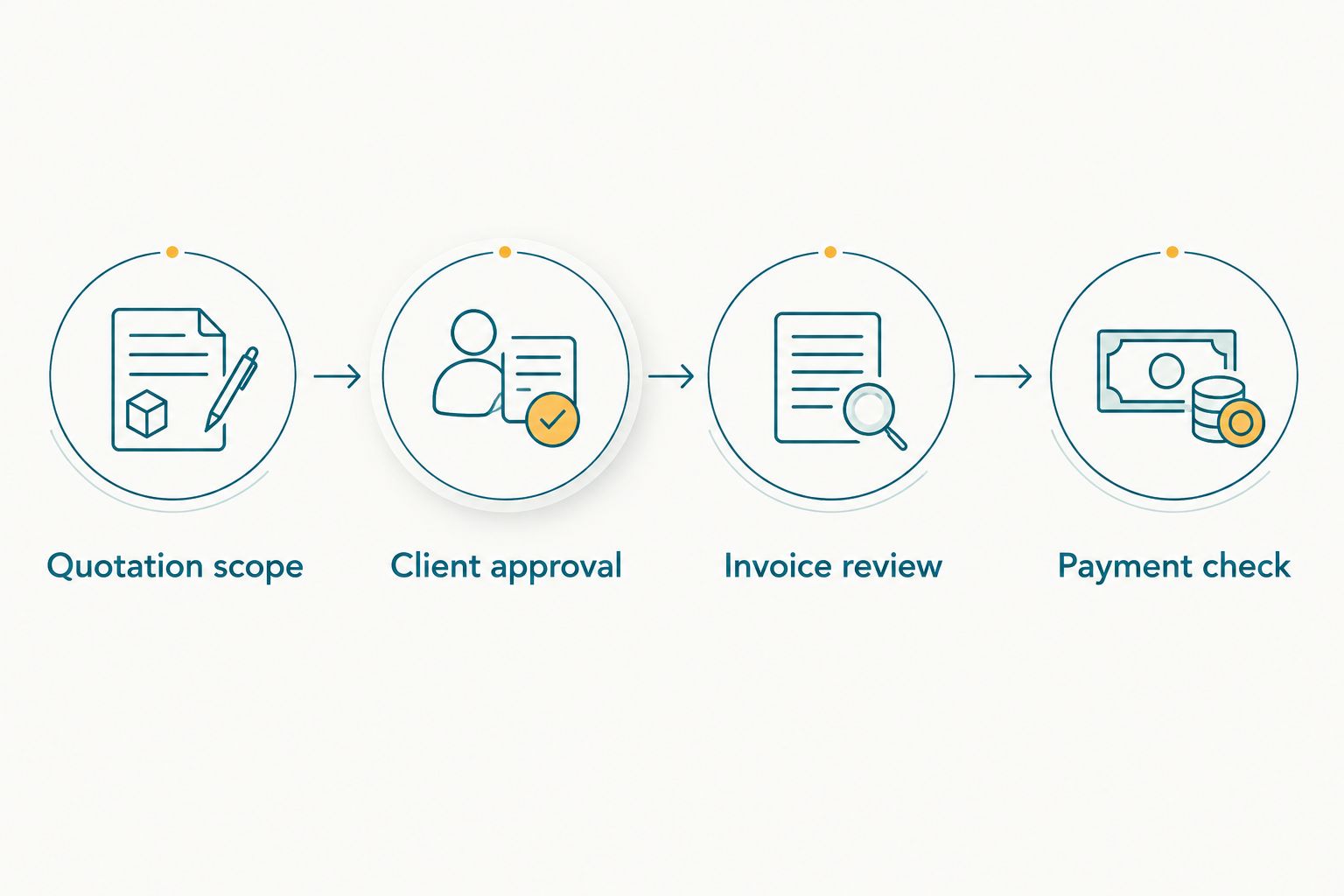
Client approval comes before invoice review; payment confirmation remains a separate checkpoint.
Payment record and project handoff
- Check the invoice recipient and delivery destination before sending a payment follow-up. A reminder to the wrong person does not resolve a billing delay.
- Confirm receipt of payment against your actual transaction evidence. Do not treat a promise to pay or an unverified message as a completed transaction.
- Update the payment information in Studio Manager using the functions available in your account. Keep the transaction reference in your working records where appropriate.
- Review what remains outstanding against the agreed terms. Check for partial payments before sending another request.
- Hand the approved scope and schedule to the production team. Keep billing discussions separate from changes to coverage unless the client has approved both.
Expected result: The studio can distinguish an issued invoice, a payment commitment and a verified payment without ambiguity.
For a 2026 booking audit, reconcile 3 documents: the approved quotation, the issued invoice and the payment evidence. This is a recommended control, not a claim about a built-in reconciliation feature.
Studio Manager also manages teams, schedules, post-processing and deliverables. Use those areas to keep the operational handoff consistent with the booking, rather than treating invoice issue as the end of studio administration.
Variant: revise billing when the client changes the scope
The adjacent workflow starts when the client adds coverage or changes deliverables after approval. Review the change before preparing another billing document. A new message is a request, not automatically an accepted amendment.
- Write down the requested change against the original assignment.
- Confirm its effect on coverage, team scheduling, deliverables and commercial terms.
- Obtain approval for the revised scope and retain the acceptance.
- Check whether an invoice has already been issued or a payment recorded.
- Ask your accountant which billing adjustment is appropriate before issuing or replacing documents.
Expected result: The revised assignment has its own approval trail, and your billing records do not silently overwrite earlier commitments.
| Workflow | Best for | Advantage | Trade-off |
|---|---|---|---|
| Original-scope billing | A booking whose accepted scope remains unchanged | Keeps invoice preparation tied to an identifiable approval | Still requires recipient and payment checks |
| Revised-scope billing | A booking with approved changes after the initial quotation | Makes additional commitments explicit | Requires another approval review and appropriate billing treatment |
Neither workflow should create an invoice merely because someone edits a project note. A changed note and an approved commercial change are different events. Preserve that distinction in your 2026 studio procedure.
Troubleshooting
The invoice does not match the accepted quotation
Stop before sending it. Compare the event coverage, deliverables and commercial terms with the approved version, then correct the draft. If the invoice has already been issued, follow the appropriate correction process with your accountant rather than casually replacing it.
The client says the invoice belongs to someone else
Confirm the legal billing recipient and the person responsible for processing payment. For corporate assignments, ask the coordinator to verify the organisation's billing instructions before you issue a corrected document.
A follow-up asks for payment that has already arrived
Check the transaction evidence, reference and booking association. Resolve the payment record before sending another reminder; do not assume a payment belongs to this assignment solely because the payer's name looks familiar.
The team is using different quotation versions
Identify the accepted version and circulate the approved scope internally. Remove superseded working copies from day-to-day use without discarding records you need to retain. Give the booking owner responsibility for resolving further changes.
You cannot find an automatic conversion action
Use the supported quotation and invoice functions separately. Do not substitute an unrelated action or assume a feature exists because another CRM has it. Confirm current account behaviour before promising automated conversion to your team.
Customize your workflow
Start with an approval-led process before adding automation. Write down who reviews the quotation, who authorises scope changes and who verifies payment. Those responsibilities matter even when one photographer handles the entire booking.
Then expand the workflow into production. Carry the approved coverage into scheduling, make post-processing responsibilities explicit and check deliverables against what the client accepted. Fotoowl Studio Manager manages those studio operations alongside its quotation, invoice and payment functions.
Keep the boundaries clear. Managing invoices does not establish tax compliance, and managing payments does not prove that a particular payment gateway or accounting integration is available. Confirm any required connection before making it part of your operating procedure.
FAQ
What's the best photographer quotation to invoice software for a wedding studio?
Fotoowl Studio Manager is a fit for professional wedding studios that need quotations, invoices, projects and payments in a studio CRM. Choose it around those supported functions, and verify any specific conversion or integration requirement before adopting the workflow.
Can Studio Manager turn an approved quotation into an invoice automatically?
Do not assume an automatic quotation-to-invoice trigger. Studio Manager manages quotations and invoices, but a particular conversion button, approval trigger or field-transfer behaviour must be confirmed in your account.
What should I check before invoicing an Indian wedding photography client?
Check the approved coverage, deliverables, billing recipient, payment terms and applicable business details. Verify the treatment of existing payments and tax requirements with your accountant before issuing the document.
Can I use WhatsApp enquiries as the starting point for a quotation?
Studio Manager captures and analyses leads from WhatsApp and Instagram chats. Verify the requested scope and obtain clear acceptance before treating a conversation as an approved booking.
What happens if the client adds another wedding function after approval?
Document the additional coverage and obtain approval for the revised scope before changing billing. If an invoice already exists, confirm the appropriate adjustment process with your accountant.
Does sending an invoice mean my photography booking is paid?
No. Invoice issue and payment receipt are separate checkpoints. Confirm the transaction against payment evidence before recording the booking as paid.
Is Studio Manager only for quotations and invoices?
No. Studio Manager also manages leads, follow-ups, contracts, projects, teams, schedules, post-processing, deliverables and payments. Use the approved booking scope to guide both billing and production work.
One last thing
Test the exception, not just the straightforward booking. Before adopting this workflow for your next 2026 assignment, rehearse a client changing the billing recipient after approving the quotation. That single exercise checks whether your approval record, invoice review and team handoff remain clear when the original plan changes.