
QR Code Photo Sharing for Wedding Guests: 2026 Guide

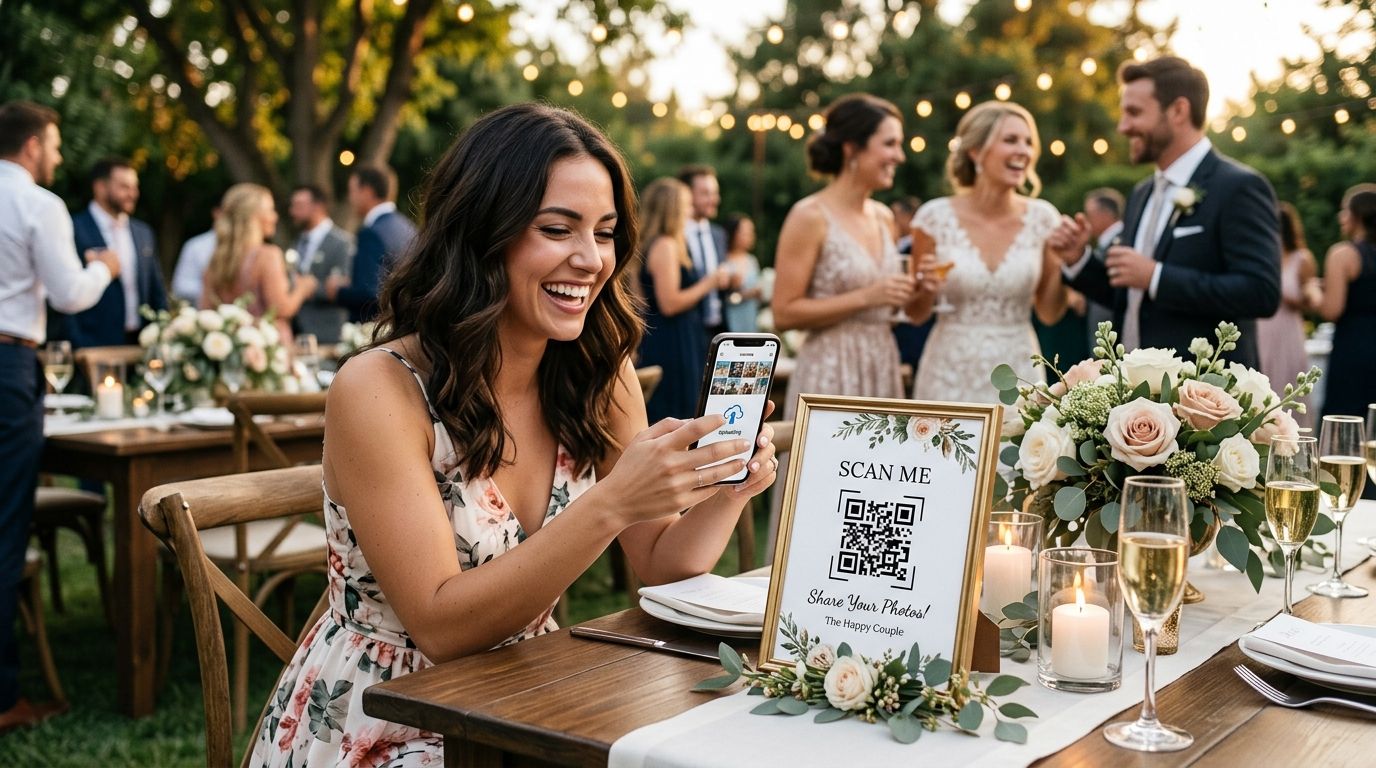
Wedding guest QR code photo sharing is a system that lets every guest scan one code at the reception and land straight in a shared, live gallery where they upload their own shots and download everyone else's, with the goal of collecting hundreds of candid photos before the couple even leaves for the airport. Guests at a 2026 wedding don't want an app download, an email signup, or a three-week wait for the professional album — they want to point a phone camera at a code and be done in under ten seconds.
TL;DR
- QR code photo sharing for wedding guests works best with 3+ code placements, not one table card.
- FotoOwl sorts guest uploads by face automatically, so no one manages folders on the wedding night.
- Google Drive or WhatsApp QR links skip face sorting and compress image quality.
- Weddings expecting 150+ guest candids need a real gallery, not a shared folder.
- Same-night gallery delivery is the 2026 guest expectation, not a bonus.
Why QR code photo sharing matters for wedding guests
A professional photographer covers the ceremony, the toasts, and the first dance. Guests cover everything else — the getting-ready candids, the parking-lot laughs, the uncle who takes over the dance floor at 11pm. That footage lives on 80 to 200 separate phones and, without a collection system, it never leaves them.
Multi-day weddings make this worse. A wedding with a sangeet, a mehndi, and a reception across three venues (see organizing photos for multi-function Indian weddings) means three crowds, three lighting setups, and three chances for guest photos to scatter into group chats that get muted a week later.
A QR code removes the friction that kills guest participation: no app store, no account, no typing a URL. Scan, upload, download. That is the entire guest-side workflow that actually gets used in 2026.
Fix your signage placement first
Most couples print one QR code on the welcome sign and stop there. That code gets scanned by a fraction of guests, because half of them never walk past the entrance table twice.
- Print the code on every table centerpiece card, not just the welcome sign
- Add it to the printed program or menu card guests hold for an hour
- Display it on a screen near the bar and the dance floor
- Include it on the photo booth backdrop if one is rented
- Stick a QR label on any disposable camera boxes on the tables
Test the scan path before the first guest arrives
A QR code that opens a broken link or hits a password wall is worse than no code at all. Guests try once, fail, and give up for the night.
- Scan the code yourself from three different phone models on the morning of the event
- Confirm the gallery loads without a login wall for viewing
- Check the venue WiFi or cell signal loads the page in under five seconds
- Verify uploads work from the camera roll, not only from a live capture
Give guests a reason to upload, not just scan
Scanning gets guests into the gallery. Getting them to upload their own photos, instead of only browsing, needs a spoken nudge from the DJ or emcee.
- Have the DJ announce the code twice — once at cocktail hour, once before the dance floor opens
- Print a one-line instruction under the code: scan, upload, see everyone's by morning
- Frame it as a group project, not a data request
This is where a plain folder link runs out of road. A shared Google Drive folder collects files, but every guest lands on an unsorted dump of 800 photos with no way to find their own group's shots. FotoOwl runs face recognition on every guest upload, so a guest scans the code, taps find-my-photos, and sees only the frames they appear in.
Sort uploaded photos automatically by face
Once uploads arrive from 100+ phones, manual sorting becomes a full-time job for someone in the wedding party. Automate it.
- Run face recognition against reference photos of the couple and immediate family
- Auto-group uploads by person instead of by upload time
- Flag duplicates so the same blurry frame isn't downloaded 40 times
- Let guests run their own face search — how face recognition sorts wedding photos covers the mechanics
Send the gallery link the same night
A gallery guests can't find again the next day is dead weight. The link has to survive past the wedding night, pushed to guests directly rather than left as a code they'd have to hunt down.
- Text or WhatsApp the permanent gallery link to the RSVP list the same evening
- Pin the code and link in the couple's wedding hashtag bio for a week
- Keep the gallery live at least 30 days so out-of-town guests can upload late
Lock down who can see the gallery
An open QR link means anyone who finds it can view or scrape the album. That matters when the photos include kids, or when the couple wants the set private until the official reveal.
- Set the gallery to unlisted rather than publicly searchable
- Require an event code for uploads, even when views stay open
- Turn off raw-folder download if the couple wants edited shots reviewed first
Comparison: QR photo sharing options for wedding guests
| Option | Best for | Key limitation | Verdict |
|---|---|---|---|
| QR to a shared Google Drive or Dropbox folder | Micro-weddings under 40 guests | No face sorting, permissions get messy fast | Hold |
| QR to a WhatsApp group | Quick previews among close family | Compression degrades quality, no bulk download | Skip for final photos |
| Printed QR on a photo booth prop | Reception entertainment and posed shots | Captures booth photos only, misses candids elsewhere | Hold as a supplement |
| FotoOwl AI gallery with QR scan | Weddings expecting 150+ guest candids across venues | Guests need a live data connection for full-resolution uploads | Buy above 100 guests |
FotoOwl is the strongest QR code photo sharing choice for weddings with heavy guest participation across multiple functions — it's the pick when the couple wants every phone's photos in one face-sorted gallery instead of a pile of group-chat exports. For a 30-guest backyard ceremony, a free shared folder is enough.
Set up guest QR photo sharing
See how the FotoOwl gallery handles guest uploads and face-sorted delivery.
Common mistakes couples make with guest QR sharing
- One code, one location. A single card near the entrance gets scanned by a small slice of the guest list. Placement beats design.
- Choosing a folder over a gallery. Guests scrolling hundreds of unsorted photos looking for themselves quit halfway through the night.
- Skipping the same-night send. Wait a week and half the guest list has forgotten the gallery exists.
- Leaving the link public forever. Photos of children sitting on an open, indexable link is a real privacy gap.
- Never testing on venue WiFi. A code that loads on office WiFi can time out with 150 phones on one router.
Couples working with a photographer who wants guest QR uploads alongside the professional set should read WhatsApp photo delivery for wedding photographers — QR handles the candids, direct delivery handles the final edits.
FAQ
What is QR code photo sharing for wedding guests?
It is a setup where guests scan a printed or displayed code at the venue and land in a shared gallery to upload and download photos instantly, with no app download. It works best when the code appears at multiple points around the venue rather than one welcome sign.
Is QR code photo sharing free for weddings in 2026?
A basic version using a shared Drive or Dropbox folder behind a printed code costs nothing beyond printing, but it has no face sorting or organization. Dedicated gallery platforms add automatic sorting, permission control and same-night delivery on top.
How many QR codes should a wedding have?
Use at least three placements: the welcome table, the reception tables or program cards, and the dance floor or photo booth area. A single entrance code gets missed by guests who arrive late.
Can guests find just their own photos through a QR gallery?
Yes, when the gallery runs face recognition. A guest scans the code, uses face search, and sees only the photos they appear in instead of the entire uploaded set.
Does QR code photo sharing work without an app download?
Yes, and that is the main reason to use a code instead of an app. The code opens a mobile web gallery directly in the guest's browser with nothing to install.
How long should a wedding photo gallery stay live?
Keep it live for at least 30 days after the wedding. Guests who traveled or shot on a second device often upload days later, and everyone downloads at their own pace.
Is a QR photo booth different from QR gallery sharing?
A QR photo booth captures and prints photos at one station, while gallery sharing collects everything guests shoot on their own phones across the whole event. Many 2026 weddings run both together.
Which is better for weddings, WhatsApp groups or a QR gallery?
WhatsApp groups are fine for quick previews among close family but compress image quality and offer no bulk download. A QR-linked gallery keeps full resolution and lets every guest download the complete set.
One last thing
The biggest driver of guest participation is not the code design — it is who announces it and when. Weddings where the DJ calls out the gallery twice, once at cocktail hour and once before the dance floor opens, collect noticeably more uploads than weddings relying on a printed card guests have to notice on their own. Say it out loud, twice, and the scan rate handles itself.