
How to avoid losing photos from a memory card at a wedding

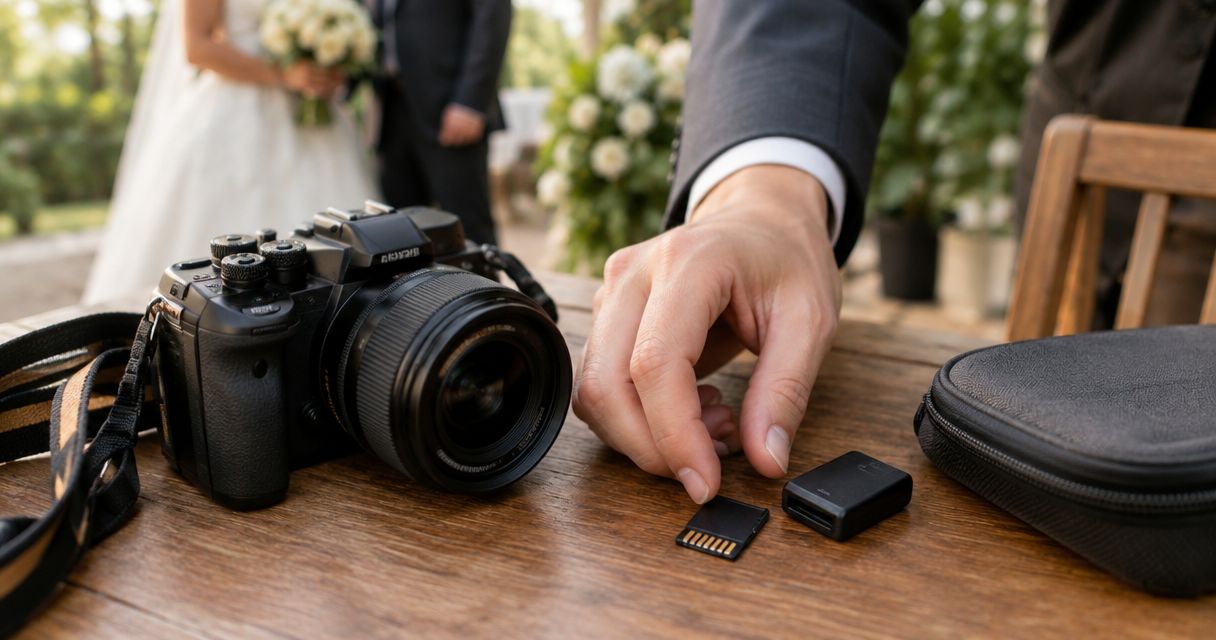
To avoid losing wedding photos from a memory card, record the same files to both cards when your camera supports it, make verified backups during safe breaks, and retain the originals until those backups are checked. Dual recording does not protect against losing the camera, and an upload is not a backup until you confirm which files reached the destination. Your 2026 wedding workflow should protect photographs from capture through card reuse—not just through import.
TL;DR
- To avoid losing wedding photos, memory card backups must be verified before you format the originals.
- Dual-card recording protects against individual card failure, not loss of the whole camera.
- Follow the established backup target: three copies, two media types, one copy off-site.
- Fotoowl AI Gallery supports photographer delivery; verify your original-file backups separately.
How do you avoid losing photos from a memory card at a wedding?
Keep independent copies, verify their contents, and make card formatting a controlled decision. No memory card or transfer method removes every risk. The following sequence gives your team a repeatable procedure for a 2026 wedding assignment.
- Test before the wedding. Check cards, card readers, camera recording settings and backup destinations using the equipment you will take.
- Record duplicate originals where supported. Select simultaneous recording rather than overflow recording if you need matching copies.
- Separate exposed cards from empty cards. Label each card and maintain a clear record of who holds it.
- Copy without deleting. Transfer files into identified event folders, then create an independent backup.
- Verify before release. Compare file inventories, use checksum verification where available, and open photographs from the copied files.
- Authorise card reuse. Format only after the studio confirms that its original-file backup requirements are met.
If you are adding uploads during the event, understand the distinction between camera-to-cloud and memory card imports. A transfer route adds protection only for files that successfully arrive.
Why this matters
A wedding photograph passes through several vulnerable stages: capture, card removal, handover, import, editing and storage. Protecting only the camera stage leaves the remaining stages exposed to accidental deletion, misplaced equipment and incomplete transfers.
For a multi-function Indian wedding, assign responsibility by function and photographer. The person covering the sangeet should not assume someone else has backed up their cards before the wedding ceremony begins.
Give one named person authority to release cards for reuse. Everyone else should treat recorded cards as originals that remain protected until that release is logged.
Before the wedding: test the complete recording path
Prepare your 2026 card kit before leaving the studio. Check each card against the camera manufacturer's compatibility guidance, inspect it for visible damage, and test recording and playback with your intended settings.
A card that accepts a few test frames has not proved that every part of your workflow works. Test the reader, cable, destination drive and import software as well.
Check what each camera slot actually records
Camera settings matter more than the presence of another slot. Overflow recording continues onto another card when the first fills; it does not create a duplicate of earlier photographs.
RAW-to-one-card and JPEG-to-another recording also creates different files. A JPEG copy preserves an image, but it is not a replacement for the original RAW file's editing flexibility.
Use the camera manual to confirm the available modes. After setting your preferred mode, make test photographs and inspect both cards independently rather than trusting the menu alone.
Label cards without obscuring contacts
Use a simple identifier tied to a photographer or camera body. Keep the same identifier in your handover record so the studio can trace imported folders back to the physical card.
Carry ready-to-use cards separately from exposed cards. A designated compartment or case removes the need to decide from memory whether a card is safe to format.
During the wedding: protect cards and control handovers
Avoid changing cards during an unrepeatable moment unless necessary. Plan handling around natural breaks between functions, and follow the camera manual before removing media or disconnecting power.
Do not remove a card while the camera is writing to it. If the camera displays an error, stop using that card rather than repeatedly testing it during the assignment.
Make the handover explicit
Record the photographer, camera, card identifier, function and receiving person. Keep the original filenames intact during ingestion, or preserve a reliable mapping if your import process renames them.
A useful handover message states what was handed over and what remains outstanding. “Reception card received; import not yet verified” is clearer than “photos done”.
For teams moving between venues, record physical custody separately from backup status. Receiving a card does not mean copying it, and copying it does not mean verifying it.
Separate copies physically
Matching cards inside the same camera share the camera's exposure to theft, loss and physical damage. After a safe handover, keep an independent copy away from the equipment holding the originals.
Do not put every card and backup drive in the same bag for the journey home. Physical separation addresses a different risk from duplicate recording.
Which protection methods should your studio combine?
Use these methods as layers, not substitutes. Each protects a different stage of the wedding workflow, and each has a limit that your team needs to understand.
| Protection method | Best for | Main benefit | Main limitation |
|---|---|---|---|
| Simultaneous dual-card recording | Capture redundancy | Creates matching files when configured accordingly | Both cards remain exposed to loss of the camera |
| Independent local backup | Venue or studio ingestion | Adds another copy without needing an internet connection | Shares location risk if stored with the originals |
| Verified off-site backup | Location separation | Keeps a copy away from the working equipment | Protection depends on completed transfers and retained file types |
| Retained original cards | Import and handover mistakes | Preserves the source while copies are checked | Cards must remain tracked and unavailable for reuse |
For your 2026 workflow, decide which layer covers each failure. “Everything is on the laptop” describes a location, not a complete backup plan.
After each function: copy, verify, then retain
Copy first; do not move files off the memory card. Moving combines transfer and deletion, removing the source before you have finished validating the destination.
Create an event structure that distinguishes the function, photographer and camera. Keep RAW files, JPEG files and video files identifiable so a folder of previews cannot be mistaken for the complete capture.
Copy files
Import into a clearly named destination, then create an independent backup on another storage device. Another folder or partition on the same physical drive is not independent protection against that drive failing.
Check the destination before starting. A familiar folder name is not proof that you selected the correct event or drive.
Verify copies
Compare source and destination file inventories, including file types and sizes. Where your transfer software supports checksum verification, use it to check that copied file contents match the source.
Open files from the destination itself. Sample the beginning, middle and end of each card, including important sequences, while recognising that sampling alone does not validate every file.
Matching file counts are useful, but they are not proof of identical content. Keep the original card protected while resolving missing files, mismatches or unreadable images.
Retain originals
Mark the card as copied and verified only after completing the checks. Keep it in the exposed-card case until the designated person approves reuse.
Use these exact stages in your handover record: Copy files, Verify copies, Retain originals, Approve reuse. They separate completed work from assumptions.
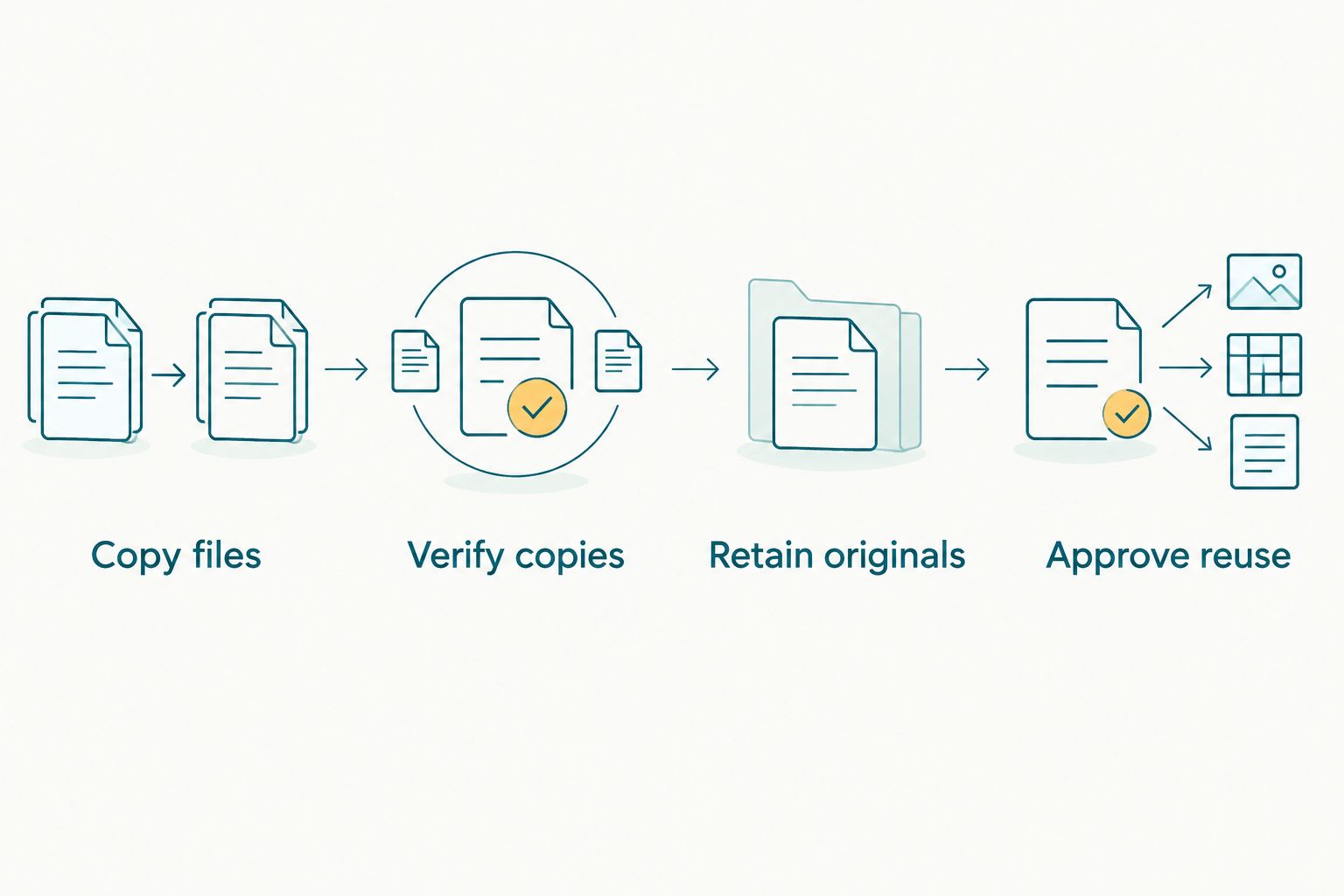
Card reuse follows verification; it is not part of the initial transfer.
How many backups should wedding photographers keep?
Use the established 3-2-1 backup rule: 3 copies, 2 media types, and 1 copy off-site. Treat it as a planning baseline, then check that each copy contains the originals you intend to preserve.
The working copy counts towards the total. Your off-site copy must actually exist and be readable; an incomplete upload queue does not meet that requirement.
For your 2026 studio procedure, distinguish original captures from edited exports. Backing up the delivered JPEG gallery does not preserve RAW captures, editing catalogues or other files that were never included.
Test restoration as well as copying. Retrieve a backed-up folder to another location and confirm that you can open its files without relying on the original working drive.
Why wedding photo-loss risk varies
The risk changes with the way you record, handle and transfer photographs. Review these factors before assigning the backup procedure:
- Recording configuration: simultaneous recording, overflow and split RAW/JPEG recording preserve different things.
- Card condition and compatibility: damaged media or unsupported combinations require attention before the assignment.
- Handling practices: unclear card status and undocumented handovers create opportunities for accidental reuse.
- Copy independence: several folders on one device still share that device's failure risk.
- Transfer completeness: a destination containing selected JPEGs is not a complete original-file archive.
- Verification and authority: someone must check the copies and explicitly approve formatting.
Do not set an arbitrary card-retirement deadline as a substitute for these checks. Follow manufacturer guidance, track errors, and remove suspect cards from assignment use.
Can camera-to-cloud replace memory card backups?
Camera-to-cloud does not replace checking your original-file backups. Confirm the uploaded file format, completeness and accessibility before treating the remote destination as another copy.
Fotoowl AI Gallery is for professional wedding and event photographers delivering photos and videos to clients. Beam, its camera-to-cloud FTP upload feature, belongs in the transfer and delivery layer of this workflow—not in place of card handling and verification.
That distinction is the practical benefit and limit: Fotoowl supports gallery delivery, while your studio still needs a verified original-file backup procedure. Do not assume a delivered gallery contains every RAW file simply because guests can view photographs.
For a 2026 venue test, upload representative files and inspect the destination. Confirm what arrived rather than relying only on the camera's transfer indicator.
What should you do if a wedding memory card shows an error?
Stop using the affected card immediately. Do not format it, take more photographs on it, or accept repair prompts before deciding on a recovery approach.
Continue coverage with a known-working card or another camera. Label and isolate the affected card so an assistant does not put it back into circulation.
If you recorded duplicate files, verify the other card independently and copy those files to separate storage. Do not assume the duplicate is complete until you inspect it.
For irreplaceable photographs, seek a reputable data-recovery specialist before attempting changes to the source. If using recovery software, recover to a different destination, never back onto the affected card; recovery is not guaranteed.
FAQ
Can I prevent every memory card failure at a wedding?
No workflow guarantees that a memory card will never fail. Duplicate recording, careful handling and verified independent backups reduce your dependence on any single card.
Does a camera with two card slots automatically back up wedding photos?
No, two card slots do not automatically mean duplicate recording. Check the selected recording mode and inspect test files from both cards before the wedding.
Is RAW on one card and JPEG on another a full backup?
RAW on one card and JPEG on another preserves different file types, not matching originals. A JPEG copy preserves the image but does not retain all the editing flexibility of the RAW capture.
When is it safe to format wedding memory cards?
Format wedding memory cards only after the authorised person confirms that verified independent backups meet the studio's retention procedure. Finish any missing-file or transfer checks before approving reuse.
Should I delete bad photographs from the card during the wedding?
Leave deletion for the copied working set rather than making irreversible selection decisions during coverage. Keeping the capture intact also makes source-to-destination verification clearer.
Does a completed gallery mean my RAW files are backed up?
A completed gallery does not establish that your RAW files are backed up. Inspect the stored file formats and compare the destination against the original capture inventory.
What should I do if the computer asks to format my card?
Do not accept the format prompt when you need photographs from that card. Stop writing to the media and choose a recovery approach that preserves the source.
One last thing
An empty card is a permission decision, not a storage decision. Before anyone formats, require a handover record naming the verified destinations and the person who approved reuse.
That record connects the physical card to the actual backups. It also gives a tired photographer a clear answer at the end of the reception: keep this card protected, or return it to service.