
QR Code Photo Booth Setup for Events (2026 Steps)

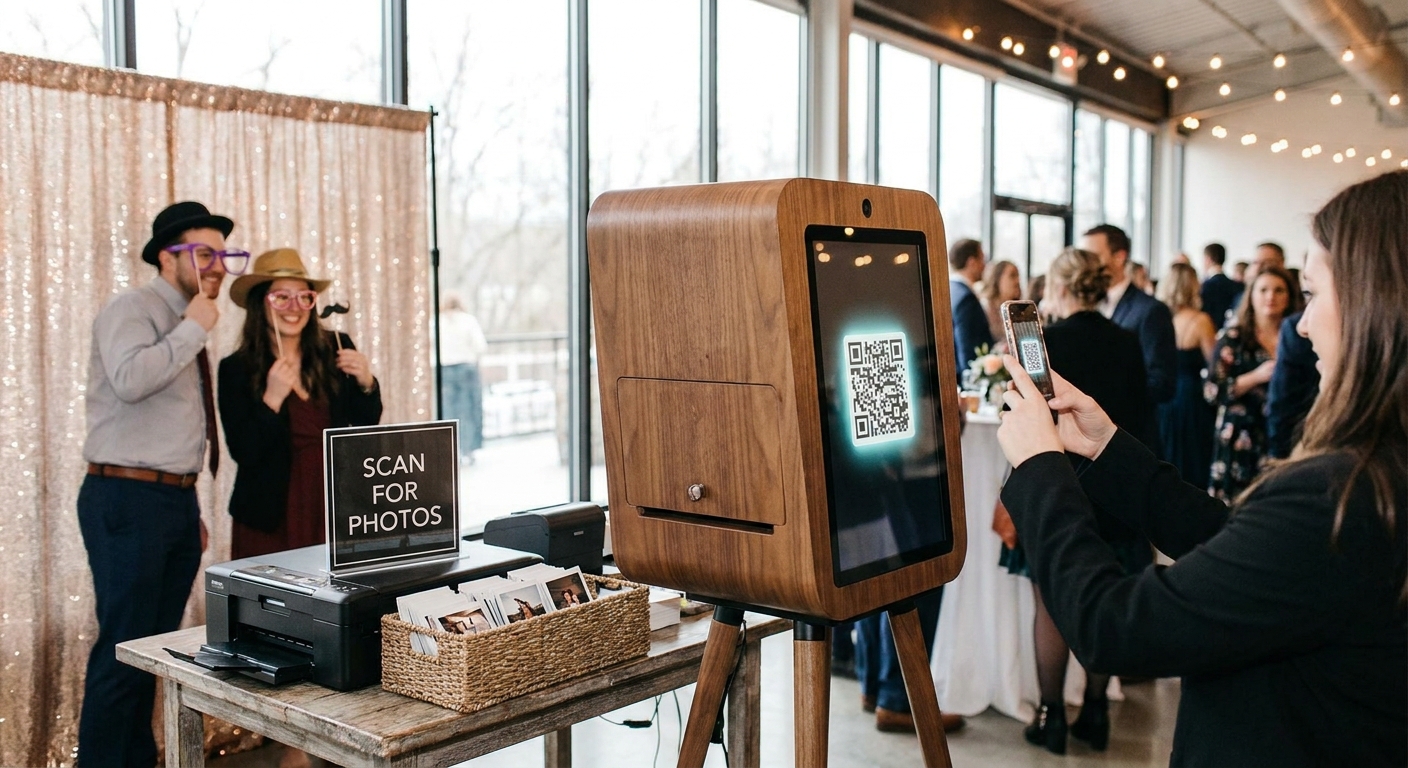
A QR code photo booth turns any camera setup into an instant, contactless photo-sharing station — guests scan, guests get their photos, no app download required. This guide walks through the exact setup for weddings, corporate events, sports days, and festivals in 2026.
TL;DR
- A working qr code photo booth setup for events needs three things: a gallery platform with QR upload, a printed code sized at least 8x8 inches, and a tested WiFi or hotspot backup — buy nothing else.
- FotoOwl's QR-linked galleries push photos live within seconds of upload, which matters most at 300+ guest corporate events and festivals.
- Test the scan-to-gallery flow at least 30 minutes before doors open — most booth failures trace back to skipped testing, not bad hardware.
- Face recognition sorting cuts guest search time from minutes to seconds once more than 200 photos land in a gallery.
Why this matters
Guests don't wait around for a photographer to cull, edit, and email a gallery three weeks later. They want the photo before they leave the room. A QR code photo sharing setup closes that gap — scan, upload, done — and it removes the single biggest friction point in event photography: getting images out of the camera and into guests' hands fast.
For photographers, it also means fewer "can you send me that photo" messages three weeks after the event. For event planners, it's a built-in engagement tool that keeps guests posting, tagging, and sharing while the event is still happening in 2026.
What you'll need
- A cloud gallery platform with native QR code generation and instant upload (not a generic file-sharing link)
- A printed or digitally displayed QR code, minimum 8x8 inches for a standing booth, smaller for table cards
- A stable internet connection — venue WiFi plus a mobile hotspot as backup
- A stand, tripod, or signage frame to hold the code at eye level, roughly 4.5 to 5 feet off the ground
- A tablet or phone for the photographer or coordinator to monitor uploads live
- Guest-facing instructions — one line of text is enough: "Scan. Snap. Share."
- A backup power source if the booth runs on battery for more than 4 hours
Skip the temptation to buy a dedicated photo booth kiosk unless you're running high-volume corporate activations. Most weddings and mid-size events run fine on a phone, a printed sign, and a solid gallery platform.
The steps
1. Pick a gallery platform that generates QR codes natively
This decides everything downstream. The platform needs to generate a unique QR code per event, support instant upload from any phone camera, and organize photos into a searchable gallery — not just a shared folder. Platforms built for event photographers, like FotoOwl, handle this natively along with face recognition sorting once uploads start stacking up.
Common mistake: picking a generic QR-to-Google-Drive workaround. It works for 20 photos. It breaks down completely past 200.
2. Generate and size the QR code correctly
Generate the code inside your gallery platform, not a free third-party QR generator, so it links directly to the live event gallery rather than a static page you have to update manually. Print it at a minimum of 8x8 inches for standee placement and test the scan from 3 feet away under venue lighting before the event.
This matters because dim reception lighting and glossy paper are the two most common causes of failed scans. Matte paper cuts glare by a noticeable margin.
3. Build the booth station
Set the stand at chest height, roughly 4.5 to 5 feet, in a spot with foot traffic but not a bottleneck — near the bar or entrance, not blocking a doorway. Add one line of instructional text and nothing else; guests skip dense signage.
For corporate events with branded backdrops, mount the QR code beside the step-and-repeat, not on it, so scanning doesn't interrupt the photo itself.
4. Test guest flow before doors open
Run a full test 30 minutes before the first guest arrives: scan the code from three different phones (iOS and Android both), upload a photo, and confirm it appears in the gallery within seconds. This single step catches 90% of on-the-day failures before they become guest complaints.
Expected outcome: a photo uploaded via scan should appear in the live gallery in under 15 seconds on a stable connection.
5. Brief your team and any on-site staff
Whoever is stationed near the booth — an usher, a coordinator, a corporate event host — needs to know one thing: how to explain the scan in one sentence. "Scan this code, take your photo, it uploads automatically." That's the entire brief.
Common mistake: assuming the sign explains itself. At events over 150 guests, someone always needs a human nudge in the first 20 minutes.
6. Monitor uploads live during the event
Keep a phone or tablet open on the gallery dashboard for the full event. At corporate events with high guest counts, QR code photo sharing built for corporate events needs someone watching for upload spikes, especially right after a keynote or group photo moment when 50+ uploads can hit at once.
This is also when you catch scan failures early — if uploads stall, you have time to swap the printed code or restart the hotspot before guests notice.
7. Handle bulk delivery and gallery access after the event
Once the event ends, the same QR code (or a follow-up link) should give every guest access to the full gallery, not just their own uploads. Face recognition sorting is what makes this useful past 300 photos — guests search their own face instead of scrolling a shared folder for twenty minutes.
Expected outcome: full gallery access live within 1-2 hours of the event ending, not days later.
Set up your event's photo gallery
See how FotoOwl handles QR uploads, face recognition, and instant delivery.
Troubleshooting
QR code won't scan. Usually glare on glossy paper or a code printed too small. Reprint on matte stock at 8x8 inches minimum and retest from 3 feet under venue lighting.
Uploads stall or take longer than a minute. Venue WiFi is the usual culprit. Switch the booth device to a mobile hotspot immediately rather than waiting for WiFi to recover mid-event.
Guests can't find their own photos in a gallery of 500+ images. This is a sorting problem, not an upload problem. Face recognition search cuts this from minutes of scrolling to a single selfie scan.
Line backs up at the booth. Add a second QR standee on the opposite side of the room. One code, two placements, no extra hardware needed.
Battery dies mid-event. Budget a power bank rated for at least 6 hours if the booth device isn't plugged in. Corporate events running past 8pm are the most common casualty.
Duplicate or spam uploads. Set moderation on in the gallery dashboard so a coordinator can pull obviously irrelevant images before the final delivery goes out.
Tools and resources
- A gallery platform with native QR generation, face recognition, and instant delivery — this is the core tool, everything else is signage and hardware
- A matte-finish printed standee or A-frame sign
- A mobile hotspot device as WiFi backup
- A moderation dashboard so someone can catch spam uploads live
- For weddings specifically, pair the QR booth with a live photo booth software setup built for weddings so guest uploads and the photographer's own shots land in the same gallery
What to do next
Once the booth setup works reliably at one event, the next problem is delivery speed and gallery organization at scale — that's a separate workflow decision, not a hardware one. Get that right before you scale to bigger guest counts in 2026.
FAQ
What is a QR code photo booth for events?
It's a station where guests scan a printed or displayed QR code with their phone camera to instantly upload and access event photos. No app download is required, and photos typically appear in the shared gallery within seconds.
How do guests use a QR code photo booth?
Guests scan the code with their phone's native camera, which opens the event gallery link directly in their browser. From there they can upload their own photos or browse and download images already in the gallery.
How much does a qr code photo booth setup for events cost in 2026?
Costs depend mainly on the gallery platform subscription, since printed signage and a stand cost very little. Most photographers run this on existing phones and a printed code, keeping hardware costs near zero.
Can a QR code photo booth work without WiFi?
Yes, as long as a mobile hotspot is available as backup. Venue WiFi is the most common point of failure, so a hotspot should always be on standby during the event.
How is a QR code photo booth different from a traditional photo booth app?
A traditional photo booth app usually requires a download and works on a single device. A QR code setup skips the download entirely and lets any guest with a phone camera join instantly.
How many guests can one QR code booth handle?
A single QR code and standee can handle several hundred guests if paired with a platform built for bulk uploads and face recognition sorting. Adding a second standee helps at events over 300 guests to avoid bottlenecks.
Does a QR code photo booth work for both weddings and corporate events?
Yes, the setup is the same core mechanic for both, though corporate events usually need more active upload monitoring due to spikes after group photos or keynotes.
What causes most QR code photo booth failures at events?
Skipped pre-event testing is the top cause, followed by glare on glossy printed codes and unstable venue WiFi. Testing the scan from multiple phones 30 minutes before doors open catches nearly all of these.
One last thing
The booth itself is the easy part — a printed code and a stand solve themselves in an afternoon. The part photographers underestimate every time is what happens after 300+ photos land in one gallery: without face recognition sorting, guests scroll for ten minutes looking for themselves and give up. That's the actual reason galleries feel slow, not the QR scan.