
How to deliver event photos to press and clients separately


Deliver event photos to press and clients separately by building distinct approved photo sets, sharing each through its own delivery destination, and testing access before sending either link. Give the press publication-ready images with captions, credits and usage instructions; give the client the coverage agreed in your brief, without treating client approval as permission for public release.
TL;DR
- Event photo delivery for press and clients needs separate approved sets, recipient lists and release instructions.
- Press delivery should include verified captions, photographer credits and written publication approval.
- Client delivery should match the agreed coverage, not expose the photographer’s working archive.
- Fotoowl supports event photo galleries; photographers still need a separate approval and access-check process.
Why this matters
At an Indian conference, product launch or awards evening, the commissioning client and the PR agency can need different photographs from the same shoot. Treat those as separate delivery briefs. A client’s internal team photo does not belong in a press package simply because it sits beside an approved stage photograph.
Separate the release decision from the upload decision. Uploading a file prepares it for delivery; approving it determines who should receive it and what they can do with it. Start with a clear corporate event photo organisation workflow, then build audience-specific outputs rather than sharing your working folder.
For your 2026 delivery brief, name the client approver, press contact and photographer responsible for sending the final links. Keep those responsibilities explicit even when the same person handles several roles.
How do you deliver event photos to press and clients separately?
Use this sequence: confirm the brief, build the selections, obtain approval, check access and send separate handovers. Keep a record of which files each recipient received. The process should remain clear enough for another editor in your studio to follow without reading an entire chat history.
1. Confirm the brief
Ask the commissioning client which photographs are intended for press publication and which are for internal or client use. Get the answer before anyone distributes a gallery link. If a PR agency is involved, confirm whether the agency can approve releases or must refer them to the client.
Record these details in your delivery brief:
- The named approver for press images.
- The client recipients and press distribution contact.
- Any subjects or sessions excluded from public release.
- The required file format and intended output.
- Caption, credit and publication instructions.
- The agreed delivery deadline and time zone.
For a 2026 event with international media, write the time zone beside the deadline rather than leaving recipients to interpret a local time. Ask for the publisher’s technical requirements instead of choosing export dimensions by habit.
2. Build the selections
Create distinct press and client selections from your edited master set. Keep rejected frames, unfinished edits and approval-pending images outside both delivery destinations. A label inside a shared folder is not a substitute for checking what recipients can actually open.
Choose press photographs against the approved story: the announcement, speaker, performance, award or event moment that the client has cleared. Build the client selection against the contracted coverage. The client selection can be broader, but it should still contain finished deliverables rather than every captured frame.
Use descriptive working labels such as Press approved, Client delivery and Awaiting approval. These are organisational recommendations, not assumptions about your gallery software’s controls.
3. Obtain approval
Send the proposed press selection to the authorised approver before distributing it to journalists. Ask for approval against identifiable filenames, not a general response about the event photographs. Keep any withheld images out of the released set until their status changes.
Check names, designations, company names and event details with the client or PR contact. Do not infer a person’s identity from their position on stage. For school events or photographs involving children, ask the commissioning organisation which images are cleared for the intended audience.
4. Check access
Open each delivery destination as a recipient, without relying on your signed-in studio account. Confirm that the press destination contains only approved press files and that the client destination contains only the agreed client deliverables.
Check navigation as well as the opening page. If recipients can reach another album, parent folder or broader collection, the selections are not separated as intended. Use a different delivery method if the available controls cannot enforce the boundary you need.
5. Send separate handovers
Send the press link to the approved press contact and the client link to the named client recipients. Give each message its own subject line, purpose and instructions. Do not place both destinations in a mixed recipient thread unless everyone is authorised to receive both.
Attach or include the matching caption and credit information with the press handover. For the client handover, state what the delivery covers and how to report a correction. Record the released filenames and the approval reference so your studio can answer later questions precisely.
The sequence is Confirm brief, Build selections, Obtain approval, Check access, Send handover. Keep the approval stage before external distribution, even when the event team is asking for a fast turnaround.
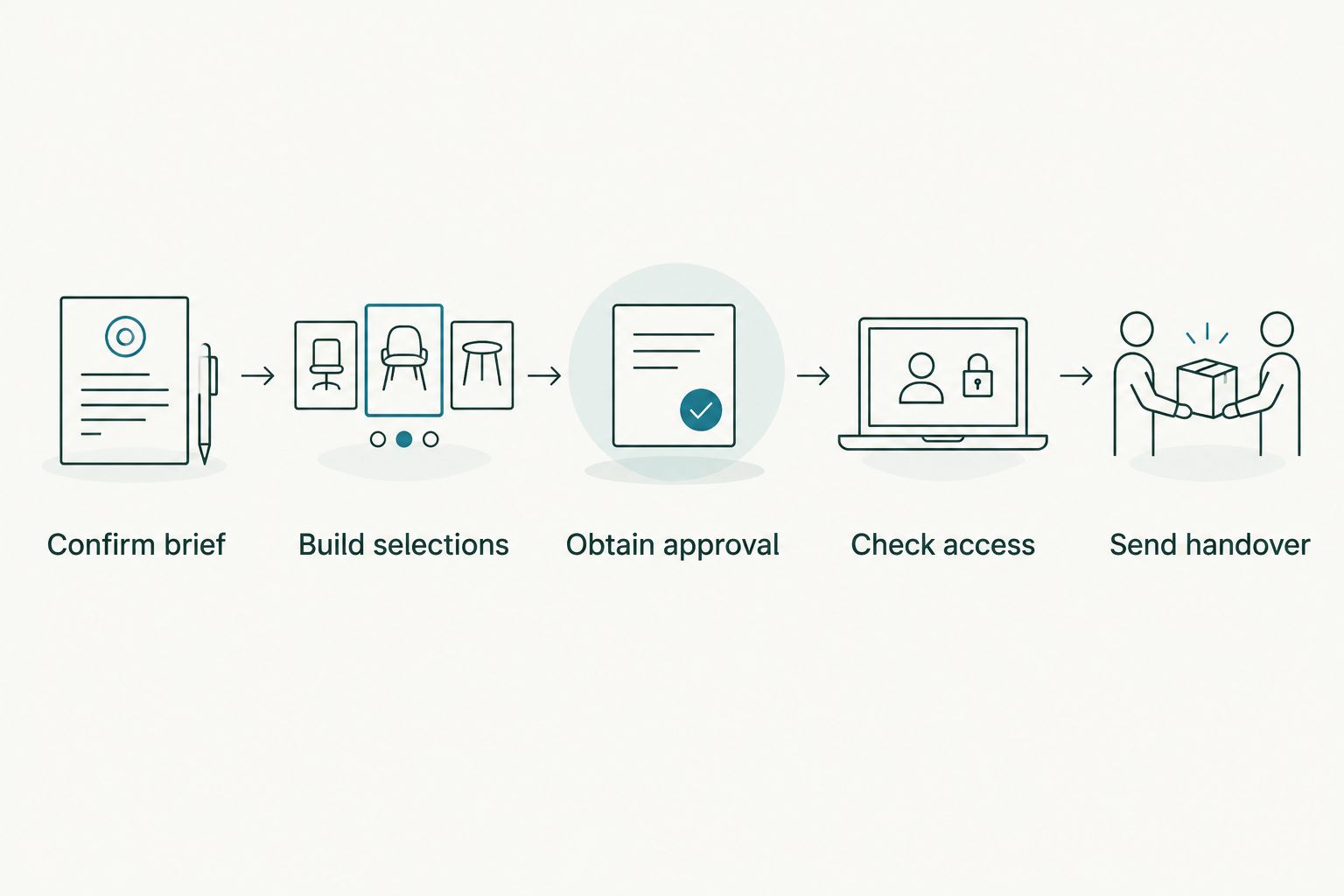
Approval and access checks belong before external distribution.
Press delivery: best for approved publication assets
Recommend a dedicated press selection when recipients need images for publication. Its strength is a clear release boundary: the files, captions and permissions travel together. Its limitation is narrower coverage, so explain that additional image requests need review rather than directing journalists to the client archive.
Prepare the handover around what an editor needs to identify and use each photograph correctly. Keep the instructions close to the files, not buried in a separate conversation that the recipient never sees.
| Delivery decision | Press selection | Client selection |
|---|---|---|
| Best for | Approved publication assets | Agreed client coverage |
| Selection basis | Cleared images relevant to the release | Finished photographs matching the brief |
| Supporting information | Captions, credits and publication instructions | Coverage notes and correction contact |
| Approval | Named press-release approver | Named client-delivery approver |
| Main benefit | Clear editorial handover | Broader client record |
| Main limitation | Additional requests need approval | Not automatically cleared for public release |
For captions, identify the subject and action accurately, then add the event, location and date where relevant. Use the actual event date; a 2026 delivery does not make an older photograph a current-event image. Match every caption to its filename so the connection survives a download or forwarded message.
Avoid decorative watermarks that conflict with the publisher’s brief. Agree the credit wording and any restrictions before export, and keep a clean approved master available for authorised revisions.
Client delivery: best for the agreed event record
Recommend a separate client selection for the finished coverage promised in your brief. Its strength is context: the client receives the event record rather than only the press highlights. Its limitation is that broader coverage needs careful review before anyone forwards it outside the approved recipient group.
Organise the delivery by meaningful event sections, such as arrivals, stage proceedings, awards and team photographs, when those sections match the shoot. Keep the structure understandable to the client. Internal camera labels and editor shorthand belong in your working archive.
State which files are final and where the client should send corrections. If a client requests a caption change, replacement edit or removal, identify the affected filename and destination. Do not assume that changing your master folder updates files already downloaded by recipients.
Keep the delivery boundary visible in the accompanying message. A client handover should describe its intended audience and refer recipients back to the agreed publication instructions rather than implying unrestricted reuse.
Why the delivery workflow varies
The separation rule stays the same, but your implementation should follow the brief. Use these factors to decide what needs checking rather than applying the same settings to every event:
- Recipient purpose: Press publication and internal client review require different selections and supporting information.
- Approval authority: A PR agency contact is not automatically the person authorised to release every photograph.
- Subject sensitivity: Private discussions, children and restricted sessions need explicit review before inclusion.
- Publication requirements: Ask each receiving team about file format, captions, credits and output needs.
- Delivery controls: Test whether your chosen method actually separates access, rather than relying on collection names.
- Release timing: Confirm when each approved set can be distributed, including any agreed embargo.
For your 2026 studio checklist, turn each factor into a decision with a named owner. For example, record who confirms speaker names and who checks the press link. Avoid leaving either task assigned vaguely to the event team.
Where does gallery software fit into separate delivery?
Fotoowl is best for professional event photographers who need face-recognition photo galleries. Its AI Gallery supports photo and video delivery with face recognition. That helps describe the delivery tool, not the permissions attached to an individual photograph.
Fotoowl’s event photo gallery capabilities do not replace your release brief. A face match identifies relevant photographs; it does not establish publication permission. Verify the exact access controls you need before choosing how to separate press and client destinations.
The benefit is a gallery-based delivery workflow for your event photographs. The constraint is operational: your studio must still decide which images belong in each approved set, check recipient access and supply accurate release instructions. Do not assume unsupported approval routing or automatic separation between audiences.
Use the same distinction when reviewing photo access permissions for event stakeholders. Organisation, discovery and authorisation are separate checks, even when they happen within the same delivery process.
Should press and clients receive the same files?
Press and clients can receive the same finished photograph when it is approved for both audiences. Keep its filename consistent so captions, corrections and replacement instructions refer to the same asset. Separate destinations are still useful because the surrounding selections and usage instructions differ.
Do not make a second edit merely to create separation. Change the export only when the recipient’s requirements call for it, and distinguish versions clearly if they differ.
Can you send both deliveries through WhatsApp?
You can use WhatsApp to send separate handover messages, but the message channel does not determine who can access the linked photographs. Verify the destination itself. Send each recipient group only its authorised link and supporting instructions.
Keep the approval record outside a disappearing or hard-to-reconstruct exchange. For your 2026 handover template, include the selection name, release status, correction contact and any publication restriction in plain language.
What should you do if the wrong image is released?
Stop further distribution, remove or restrict the affected file where your delivery method permits, and contact the recipients who received it. Name the exact file and explain whether it is withdrawn or replaced. Do not describe a replacement as a new complete delivery unless that is what it contains.
Update your release record and tell the authorised client contact what happened. Removing a gallery image does not retrieve copies already downloaded, so direct recipient communication remains necessary.
FAQ
What is the best way to separate event photos for press and clients?
Use separate approved selections, delivery destinations and recipient lists. Test each destination as a recipient before sending it, and include instructions specific to that audience.
Can I put press and client photos in different albums under the same link?
Use that arrangement only if you have verified that recipients cannot reach the other audience’s images. Different album names alone do not establish separate access.
Does face recognition give someone permission to publish a photograph?
Face recognition does not establish publication permission. Confirm the intended use with the authorised client contact and release only the approved files.
What should I include with a press photo delivery?
Include verified captions, photographer credits, publication instructions and a correction contact. Match supporting information to identifiable filenames.
Do I need to deliver RAW files to the press?
Deliver the file format agreed with the client and receiving publication. Do not include RAW files simply because they exist in your working archive.
Can Fotoowl help professional photographers deliver event photos?
Fotoowl provides event photo galleries with face recognition for professional photographers. Keep press approval, audience separation and recipient-access testing as explicit parts of your delivery workflow.
How do I handle a journalist asking for an image outside the press selection?
Refer the requested filename to the authorised approver before releasing it. Send the approved addition with its caption, credit and usage instructions rather than exposing the broader client collection.
One last thing
Test the link, not just the gallery cover. Open a press image, inspect the surrounding navigation and try the available download route as an external recipient. A correctly named press collection is not enough if it still leads to the client’s wider photographs.