
Deliver Photos to Press at Product Launch Events 2026

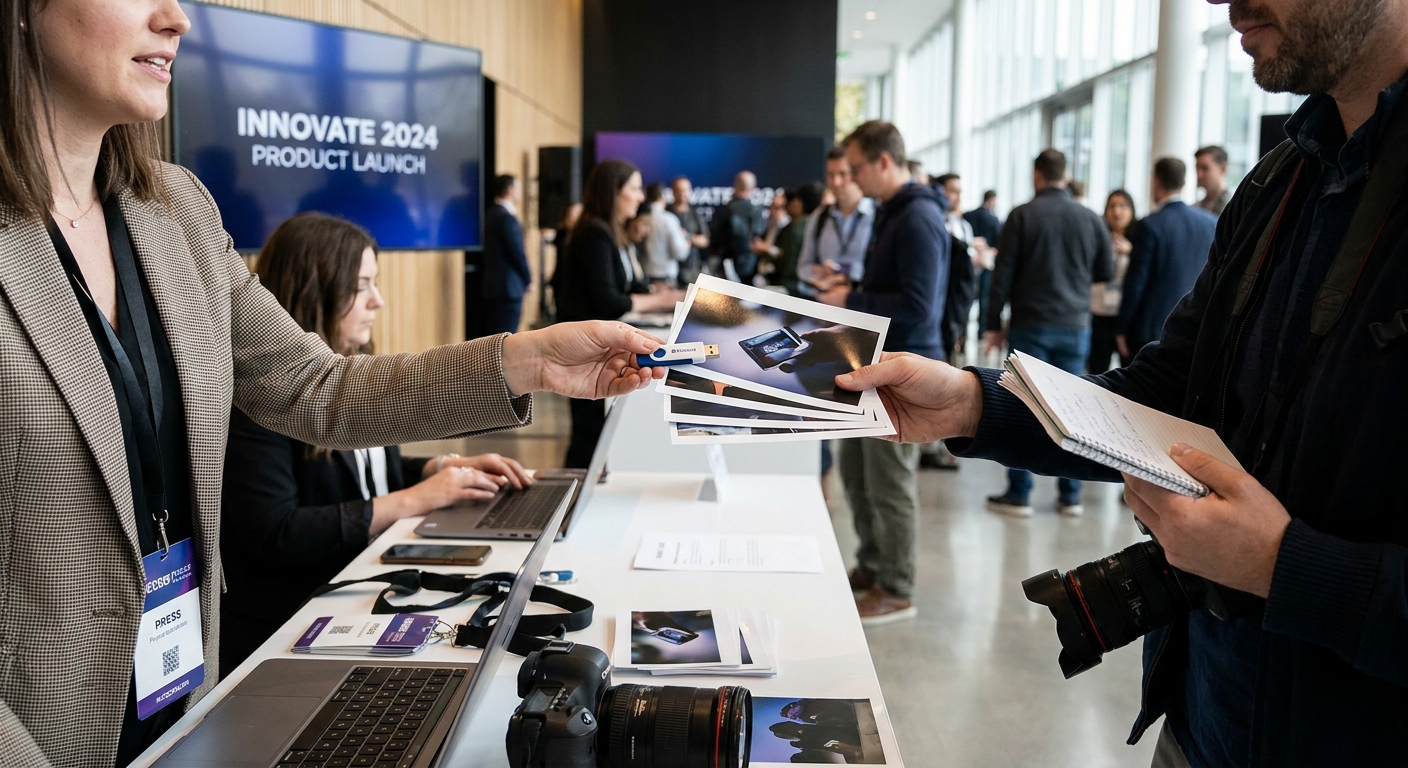
Press photographers do not wait for perfect galleries. They need three to five hero images inside 15-20 minutes of a keynote ending, or the story runs without your client's product in it.
TL;DR
- FotoOwl's AI gallery gets press-ready shots to reporters in under 15 minutes when you pre-organize folders and QR access before doors open.
- Embargo timing beats image count: send 5-8 tight frames on time over 200 unsorted files late.
- Watermark public-facing images but ship clean, high-res files to credentialed press through a separate press folder.
- WhatsApp and Beam uploads outperform email for reporters filing from the venue floor in 2026.
- Skip shared Dropbox links for press credentials — use a gallery with access control instead.
Why this matters
A product launch has one news cycle. If a journalist can't deliver photos to press at product launch events fast enough, the outlet runs a stock photo or skips the visual entirely, and that's coverage your client paid for and didn't get.
The difference between a launch that trends on day one and one that fizzles by noon usually comes down to two things: how fast the first usable frame reaches the newsroom, and whether the file arrives in a format their CMS accepts without conversion. Both are solvable with a plan you set before the event starts, not during it.
What you'll need
- A shot list agreed with the PR team, ranked by priority (hero shot, product close-up, founder on stage, crowd reaction)
- A press-only folder or gallery link separate from the public gallery
- Two shooters minimum for events with 100+ attendees: one on stage coverage, one on floor/product detail
- A phone or tablet with the FotoOwl app or Beam upload set up and tested on venue WiFi before doors open
- The exact embargo lift time in writing from the PR contact
- A watermark template for any images going to public channels ahead of embargo
The steps
1. Confirm the embargo window in writing
Get the exact embargo lift time from the PR lead before the event, not during it. Ask whether it's a hard lift (all outlets simultaneously) or staggered (exclusives first, wire services second). A 2026 launch that misses this detail risks an outlet publishing early and burning the exclusive deal your client negotiated. Common mistake: assuming "end of day" means the same thing to every reporter in the room — get a timestamp, not a phrase.
2. Split coverage the moment doors open
Assign one photographer to the stage and keynote moments, and a second to product details, booth interactions, and press interviews. At a typical 60-90 minute launch, this doubles the volume of usable frames in the first 20 minutes, which is the window that matters most for same-day filing. Skipping this step means your single shooter is choosing between the CEO's mic-drop line and the product macro shot — and missing one of them.
3. Cull to 20-30 frames in real time
Don't wait until the event ends to start selecting. Pull your top 20-30 frames as the keynote wraps, prioritizing the shot list order from step one. Reporters filing on deadline need 5-8 final images, not 400 unsorted ones — a bloated dump slows down the outlet's own editor and pushes your client's photo further down the queue.
4. Organize into a press folder before general upload
Build a separate, clearly labeled folder for credentialed press before the public gallery goes live. Organizing corporate event photos for fast delivery this way means a reporter finds the hero shot in one click instead of scrolling past 300 attendee candids. Name the folder by outlet or by shot type — whichever matches how your PR contact plans to distribute access.
5. Distribute through QR and direct upload, not email
Email attachments choke on 20MB+ RAW-derived files and get flagged by corporate spam filters. QR code photo sharing for corporate events puts a scannable link on the press table or media kit, and reporters pull files straight to their phone in under a minute. Pair that with a Beam upload from your camera so files land in the gallery while you're still shooting the next segment.
6. Watermark anything public, keep press files clean
Apply watermarks to images destined for your client's social channels or public gallery, but send credentialed press unwatermarked, publication-ready files. Adding a watermark to event photos before delivery protects the public set from unauthorized reuse without slowing down the outlets that have earned clean access through credentials.
7. Track who downloaded what
Check download activity on the press folder within the first hour after embargo lifts. If a major outlet hasn't pulled files by then, a two-line follow-up message with the direct link often closes the gap — reporters juggling three launches in one day miss things that aren't in their inbox.
8. Archive the full shoot separately
Once press delivery is done, move the full, unedited shoot into a client archive folder. This keeps the press-facing gallery lean and searchable for the next 48 hours of coverage, while the complete set stays available for the client's own marketing use later in 2026.
Speed up your next press delivery
See how FotoOwl's gallery and Beam upload handle same-day press turnaround.
Troubleshooting
- Reporters can't find the right folder. Rename folders by outlet name, not by generic labels like "Day 1" — a title match makes the difference at 90 seconds to deadline.
- Venue WiFi is too slow for uploads. Test upload speed 30 minutes before doors open; if it's under 5 Mbps, tether to mobile data for the press folder specifically.
- A file gets used before embargo lifts. Note the timestamp and outlet, and flag it to the PR team immediately — most breaches are accidental scheduling errors, not intentional leaks.
- Duplicate or blurry frames slow down selection. Cull in-camera or on first import, before frames ever reach the shared folder, so nobody downstream wastes time sorting.
- A reporter needs a different crop or orientation. Keep the top 10 hero frames available in both landscape and portrait from the start — re-cropping after the fact costs more time than shooting both.
Tools and resources
- An AI-powered gallery with face recognition and folder-level access control, so press links stay separate from public ones
- A QR-based distribution point at the press table or media kit
- WhatsApp or Beam-style direct upload from camera to gallery, tested on-site before the event starts
- A pre-agreed shot list shared with the PR team days in advance, not the morning of
- A watermark preset saved and ready, so public images go out branded without manual editing mid-event
What to do next
Once press delivery is dialed in, the next bottleneck is usually the general attendee gallery — same-day delivery expectations there are just as high as they are for press in 2026.
FAQ
How fast should you deliver photos to press at a product launch?
Aim for 15-20 minutes after a keynote or reveal moment for the first 5-8 hero frames. Outlets filing same-day coverage need images before their own deadline window closes, often within the hour.
What file format do press outlets expect?
Most newsrooms want high-resolution JPEGs, not RAW files, delivered without a watermark for credentialed press use. Public-facing versions can carry a watermark, but the press folder should stay clean.
Should you email photos to journalists?
Email works for a handful of images but breaks down with large files and spam filters. A QR-linked gallery or direct upload tool gets files to reporters faster and avoids attachment size limits.
How do you handle embargoed images?
Get the exact lift time in writing from the PR contact and label the press folder with that timestamp. Track downloads after the embargo lifts to confirm outlets received their files.
How many photographers do you need for a product launch?
Two is the minimum for events with 100 or more attendees: one covering the stage, one covering product detail and floor interactions. A single shooter misses one side of the story in the first critical 20 minutes.
What's the difference between the press gallery and the public gallery?
The press gallery holds clean, unwatermarked, publication-ready files organized by outlet or shot type. The public gallery can include watermarked images and a wider selection for attendees and social sharing.
How do you protect exclusive images before embargo?
Keep exclusives in a separate, access-controlled folder and confirm the embargo timestamp with each outlet in writing. A watermark on any preview version discourages early public use without slowing down the credentialed press copy.
One last thing
Most missed press coverage at 2026 launches isn't a photography failure — it's a folder-naming failure. Reporters on deadline scan for the outlet name or session title in the first three seconds; if your gallery is organized by shot number instead, the fastest photographer in the room still loses the race.