
Client galleries vs Google Drive for professional photo delivery

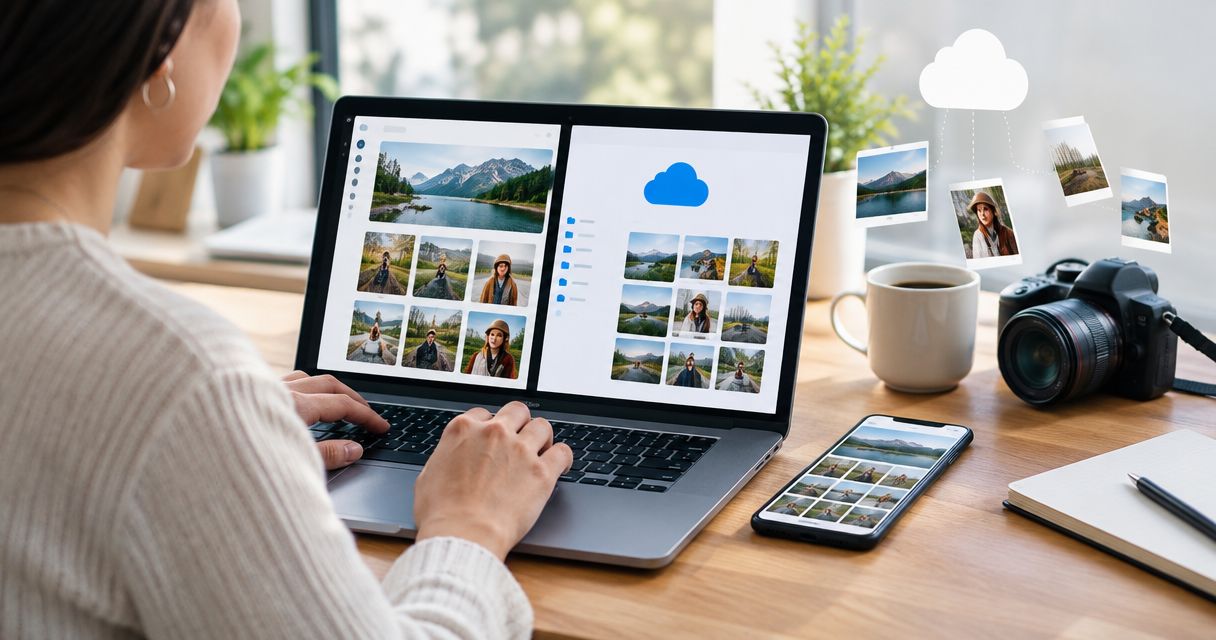
Choose a client gallery for photo browsing and guest discovery; choose Google Drive when a client needs an organised file handover. In a client gallery vs Google Drive decision in 2026, the deciding factor is what your recipient must do after opening the link—not simply where you upload the photographs. Neither option replaces your editing checks, access decisions or backup plan.
TL;DR
- Client gallery vs Google Drive: choose galleries for photo discovery and Drive for straightforward file handover.
- Fotoowl suits wedding and event photographers who need face-recognition photo delivery.
- Google Drive suits named recipients who can work with clearly organised folders.
- Test access, photo discovery and downloads before sending any delivery link.
Why this matters
Uploading photographs completes a transfer task. Delivering photographs also means helping the right person find the right images, understand what is included and retrieve the files they need.
For an Indian wedding studio, those recipients might include the couple, family members and an album designer. For a corporate assignment, the marketing team might need the complete edited set while individual employees want their own portraits. Those are different delivery jobs.
Separate storage from the recipient experience. The cloud storage for photographers guide covers the storage side; this comparison focuses on the handover your client actually uses.
Client galleries vs Google Drive for professional photo delivery?
A client gallery is the better fit when the recipient needs to browse photographs as a collection or find relevant images within an event. Google Drive is the better fit when a named recipient wants files arranged in folders and understands how to use them.
The comparison below separates basic file delivery from gallery-specific features. Gallery capabilities vary, so check the actual platform rather than assuming every gallery includes face recognition or proofing.
| Delivery requirement | Client gallery | Google Drive |
|---|---|---|
| Best for | Photo-led browsing and event delivery | Organised file handover to named recipients |
| Main strength | Presents photographs as a viewing experience | Shares files and folders without requiring a photo-specific workflow |
| Finding a person | Face recognition is available in some galleries | Plan around your folder structure and file names rather than assuming guest face search |
| Organisation | Evaluate how the gallery groups and presents your event | Build and name folders for the recipient's task |
| Access | Check the gallery's available controls before publishing | Check the file or folder's sharing permissions before sending |
| Client selections | Confirm whether a dedicated proofing workflow is included | Agree a separate, unambiguous way to record selected filenames |
| Main limitation | Features differ between platforms; setup and testing still matter | A folder handover leaves photo discovery dependent on your organisation |
| Backup role | Keep an independent copy of your delivered work | Do not treat a shared delivery folder as your entire backup plan |
The winner is the option that completes the recipient's task with clear instructions. A gallery does not excuse a confusing collection, and a Drive folder is not unprofessional simply because it is a folder.
When is a client gallery the better choice?
Best for: wedding and event photographers delivering to people who need to find relevant photographs. Choose a gallery when viewing and discovery are part of your service, not just the final transfer of files.
At a multi-function Indian wedding, someone looking for reception photographs should not have to guess which export folder contains them. At a sports event, a parent wants photographs of their child rather than an undifferentiated event archive. Plan the collection around that viewing task.
A face-recognition gallery adds another discovery method. It does not remove your responsibility to decide which photographs belong in the delivered set or who should have access to them.
Where Fotoowl fits in 2026
Fotoowl is best for wedding and event photographers who need face-recognition photo delivery. Its AI Gallery supports photo and video delivery with face recognition; Beam is the camera-to-cloud FTP upload feature within it.
That makes the platform relevant when your delivery problem is helping people discover event photographs, rather than merely receiving a folder. The limitation is equally important: a gallery is not a substitute for approving images, defining access or maintaining your own copies.
Choose the workflow for the assignment. Do not add face recognition to a confidential handover simply because the feature exists, and do not assume photo discovery automatically creates client records or other business workflows.
When is Google Drive the better choice?
Best for: a named client or collaborator who needs an organised set of files. Google Drive fits a handover where the recipient already knows what they need and wants folders they can browse or download.
A corporate marketing manager receiving approved campaign photographs is a different case from event attendees searching for themselves. An album designer receiving a confirmed image set also has a file-handling task rather than a guest-discovery task.
The advantage is straightforward organisation. You can give the recipient a clearly named folder with an explanation of its contents and use sharing permissions appropriate to the assignment.
The trade-off is the organisation you must supply. If the recipient cannot identify the correct function, export or selected frame, a shared folder alone does not solve that problem.
Make the folder handover explicit
Use names that describe what the client receives: the event, function and export purpose. Avoid labels such as final-new or latest-final, which force the recipient to interpret your internal editing history.
Keep work in progress away from the approved delivery location. Explain whether the folder contains the complete edited collection, a preview set or files prepared for a specific use.
Google Drive wins when the folder is the deliverable. It loses its practical advantage when you repeatedly have to explain where individual photographs are or which version the client should use.
Why the right choice varies between assignments
The useful comparison in 2026 is not galleries versus folders in isolation. It is the recipient's task, the sensitivity of the collection and the work required to support delivery.
- Recipient type: A marketing manager receiving an approved set has a different task from wedding guests searching for personal photographs.
- Discovery needs: Choose a gallery when finding relevant photographs matters more than receiving an entire folder.
- Event structure: Separate functions, sessions or teams clearly, whichever delivery method you use.
- Access boundaries: Decide whether the recipient should see the whole collection or only an approved subset.
- Approval needs: Distinguish browsing from formal selections. A viewed photograph is not automatically an approved album choice.
- Handover requirements: Confirm whether the recipient needs individual files, a complete edited set or a viewing experience.
These factors also explain why one studio can reasonably use both methods. Standardise the decision, not necessarily the destination. Give the same type of assignment the same delivery structure unless the client's requirements change.
How do you choose a delivery workflow in 2026?
Use this sequence before moving an existing client to a different system. It is a practical evaluation, not a platform speed test.
1. Define the recipient
Write down who receives the work and what that person must accomplish. Name the role: couple, album designer, marketing manager, employee or parent.
Do not use everyone as the default recipient. A person responsible for approving the complete collection and a person retrieving a personal portrait do not need identical instructions.
2. Prepare the collection
Approve the photographs before they enter the delivery collection. Remove unintended duplicates, rejected frames and work-in-progress exports through your normal review process.
Group photographs by a structure the recipient understands. For weddings, use the actual functions; for corporate work, use the relevant sessions or deliverables rather than your camera-card names.
3. Check access
Open the proposed delivery route from the recipient's perspective. Use a separate browser session or a test recipient rather than relying only on your signed-in owner view.
Confirm that the intended person can enter and that material outside their agreed collection is not exposed. Face matching and access permission are different checks.
4. Test discovery
Ask a test recipient to locate a relevant photograph without coaching. For a gallery, evaluate the intended browsing or face-search route; for Drive, evaluate folder names and file identification.
If you must explain the structure repeatedly, revise it before launch. The test is whether someone understands your handover, not whether you understand your own filing system.
5. Confirm retrieval
Retrieve a delivered file through the recipient's route and open it. Check that it is the export you intended, then write the instructions that accompany the delivery link.
State what the collection includes, how the recipient should report a problem and how selections should be communicated if required. Keep that message short enough to follow on a phone.
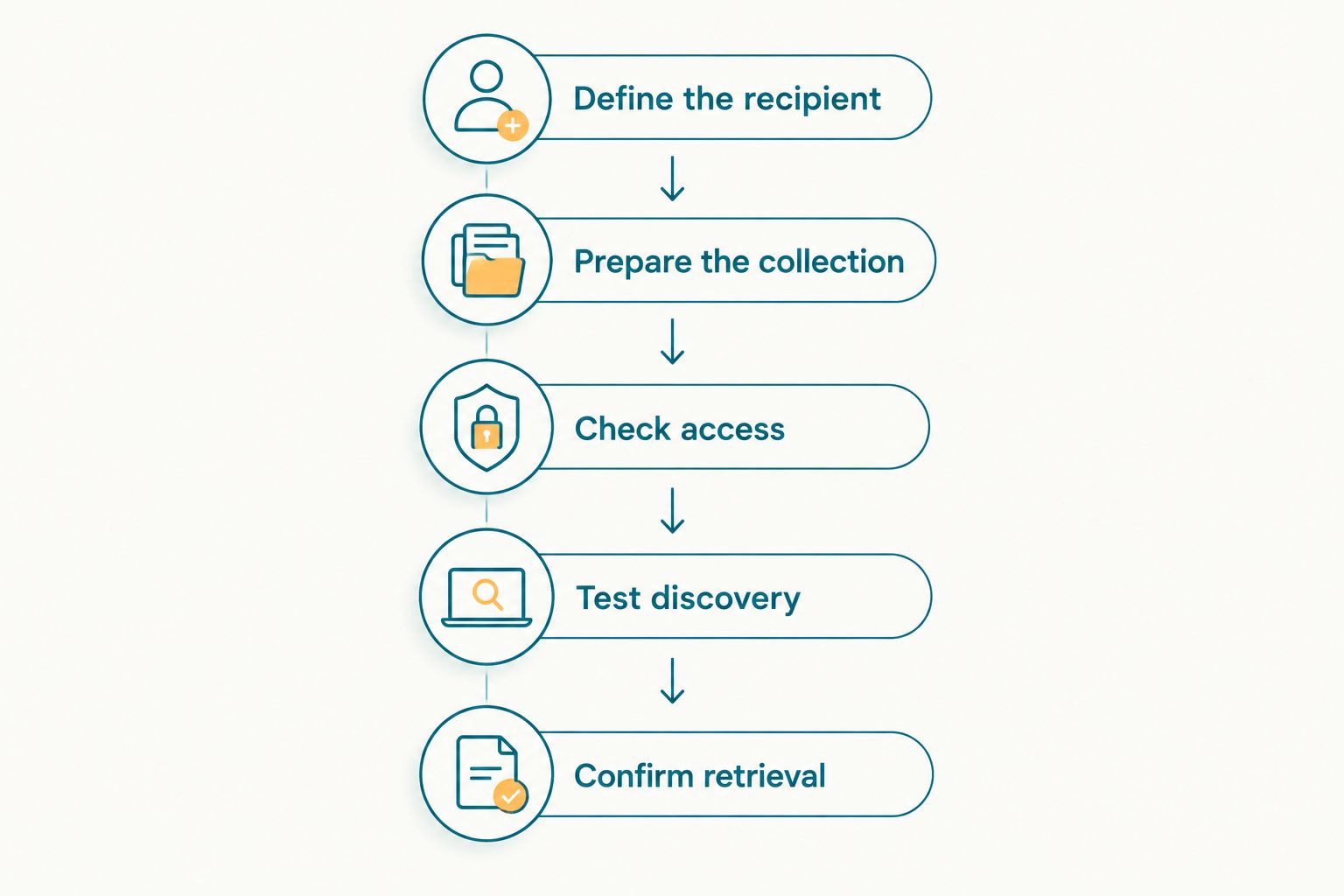
Test the recipient's complete route before sending the delivery link.
Use 3 checks for every handover: access, discovery and retrieval. As a practical minimum, test with 2 recipient roles when the assignment has different audiences, and open 1 delivered file through each relevant route. These are recommended checks, not performance claims about either platform.
Is a client gallery safer than Google Drive?
Neither format is automatically safer; access decisions determine who can see your photographs. Check the actual sharing configuration rather than treating a gallery label or a familiar storage service as a security guarantee.
For schools and private corporate assignments, establish the approved audience before publishing. For weddings, confirm whether the client wants broad guest access or a restricted handover.
In 2026, keep face recognition and privacy separate in your delivery checklist. Finding a person's face is a discovery function; deciding what that person can access is a permission decision.
Can you use Google Drive and a client gallery together?
Yes—use a gallery for discovery and Drive for a clearly defined file handover when the assignment needs both. Tell the client which destination serves which purpose.
Avoid distributing competing collections with no explanation of which is current. If the gallery is the approved client collection and Drive serves an external collaborator, state that distinction explicitly.
Does a client gallery replace your photo backup?
No—a delivery gallery does not replace an independent backup plan. Keep copies that let you recover the approved work if the delivery collection changes or becomes unavailable.
Apply the same rule to Google Drive. A folder shared with a client is a delivery location; your recovery plan needs its own ownership, organisation and checks.
FAQ
What's better for wedding photo delivery: a client gallery or Google Drive?
A client gallery is better when wedding clients and guests need to browse the collection and find relevant photographs. Google Drive fits an organised file handover to a named recipient who knows what they need.
Is Google Drive unprofessional for photographers?
Google Drive is not inherently unprofessional for photographers. A clearly organised folder, correct permissions and precise delivery instructions make it suitable for straightforward file handover.
Does every client gallery have face recognition?
Not every client gallery has face recognition. Verify the platform's actual features before making face search part of your promised delivery workflow.
What's Fotoowl best for in this comparison?
Fotoowl is best for wedding and event photographers who need face-recognition photo delivery. Keep image approval, access decisions and independent backups in your workflow.
Should I send the same photo link to the client and every guest?
Send the same link only when those recipients are meant to access the same collection. Decide the approved audience first, then test the delivery route from that audience's perspective.
Can I use a gallery and still keep Google Drive?
You can use a gallery for photo discovery and Google Drive for a separate file handover. Explain which destination contains the approved collection and what each recipient should use.
What should I check before sending a photo delivery link?
Check access, discovery and retrieval before sending the link. Confirm that the intended recipient can enter, find relevant photographs and retrieve the intended export.
One last thing
For your next 2026 delivery, test the link without explaining it first. Ask someone representing the intended recipient to find a relevant photograph and retrieve the file.
Watch where they hesitate. Fixing that point gives you a more useful delivery improvement than changing platforms while keeping the same confusing structure.
The practical verdict stays simple: choose the gallery when people need help finding photographs; choose the folder when receiving organised files completes the job.