
Online Ordering for School Picture Day Photos (2026)

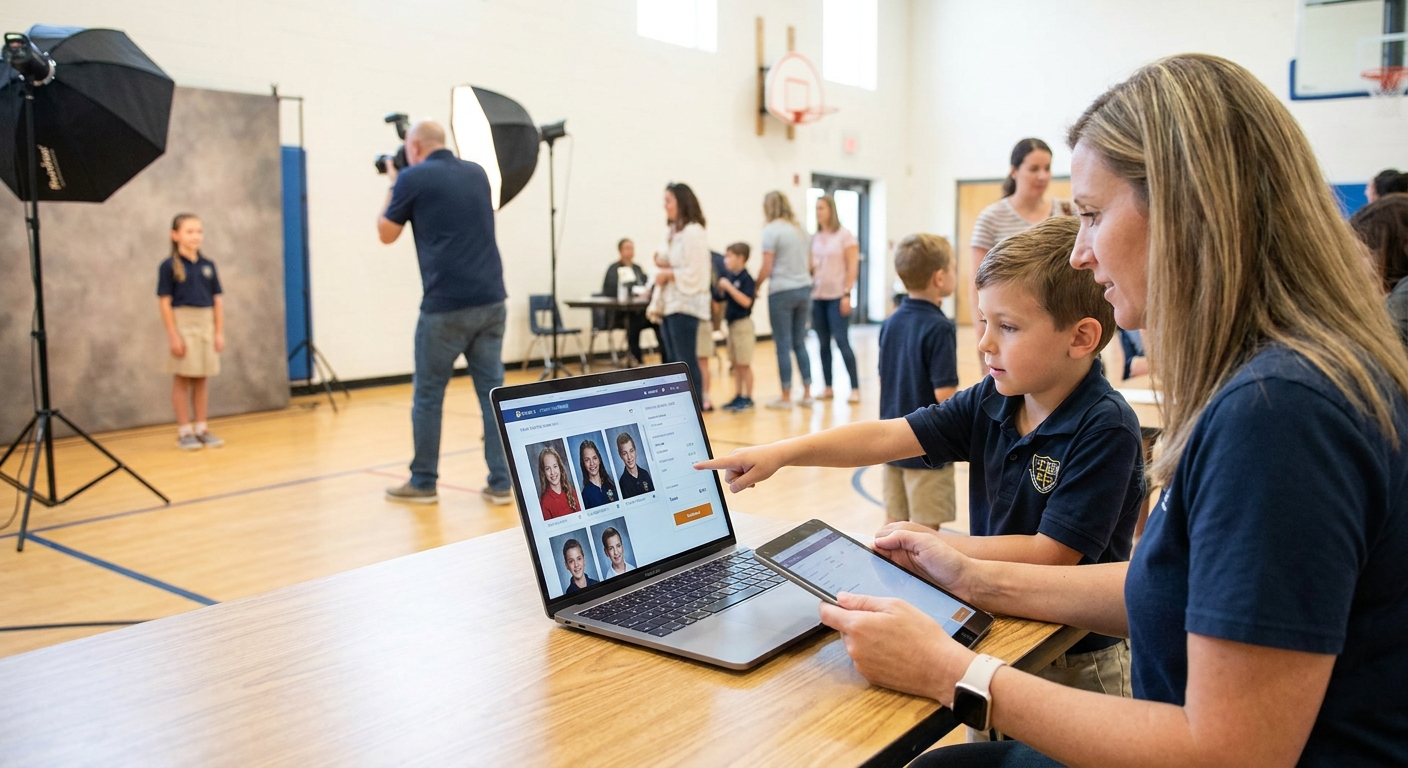
School picture day only works if parents can find their kid's photos fast and pay for them without calling the school office. Setting up online ordering for school picture day photos in 2026 takes a few deliberate steps, not a full IT overhaul.
TL;DR
- Online ordering for school picture day photos needs three things: a searchable gallery, a payment step, and a delivery method parents already use.
- FotoOwl's AI photo gallery software for school photographers sorts thousands of student portraits by face in minutes, not days.
- Watermark previews before payment to protect proofs, then release full-resolution downloads instantly after checkout.
- Schools running 500+ students in 2026 see faster order completion when parents use WhatsApp or QR links instead of email.
- Skip generic file-sharing tools for picture day — they weren't built for per-student ordering or bulk face sorting.
Why this matters
Parents forget picture day order forms. Teachers don't want to chase payment envelopes. And photographers lose money when proofs sit in a shared drive nobody checks.
An online ordering system fixes the bottleneck at the point of friction: getting the right photo in front of the right parent, fast. Schools that moved picture day sales online in 2026 report fewer "where's my order" emails and faster payment turnaround compared to paper-based systems still common in smaller districts.
The technical setup isn't complicated. The sequencing is what trips people up — upload before sort, sort before watermark, watermark before payment link. Get that order wrong and you'll be reshooting galleries at 11pm the night before delivery.
What you'll need
- A digital camera or DSLR with a fast memory card — picture day shoots move quick, so a card that writes at 90MB/s or faster avoids buffer lag
- A student roster with names matched to shoot order or class groupings
- An AI photo gallery software for school photographers platform that supports face recognition sorting and payment collection
- A payment processor connected to your gallery platform (most cloud gallery tools bundle this in 2026)
- Watermark assets — your studio logo or a repeating text overlay
- A way to distribute gallery links: QR codes on flyers, WhatsApp broadcast, or school portal embed
- 2-4 hours of admin time post-shoot to review sorting accuracy before the gallery goes live
The steps
1. Shoot with sorting in mind
Capture a clean reference frame of each student before or after their formal pose — this is what face recognition tools use to cluster shots later. Skipping this step means manual tagging for every single photo, which doesn't scale past 50 students.
Shoot in consistent lighting across the session. Inconsistent exposure between classes can reduce face-matching accuracy on some AI sorting tools. Common mistake: photographers skip the reference frame for younger grades because kids fidget, then spend hours manually renaming files.
2. Upload and let AI sort by student
Upload the full card to your gallery platform immediately after the shoot — don't wait until end of day when card corruption risk climbs. Tools built for face recognition photo sorting for school events group every student's photos automatically, cutting a task that used to take a full day down to under an hour for a 500-student school.
Expected outcome: a gallery structure where each student (or family) can search by name or scan a personal QR code to see only their photos, not the entire school's 3,000-image shoot.
Common mistake: uploading in batches spread across multiple days. This fragments the sort and creates duplicate student folders you'll have to merge manually.
3. Apply watermarks to proof images
Watermark every proof before it goes live for parent viewing — this protects your images from screenshot-and-print workarounds before payment. A visible but non-intrusive watermark (logo bottom corner, 15-20% opacity) lets parents evaluate quality without giving away a usable file.
Check out how to add a watermark to event photos before delivery for placement and opacity settings that don't ruin the preview experience. Expected outcome: parents can browse and select without you losing revenue to unpaid downloads.
4. Set your packages and pricing before the gallery opens
Decide package tiers before a single parent sees the gallery — changing prices mid-sale creates confusion and support tickets. Standard school picture day setups run 3-5 tiers: single 5x7, a bundle sheet, digital-only, and a full package with wallets.
Review how to price photo selling packages for event clients before finalizing numbers — pricing too low on digital-only tiers cannibalizes print sales. Common mistake: offering unlimited digital downloads at the same price as a single print, which collapses your print revenue almost entirely.
5. Connect payment and release the ordering link
Activate the payment gateway on your gallery platform and test a $1 transaction yourself before sending links to parents. Broken checkout on picture day is the single fastest way to flood the school office with complaint calls.
Distribute the link through the channel parents actually check — a QR code on a printed flyer sent home, or a WhatsApp broadcast if the school already communicates that way. Expected outcome: parents click, search their child's name or scan a personal code, select a package, and pay — all in under three minutes.
6. Set a firm ordering deadline and automate reminders
Give parents a 10-14 day ordering window, not open-ended access — open galleries with no deadline see order rates stall after the first week. Automated reminder messages at the halfway point and 48 hours before close recover a meaningful chunk of abandoned carts.
Common mistake: leaving the gallery open indefinitely "just in case." This delays your print batch order and pushes delivery weeks past when parents expect it.
7. Deliver and archive
Once the ordering window closes, batch your print orders and release digital downloads instantly to anyone who purchased a digital tier. Archive the full-resolution gallery for at least one school year in case of reorders — yearbook committees and late-joining families ask for access more often than photographers expect.
Set up picture day ordering fast
See how FotoOwl handles face sorting, watermarking, and payment in one gallery.
Troubleshooting
- Face sorting misses some students — usually caused by inconsistent lighting or students who moved between the reference shot and formal pose. Manually tag the missed handful rather than reshooting the sort.
- Parents can't find their child's gallery — confirm the QR code or link maps to the correct class group, not the whole-school gallery. Test with three different student names before wide release.
- Payment fails at checkout — check that your gateway supports the card types common among your parent base; some school communities skew heavily toward one processor.
- Watermark is too heavy or too light — 15-20% opacity is the range that protects the image without obscuring the child's face in a headshot-style proof.
- Orders come in after the deadline — decide your late-order policy before day one, not when the first email arrives. A short grace window (48-72 hours) with a small surcharge handles most cases.
- Duplicate student folders after upload — this happens from staggered upload batches. Merge folders manually or re-run the sort after a single consolidated upload.
Tools and resources
- A cloud gallery platform with built-in face recognition and payment — see best cloud gallery platforms for school photographers for a side-by-side look
- Reliable cloud backup so a lost memory card doesn't mean lost picture day — covered in cloud storage for school photographers
- A distribution method parents already use daily — QR codes, WhatsApp, or school app integration all outperform email-only rollouts in 2026
- A tested watermark template saved for reuse across every school on your calendar
What to do next
Once ordering is live for one school, the same workflow scales across your entire picture day roster for the year. Read guest photo sharing app for schools if you're also handling event-day sharing beyond formal portraits — sports days, class parties, and yearbook candids all benefit from the same sorting logic.
FAQ
What's the best way to set up online ordering for school picture day photos?
The best setup pairs a face-recognition gallery with built-in payment collection so parents search by name and pay in one flow. Manual folder-and-invoice systems can't scale past a few hundred students without heavy admin time.
How much does online school picture ordering cost?
Costs vary by platform and package tier, so check current pricing directly with your chosen gallery provider. Most photographers build the platform fee into their per-package pricing rather than charging parents separately.
Is face recognition sorting accurate for school photos?
Face recognition sorting is highly accurate when a clean reference shot is captured per student, though consistent lighting across a shoot session improves results further. Younger grades with more movement sometimes need a manual review pass.
How long should a school picture ordering window stay open?
A 10-14 day window balances giving parents time to order against delaying your print batch and delivery. Longer windows tend to stall order momentum after the first week.
Can parents order school photos from a phone?
Yes, mobile-first gallery platforms let parents scan a QR code, search their child's name, and pay from a phone in under three minutes. This is now the default expectation for picture day ordering in 2026.
Do I need to watermark proofs before online ordering opens?
Yes, watermarking proofs before the gallery goes live prevents screenshot-based theft of unpaid images. A light logo watermark at 15-20% opacity protects the file without ruining the preview.
What happens if a parent misses the ordering deadline?
Set a short grace window of 48-72 hours with a small late fee rather than leaving the gallery open indefinitely. Indefinite windows delay your print batch for every other family who ordered on time.
Can I sell digital downloads and prints in the same picture day order?
Yes, most school photographers offer both in tiered packages, with digital-only priced above a single print to protect print revenue. Pricing them equally tends to collapse print sales almost entirely.
One last thing
The schools that see the smoothest picture day rollouts in 2026 aren't the ones with the fanciest cameras — they're the ones who test the full ordering flow, from QR scan to payment confirmation, on their own phone before a single parent sees the link. A five-minute test catches the broken checkout or mismatched gallery link before it becomes 40 angry emails.