
Set Up Guest Photo Uploads for School Events (2026)

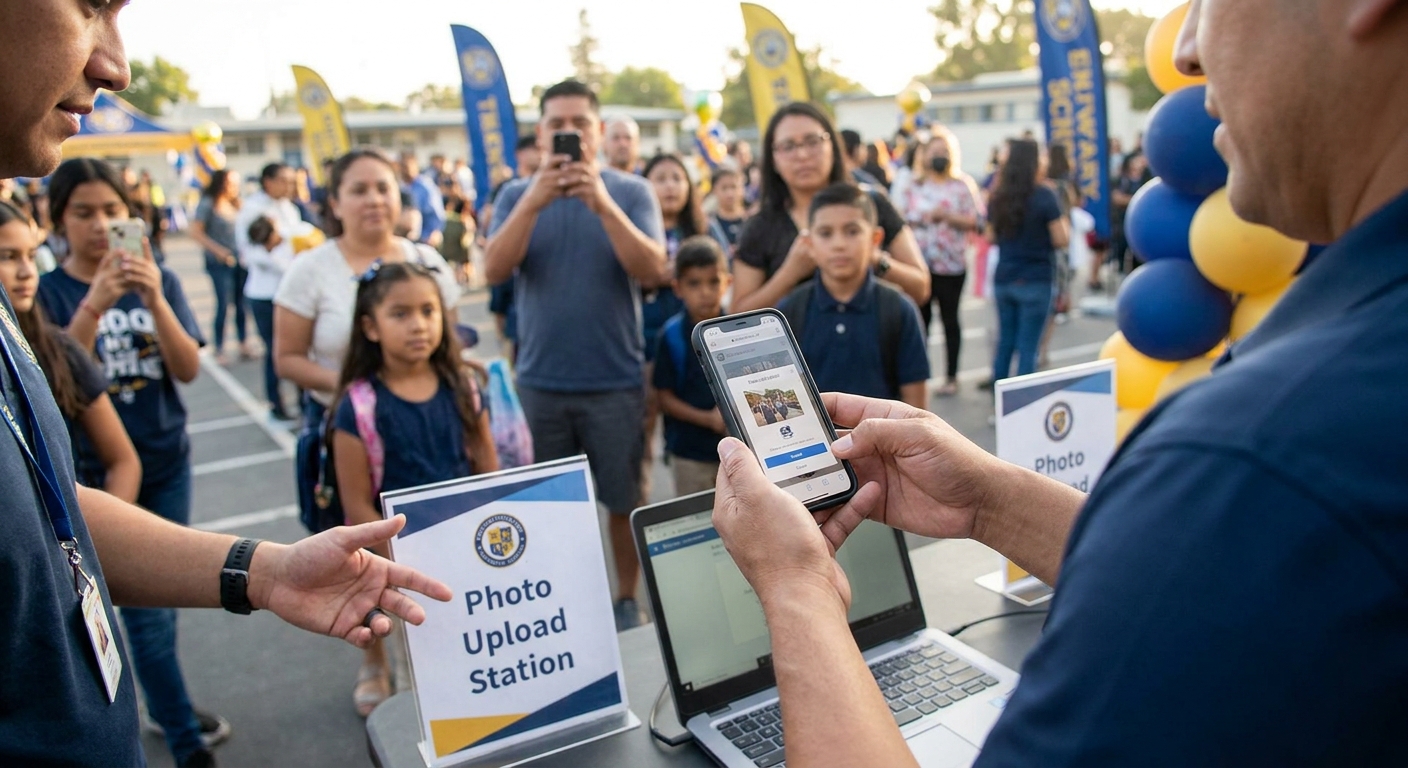
Setting up guest photo uploads for a school event means giving parents, teachers, and staff one link that turns every phone in the gym into a photographer, then sorting the flood of images without anyone touching a USB drive.
TL;DR
- A guest upload link with QR access is the fastest way to set up guest photo uploads for school events in 2026.
- Face recognition sorting turns 500 mixed photos into per-student folders in minutes, not hours.
- WhatsApp and Beam uploads let parents send photos without downloading a separate app.
- Skip open Dropbox folders for school events — no moderation and no privacy controls.
- Set expiration dates and access codes before the event, not after photos start uploading.
Why this matters
School events produce more guest-submitted photos than almost any other category FotoOwl works with. A single graduation, sports day, or science fair can pull in contributions from 50 to 300 families, and most of those photos live on iPhones and Android devices that never sync anywhere useful.
Without a structured upload system, a school photography coordinator ends up chasing individual parents for images, merging folders manually, and still missing half the moments that happened outside the official photographer's frame. A guest photo sharing app for schools removes that bottleneck by giving every attendee a single, low-friction way to contribute.
The setup itself is not complicated. It takes six steps, most schools finish in under an hour, and the payoff shows up the moment the event ends and the gallery is already populated instead of trickling in over the following week.
What you'll need
- A gallery platform that accepts guest contributions, not just admin uploads
- QR codes or a shareable link that works on both iOS and Android without an app download
- A WhatsApp number or Beam-style upload channel for parents who won't touch a browser link
- Face recognition sorting if the event covers more than one grade or classroom
- A privacy setting that limits who can view uploaded photos to invited guests
- Signage or a printed handout with the QR code for the entrance table
The steps
1. Create the event gallery before doors open
Set up the gallery a minimum of 24 hours ahead of the event, not the morning of. This gives you time to test the link on your own phone and catch broken settings before 200 parents hit it at once.
Name the gallery clearly — "Lincoln Elementary Spring Concert 2026" beats "Event 4392" every time a parent searches their inbox for the link later. Common mistake: publishing the gallery with a generic name that nobody can find again after the event.
2. Generate a QR code and shareable link
Most school events run on foot traffic, not email lists, so a scannable code at the door does more work than a link buried in a newsletter. If you're new to this step, the process mirrors how to set up a QR code photo booth for events — the code should open the upload page directly, with zero login screen in between.
Print the code large enough to scan from three feet away and post it at every entrance, not just the main one. Common mistake: a QR code that links to the school's homepage instead of the actual gallery.
3. Add a WhatsApp or Beam upload channel
A meaningful share of parents will ignore a link entirely and just want to send photos the way they send anything else — through a messaging app. Set up a dedicated number or Beam channel so uploads arrive automatically without anyone opening a browser.
This single step usually accounts for the largest volume increase in guest contributions, because it removes the last point of friction: opening a new app. Common mistake: advertising the WhatsApp number without testing that uploads actually land in the right gallery folder.
4. Turn on face recognition sorting
For multi-classroom events — assemblies, field days, awards ceremonies — face recognition sorting is what separates a usable gallery from a 600-photo dump nobody wants to scroll through. It groups images by the students who appear in them, so a parent searching for their child's face finds only relevant photos.
The setup mirrors what's covered in face recognition photo sorting for school events: upload a few reference photos per student ahead of time, and the system does the grouping automatically as new images come in. Common mistake: skipping reference photos and expecting the sort to work on guest uploads alone.
5. Set moderation and privacy controls
School events carry different privacy expectations than a wedding or corporate launch — parents want reassurance that random strangers can't browse photos of their kids. Set the gallery to invite-only access with an event code, and review uploads before they go public if the school policy requires it.
Decide this before the event starts, not after the first upload arrives. Common mistake: leaving the gallery open to anyone with the link, which defeats the purpose of a school-specific privacy setting.
6. Set an expiration or download window
Give the gallery a clear lifespan — 30 to 90 days is typical for school events — so families know when to download their photos before the link closes. Announce this date in the same message that shares the QR code or link.
A visible deadline drives faster downloads than an open-ended "available forever" gallery, which parents tend to forget about entirely. Common mistake: never communicating an end date, so nobody downloads anything until it's too late.
Set up your school event gallery
Get guest uploads, face recognition sorting, and WhatsApp delivery running before your next event.
Troubleshooting
- Parents say the QR code won't scan. Reprint at a larger size and test under the same lighting the entrance will actually have — dim gyms and auditoriums are the usual culprit.
- Uploads aren't showing up in the gallery. Check the WhatsApp channel connection first; a disconnected number is the most common cause of missing photos.
- Face recognition is grouping the wrong students together. Add more reference photos per student — one photo per child rarely gives the system enough to work with in a crowd shot.
- Some parents refuse to use the link at all. Keep a backup email address active for the small group who won't use QR codes or WhatsApp, even in 2026.
- The gallery feels overwhelming with 400+ guest photos mixed with official shots. Separate guest uploads into their own folder or tag so the official photographer's work stays distinct.
- Download requests spike right before the expiration date. Send a reminder 48 hours before the gallery closes instead of waiting for the deadline itself.
Tools and resources
- Cloud storage for school photographers for backing up guest uploads alongside official event photos
- Best cloud gallery platforms for school photographers for comparing gallery options beyond guest uploads alone
- A printed sign template with the QR code and a one-line instruction ("Scan to add your photos")
- A short pre-event message to parents explaining the WhatsApp or Beam number
What to do next
Once guest uploads are running smoothly, the next improvement is speeding up delivery for the official shots that need to reach parents fast. Read AI photo gallery software for school photographers for how that layer works on top of the guest upload setup you just built.
FAQ
What's the best way to set up guest photo uploads for school events?
The fastest setup pairs a QR code at the entrance with a WhatsApp or Beam upload channel, so parents can contribute without downloading a new app. Add face recognition sorting for multi-classroom events to keep the gallery organized.
Is a QR code better than a shared link for school events?
A QR code works better at in-person events because it removes the step of typing or copying a URL on a phone. Keep the link version available too for parents sharing the gallery with family who weren't at the event.
How much does it cost to set up guest photo uploads for a school event?
Cost depends on the gallery platform and feature set you choose, including storage volume and face recognition sorting. Check current pricing directly on the platform before committing to a plan for a specific event size.
Do parents need an app to upload photos at a school event?
No, most modern setups let parents upload through a QR code link in their browser or through WhatsApp without installing anything new. This removes the biggest barrier to getting guest photos into the gallery.
How do you keep school event photo galleries private?
Set the gallery to invite-only access with an event-specific code rather than a fully public link. Review uploads before publishing if the school requires moderation for images involving minors.
Can face recognition sort photos by student at a school event?
Yes, face recognition groups photos by the students who appear in them once a few reference photos are uploaded per student. This turns a mixed batch of guest photos into per-child folders automatically.
How long should a school event gallery stay open?
Most schools set a 30 to 90 day window for guest downloads before closing the gallery. Announce the deadline clearly when you first share the QR code or link.
What happens to guest-uploaded photos after the gallery closes?
Once the expiration date passes, access typically ends unless the platform offers an extension or archive option. Download or back up anything important before the window closes.
One last thing
The WhatsApp or Beam upload channel usually outperforms the QR link within the first hour of any school event — parents standing in a crowded gym default to the app they already have open rather than pointing a camera at a sign. Set up both, but don't be surprised when the messaging channel carries most of the volume by the time the event wraps in 2026.