
QR Code Photo Sharing for Corporate Events: 2026 Verdict

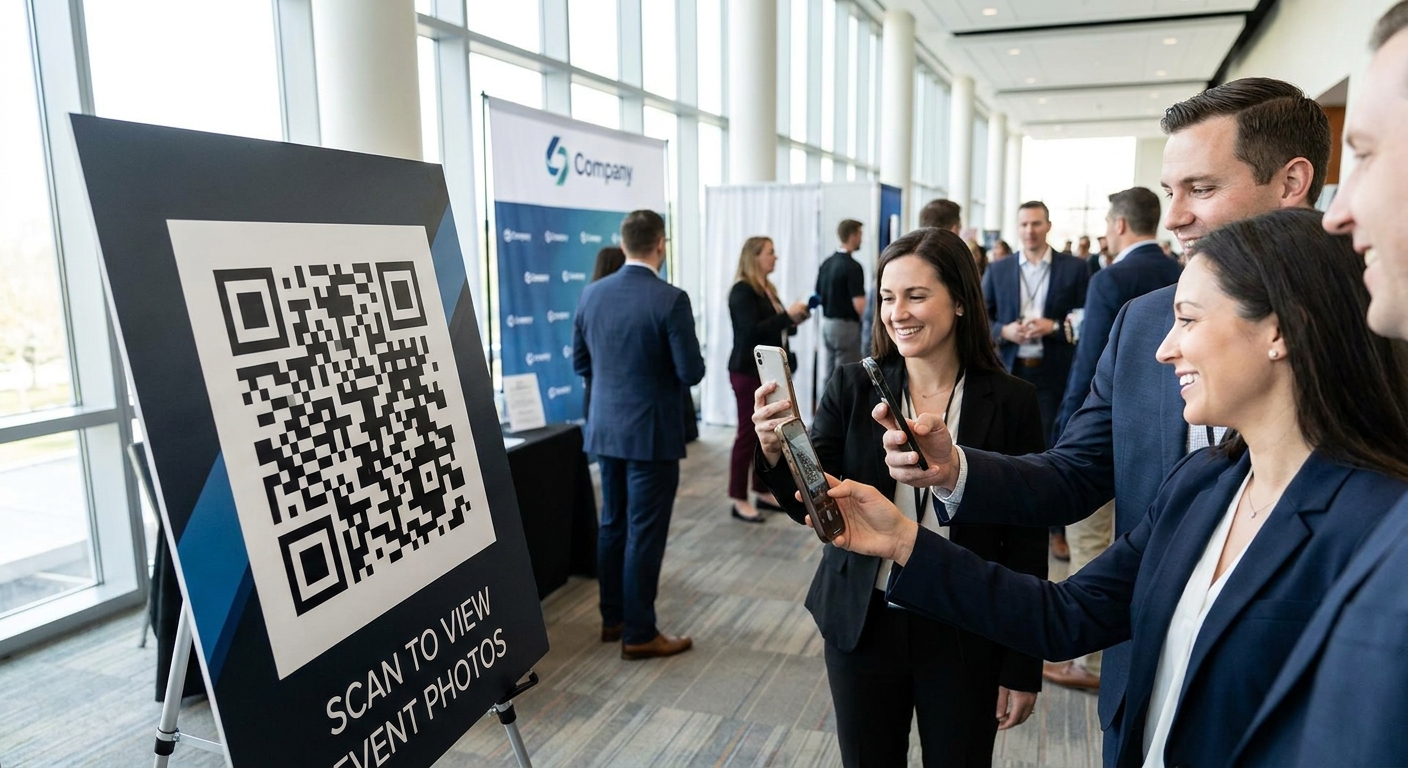
Corporate event teams that hand attendees a QR code instead of a shared Google Drive link cut photo-request emails to zero and get every guest looking at photos before they leave the venue. This guide breaks down what actually matters when you pick a QR code photo sharing setup for corporate events in 2026, not just what looks good in a vendor demo.
TL;DR
- FotoOwl's AI photo gallery for corporate events turns a single QR scan into an instant, app-free gallery — Buy for conferences and offsites.
- Face recognition photo delivery is the right call for multi-day events with 500+ attendees who only want their own shots.
- Skip a static QR code linking to one unsorted shared folder — it fails the moment guest count passes 100.
- Product launch events need faster turnaround than weddings; pick a QR workflow built for same-day media distribution.
Why this matters
A corporate event photographer's job doesn't end when the lights go down — it ends when the CEO, the marketing team, and 400 attendees can find their photos without emailing anyone. FotoOwl's AI photo gallery software for corporate events exists because the old model — photographer edits for two weeks, sends a Dropbox link, HR forwards it in a newsletter nobody reads — doesn't survive contact with a 2026 event schedule where three activations can happen in the same week.
QR code photo sharing solves a distribution problem, not a photography problem. The camera work stays the same. What changes is how fast a 500-person conference audience gets from "the event just ended" to "I found my photo and shared it on LinkedIn." That gap, closed inside 48 hours instead of two weeks, is the entire value proposition.
Who this is for
This is for corporate event photographers, in-house marketing teams, and event planners running conferences, product launches, team offsites, and award nights who need attendees to access photos same-day without downloading an app or waiting on a photographer's edit queue. If your events run 100 to 2,000 attendees and your current delivery method is a shared drive link buried in a follow-up email, this is the audience this guide is written for.
What to look for in QR code photo sharing for corporate events
Instant, app-free access via QR scan
Attendees will not download an app for a one-day conference. A QR code that opens a browser gallery directly — no login wall, no app store detour — is the baseline requirement, not a premium feature. If the scan-to-view step takes more than a few taps, you lose half the room before they see a single photo.
Face recognition search at scale
A 500-attendee product launch generates thousands of frames. Nobody scrolls through 3,000 images to find themselves. Face recognition search that returns a guest's own photos in seconds is what separates a usable gallery from a digital shoebox, and it matters more as guest counts climb past 300.
WhatsApp/Beam upload workflow for photographers
Multi-photographer corporate shoots — stage, networking floor, press wall — need a way to get shots into one gallery in real time, not after everyone gets back to the studio. A WhatsApp or Beam-style upload path lets photographers push images from the floor while the event is still running.
Branded and access-controlled galleries
Corporate clients care about brand consistency and who can see the gallery. A white-label gallery with the client's logo, plus a private link restricted to invited attendees, protects both the brand and any confidential product-launch content from ending up indexed on Google.
Highlight reels for internal comms
HR and marketing teams reuse event photography for newsletters, LinkedIn, and next year's pitch deck. A platform that auto-generates a short highlight reel from the same gallery saves a second production cycle entirely.
See the corporate event gallery workflow
Instant QR delivery, face search, and branded galleries in one setup.
Top picks
FotoOwl AI Photo Gallery for Corporate Events — the safe pick. One QR code, scanned at registration or printed on the badge, opens a live gallery that updates as photographers upload. Built for guest lists running into the hundreds, and the gallery stays branded to the client rather than to the photographer's own studio. Verdict: Buy for conferences, offsites, and award nights. See the corporate events gallery setup.
Face Recognition Photo Delivery — the scale pick. For multi-day conferences where attendees rotate through breakout sessions, keynote seating, and networking floors, face search matters more than raw upload speed. A guest scans once, the system matches their face across the entire event archive, and they get only their own shots instead of a 2,000-image dump. Verdict: Buy for events over 300 attendees or anything running more than one day. Check the face recognition delivery workflow.
Photo Delivery for Product Launch Events — the speed pick. Product launches run on press-cycle timing: photos need to be live within hours, not days, while journalists and influencers are still writing coverage. This setup is built around same-day turnaround rather than the slower edit-then-deliver model used for weddings. Verdict: Consider for press-heavy launches where same-day media pickup matters. Review the product launch delivery approach.
A static QR code linking to one shared folder — the DIY shortcut. It looks like the same idea, but a single unsorted folder with no face search turns into an unusable scroll once attendee count passes 100, and there's no branding or access control on the link. Verdict: Skip for anything larger than a 30-person internal meeting.
What to avoid
- One shared album for the whole event. Looks simple to set up, but with 500+ attendees nobody finds their own photos without scrolling for ten minutes, and most give up.
- A QR code that opens an email signup form before the gallery. It adds friction at the exact moment you want a frictionless scan-to-view experience, and attendees bounce before ever seeing a photo.
- Consumer photo apps with no face recognition or branding options. They're built for personal albums, not for a corporate client that wants their logo on the gallery and confidential launch photos kept off a public link.
Verdict comparison
| Approach | App-free access | Face search | Branded gallery | Best for |
|---|---|---|---|---|
| FotoOwl AI Photo Gallery | Yes | Yes | Yes | Conferences, offsites (Buy) |
| Face Recognition Delivery | Yes | Yes | Yes | 300+ attendee, multi-day events (Buy) |
| Product Launch Delivery | Yes | Yes | Yes | Press-heavy launches (Consider) |
| Static QR to shared folder | Yes | No | No | Small internal meetings only (Skip) |
FAQ
What is QR code photo sharing for corporate events?
It's a system where attendees scan a single QR code at registration or on signage and land directly in a live event gallery, no app download or login required. Photographers upload throughout the event and the gallery updates in real time.
Is QR code photo sharing better than a shared Drive link for corporate events?
Yes, for events over 100 attendees. A shared Drive link has no face search and no access control, so attendees scroll through thousands of images to find their own; a QR gallery with face recognition returns a guest's photos in seconds.
How fast can photos be delivered after a corporate event?
With a real-time upload workflow, photos can appear in the gallery within minutes of being taken, and a full gallery is typically ready within 48 hours of the event ending, far faster than the two-week turnaround common with manual edit-and-send delivery.
Does face recognition work for events with 1,000+ attendees?
Face recognition search is built specifically for high-attendance events where manual browsing isn't practical. It matters most once guest count passes a few hundred, which is exactly where manual scrolling stops working.
Can a corporate client's brand appear on the photo gallery?
Yes, a branded gallery option puts the client's logo and colors on the gallery page instead of the photographer's own branding, which matters for corporate clients paying for a consistent brand experience.
What's the risk of using a free consumer photo app for a corporate event?
Free consumer apps are built for personal albums, not corporate galleries, so they typically lack face search, branding, and access control, meaning confidential product-launch photos can end up on a publicly guessable link.
How much does QR code photo sharing cost for a corporate event in 2026?
Cost depends on attendee count, number of photographers, and whether face recognition and highlight reels are included, so check current pricing directly with the platform rather than relying on a flat industry number.
Do attendees need to create an account to view their photos?
With an app-free QR workflow, attendees scan and view directly in a browser with no account creation, which is the setup that gets the highest view rate at large 2026 corporate events.
One last thing
The biggest miss on corporate event photo delivery isn't the photography — it's the 48 hours right after the event ends, when engagement is highest and most teams are still editing. A gallery that's live and searchable while attendees are still in the venue captures shares and downloads that a two-week turnaround loses entirely by the time the link finally goes out.