
How to cull wedding ceremony photos without losing ritual coverage

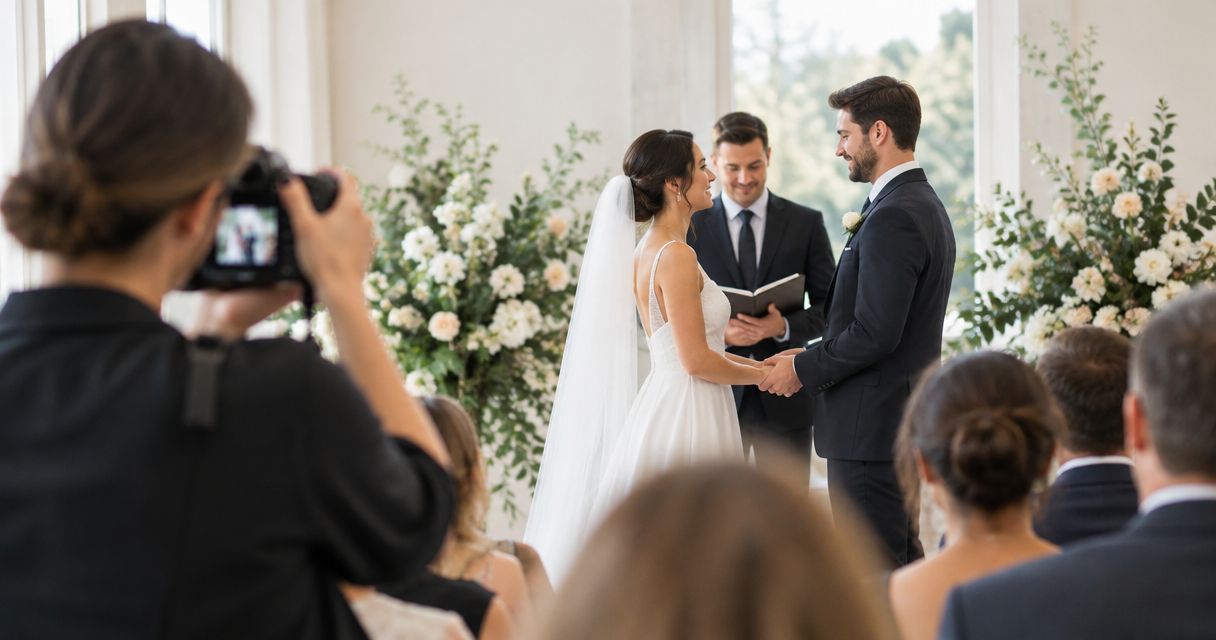
To cull wedding ceremony photos without losing ritual coverage, organise frames by ceremony stage, protect meaningful actions and reactions, then remove repetitions within each sequence. Use technical rankings to guide comparisons, not decide cultural importance; finish with a human coverage review before exporting your selection.
TL;DR
- Cull wedding ceremony photos by ritual sequence, not by a fixed rejection target.
- Protect meaningful actions, family participation and reactions before removing near-duplicates.
- Fotoowl AI Culling suits wedding photographers who want offline desktop screening followed by human review.
- Check the complete ceremony story before exporting to Lightroom or the gallery.
Why this matters
A technically strong selection can still tell an incomplete story. If you keep attractive portraits but remove the frame that shows a meaningful exchange, your ceremony edit loses information the family expected you to preserve.
For Indian wedding assignments in 2026, build your checklist from the actual ceremony brief rather than a generic wedding template. Confirm which rituals happened, who participated and which moments the couple specifically requested.
Start by organising photos for multi-function Indian weddings before comparing individual frames. Keep functions separate so a strong engagement portrait does not become an accidental substitute for missing ceremony coverage.
Reduce repetition, not evidence of what happened. That is the rule to apply whenever a beautiful frame competes with a more informative one.
How do you cull wedding ceremony photos without losing ritual coverage?
Follow this sequence: establish the ceremony timeline, mark essential moments, compare similar frames, check technical quality, review other camera angles, audit rejected sequences and approve the final story. Make the coverage decisions before tightening the selection.
1. Build the ceremony timeline
Read the shoot brief and review the photographer's notes before rejecting files. List the events that actually took place, using the family's terminology wherever possible.
Do not assume every Indian wedding follows the same sequence. Ask the lead photographer to clarify unfamiliar actions instead of labelling them as miscellaneous details.
Create working groups for arrivals, ceremony stages, blessings and departures where those stages apply. These are organisational labels, not a mandatory ritual list.
Within each group, arrange photographs in event order. If camera clocks differ, use a shared visible moment to check the sequence before judging whether coverage is missing.
2. Mark coverage anchors
A coverage anchor is a photograph that establishes an essential part of the ceremony. Protect it provisionally before comparing the surrounding burst.
For each meaningful action, look for these storytelling roles:
- Context: where the action happened and who was present.
- Action: the gesture, exchange or participation itself.
- Reaction: the response that gives the moment emotional meaning.
Use these 3 roles as a review prompt, not a requirement to deliver 3 photographs of every action. A single frame can communicate several roles; another moment needs a longer sequence to remain understandable.
Protect named family requests separately. A technically ordinary photograph can still be the only record of a particular relative taking part.
3. Compare bursts within the same action
Judge near-duplicates against their immediate neighbours, not against the strongest photograph from the whole ceremony. Check whether the gesture, expression, participants or visible ritual objects change between frames.
Suppose consecutive photographs show an exchange beginning, the point of contact and the participants' response. Similar framing does not make those photographs interchangeable.
Reject a near-duplicate only after identifying what its replacement preserves. If you cannot name the replacement, leave the photograph for review.
When frames genuinely repeat the same information, choose the clearer expression, more readable action and stronger composition. Keep an alternative when it adds a distinct participant or a useful view of an otherwise obscured gesture.
4. Assess technical faults in context
Inspect focus, motion blur, exposure and obstructions after marking essential coverage. Start with the subject that carries the action, which is not always the face closest to the camera.
A sharp portrait does not replace a softer photograph of a unique ceremonial exchange. Equally, emotional importance does not make an unreadable image suitable for delivery.
Separate recoverable candidates from frames that fail to communicate the moment. Check a difficult exposure during editing before making the final rejection, rather than treating the preview alone as the verdict.
Do not reject closed eyes automatically. Distinguish an accidental blink from an expression that belongs to the action shown.
5. Review all camera angles together
Compare the lead photographer's coverage with the second photographer's files before removing overlapping moments. One angle can show the couple while another explains the family participation.
Keep both views when each contributes different information. Remove a repeated angle when it adds no clearer action, expression or context.
Check chronology before switching between cameras. A sequence assembled from mismatched timestamps can make a complete ceremony look disjointed, even when the required photographs exist.
Record the chosen files in your working selection so another editor can follow the decision. Do not rely on remembering which camera had the better view.
6. Revisit rejected ceremony sequences
Review rejected frames around every essential moment before approving the selection. Look specifically for missing participants, obscured gestures and transitions that disappeared during burst reduction.
Make this a separate review rather than repeating the same technical judgement. The question changes from whether a photograph is strong to whether rejecting it leaves a gap.
Use 2 passes: technical screening first, coverage review second. These are recommended responsibilities, not a claim about how quickly a wedding can be culled.
For a 2026 studio workflow, make the second pass an explicit handoff requirement. The person approving coverage should know the ceremony brief or have access to the photographer who does.
7. Approve the story before export
View the selected ceremony photographs in order without the rejected frames visible. Check whether you can understand the transitions and identify the important participants from the selection alone.
Then compare the selection against the ceremony checklist. Resolve every unexplained gap before exporting to Lightroom or preparing gallery delivery.
Keep rejection decisions reversible while the edit is being approved. A cull is a working selection, not an instruction to permanently delete originals.
The sequence below separates organisation, selection and approval so technical screening does not become the final coverage decision.
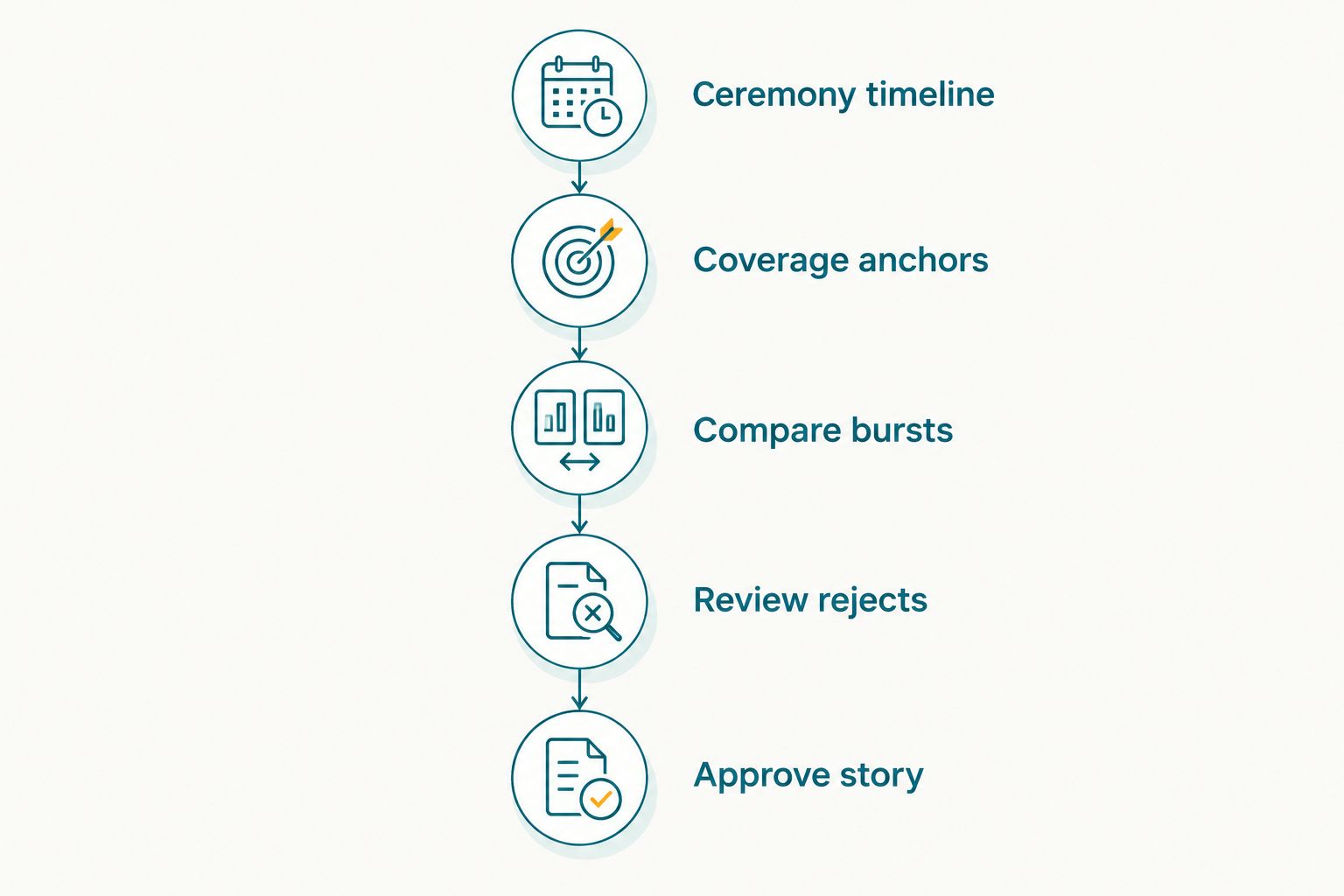
Approve ritual coverage after comparing frames, not before.
Which ceremony photographs should you keep, review or reject?
Use the following comparison when a photograph looks repetitive or technically imperfect. Each decision depends on what the frame contributes, not simply how it looks in isolation.
| Decision | Best for | Benefit | Limitation or check |
|---|---|---|---|
| Keep | Unique, readable actions and meaningful reactions | Preserves ceremony information | Still needs editing and final quality approval |
| Review | Uncertain significance, difficult exposure or a unique softer frame | Protects possible coverage gaps | Requires a photographer's judgement before delivery |
| Reject from selection | Repeated information with a stronger replacement | Removes unnecessary repetition | Confirm the replacement preserves the action and participants |
For example, a hand blocking part of the frame is not enough reason to reject it if the photograph still shows an otherwise missing exchange. Put it in review and inspect neighbouring frames and other angles.
A cleaner frame earns preference only when it preserves the same meaning. Do not substitute an attractive reaction for the action that caused it unless that action is already covered elsewhere.
Treat the review group as a decision queue, not a permanent holding area. Resolve those files before the final export so uncertainty does not silently become exclusion.
Why ceremony culling decisions vary
Your 2026 ceremony checklist should reflect the assignment rather than a preset keeper count. These factors determine how closely you need to inspect each sequence:
- The actual ritual sequence: use the ceremony that happened, not an assumed order based on the wedding's label.
- Family priorities: preserve specifically requested participation and relationships, even when those frames are not portfolio highlights.
- Differences between frames: small changes in a gesture or expression can carry distinct information.
- Available viewpoints: compare cameras before deciding that an obstructed frame has no alternative.
- Technical readability: judge whether the photograph communicates the moment, then decide whether editing warrants a closer check.
- The intended deliverable: distinguish the complete ceremony selection from a shorter highlight edit or album shortlist.
Do not force the full ceremony selection to match the size of a highlight gallery. Make the complete coverage decision first; create shorter selections from that approved set.
Where does AI Culling fit in this workflow?
Fotoowl AI Culling is best for wedding photographers who want offline desktop screening with a human coverage check. It rejects duplicate and weak frames, groups similar photographs and ranks them by composition, exposure and blur.
Use those rankings to organise technical comparisons. Do not treat them as confirmation that a ceremony's rituals, participants or family priorities are fully represented.
The benefit of Fotoowl AI Culling is its offline desktop screening workflow. Its limit in this task is the need for human approval of ceremony coverage; a technical ranking is not a ritual checklist.
Keep the second human pass before exporting to Lightroom or the gallery. For your 2026 workflow, assign that approval to someone who understands the brief rather than accepting the initial selection unchanged.
Read the separate guide on whether AI culling can replace a second human review when defining the approval step for your studio. Keep software screening and delivery approval as distinct responsibilities.
How many photographs should you keep from each ritual?
Use the 3 storytelling roles—context, action and reaction—to check coverage, not to impose a delivery quota. Keep enough photographs to explain the ritual and preserve meaningful differences without repeating the same information.
A short gesture and an extended family interaction need different selections. Base the decision on the actual sequence and your agreed deliverables, not a fixed rejection percentage.
Should you delete rejected photographs before editing?
Complete the 2 passes before considering any permanent deletion: technical screening and human coverage review. Rejection from the working selection should remain reversible while you check difficult exposures, other angles and family requests.
Keep file deletion separate from culling approval. Follow your studio's retention process rather than turning a rejected flag into an immediate destructive action.
FAQ
What's the safest way to cull wedding ceremony photos?
Cull wedding ceremony photos by protecting essential actions and participants before removing repetitions. Review the selected sequence against the actual ceremony brief before export.
Can AI choose the final ceremony photographs for me?
AI screening should not replace the final human ceremony review. Use technical rankings to compare frames, then check ritual coverage, family participation and chronology yourself.
Does Fotoowl AI Culling work offline?
Fotoowl AI Culling is an offline desktop application. Its workflow includes a second human pass before export to Lightroom or the gallery; it is not a browser or cloud culling feature.
Should I reject every wedding photograph with closed eyes?
Do not reject every photograph with closed eyes. Check whether the expression belongs to the moment and whether a neighbouring frame preserves the same action more clearly.
Are photographs from different camera angles duplicates?
Different camera angles are not automatically duplicates. Keep an additional view when it reveals a participant, action or reaction that the other view does not show.
What should my studio check before exporting a ceremony selection?
Check the ceremony timeline, essential actions, family requests and unresolved review frames before exporting. For a 2026 studio checklist, make human coverage approval a separate step from technical screening.
One last thing
Audit the gaps, not just the keepers. For every essential ceremony moment, identify the selected photograph that proves it is covered; if you cannot find one, reopen the surrounding rejects and other camera angles.
This reverses the usual final check. Instead of asking whether every selected photograph looks good, ask whether every required part of the ceremony has a place in the selection.