
How to cull Indian wedding group photos without losing key moments

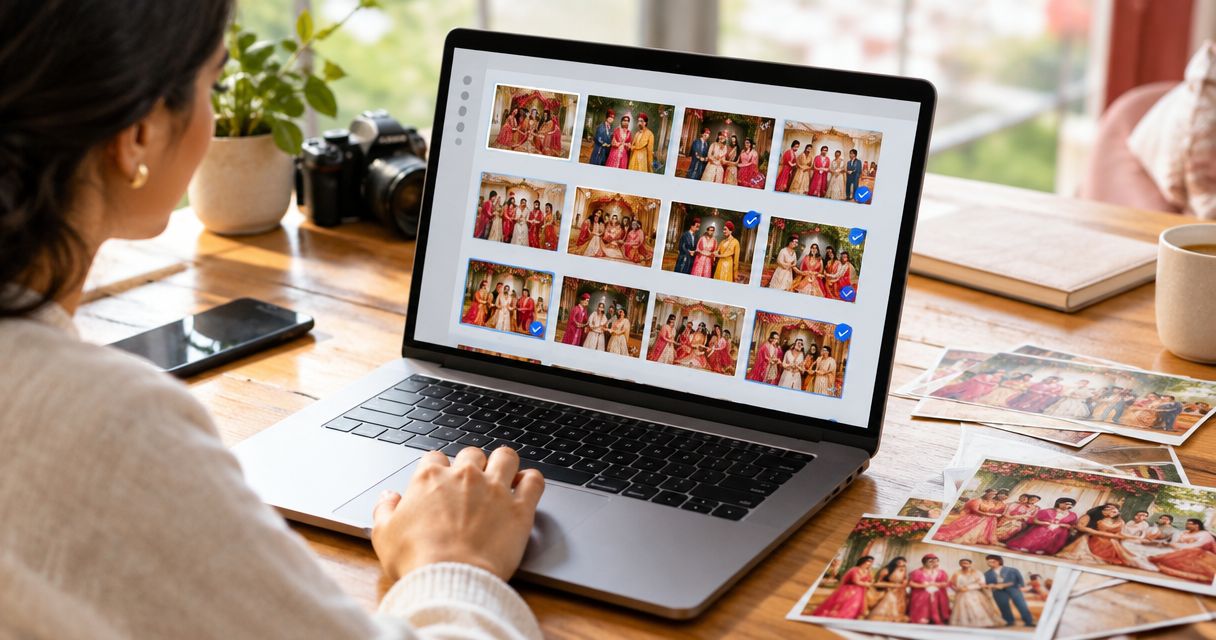
To cull wedding group photos without losing key moments, compare frames within each family combination, check every visible face, and protect meaningful gestures before rejecting similar shots. Use a technical first pass followed by a human review of family coverage and rejected frames; make that your 2026 workflow before exporting anything for editing.
TL;DR
- Cull wedding group photos by family combination, not by a fixed keeper percentage.
- Fotoowl AI Culling suits photographers wanting offline desktop screening, followed by human review.
- A sharper frame does not replace a different family grouping or an unrepeatable blessing.
- Check faces, gestures and rejected frames before approving your wedding photo culling shortlist.
How do you cull Indian wedding group photos without losing key moments?
Keep the strongest usable frame of each required group, plus photographs that tell a genuinely different story. Compare alternatives before rejecting a photograph, and separate posed portraits from interactions that happen around them.
Start by organising photos for multi-function Indian weddings. A reception-stage portrait should not compete with a similar-looking family photograph from another function.
Use this sequence:
- Protect originals: preserve source files before making selection decisions.
- Separate groups: compare the same people within the same function and portrait sequence.
- Compare faces: inspect expressions, focus, visibility and meaningful gestures.
- Review rejects: recover unique combinations and moments lost during technical screening.
- Approve export: check coverage and hand the reviewed shortlist to your editor.
Why this matters
A wedding group photograph records who stood together, not just whether the composition looks clean. Removing a relative, a blessing or a distinct family combination from the final selection changes that record.
For your 2026 studio workflow, define success as complete, usable coverage—not the smallest possible shortlist. Remove repetition without treating every similar arrangement as disposable.
Protect originals before you start selecting
Keep your source files separate from the delivery shortlist. Treat a reject label as a selection decision, not an instruction to delete the original immediately.
Confirm your backup before starting the cull. Open files from the backup location rather than assuming that a completed copy operation proves every photograph is accessible.
Keep source identity clear when several photographers cover the wedding. Preserve filenames or another reliable reference so your editor can trace a selected photograph back to its original without guessing.
Write the selection brief before reviewing:
- Which family combinations did the client request?
- Which functions need separate coverage?
- Which relatives or interactions did the lead photographer flag?
- Which photographs need clarification rather than immediate rejection?
Do not make irreversible deletion part of the first pass. A photograph that looks unnecessary in isolation deserves another look when it is the only record of a requested group.
Separate groups before comparing similar frames
Build comparison sets around the people present and the moment being photographed. Do not put an entire stage session into a single mental bucket labelled family portraits.
A couple with parents is a different combination from the couple with parents and siblings. If someone joins, leaves or changes position enough to reveal another person, start a fresh comparison set.
Separate formal portraits from the surrounding interactions too. A relative adjusting the bride's dupatta and then standing for the portrait are different moments, even when the background and people barely change.
For multi-camera coverage, compare angles without assuming that matching timestamps prove matching content. Check the actual participants and action before treating photographs as alternatives.
Use a simple coverage note for each set:
- Family combination or names, where known.
- Function and location within the wedding.
- Strongest formal portrait.
- Distinct interaction worth retaining.
- Missing coverage or unresolved identity.
This note can live in your existing studio handoff document. It does not require a particular software feature. In 2026, keep the coverage decision visible to whoever reviews or edits next.
Compare every face, not just the couple
Review a group portrait at fit-to-screen size for composition, then inspect faces at 100% magnification when judging focus. Move across every row rather than stopping once the couple looks sharp.
Check whether people at the edges remain inside the frame and whether anyone is hidden behind another person. Then compare expressions, posture and distractions across the alternatives.
Use this decision table when similar photographs compete:
| Situation | Best for | What to keep | Limitation to check |
|---|---|---|---|
| Several equivalent posed frames | Formal family coverage | The usable frame with clear faces and suitable expressions | The strongest central expression can distract from an obscured relative |
| A relative joins the group | Recording a new combination | A usable frame that includes the changed group | Similar composition does not mean duplicate content |
| A blessing, hug or shared laugh | Preserving the interaction | The frame that communicates the gesture clearly | Technical imperfections still need review |
| A blink in an otherwise repeated pose | Removing avoidable repetition | An equivalent alternative with a better expression | Confirm that the people and gesture are genuinely unchanged |
| No clean alternative exists | Preserving otherwise missing coverage | The most usable record, flagged for editorial review | Retaining it does not make it suitable for a prominent album placement |
Judge a blink in context. Closed eyes during a static portrait are different from closed eyes during an emotional embrace or prayer. Read the action before deciding that the expression is a fault.
Check hands as well as faces. A blessing or linked hands can distinguish a meaningful frame from its technically cleaner neighbour.
Use technical screening without surrendering the final decision
Technical screening and editorial judgement serve different purposes. Screening helps you compare repetition and image quality; editorial review decides whether the photograph preserves something the wedding coverage needs.
Fotoowl AI Culling is best for wedding photographers who want offline desktop screening with a human final review. It rejects duplicate and weak frames, groups similars, and ranks photographs by composition, exposure and blur.
The benefit is a structured technical first pass. The limitation is that a ranking is not a substitute for checking family relationships, requested combinations or the meaning of a gesture. Fotoowl AI Culling belongs before the human approval stage, not in place of it.
| Approach | Best for | Strength | Limitation |
|---|---|---|---|
| Manual review | Coverage decisions that depend on family context | You can apply the brief while comparing photographs | You must inspect technical repetition yourself |
| Assisted technical screening | Sorting similar frames before editorial review | It helps organise the technical comparison | You still need to inspect meaningful moments and rejected frames |
Do not turn a quality ranking into a rule that only the top-ranked frame survives. Check whether lower-ranked alternatives contain different participants, clearer faces elsewhere in the group or a distinct interaction.
Review rejects before approving the shortlist
Make rejected photographs part of the human second pass. Do not limit that review to confirming that your selected portraits look attractive.
Work through the coverage notes and inspect the corresponding rejected sequences. Look for family combinations that disappeared, expressions that tell a different story, and transitions between posed arrangements.
Use these questions:
- Does the shortlist include every requested combination that was photographed?
- Did a relative appear only briefly between larger groups?
- Did the technical pass reject a meaningful interaction because of blur or exposure?
- Did an obscured face become visible in an alternative frame?
- Did photographs from another camera preserve missing coverage?
If you find a meaningful but imperfect photograph, flag it for an editing decision. Do not promise a repair before the editor assesses the file, and do not silently replace a missing moment with an unrelated portrait.
For your 2026 approval checklist, require a clear answer to both questions: is the selection technically usable, and is the coverage complete against the brief? The guide to human review before photo delivery explains the distinction further.
Approve export with a clear editor handoff
Approve the cull only after the coverage review. Your editor should receive a deliberate selection, not a mixture of final choices, unresolved alternatives and accidental duplicates.
Separate confirmed selections from photographs needing a decision. Add a short reason for exceptions, such as unique family combination, meaningful gesture or no cleaner alternative.
Keep those notes specific. A note saying that a photograph is important does not tell the editor whether to prioritise the expression, preserve the framing or compare another file.
The workflow is simple enough to put beside your editing desk:
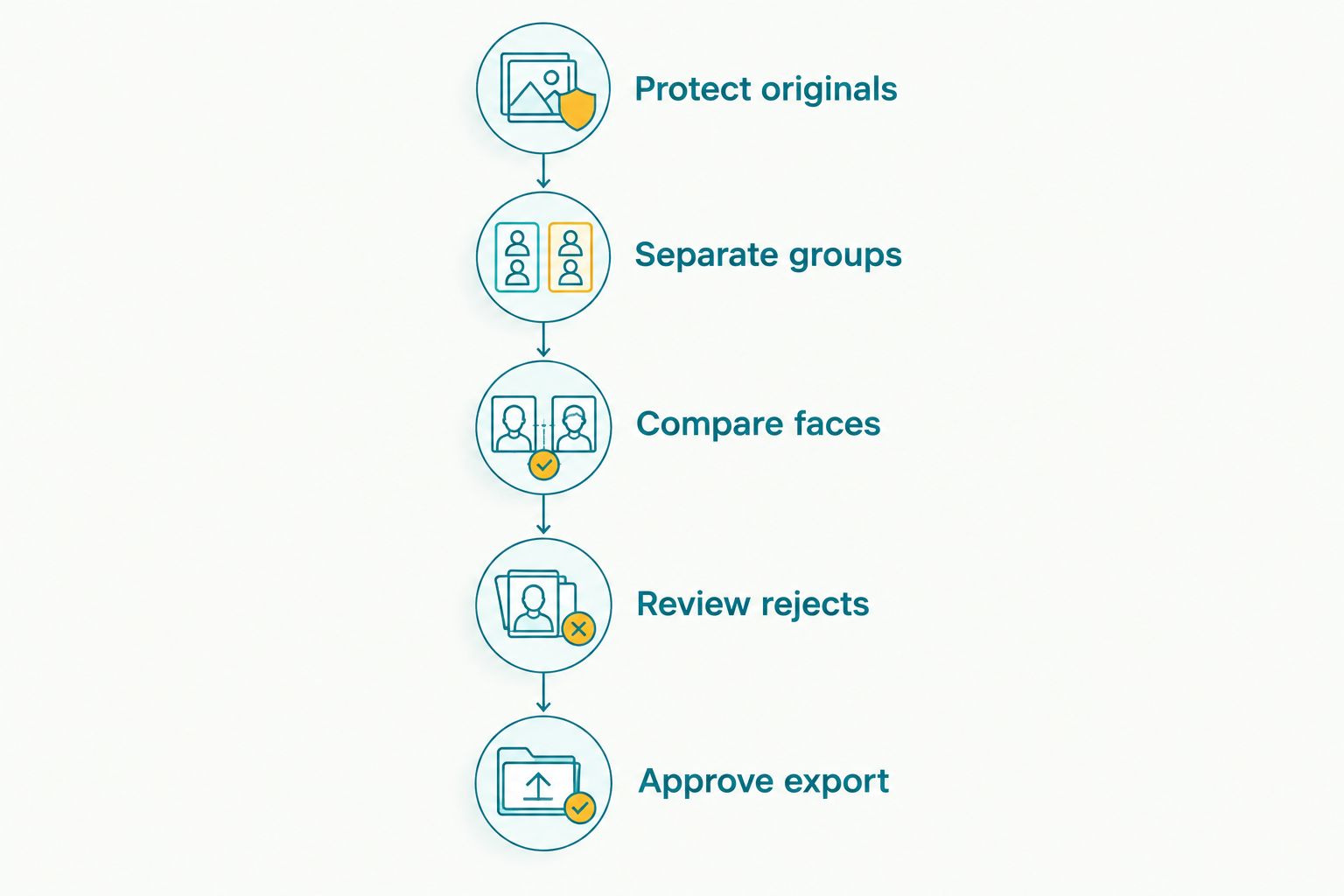
Approve the export only after checking both image quality and family coverage.
Before handing over, reopen the selected set and verify that the intended files are present. Preserve the connection between your notes and filenames so another team member can follow the decision without repeating the entire cull.
The handoff is finished when the editor knows what to edit and what still needs judgement. Exporting files alone does not communicate that distinction.
Why wedding group-photo culling decisions vary
There is no useful universal keeper percentage for group photographs. Base your selection on what changed between frames and what coverage the client requested.
- Family combinations: a change in participants creates a different coverage requirement, even when the pose stays similar.
- Face visibility: an alternative matters when it reveals someone obscured in the apparent favourite.
- Gesture: a blessing, embrace or shared reaction deserves a separate editorial decision.
- Technical quality: focus, exposure and blur affect usability, but do not explain family significance.
- Available alternatives: a weak repeated frame and the only photograph of a group require different treatment.
- The client brief: requested combinations provide a coverage check that visual similarity alone cannot supply.
Avoid imposing an equal number of delivered photographs on every family group. Keep an additional image when it adds coverage or meaning; reject it when it merely repeats the same usable portrait.
Should I keep a soft photo if it is the only family group shot?
Keep it for editorial review rather than automatically delivering or deleting it. Assess whether faces remain recognisable, whether the image communicates the moment and whether another camera captured an alternative.
Separate preservation from publication. Keeping the original protects the record; choosing it for the client gallery or album requires a further quality decision.
Should every family group get the same number of photographs?
No—select for distinct coverage, not matching totals. A formal portrait and a meaningful interaction serve different purposes, while repeated frames with unchanged people and expressions add little.
Use your agreed deliverables and coverage brief to guide the final set. Do not invent extra selections simply to make every group look equally represented by count.
How do I handle unfamiliar relatives during the cull?
Flag uncertain identities instead of guessing who matters. Ask the lead photographer or use the client's requested group list to resolve whether apparently similar photographs represent different family combinations.
Keep the relevant alternatives until that question is answered. Uncertainty about a relationship is not evidence that a photograph is redundant.
FAQ
What's the safest way to cull wedding group photos?
Compare photographs within the same family combination, then review both selections and rejects against the coverage brief. Preserve originals until your studio's retention and delivery decisions are complete.
Can AI choose the final Indian wedding group photographs?
AI screening should not replace the final human coverage review. Check requested combinations, visible faces and meaningful gestures before approving the shortlist.
Does Fotoowl AI Culling work offline?
Fotoowl AI Culling is an offline desktop application. Include a second human pass before exporting to Lightroom or the gallery.
Should I reject every wedding group photograph with closed eyes?
No—judge closed eyes against the action and available alternatives. A blink in a repeated posed portrait is different from closed eyes during an embrace or prayer.
What percentage of wedding group photos should I keep?
Do not use a fixed keeper percentage as your selection target. Retain usable coverage of requested combinations and distinct meaningful moments, then remove unnecessary repetition.
How should my studio review group-photo rejects in 2026?
Review group-photo rejects against the family coverage notes before export. Check for missing participants, changed combinations and meaningful interactions that technical screening did not prioritise.
Should I delete rejected group photographs immediately?
Do not make immediate deletion part of the first culling pass. Keep selection decisions separate from irreversible deletion and follow your studio's agreed retention process.
One last thing
Review the frames immediately before and after each posed group. The formal portrait belongs in the coverage, but the surrounding frames deserve inspection for a greeting, a blessing or someone briefly joining the family.
Make that boundary check part of your 2026 sign-off. Before closing a sequence, confirm that you selected the best portrait without discarding the interaction that made it different.