
Can guest face search work without an app download?

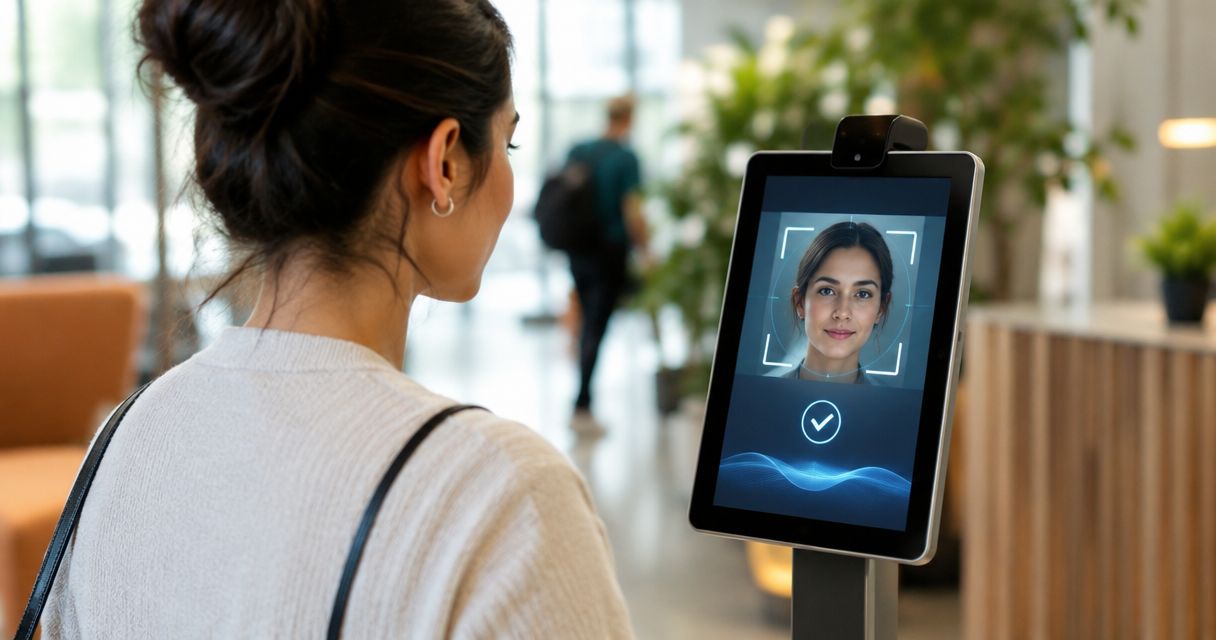
Yes—guest face search without app download works when a photo gallery offers face matching through a mobile browser. Guests open an event link, provide a reference photo through the supported search method, and view matching images without installing a dedicated app. The caveat: browser access does not automatically mean no login, no permissions, offline access, or unrestricted downloads.
TL;DR
- Face search without app download works through a browser-enabled event gallery; check the guest journey before sharing.
- A QR code opens the gallery; face recognition finds matching photos. They serve different purposes.
- Fotoowl provides face-recognition galleries for professional event photographers; verify browser access separately.
- Choose browser-based photo delivery for occasional guests, with clear consent and a fallback when matching fails.
Why this matters
Your guests need their photographs, not another software setup task. For Indian wedding and event studios, a browser-based route lets you share an entry point through an event message or printed QR code without making a dedicated installation part of the instructions.
But removing installation addresses only one part of delivery. Your studio still needs to publish the correct photographs, explain the search, and help people who cannot find a match. The guide to enabling guests to find their own photos using face search covers the wider retrieval workflow.
For your 2026 delivery process, test the whole journey rather than treating an app-free label as proof that the gallery is ready.
Can guest face search work without an app download?
Yes. A browser can provide the guest interface while the gallery service handles face matching. Installing a dedicated mobile app is not a technical requirement for this arrangement.
The following is a recommended acceptance sequence, not a claim that every gallery uses identical screens:
- Open the gallery. The guest follows the event link or scans a QR code that points to it.
- Provide a reference. The guest uses the gallery's supported method to supply a face image and receives an explanation of its purpose.
- Review matches. The guest checks the returned photographs and uses the viewing or download actions the photographer has enabled.
Test these 3 stages separately. A link opening successfully proves access to the page, not that the reference upload, matching, and final download all work.
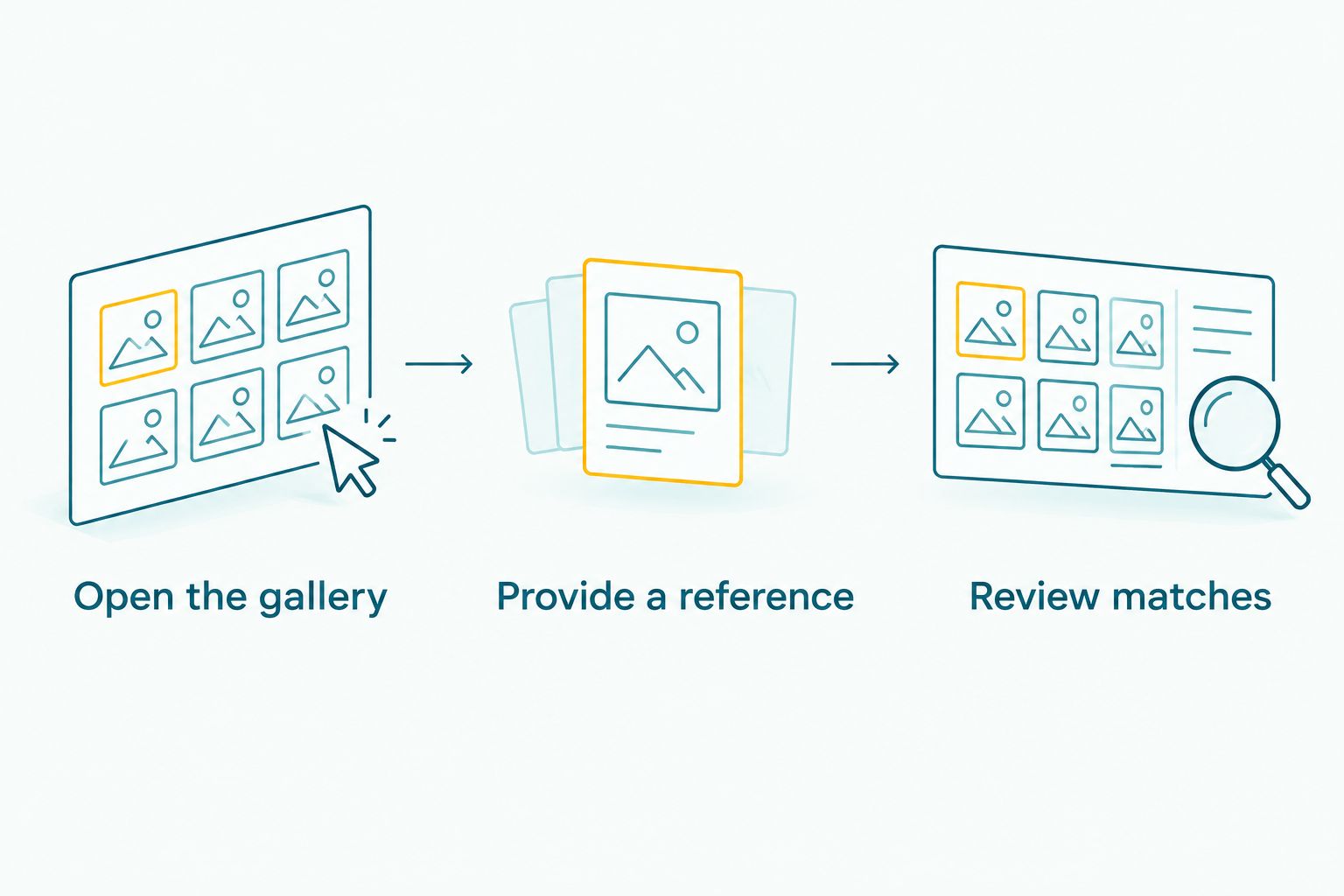
Opening the gallery is only the first stage; test reference submission and results too.
Keep your promise precise. Say that guests can search through a browser only after you have confirmed that route in the gallery you intend to publish. Do not extend that promise to every browser, every handset, or every access configuration.
Browser-based search: best for occasional event guests
Choose browser-based face search when your priority is letting occasional guests enter through a shared link. The advantage is straightforward: a dedicated gallery installation is not part of that route.
The limitation is equally important. Guests still depend on a working browser, a usable connection for an online gallery, and whatever access requirements you configure. Camera capture also needs permission when the browser-based workflow requests it.
An app-based route is a different delivery choice, not automatically a better or worse face-matching system. Compare the actual journeys:
| Access route | Best for | Main advantage | Main limitation |
|---|---|---|---|
| Browser-based face search | Occasional guests entering through a link | No dedicated gallery installation | Browser permissions and connection issues still need testing |
| App-based face search | An audience already using the required app | Installation is already complete for existing users | New guests must install the app if no browser alternative exists |
| Photographer-assisted retrieval | Guests who cannot complete self-service search | Provides a human fallback | Requires studio time and an appropriate identity check |
For a 2026 wedding delivery brief, choose the route your intended audience can complete. Do not choose solely because a product description uses the word app: that word alone does not establish whether installation is mandatory.
What does “without an app” actually exclude?
An app-free journey excludes a required dedicated installation. It does not settle the remaining access rules.
Before promising browser-only delivery, separate these questions:
- Installation: Must a guest visit an app store before searching?
- Registration: Must a guest create an account or enter contact details?
- Reference capture: Does the gallery accept an existing photo, request camera access, or support another method?
- Downloads: Can the guest save photographs after finding them, subject to your delivery settings?
These are distinct checks. A guest can open a gallery without installing anything and still encounter a sign-in screen or a disabled download action.
Use specific instructions instead of the broad promise “no steps required”. Your message should describe the route you have tested, including any necessary access code or reference-photo step. This keeps your studio's delivery promise aligned with the actual experience.
Why the app-free guest experience varies
The browser is only the entry point. These factors determine whether guests can complete the search and receive useful results:
- Published photographs. Face search cannot return photographs that are absent from the searchable event collection. Check that the intended delivery set is present.
- Reference quality. Blur, poor lighting, and an obscured face reduce the information available for matching. Ask for a clear reference rather than promising a guaranteed result.
- Event-photo quality. Small, turned-away, or obstructed faces make matching harder. Review difficult frames before relying on self-service retrieval alone.
- Browser permissions. A denied camera request interrupts workflows that require live capture. Test the recovery instructions as well as the initial prompt.
- Connectivity. An online gallery needs network access to load content and exchange search information. App-free does not mean offline.
- Access settings. Authentication, gallery visibility, and download permissions affect what guests can do after opening the link.
Use these factors as your 2026 acceptance criteria. None requires an invented accuracy percentage or a promised response time: each can be checked against the gallery you plan to deliver.
How should you test browser face search before an event?
Run a guest test without your photographer account already signed in. An administrator's successful search does not demonstrate the guest experience.
Use at least 2 phones as a practical starting check: an Android handset and an iPhone. This is a recommended test setup, not a compatibility guarantee. Record the browser used and test additional devices when your client has specific requirements.
Test the shared entry point
Open the exact link you intend to distribute. If you plan to use a QR code, scan the printed version rather than testing only the destination from your own bookmarks.
Check that the guest reaches the intended event and understands the next action. A working link to the wrong function or an unpublished collection still fails the delivery test.
Test reference submission and recovery
Follow the reference-photo instructions as a new guest. If camera access is requested, deny it once and check whether the explanation helps you recover or offers another supported route.
Use a clear reference and then a less suitable one to understand the guidance guests receive. Do not turn this small check into a published accuracy claim.
Test results and delivery
Confirm that the search returns relevant photographs from the intended collection. Then complete the viewing or saving action you have promised to the client.
Repeat the check after changing access settings. For your 2026 event checklist, keep 1 fallback route ready: a studio contact who can help locate photographs without asking guests to post their reference images in a public group.
Does a QR code replace face recognition?
No. A QR code provides an entry point; face recognition performs the matching after the guest reaches a supported gallery.
You can use a QR code and face search together, but they solve different problems. The code removes the need to type a destination, while the search helps a guest locate relevant images inside the collection.
Print only the destination you have checked. If the gallery is not ready, explain that clearly rather than inviting guests to interpret an empty result as proof that they were not photographed.
Does no app download mean no internet connection?
No. Browser access and offline access are separate capabilities, and an online event gallery still needs a connection to retrieve content.
Test the guest route on the network conditions available at the venue. If access is unreliable, share instructions for returning to the gallery later instead of promising live retrieval you have not demonstrated.
Keep upload readiness separate from guest access too. A guest's strong connection cannot reveal photographs your studio has not yet published.
Is face search private if guests use a browser?
Browser access alone does not establish privacy. Your studio must assess who can enter the gallery, what a search reveals, and how reference images and face-related data are handled.
Explain the purpose of the reference photo before guests submit it. Check the provider's current information on retention, deletion, and access controls rather than assuming that an app-free process collects nothing.
For school assignments, confirm the institution's requirements and the parent or guardian access process before launch. For corporate events, agree on the intended audience and sharing rules with the client.
A matching photograph can contain other people, especially in group scenes. Finding a guest's face is therefore not the same as ensuring that every other person is hidden. Treat search relevance and viewing permission as separate decisions in your 2026 delivery plan.
Where Fotoowl fits in the delivery workflow
Fotoowl is best for professional wedding and event photographers who need face-recognition galleries for client delivery. AI Gallery supports photo and video delivery with face recognition; that is the relevant capability for studios evaluating guest photo retrieval.
For Fotoowl AI Gallery, assess the guest-facing access route separately from the presence of face recognition. Confirm browser entry, reference submission, permission recovery, and permitted downloads before advertising an app-free experience to your client.
The benefit of Fotoowl's face-recognition gallery is its fit with photographer-led delivery. The boundary remains important: a face-search feature does not guarantee that every frame will match or replace your responsibility to review access settings and offer assistance.
FAQ
Can wedding guests search for their photos without installing an app?
Yes, when the gallery provides face search through a mobile browser. Test the published guest link before telling your client that installation is unnecessary.
Do guests need to take a selfie for browser face search?
Guests need a reference through whatever method the gallery supports. Check whether your chosen workflow accepts an existing image, requests camera capture, or offers another method.
Will a QR code automatically find a guest's face?
No, a QR code opens a destination; it does not perform face matching. The destination must provide a supported search workflow.
Can guests use face search without creating an account?
Only if the gallery's guest-access configuration permits it. App-free access does not establish that registration, authentication, or contact details are unnecessary.
Will browser face search find every photograph of a guest?
No, you should not promise that browser face search finds every photograph. Reference quality, visible facial detail, and the photographs included in the searchable collection affect results.
Can guests search an online gallery without internet access?
No, an online gallery needs connectivity to load content and exchange search information. Removing a dedicated app installation does not create an offline service.
What should my studio do when a guest gets no results?
Check that the intended photographs are published, then help the guest follow the supported reference-photo instructions. Offer private, photographer-assisted retrieval rather than treating an empty search as proof that no photographs exist.
One last thing
Test a failed search, not just a successful one. A guest who finds nothing needs to know whether to try a clearer reference, return after publication, or contact your studio.
Write that recovery instruction before distributing the gallery. It turns an empty screen into an actionable next step without promising that face recognition will recover every photograph.