
How to set up multi-day photo galleries for franchise conventions

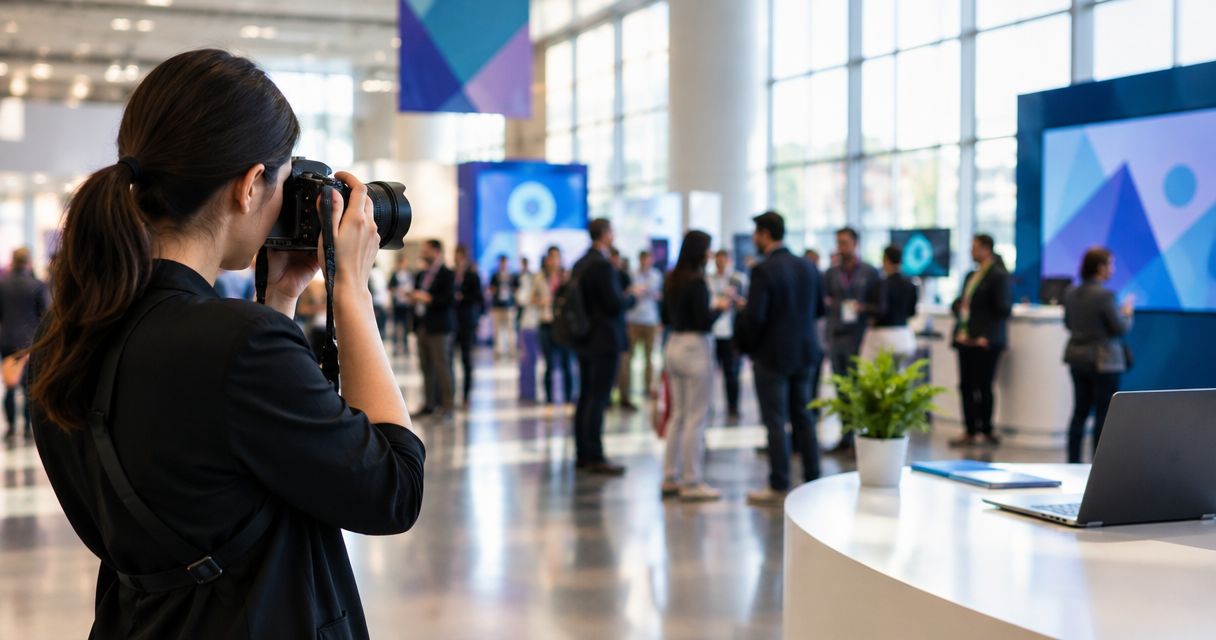
Multi-day photo galleries for franchise conventions work when you split the event into one sub-gallery per day, turn on face recognition so franchisees pull their own photos without a request, and open camera-to-cloud uploads before day one even wraps. Skip that structure and you get three days of memory cards handed to one editor at midnight on the final night, with regional franchise owners flying home before a single photo goes live.
TL;DR
- Split the convention into a master gallery with one sub-gallery per day, not one long undifferentiated feed.
- Face recognition on AI Gallery lets franchisees pull their own booth and stage photos without emailing the photo team.
- Beam pushes shots from the camera to the cloud gallery as they're taken, so day one photos are live before day two starts.
- AI Culling runs offline overnight to clear duplicates and weak frames before the next morning's session.
Why this matters
Franchise conventions run three to five days inside one venue: general sessions, regional breakout tracks, an exhibit hall lined with sponsor booths, an awards dinner. Each day produces its own volume of photos, and every attending franchisee wants proof they were in the room, not a generic recap deck two weeks later. A single flat gallery covering the whole event buries day three under the weight of day one and makes search miserable for someone standing in a hallway on their phone.
The structure that works for enterprise photo galleries for multi-day corporate events applies directly to franchise conventions: organize by day first, then let face recognition do the finding. FotoOwl's AI Gallery was built around exactly this kind of multi-session, multi-photographer event, and 2026 convention calendars are already packed with these three-and-four-day formats.
How do you set up multi-day photo galleries for franchise conventions?
- Create one master event, then one gallery per day. Set up the convention as a single event in AI Gallery and create a dated sub-gallery for each day rather than one continuous stream. This keeps search fast and lets you close out day one while day two is still shooting.
- Tag every upload with day, track, and location. Breakout sessions by region, the main stage, and the exhibit hall each need their own tag so a franchisee from the Midwest region doesn't have to scroll past the East Coast breakout to find their own photos.
- Turn on face recognition before day one starts. Franchisees upload a selfie once at registration and the gallery matches every photo of them across all four or five days automatically — no daily link, no re-search.
- Route every camera through Beam. Beam, the camera-to-cloud FTP feature inside AI Gallery, pushes JPEGs straight from each photographer's camera into that day's gallery while the session is still running, so photos surface in hours, not after the event ends.
- Put more than one photographer on the same gallery. Conventions with a main stage, an exhibit hall, and simultaneous breakouts need photographers shooting different rooms at once. Managing multiple photographers on one event gallery instead of separate accounts keeps every upload landing in the same day-tagged structure.
- Run AI Culling overnight, every night. AI Culling is an offline desktop application — it rejects duplicates and weak frames, groups similar shots, and ranks by composition, exposure, and blur before a human does a second pass and exports to Lightroom or the gallery. Running it the same night keeps the backlog from compounding into day three.
- Turn on Photo Selection if regional leadership needs an album or recap book. Client proofing through Photo Selection lets the franchise's marketing team pick final images, and those selections carry straight into album or print production without a second round of file-hunting.
- Hand daily deliverables and lead follow-up to Studio Manager. If booths are capturing leads over WhatsApp or Instagram during the exhibit hall days, Studio Manager's agentic CRM can pull those conversations into the same lifecycle as the gallery delivery, so post-event follow-up and invoicing don't need a separate system.
If a franchise group runs this same convention format at multiple locations across the year, the gallery structure above is also what managing photo galleries across a photography franchise is built to standardize — one template, reused per event, instead of rebuilding the day-and-tag structure from scratch every time.
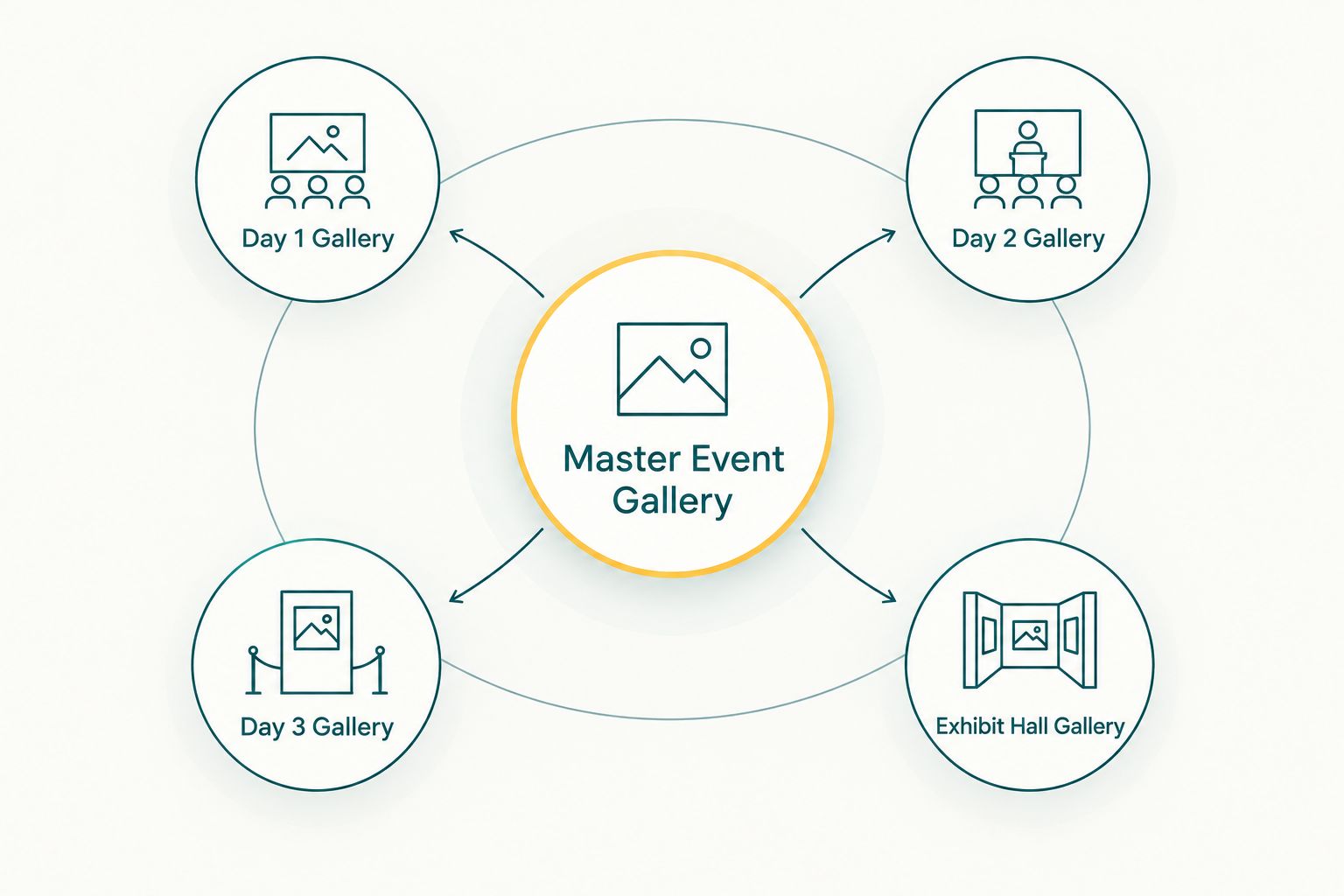
One master event, one sub-gallery per day, keeps search fast on day three.
See how AI Gallery handles convention days
Face recognition delivery and Beam camera-to-cloud uploads in one event gallery.
Why multi-day convention galleries get complicated
- Simultaneous tracks. A main stage, regional breakouts, and an exhibit hall running at the same time means three photographers shooting three feeds that all need to land in the same day-tagged gallery.
- Sponsor branding changes by hall or day. A sponsor booth on day two often wants a different frame or overlay than the general session on day one.
- Photographers rotate in and out. Multi-day conventions rarely use the same shooter for all four or five days — the gallery has to absorb a new photographer mid-event without breaking the tagging structure.
- Venue connectivity is inconsistent. Convention centers vary hall to hall; uploads that depend on strong Wi-Fi in the exhibit hall may lag in a breakout room three floors down.
- Franchisees travel out the same night. Same-day delivery matters more at a convention than at a single-day event because half the room is gone by morning.
- Volume compounds if culling doesn't happen nightly. Skip a night of culling and day three's editor inherits three days of duplicates and weak frames instead of one.
Do franchisees need a separate gallery for each location?
No — franchisees don't need a separate gallery per location; they need one event gallery split by day, with location and track tags, plus face recognition so anyone from any franchise finds their own photos without a location-specific link. Splitting galleries by location instead of by day is the mistake that causes the most support requests during a convention, because attendees remember the day they attended, not which hall they stood in.
How do attendees find their own photos across multiple days?
Attendees find their own photos by uploading a selfie once at check-in and letting face recognition match it against every day's gallery automatically, so a franchisee who attended day one and day three sees both without searching twice. This is the same face-search mechanic used for large-wedding guest photo retrieval, applied to a convention crowd instead of a wedding guest list.
FAQ
What's the best way to organize photos across a multi-day franchise convention?
The best setup is one master event gallery split into a sub-gallery per day, with face recognition turned on so franchisees find their own photos across all days without a separate link each morning.
Can franchisees search for their own photos without a new link every day?
Yes — once a franchisee uploads a selfie to the face recognition gallery on day one, that same match works automatically for every following day of the convention.
Does each convention day need its own photographer, or can one team cover all of it?
One team can cover a multi-day convention as long as every photographer is assigned to the same event gallery, so rotating shooters don't fragment the day-by-day tagging structure.
How does Beam help during a multi-day convention?
Beam is AI Gallery's camera-to-cloud FTP feature — it pushes photos from the camera into that day's gallery while the session is still running, so images go live in hours instead of after the event closes.
Is AI Culling necessary for an event this size?
AI Culling is worth running every night on a multi-day convention because it's an offline desktop tool that clears duplicates and weak frames before a human does a second pass, which stops the backlog from stacking up by day three.
Can sponsors get branded photo frames on their booth photos?
Yes — a branded frame or overlay can be applied per booth or per day, separate from the general session's branding, without splitting the underlying gallery structure.
How do attendees get prints or premium photos after the convention ends?
Photo Selection lets attendees or franchise marketing teams pick final images for print or album production, and those selections carry directly into fulfillment without a second file search.
What happens to leads captured at photo booths during the convention?
Studio Manager's agentic CRM can pull WhatsApp and Instagram conversations tied to booth activity into the same lead lifecycle as the photo delivery, so follow-up doesn't need a separate tool.
One last thing
Run AI Culling the same night, before the next morning's session starts — not after the whole convention wraps. The single biggest failure pattern in franchise convention delivery in 2026 isn't shot quality; it's a three-day backlog of unculled frames dumped on one editor after every franchisee has already flown home. A gallery structured by day only works if the culling keeps pace with it, day by day, not event by event.
Related guides
The recurring failure point in a multi-day convention isn't the shoot — it's the upload bottleneck.