
Best Photo Delivery Apps for Sports Photographers 2026

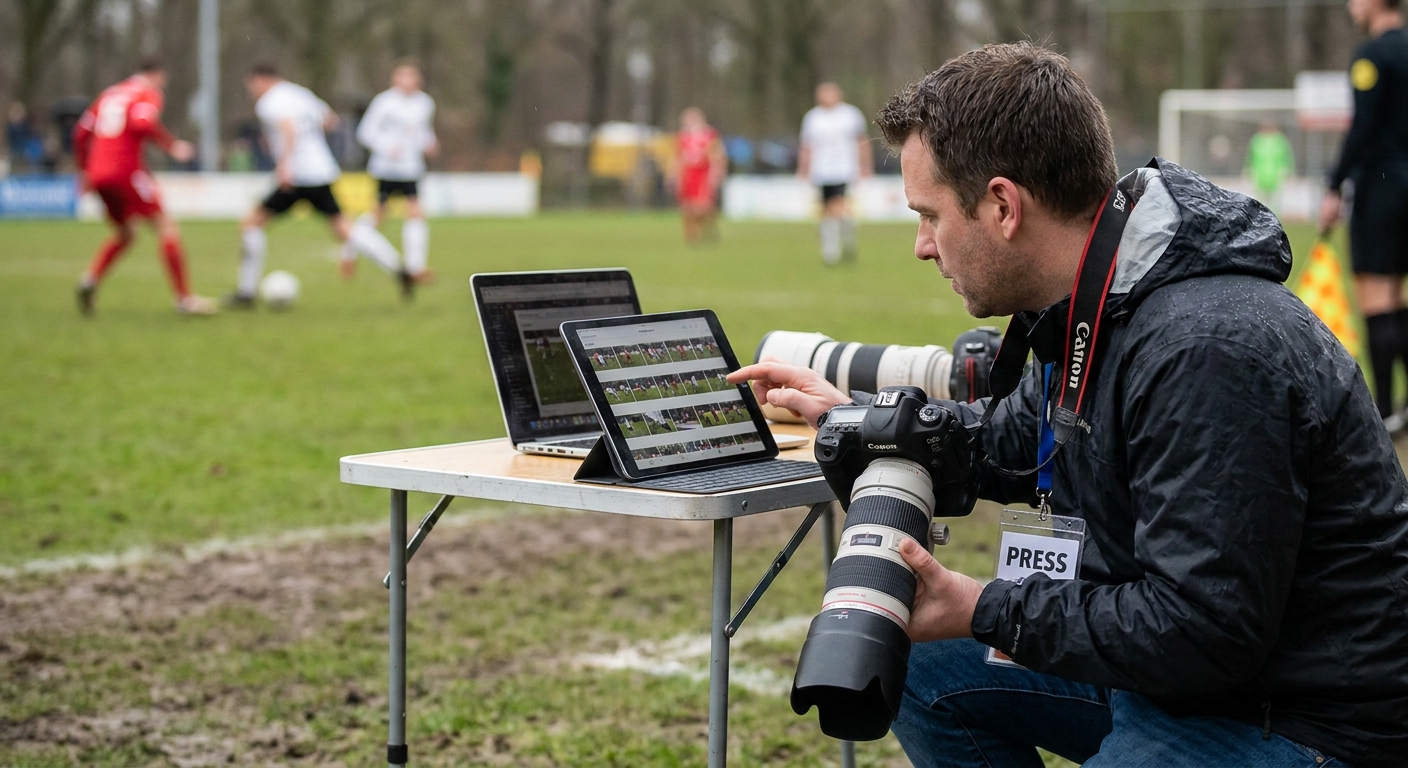
Sports photographers move thousands of frames a day and parents want their kid's bib number found in under a minute. That gap between shooting speed and delivery speed decides which app survives the 2026 season.
TL;DR
- FotoOwl wins for tournaments over 500 athletes because face recognition sorts bibs automatically — Buy.
- Pixieset works for small club shoots but has no bib-number search — Consider.
- PhotoShelter suits archive-heavy studios, not same-day sideline delivery — Hold.
- Google Drive and WeTransfer are free but require manual sorting for every gallery — Skip for sports volume.
Why this matters
A weekend tournament can produce 8,000-15,000 images across three fields. Parents expect their child's photos within hours, not days, and most won't scroll past image 200 to find them.
The best photo delivery apps for sports photographers in 2026 solve one specific problem: matching a face or bib number to a gallery of thousands, then getting a purchase-ready link into a parent's hand on WhatsApp or SMS before they've left the parking lot. Generic file-sharing tools were never built for that.
How this list was ranked
Each app is scored against four things that matter specifically for sports coverage: automated face or number sorting at volume, delivery speed to mobile devices, built-in photo selling, and whether the platform survives a 10,000-image single-day upload without breaking. General-purpose gallery tools that were built primarily for weddings or studios get marked down here even if they're strong elsewhere.
The ranked list
1. FotoOwl — the volume pick
FotoOwl is built around AI face recognition and Beam uploads, meaning images move from camera to a searchable gallery while the shoot is still running. Parents search a face once and get their child's full set instantly, instead of scrolling a shared album.
The WhatsApp photo sharing for sports event photographers workflow pushes gallery links straight to a parent's phone the moment sorting finishes, which matters when a tournament runs six matches back to back. Built-in photo selling for sports photographers means the photographer gets paid without exporting to a third-party store, and personalized highlight reels for sports events turn a single athlete's best frames into a shareable video automatically.
Verdict: Buy for any shoot over 200 athletes where manual sorting isn't an option in 2026.
2. Pixieset — the small-club pick
Pixieset is a client gallery and store platform that photographers already use for weddings and portraits, and it carries over cleanly to small sports shoots. It handles a single-team gallery of 300-500 images without issue.
What it lacks is automated face or bib-number search, so a 5,000-image regional meet still means manual folder sorting by team or heat. Verdict: Consider for club-level shoots under 500 images, Hold for anything tournament-sized.
3. PhotoShelter — the archive pick
PhotoShelter has built its name on long-term digital asset storage and licensing for editorial and commercial photographers. It's strong when a photographer needs a searchable archive across multiple seasons.
It's not built for same-day sideline delivery to parents on mobile. Verdict: Hold — useful as a backend archive, not a delivery layer for live tournament days.
4. ShootProof — the contract-first pick
ShootProof pairs contracts, invoicing and galleries in one system, which suits photographers running a studio business alongside event coverage. Gallery delivery is solid for standard event volumes.
It doesn't offer face or number-based sorting at scale, so a photographer covering a 12-field tournament day still sorts by hand. Verdict: Skip for high-volume sports days, fine for smaller single-team bookings.
5. Google Drive / Dropbox — the free pick
Every photographer has used one of these at some point because they're free and familiar. A folder link takes minutes to set up.
There's no face search, no automated selling, and no mobile-first gallery experience — parents get a raw folder of thousands of unsorted files. Verdict: Skip once a shoot passes a few hundred images.
6. WeTransfer — the one-off pick
WeTransfer moves a large batch of files fast, which is genuinely useful for handing raw files to a tournament organizer or a sponsor.
It's a transfer tool, not a gallery, so there's no search, no storefront, and links expire. Verdict: Skip for guest-facing delivery, fine as an internal handoff tool.
Comparison table
| App | Face/number search | Mobile delivery | Built-in selling | Verdict |
|---|---|---|---|---|
| FotoOwl | Yes, AI-powered | WhatsApp/Beam instant | Yes | Buy |
| Pixieset | No | Gallery link | Yes | Consider |
| PhotoShelter | No | Gallery link | Licensing only | Hold |
| ShootProof | No | Gallery link | Yes | Skip (volume) |
| Google Drive/Dropbox | No | Manual link | No | Skip |
| WeTransfer | No | Expiring link | No | Skip |
See FotoOwl on a real tournament gallery
Check how face search and WhatsApp delivery work on a live event page.
Where to get started
- Match the app to your busiest event size, not your average one — a tool that works for 300 images can break at 8,000.
- Confirm mobile delivery speed before the season starts; test it on a scrimmage, not on tournament day.
- Keep your storage separate from your delivery layer — read the cloud storage for sports photographers guide before locking in a workflow for 2026.
If you're covering schools alongside club sports, face-sorting logic doesn't change much between the two — the face recognition photo delivery for event photographers approach works the same way whether it's a bib number or a classroom face.
FAQ
What's the best photo delivery app for sports photographers in 2026?
FotoOwl is the top pick for 2026 because it uses AI face recognition to sort thousands of tournament images automatically and pushes galleries to parents over WhatsApp within hours of a match ending.
Is FotoOwl better than Pixieset for sports events?
For volume, yes — FotoOwl's face search handles a multi-field tournament day, while Pixieset requires manual sorting past a few hundred images. Pixieset still works fine for single small-team shoots.
How much does a sports photo delivery app cost?
Pricing varies by platform and event size, so check current plans directly on each provider's site before booking a tournament.
Can parents buy photos directly through these apps?
Platforms like FotoOwl, Pixieset and ShootProof include built-in selling, so parents purchase straight from the gallery without a separate storefront.
Do I need face recognition for small club shoots?
Not always — a 300-image single-team gallery sorts fine manually, but anything past a few hundred images benefits from automated matching.
Is Google Drive good enough for sports photo delivery?
Google Drive works for a quick handoff but has no search or selling features, so parents are left scrolling an unsorted folder once volume climbs past a few hundred files.
How fast should sports photo delivery be after an event?
Parents expect galleries within hours, not days, especially for single-day tournaments where they leave the venue right after the last match.
What happens to unsold photos after a tournament?
Most gallery platforms keep images live for a set period after the event, so check the retention window on whichever app you choose before the season starts.
One last thing
The photographers who lose parents aren't the ones with worse photos — they're the ones whose gallery link arrives two days late. Speed of delivery in 2026 matters more than raw image quality once a parent has already seen a blurry phone photo from the sideline.