
Is QR code photo sharing secure for wedding guest uploads?

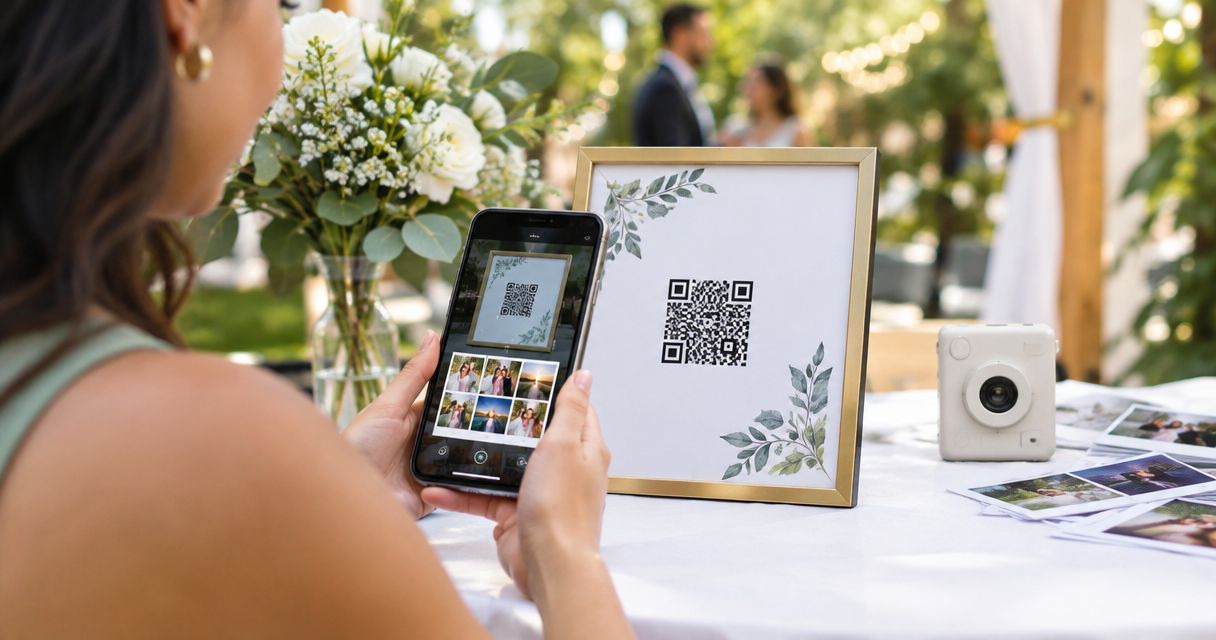
Yes—QR code photo sharing is secure for wedding guest uploads only when the destination protects access, separates uploading from browsing, and lets your studio control publication. The QR code itself adds no access protection: anyone who photographs or receives it can open the encoded link. For your 2026 weddings, judge the upload workflow—not the printed square.
TL;DR
- QR code photo sharing security depends on destination permissions, not the QR code itself.
- Keep guest uploads separate from approved wedding photo delivery; review submissions before publishing.
- Fotoowl serves professional wedding photographers; verify guest-upload security controls before choosing a workflow.
- Test forwarded links, direct photo links, and access after closure before printing wedding QR cards.
Why this matters
As the photographer, you need guest contributions without turning the wedding collection into an unrestricted shared folder. A guest should not receive permission to browse private portraits, delete another person's upload, or change your gallery simply because they scanned a table card.
Start with the intended experience in QR code photo sharing for wedding guests, then test the permissions behind it. For a multi-function Indian wedding, decide whether contributions from the mehendi, sangeet, ceremony, and reception belong together before distributing the link.
Treat every publicly displayed QR code as a link that can leave the venue. Design access around that assumption rather than asking guests not to forward it.
Is QR code photo sharing secure for wedding guest uploads?
Yes, provided the upload destination enforces the permissions you intend. Use the following comparison to distinguish convenient collection from controlled collection; these are workflow choices, not claims about any particular provider.
| Upload approach | Best for | Advantage | Limitation | Recommendation |
|---|---|---|---|---|
| Open shared folder with editing access | A trusted, limited contributor group | Simple contribution and collaboration | Editing permissions can expose more control than guests need | Avoid for a publicly displayed wedding QR |
| Upload-only collection | Guest contributions without collection browsing | Separates submission from access to other files | You still need file checks and a publication process | Prefer when broad guest contribution is required |
| Authenticated, moderated collection | Weddings requiring tighter contributor control | Adds an identity check and review before publication | Sign-in adds friction and does not prevent every misuse | Prefer when privacy outweighs unrestricted participation |
An upload-only interface is not enough by itself. Test whether the service also blocks unauthorised access through direct file links and other routes, rather than merely hiding the gallery button.
For a 2026 booking, document what you actually verified. A successful upload proves the collection works; it does not prove other guests' photographs remain private.
Why QR code photo sharing security varies
The same printed code can lead to very different levels of exposure. These factors determine what happens after someone scans it:
- Link distribution: A code on a public sign is available to more people than a link sent to a defined contributor group. Neither prevents forwarding.
- Identity checks: A shared password restricts entry, but it identifies possession of the password—not necessarily an invited guest.
- Permission boundaries: Uploading, viewing, downloading, deleting, and administering are different actions. Grant only the actions each role needs.
- File handling: Server-side file validation, upload limits, and checks for harmful content help protect the collection endpoint.
- Publication review: Holding submissions for approval prevents an upload from automatically becoming a public display item.
- Retention and closure: A collection needs a defined end point, including what happens to its links, source files, and retained copies.
These controls address different problems. Encryption during transfer does not stop an authorised viewer from saving a photo, and moderation does not establish who submitted it.
How do you set up a safer wedding guest upload workflow?
Use this 6-step checklist before distributing the QR code. It is a setup recommendation, not a claim that every gallery service offers these controls.
1. Define access
Write down who can contribute, who can view, and who can manage submissions. Keep studio administration separate from guest participation, and agree with the client who approves material for release.
For your 2026 workflow, also name the person who handles removal requests. A clear owner prevents requests from being passed between your editor, planner, and client while a photograph stays visible.
2. Separate collection
Send guest uploads into a collection area rather than directly into the photographer's finished delivery gallery. Keep the originals you deliver under studio control.
For a wedding with several functions, use separate collections where the chosen service supports them. Otherwise, organise submissions during review; do not assume a single shared destination preserves event boundaries.
3. Verify permissions
Run 3 permission checks: uploading, viewing, and managing. A guest account should perform only the actions you approved, including when someone opens a direct photo link rather than the main collection page.
Use 2 separate browser sessions: an authenticated studio session and a signed-out guest session. A private browsing window helps reveal permissions accidentally hidden by your administrator login, but it is not a substitute for testing the service's actual access rules.
4. Review submissions
Require review before guest photographs enter a shared gallery or reception display. Check for private moments, unwanted portraits, inappropriate content, and accidental uploads unrelated to the wedding.
Keep moderation separate from technical file checks. A valid image file can still be unsuitable to publish, while a friendly filename does not establish that a file is safe.
5. Explain use
Place a short notice at the upload destination explaining who receives submissions, whether other guests can view them, and how to request removal. State whether approved photos are intended for a private collection, a live display, or another agreed use.
Do not treat participation as blanket permission for studio marketing. Obtain the permissions needed for the intended use, and seek qualified advice for legal wording rather than relying on the QR card alone.
6. Close collection
Agree an upload closing date with the client and communicate it before the wedding. After collection ends, disable new submissions where supported and test the old link again.
Keep closure distinct from deletion. Stopping uploads does not necessarily remove previously shared files, revoke viewing links, or erase retained copies; confirm each action separately.
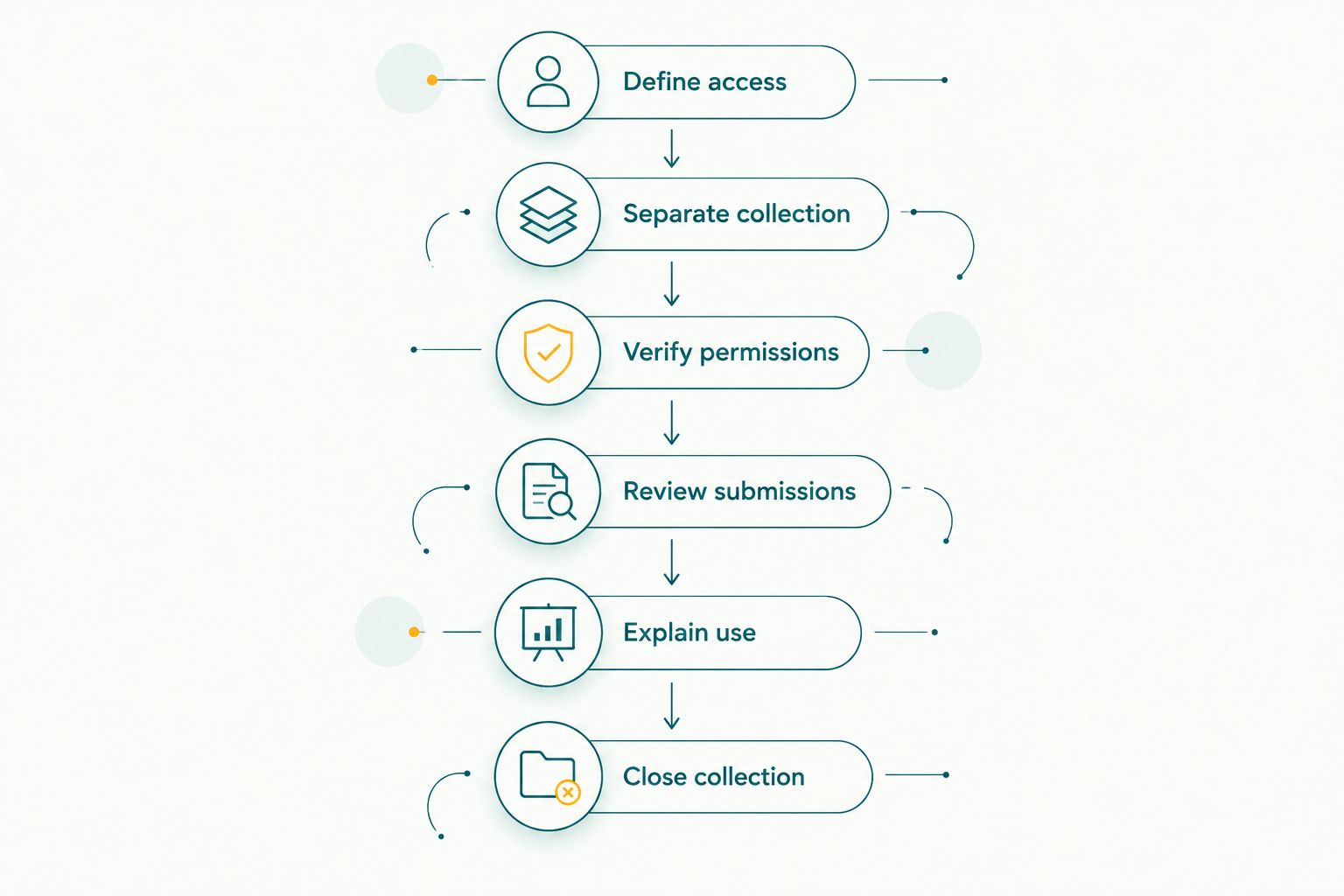
Set access rules before collection, and test closure after contributions end.
What should you check before choosing a gallery provider?
Ask the provider to demonstrate the workflow you plan to sell, using a guest session rather than an administrator account. Security descriptions should explain what a control does and where it applies.
Use these questions during your 2026 evaluation:
- Can contributors upload without browsing other submissions?
- Does access protection apply to original files and direct download links?
- Can you revoke a contributor's access without disrupting the whole event?
- Are file types and upload sizes checked on the server?
- Can submissions remain unpublished until a studio reviewer approves them?
- What happens to files, associated data, and backups after deletion?
A missing control does not automatically make a service unsuitable. It changes the workflow you can responsibly offer: if private collection cannot be demonstrated, do not describe the collection as private.
Fotoowl is best for professional wedding and event photographers seeking AI-powered gallery delivery. Its AI Gallery supports photo and video delivery with face recognition; that product description alone does not establish guest-upload permissions, moderation, or deletion behaviour.
Keep the product fit and the security decision separate. Fotoowl's photo gallery capabilities address delivery and discovery, while guest-upload security requires verification of the exact collection setup you intend to use.
Can someone outside the wedding upload through a forwarded QR code?
Yes—someone outside the wedding can reach a destination through a forwarded QR code or its underlying link. Whether that person can upload depends on the destination's authentication and permissions.
If the link itself grants entry, possession of the link is effectively the admission rule. A password sent alongside it adds a barrier, but forwarding both passes that barrier to another person.
For restricted weddings, choose a workflow that verifies contributors against the access policy you agreed with the client. If that is not practical, describe the arrangement accurately as link-based collection with review, not verified guest-only access.
Does HTTPS make wedding guest uploads private?
No—HTTPS protects data in transit between the browser and the destination, but it does not decide who is allowed to view the uploaded photos. An encrypted connection can still deliver a publicly accessible gallery.
Check the destination hostname before printing the QR code, and inspect signs for replacement stickers during the event. HTTPS also works on deceptive websites, so the presence of an encrypted connection is not proof that a page belongs to your chosen provider.
Does face recognition stop guests from seeing other people's photos?
No—face recognition finds matching photographs; access permissions determine which photographs a person can retrieve. Search results are not automatically an access boundary.
A group portrait also contains several people's faces. Decide whether those photographs are appropriate for guest access, and test whether a viewer can bypass the intended search experience by opening another gallery or file link.
Fotoowl's photo gallery platform includes face recognition, but do not turn that feature into an unsupported privacy promise. Evaluate discovery and access control as separate requirements.
What should your studio do if the QR link is misused?
Prepare a response before the event rather than improvising after an unwanted upload appears. Keep the collection owner and client contact clear in your studio handover.
If misuse occurs, follow this sequence:
- Contain access: Pause uploads or revoke the affected link where the service allows it. Check whether viewing access also needs to stop.
- Remove exposure: Unpublish inappropriate material and check connected displays or shared collections. Record the relevant file and event details without circulating the images further.
- Notify the right people: Inform the studio lead and client, then establish what happened with the provider. Follow applicable reporting obligations with qualified advice.
- Restore carefully: Reopen collection only after testing the revised access route. Update printed signs and digital messages if the destination changed.
Removing a photograph from the gallery does not retrieve copies already downloaded or captured. That is why controlling initial publication matters more than relying on deletion afterwards.
FAQ
Is QR code photo sharing secure for wedding guest uploads in 2026?
QR code photo sharing is secure only when the destination enforces suitable access, upload, and publication controls. The code itself does not authenticate guests or make the collection private.
Can anyone with a screenshot of the wedding QR code use it?
Anyone with a readable screenshot can open the encoded destination. Whether they can upload or view photographs depends on the destination's permissions.
Is a password enough to protect a wedding upload gallery?
A shared password is not proof that a visitor is an invited guest. It adds an access barrier, but someone can forward the password together with the link.
Can wedding guests upload without seeing everyone else's photos?
Guests can upload without browsing other photos when the service enforces upload-only permissions. Test direct photo links as well as the visible collection page before promising this separation.
Should guest uploads appear automatically on a reception slideshow?
Review guest uploads before they appear on a reception slideshow. Automatic publication removes the opportunity to catch private, unrelated, or inappropriate submissions before guests see them.
Does disabling downloads stop guests from copying wedding photos?
Disabling downloads does not prevent screenshots or photographs of a screen. Use access restrictions to limit the audience, and publish only material appropriate for that audience.
Does deleting the QR code close the upload collection?
Deleting the printed or digital QR code does not disable its destination. Close or revoke access through the collection service, then test the previously distributed link.
One last thing
The most useful final test is a forwarded link. Before your next 2026 wedding, open the guest destination on a device that has never signed into your studio account and attempt actions an uninvited recipient should not perform.
Check another guest's photograph, a direct file link, and access after closure. If the result differs from your client promise, change the permissions or narrow the promise before printing the cards.