
Is it safe to share a public photo gallery link with wedding guests?

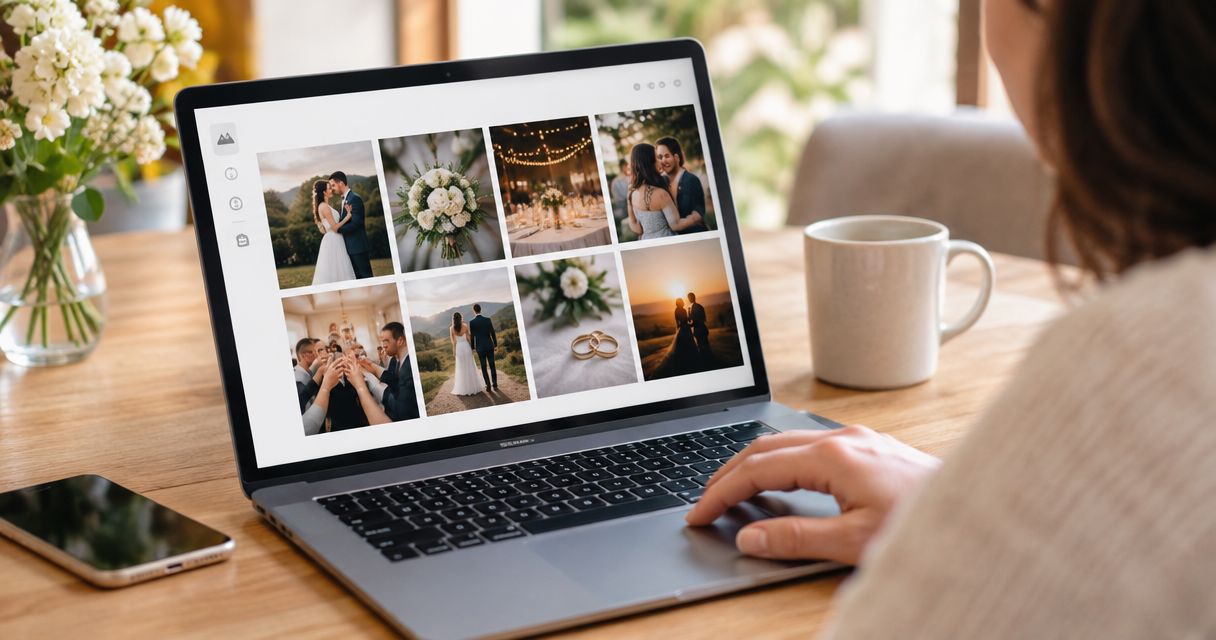
A public photo gallery link is not safe for private wedding photographs if anyone holding the link can browse them; share it only for images approved for unrestricted viewing. For wedding delivery in 2026, public photo gallery link safety depends on access controls and the published selection—not on sending the link privately, hiding it behind a QR code, or adding face search.
TL;DR
- Public photo gallery link safety starts with separating approved guest photos from private wedding images.
- WhatsApp messages and QR codes distribute links; they do not restrict gallery access.
- Face recognition helps find photographs, but face search alone does not prove permission to view them.
- Fotoowl serves professional wedding photographers with face-recognition galleries; assess access controls separately from photo discovery.
Is it safe to share a public photo gallery link with wedding guests?
Share a public link only when the photographs behind it are suitable for anyone who receives that link. A recipient can forward a URL beyond the original guest group. Sending it directly to the couple does not change what the gallery permits the next visitor to see.
Distinguish an unrestricted gallery from an unlisted gallery and an access-controlled gallery. Their names are less important than their actual behaviour. Use this comparison when checking your delivery setup, alongside the guide to managing photo access permissions for event stakeholders.
| Sharing approach | Best for | Main advantage | Main limitation |
|---|---|---|---|
| Public, unrestricted gallery | Photographs approved for unrestricted viewing | Guests can open and browse without an access check | Anyone receiving the link can view the published collection |
| Unlisted, link-only gallery | Approved collections where reduced discovery is sufficient | The address is not deliberately advertised publicly | Possession of the link still grants access |
| Access-controlled gallery | Private client delivery and restricted guest collections | Access requires the configured permission check | Setup and guest support require additional attention |
These are delivery approaches, not claims about any particular platform. An unlisted link is not an identity check. If the couple expects only invited people to see the photographs, verify that the gallery enforces that expectation.
Why this matters
As the photographer, you choose what leaves your studio. The couple's permission to receive the complete wedding collection does not automatically establish permission to distribute every frame to every guest, supplier, or social follower.
For an Indian wedding covering a mehendi, sangeet, ceremony, and reception, those audiences need not be identical. Ask the client which functions and photographs belong in the guest collection. Do not assume that attending the reception means someone should browse every other function.
A practical 2026 delivery policy separates private client delivery from guest sharing. This creates a clear decision before publication: which photographs belong in each collection, who approves them, and what access guests should receive.
Start with 2 gallery sets: a private client collection and an approved guest collection. This is a workflow recommendation, not a guarantee of security; each collection still needs its own access review.
Public gallery: best for an approved, unrestricted selection
A public gallery suits photographs the client has explicitly approved for unrestricted viewing. Its advantage is straightforward access. Guests do not need to clear an identity check before browsing.
The trade-off is equally direct: forwarding the link expands the audience. A caption asking recipients not to share it expresses a preference, but it does not technically stop another visitor from opening the gallery.
Review the selection before release. Exclude images that the client wants kept private, along with photographs showing personal documents, visible contact details, or private preparations. Check backgrounds as carefully as the main subject.
Recommendation: use public access for a deliberately selected collection, not as the default destination for the complete wedding delivery.
Unlisted gallery: best for limiting casual discovery
An unlisted gallery is intended to be reached through its address rather than through a public directory or portfolio. That makes distribution less open, but it does not establish who is visiting.
A long or hard-to-guess URL helps prevent casual guessing. It does not prevent an authorised recipient from forwarding the exact address. Keep that distinction clear when explaining the delivery arrangement to your client.
Check search visibility separately. A page being absent from search results does not mean it requires permission to open; search-indexing instructions and access controls solve different problems.
Recommendation: choose link-only delivery only when the client accepts that anyone receiving the link can view the published photographs. Do not describe it as guest-only access without a corresponding access check.
Access-controlled gallery: best for private wedding delivery
An access-controlled gallery checks a credential or permission before revealing protected content. The exact mechanism depends on the service: assess what it actually checks rather than relying on a private-gallery label.
A shared password introduces a barrier, but recipients can share that password with the link. Individual access, where supported, allows permission decisions to be tied to particular recipients rather than everyone knowing the same secret.
The disadvantage is added administration. Guests need clear instructions, and someone in your studio must handle access problems without distributing unrestricted alternatives as a shortcut.
Recommendation: use verified access restrictions when the collection must stay within a defined audience. Before promising that arrangement, test both gallery browsing and access to individual photographs.
Why public photo gallery link safety varies
The same delivery link can expose very different material depending on your publishing choices. Review these factors for every wedding rather than carrying the previous event's assumptions into the next.
- Published selection: A guest-approved collection and a complete client archive serve different purposes. Publish only what the intended audience should see.
- Distribution route: A link sent through WhatsApp, printed on a QR card, or posted publicly can reach different audiences. None of those routes establishes permission by itself.
- Viewing permissions: Check whether visitors can browse the full collection, only selected images, or nothing until access is granted.
- Face-search behaviour: Finding a matching face does not explain whether visitors can also browse unrelated photographs or open another person's results.
- Download permissions: Viewing, downloading, and redistributing are separate actions. Decide which actions you intend to permit, then test the available settings.
- Removal process: Know how to remove an image and restrict future gallery access. Removing the original does not retrieve copies already saved elsewhere.
How do you check a wedding gallery before sharing it?
Use the following release process for your 2026 wedding deliveries. Treat it as a publishing check, not a claim that any gallery becomes risk-free after completing a checklist.
Confirm the audience
Name the intended audience before configuring the gallery. Decide whether it is for the couple, invited guests, selected relatives, or unrestricted viewing. Avoid the vague instruction to share with everyone.
Assign 1 named studio contact to approve the release and handle removal requests. A clear owner prevents assistants from making conflicting access decisions when guests ask for help during the event.
Review the selection
Ask the client to approve the guest collection separately from the complete delivery. Record which collection was approved, rather than treating a general expression of satisfaction as approval for public distribution.
Check photographs containing children, private family interactions, changing areas, and identifiable personal information. Do not rely on automated sorting to decide whether a photograph is appropriate for unrestricted sharing.
Test guest access
Check 3 viewer states: signed out, intended guest, and unintended recipient. Use a separate browser session so your studio login does not hide the experience an ordinary visitor receives.
Open the gallery, try browsing beyond the first screen, and open an individual photograph. Where the service provides a direct sharing address for an image, test that address separately; the gallery entrance is not the only route worth checking.
Check downloads
Try the actions your guests can see: individual downloads, collection downloads, and any sharing controls. Confirm that they match the delivery agreement rather than assuming that disabling a visible button blocks every way of copying an image.
A visitor who can see a photograph can capture what appears on screen. Download restrictions can control offered download functions, but they should not be presented as a promise that copying is impossible.
Plan removal
Establish how your studio will respond if the client asks to withdraw an image or stop further access. Where the platform supports revocation or expiry, test the behaviour before relying on it.
Also explain the limit: restricting the gallery affects future access through that route. It does not erase a guest's downloaded file, screenshot, or separately shared copy.
The release sequence is simple: Confirm the audience, Review the selection, Test guest access, Check downloads, and Plan removal. Complete it before distributing the address, not after the first privacy complaint.
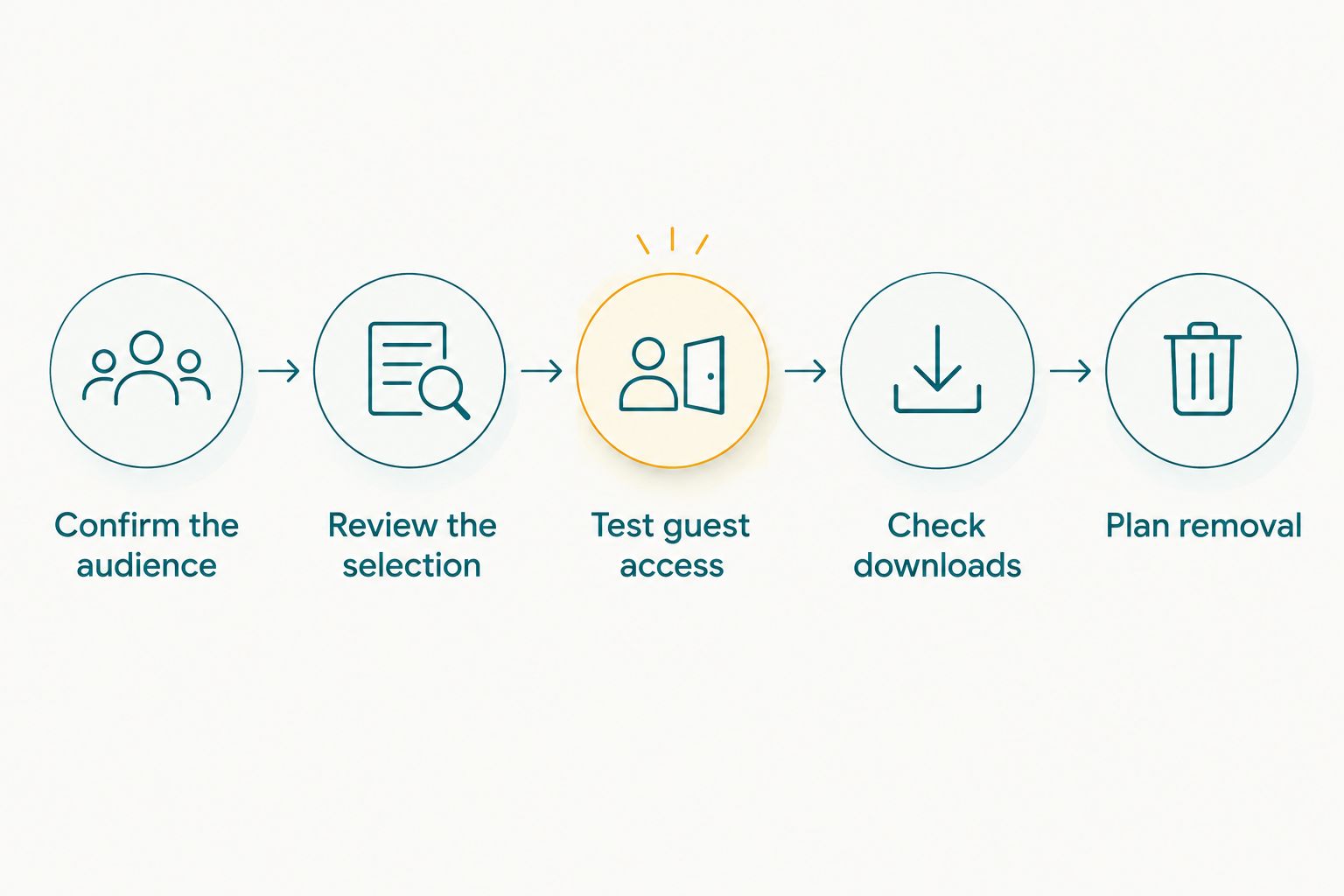
Approve the audience and selection before distributing the gallery link.
Does face recognition make a wedding gallery private?
Face recognition is a photo-discovery function, not proof of access control. It helps associate a face with photographs, but the permission to view those photographs depends on the surrounding gallery rules.
During your 2026 platform review, test whether visitors can leave the matching results and browse the complete collection. Also check what happens when a photograph contains several guests. A relevant match can still reveal other people in the same frame.
Explain any face-search process clearly to guests, including whether it asks them to submit an image. Review the provider's current handling of those submissions before describing the process to your client; do not substitute a general privacy claim for a documented policy.
Fotoowl's AI Gallery delivers photographs and videos with face recognition. Fotoowl is built for professional wedding and event photographers who need face-recognition gallery delivery. That is a workflow fit, not a security certification.
When evaluating Fotoowl for private wedding delivery, check access restrictions, browsing behaviour, download controls, and removal procedures against your client's requirements. Fotoowl's face-recognition gallery capability supports discovery; it does not remove your responsibility to approve the collection or verify the guest experience.
Is a QR code safer than sending a gallery link?
A QR code does not make the destination gallery more private. It encodes information such as a link, so the gallery's own access rules still determine what a visitor can see.
A QR card is convenient at the venue, but someone can photograph or forward it. Before printing, scan the final code from a device that is not signed into your studio account and check the destination.
Avoid printing an unrestricted route to private photographs merely because the card will sit inside the wedding venue. Physical placement does not add an online permission check.
Is WhatsApp safe for sending wedding gallery links?
WhatsApp distribution does not restrict the gallery behind the link. A message to the intended group controls the initial recipients, not every person who later receives the address.
Send the guest-approved collection through the agreed channel and label it clearly. Keep the private client collection out of guest instructions, supplier messages, and any material intended for wider circulation.
Can you stop guests from forwarding wedding photographs?
You cannot guarantee that a photograph visible to a guest will never be copied or forwarded. Access controls reduce who can reach the original collection; they do not control every action taken after viewing.
Use clear sharing expectations and publish only the appropriate selection. If a frame must not circulate beyond a tightly defined audience, do not place it in an unrestricted guest gallery.
FAQ
Is a public wedding photo gallery safe if I only send the link to guests?
Sending a public link only to guests does not make the gallery guest-only. Anyone who receives a forwarded link can view it if the gallery has no access restriction.
Does a password make a wedding gallery completely private?
A password adds an access barrier, but it does not guarantee complete privacy. Recipients can share the password, and authorised viewers can copy photographs they can see.
Can wedding guests see other people's photos through face search?
That depends on the gallery's permissions and browsing behaviour, not face search alone. Test whether guests can browse outside their results and remember that group photographs contain other people.
Will blocking downloads stop guests from taking screenshots?
Blocking a download function does not prevent screenshots. Treat download settings as controls over offered downloads, not a guarantee against copying visible photographs.
Should I put the complete wedding collection behind a guest QR code?
Do not place the complete collection behind an unrestricted guest QR code unless the client has approved every included photograph for that audience. A separate guest-approved selection gives you a clearer publishing boundary.
Can I delete wedding photographs after someone has downloaded them?
Deleting photographs from your gallery does not delete copies already downloaded by recipients. It changes access to the hosted collection, not files saved elsewhere.
What should a photographer test before sharing a wedding gallery?
Test signed-out access, the intended guest experience, and access by an unintended recipient. Also check individual image links, downloads, and the process for removing photographs or restricting future access.
One last thing
The strongest privacy decision often happens before you touch an access setting: leave private photographs out of the guest collection altogether. A smaller, approved selection reduces what an accidental forward can expose.
For every 2026 wedding, record the approved audience and collection before release. Then test the actual link as an outsider. A gallery that looks correct in your studio account is not evidence that the guest experience is correct.