
Manage Photo Uploads From College Fest Volunteers 2026

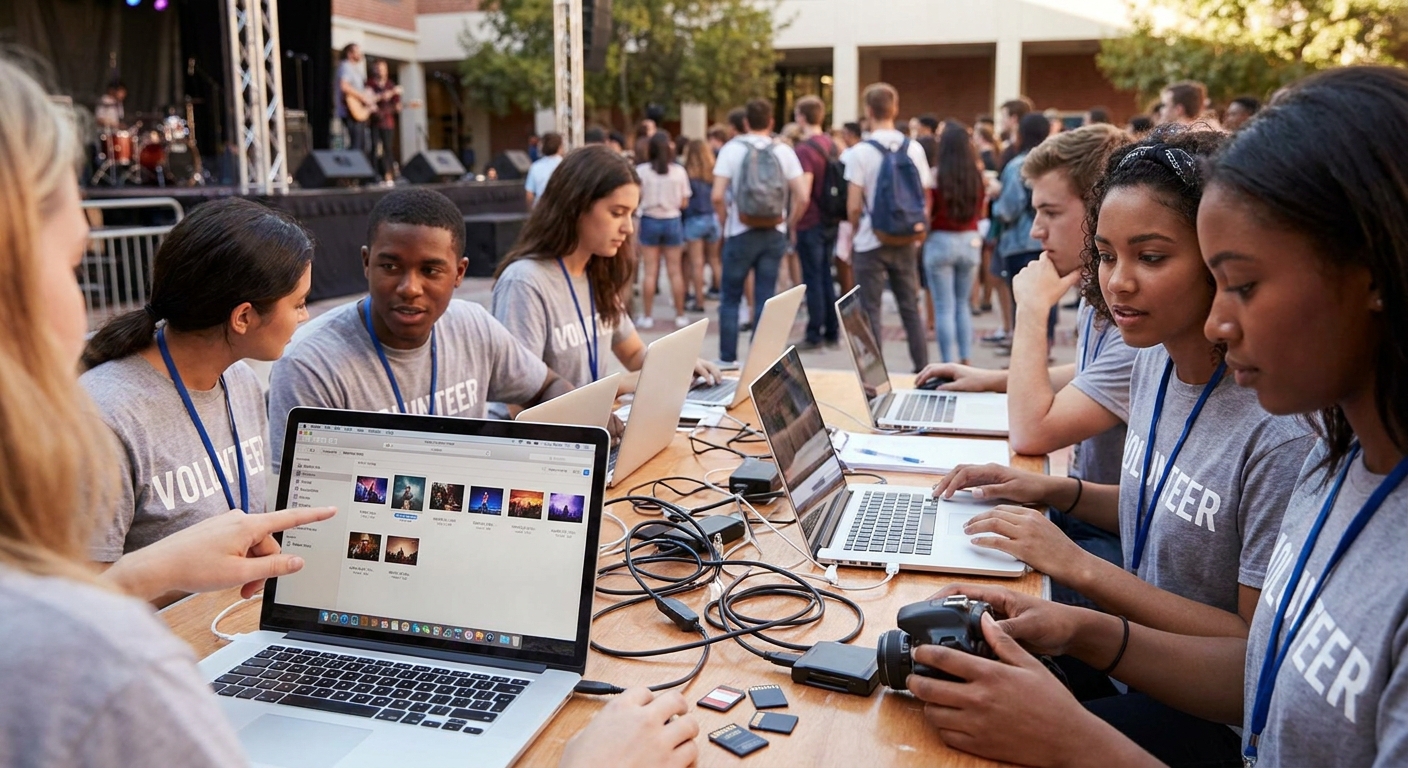
College fest photo coverage means 15-40 volunteers scattered across stages, food stalls, and cultural blocks, all shooting on personal phones with zero shared workflow — this guide sets up the upload pipeline that keeps every one of those photos organized, findable, and delivered before the fest hashtag goes cold.
TL;DR
- Route every volunteer upload through one WhatsApp or Beam link tied to a single event gallery — no group chats, no scattered Drive folders.
- Face recognition sorting cuts manual tagging time for a 2,000-photo fest gallery from days to under an hour in 2026 setups.
- QR codes at each stage or stall let volunteers and attendees both contribute to the same gallery instantly.
- Auto cloud backup on upload prevents the single biggest loss point: a volunteer phone getting wiped before photos sync.
- Watermark and lock the gallery before public release, or expect fest photos leaking on Instagram hours ahead of the official drop.
Why this matters
A college fest is not a wedding with one photographer and a clear shot list. It's 6-10 simultaneous events — main stage, DJ night, food court, sports meet, a fashion show — each with its own volunteer shooter and its own phone.
Without a shared upload system, photos end up split across five WhatsApp groups, three Google Drive links, and whatever a volunteer decided to text the fest committee directly. By the time someone tries to compile a highlight gallery, half the photos are missing, duplicated, or compressed into unusable low-res forwards.
The fix isn't more supervision. It's one upload channel, one gallery, and automation that sorts photos as they land instead of after the fest ends.
What you'll need
- One central gallery link created before the fest starts, not during it
- A WhatsApp or Beam upload number volunteers can send photos to directly from their phones
- QR codes printed and posted at each stage, stall, or zone volunteers are assigned to
- A face recognition-enabled gallery so attendee tagging happens automatically, not by volunteer memory
- A watermark template with the fest name and year, applied before any public release
- A designated gallery admin — one person, not a committee, who owns the dashboard during the event
- 2-3 hours of setup time the week before the fest, not the morning of
The steps
1. Create one central gallery before volunteers arrive
Set up the event gallery at least 48 hours before the fest opens. Every volunteer needs the same link or upload number from hour one — retrofitting a shared system on day two of a three-day fest means half the photos taken on day one never make it in.
A platform like Fotoowl lets you spin up the gallery, generate the upload channel, and test it with one volunteer before the full team gets the link.
Common mistake: creating separate galleries per stage or per day. Attendees want one place to find every photo of themselves across the whole fest — splitting galleries multiplies confusion and cuts your final photo count per attendee search.
2. Assign one upload channel per volunteer, not per event
Give each volunteer a direct WhatsApp or Beam upload link tied to their name or zone, feeding into the same master gallery. This does two things: it lets you trace low-quality or duplicate batches back to a specific volunteer, and it means no volunteer has to figure out which of five links to use.
Read the setup pattern in guest photo upload setup for school events — the same volunteer-to-channel logic applies directly to fest crews.
Common mistake: one shared group upload number for all 20-plus volunteers. Uploads flood in out of order, duplicates spike, and nobody can tell which stage a batch came from.
3. Post QR codes at every stage and stall
QR codes solve the problem WhatsApp links can't: attendee self-contribution. A QR code posted at the main stage or the food court lets attendees upload their own shots straight into the gallery, which fills coverage gaps volunteers physically can't reach.
Fest crowds move fast and volunteers can't be everywhere — QR-based crowd contribution is what closes that gap.
Common mistake: printing one QR code for the whole fest instead of one per zone. A single code creates a bottleneck around whichever poster people happen to scan most, and you lose the ability to see which zones are under-covered.
4. Turn on face recognition sorting from day one
With 20-plus volunteers uploading continuously, manual tagging is dead on arrival. Face recognition sorts every incoming photo by the faces in it, so a student can search their own name or upload a selfie and pull every photo they appear in across three days of chaos — without a volunteer ever tagging a single image.
This is the same sorting logic covered in face recognition photo sorting for school events, and it scales the same way for a 5,000-attendee fest as it does for a 500-student school event.
Common mistake: turning face recognition on halfway through the fest. Photos uploaded before activation don't get indexed unless the platform runs a full re-scan, so activate it before the first upload lands.
5. Apply a watermark before anything goes public
Fest photos leak fast — someone screenshots an unwatermarked preview and it's on Instagram before the official gallery drops. A watermark with the fest name and 2026 date on every photo protects both the fest brand and whoever's shooting the event professionally.
Set the watermark template once, at gallery creation, so it applies automatically to every incoming upload rather than requiring a manual pass later.
Common mistake: watermarking only the final curated set. Volunteers' raw uploads sit unprotected in the gallery the entire time they're being sorted, which is exactly when leaks happen.
6. Back up to the cloud automatically, not manually
Volunteer phones get lost, wiped, or run out of storage mid-fest, and manual backup means someone has to remember to do it during a three-day event where nobody has spare attention. Automatic cloud backup on upload means the photo is safe the second it lands in the gallery, regardless of what happens to the phone that took it.
Common mistake: relying on volunteers to back up their own camera rolls at the end of each day. By day two, most won't, and the ones who do forget which folder they used.
7. Monitor the upload dashboard in real time
Assign one admin to watch the gallery dashboard during the fest, not after. A live view of which zones are uploading and which have gone quiet for two hours tells you exactly where to redirect a volunteer before you've lost coverage of an entire segment.
Common mistake: checking upload volume only at the end of each day. By then a dead zone has already cost you the entire afternoon set from the main stage.
8. Close the gallery and export a bulk archive after the fest
Once the fest wraps, lock new uploads and export a full-resolution archive for the college's records, sponsors, or the media team. Bulk export in one pass beats hunting down individual volunteer folders three weeks later when someone finally asks for the sponsor banner shots.
The same close-out logic is detailed in managing multiple photographers on one event gallery, which covers export and handoff once the shooting stops.
Set up your fest gallery today
Get one upload channel, face recognition sorting, and cloud backup live before the fest starts.
Troubleshooting
- Duplicate uploads flooding the gallery — a volunteer or attendee resent a batch. Enable duplicate detection at the gallery level so repeat uploads get filtered automatically instead of clogging the review queue.
- Low-resolution or compressed photos — usually caused by uploading through a standard messaging app that compresses images on send. Route uploads through a dedicated upload channel like a WhatsApp Beam integration, which preserves original resolution.
- Volunteers uploading to the wrong link — happens when multiple galleries exist for the same fest. Consolidate to one master gallery and reissue a single link 24 hours before the fest starts.
- Spotty campus wifi killing uploads mid-fest — set upload channels to queue and retry automatically rather than fail silently, so photos taken in a dead zone still land once signal returns.
- Photos leaking before official release — the watermark or access lock wasn't applied at upload time. Lock public gallery access until curation is done, and apply the watermark template at creation, not before publish.
- Missing coverage from a remote stage or stall — no QR code was posted there and no volunteer was assigned. Audit zone coverage the morning of day one, not after a segment is already missed.
Tools and resources
- Central AI photo gallery to hold every volunteer and attendee upload in one place
- WhatsApp/Beam upload channel — see the pattern in best WhatsApp photo sharing tools for event photographers
- QR code stations per zone — the same setup used in QR code photo sharing for music festivals applies directly to college fest stages and stalls
- Face recognition sorting to auto-index attendee photos without manual tagging
- Watermark templates to lock branding into every photo before public release, detailed in how to add a watermark to event photos before delivery
- Automatic cloud backup so no volunteer's phone is a single point of failure
What to do next
Once the upload pipeline is running, the next problem is coordinating the volunteers themselves across the gallery — who's covering what, and how their uploads merge without stepping on each other. The coordination layer that sits on top of the upload system built here is worth setting up next.
FAQ
What's the best way to manage photo uploads from college fest volunteers?
The best way is one central gallery fed by a single WhatsApp or Beam upload channel per volunteer, with face recognition sorting turned on from the start. This avoids the scattered folders and duplicate uploads that come from multiple group chats.
How many volunteers can upload to one gallery at once?
Cloud-based galleries with automatic sorting handle uploads from 20-plus volunteers simultaneously without manual intervention in 2026 setups. The limit is usually campus wifi bandwidth, not the gallery platform itself.
Is QR code upload better than WhatsApp for fest photos?
QR codes are better for attendee self-contribution at fixed zones, while WhatsApp or Beam links work better for volunteers moving between stages. Most fest galleries in 2026 use both feeding into the same gallery.
How do you stop duplicate photo uploads during a fest?
Duplicate detection at the gallery level filters repeat uploads automatically as they land, rather than requiring manual review afterward. This matters most during high-volume moments like the main stage headliner set.
Should fest photos be watermarked before volunteers see them?
Yes, apply the watermark template at gallery creation so every incoming upload is protected immediately, not after curation. Unwatermarked raw uploads are the most common leak point during a live fest.
How much does it cost to set up a fest photo gallery in 2026?
Cost varies by platform and guest volume, so check current pricing directly with the provider you choose. Factor in whether face recognition and unlimited volunteer uploads are included at your tier.
Can attendees find their own photos without tagging?
Yes, face recognition lets attendees search by their own face or a selfie to pull every photo they appear in across the fest. No volunteer tagging is required once the feature is active.
What happens to fest photos if a volunteer's phone breaks?
Nothing is lost if automatic cloud backup is enabled, since photos sync to the gallery the moment they're uploaded rather than sitting only on the device. Manual end-of-day backups leave a gap this closes.
One last thing
The fest that loses the fewest photos in 2026 isn't the one with the most volunteers — it's the one where every volunteer uploads into the same gallery from minute one, because retrofitting a shared system on day two always costs you day one's photos permanently.