
Employee Photo Gallery for Town Hall Events (2026 Guide)

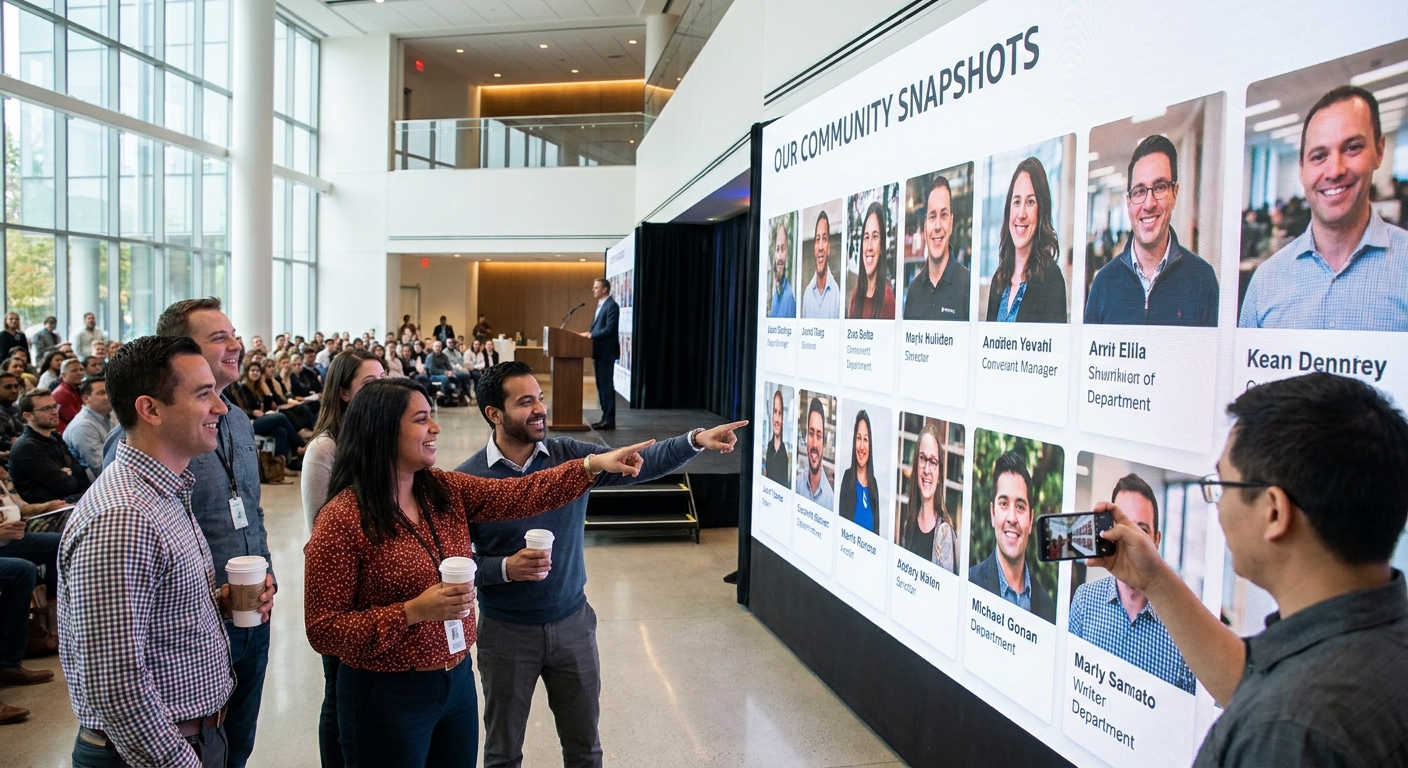
Company town halls used to end with someone emailing a shared Dropbox link three days later, half the photos missing and nobody sure who took them. An employee photo gallery for town hall events fixes that by turning every phone in the room into a contributor and delivering a searchable, face-sorted gallery before people leave the building.
TL;DR
- FotoOwl's AI photo gallery software for corporate events is the safe pick for town halls with face-recognition sorting and instant sharing.
- QR code photo sharing is the fastest setup for a single all-hands with no app download required.
- Bulk photo download tools matter most for HR and comms teams who need the full archive, not just highlights.
- Skip generic cloud folders for any town hall over 200 employees — search and sorting collapse fast.
Why this matters
A town hall isn't a wedding or a concert, but the photo problem is the same: hundreds of people, one event window, and a comms team that needs usable images fast for the intranet, LinkedIn, and the next all-hands recap deck. Employees also want their own faces findable in a pile of 800+ shots without scrolling through leadership headshots for ten minutes.
Most companies still run this through a shared drive or a single photographer's SD card. That works for a 30-person team meeting. It falls apart the moment attendance crosses a few hundred people or the event spans multiple floors, offices, or a hybrid stream. An AI photo gallery software for corporate events built for face sorting and instant delivery solves the volume problem that generic storage tools were never designed for.
Who this is for
This guide is for internal comms managers, HR event leads, and workplace experience teams running quarterly or all-hands-style town halls for 200 to 10,000+ employees, hybrid or in-person, who need photos sorted, findable, and shareable within hours instead of days.
What to look for in an employee photo gallery for town hall events
Face recognition sorting
With a room full of employees, nobody wants to scroll 900 images to find the three they're in. Face recognition sorts the gallery automatically so each employee can pull up just their own shots by searching their face, which is the single biggest time-saver for a company-wide event in 2026.
No-app-download access
Employees will not install a new app for a once-a-quarter event. A QR code or link-based gallery that opens straight in a browser removes the friction that kills adoption on day one.
Bulk and individual download options
Comms teams need the full archive for the recap deck and the intranet post. Individual employees just want their own five photos. A platform that supports both without forcing everyone through the same export path saves the HR team hours of manual sorting.
Fast turnaround, not next-week delivery
Town halls generate momentum that dies fast. A gallery live within a few hours, not a few days, keeps the Slack channel buzzing while the event is still fresh instead of publishing recap photos after everyone has moved on.
Watermarking and access control
Executive photos, confidential slides caught in the background, or leadership-only sessions need controlled access. Look for gallery tools that let you gate certain albums or restrict downloads for sensitive sessions.
Reel and highlight generation
A 90-second highlight reel gets watched. A 40-slide photo dump does not. Automated reel generation from the event's best shots turns a static gallery into content the comms team can actually push on internal channels.
Top picks for employee photo galleries
1. AI photo gallery software for corporate events — the all-in-one pick
FotoOwl's AI photo gallery software for corporate events covers face-sorted albums, instant sharing, and bulk export in one workflow, built specifically for events where hundreds of people need to find their own photos fast. It's the option that avoids stitching together three separate tools for one town hall. Buy — this is the default choice for any town hall over 200 employees.
2. QR code photo sharing — the fastest setup
QR code photo sharing for corporate events gets a gallery link into every employee's hand within seconds of scanning a poster or slide at the venue. No app, no login wall, no IT ticket. For a single half-day town hall where speed of rollout matters more than deep customization, this is the pragmatic pick. Buy for one-off events; Consider if you run town halls quarterly and want a standing workflow instead.
3. Organizing corporate event photos for fast delivery — the workflow fix
If your comms team is currently the bottleneck — one person manually tagging and renaming files after every all-hands — how to organize corporate event photos for fast delivery walks through the structure that turns a chaotic photo dump into a searchable archive without hiring more hands. Consider if your current process still relies on manual folder sorting.
4. Bulk photo download for corporate event clients — the exec-recap tool
Comms and HR leads who need the full archive for a leadership recap deck or an all-hands wrap-up video should look at bulk photo download for corporate event clients. It's built for pulling hundreds of images at once rather than employees exporting one at a time. Buy if your job includes producing a post-event summary; Skip if you only need individual employee downloads.
5. Best photo gallery apps for corporate event photographers — the benchmark check
If you're weighing FotoOwl against other platforms before committing budget, best photo gallery apps for corporate event photographers lays out the comparison criteria that matter for corporate-scale events, not wedding or festival use cases. Consider this a research stop before you sign a contract, not a standalone tool.
See FotoOwl for your next town hall
Face-sorted, shareable galleries live within hours of your event.
What to avoid
- Generic cloud drives with no face sorting. A shared Google Drive folder works for 30 photos. It becomes unusable past a few hundred, and employees will not manually search 20 subfolders to find themselves.
- Tools built for weddings, not headcount. Plenty of event photo platforms are optimized for a single couple and 150 wedding guests. A 2,000-person town hall needs different scale handling, not a repurposed wedding gallery tool.
- Anything requiring an app install for a once-a-quarter event. Adoption drops the moment you add a download step. Link and QR-based access wins for internal audiences every time.
Verdict comparison
| Pick | Best for | Setup speed | Verdict |
|---|---|---|---|
| AI photo gallery software for corporate events | 200+ employee town halls, recurring use | Moderate | Buy |
| QR code photo sharing | One-off or first-time town halls | Fastest | Buy |
| Organize corporate event photos for fast delivery | Teams still sorting manually | N/A (process guide) | Consider |
| Bulk photo download for corporate event clients | Comms/HR recap decks | Fast | Buy for recaps |
| Best photo gallery apps for corporate event photographers | Vendor comparison before buying | N/A (research guide) | Consider |
FAQ
What's the best employee photo gallery for town hall events?
FotoOwl's AI photo gallery software for corporate events is the strongest fit for town halls over 200 employees because it face-sorts images automatically and delivers a shareable gallery within hours. Smaller, one-off town halls can start with QR code photo sharing instead.
Is QR code photo sharing better than a shared drive for town halls?
Yes, for employee-facing distribution. QR code photo sharing skips app downloads and login walls, so employees get access in seconds, while a shared drive gets unmanageable past a few hundred photos.
How much does an employee photo gallery platform cost in 2026?
Pricing varies by attendee count and feature set, so check current plans directly on the provider's site rather than assuming a flat rate. Compare it against the manual cost of an internal team sorting and distributing photos by hand.
Do employees need to download an app to see their town hall photos?
No, if the platform supports QR code or browser-based access, employees can view and download their own photos without installing anything. App-free access is the main reason adoption stays high for internal events.
Can face recognition sort photos by employee automatically?
Yes, face recognition technology groups a large photo set by the faces detected in each image, letting employees search for themselves instead of scrolling the full gallery. This is the feature that matters most once attendance passes a couple hundred people.
How fast should a town hall photo gallery go live?
The goal is same-day delivery, ideally within a few hours of the event ending, while the internal buzz is still fresh. Waiting several days kills engagement and makes the recap post feel stale.
What's the difference between a wedding photo gallery tool and a corporate one?
Wedding tools are built around one couple and a guest list under a few hundred, while corporate town hall tools need to handle thousands of employees, multiple locations, and stricter access control for sensitive sessions.
Should HR control who can download town hall photos?
Yes, for sessions involving leadership-only content or confidential slides caught in the background, gated albums or restricted downloads protect against unintended internal or external sharing.
One last thing
The town halls that get the most internal engagement aren't the ones with the biggest photo count — they're the ones where employees can find themselves in under 30 seconds. That's the entire argument for face-sorted galleries over a folder dump: the speed to "there I am" is what gets people opening the Slack link at all in 2026.