
Best AI photo editing tools for event photographers in 2026

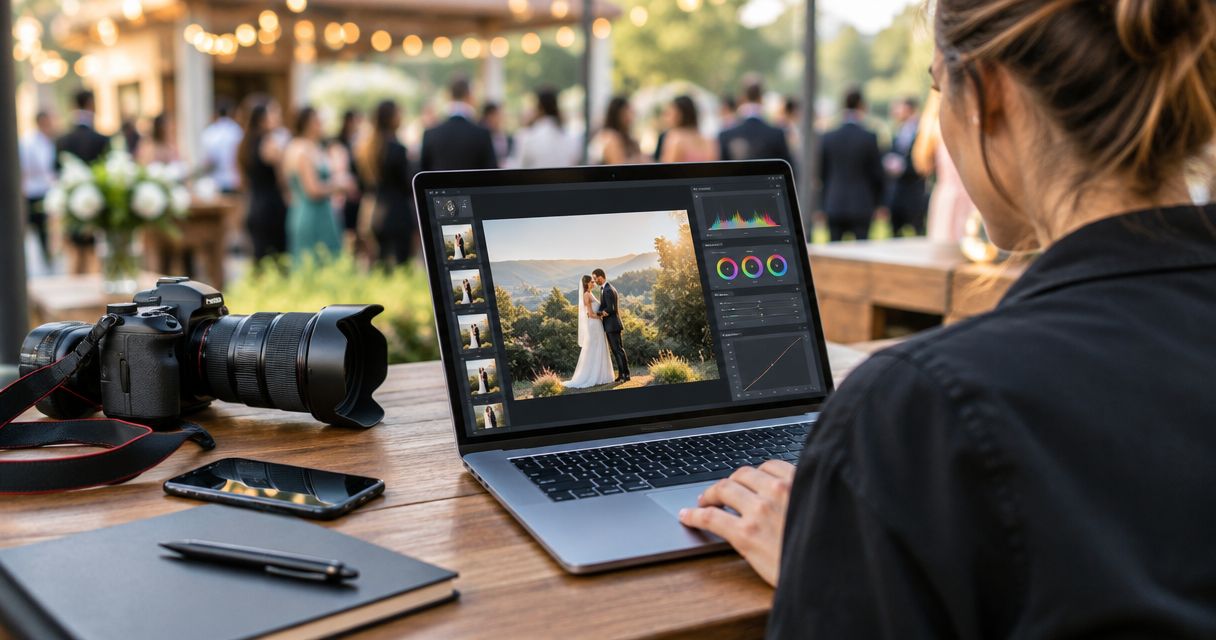
Best overall: Adobe Lightroom. Best for creative transformations: Fotoowl AI Studio. Best for detailed retouching: Adobe Photoshop. These AI photo editing tools for photographers cover different jobs, from consistent event galleries to selected hero images; choose by the work you need to finish, not by the longest feature list.
TL;DR
- Adobe Lightroom is the default among AI photo editing tools for photographers handling complete event galleries.
- Fotoowl AI Studio suits photographers creating generative edits and image-to-video work from their own photographs.
- Adobe Photoshop suits detailed retouching; Imagen suits personalised batch editing; DxO PureRAW suits RAW preprocessing.
- Keep culling, editing, client proofing and gallery delivery separate when comparing photography software.
Why this matters
An Indian wedding assignment can move from daylight portraits to indoor ceremonies and a reception under coloured stage lights. Applying the same adjustment everywhere is not the same as producing a consistent gallery. Your editor must preserve believable skin tones while respecting each scene.
The wrong comparison also sends you shopping for the wrong solution. If repeated frames are your bottleneck, start with how to speed up photo culling before client delivery. A generative editor does not replace a keeper-selection process, and face recognition does not correct exposure.
For your 2026 workflow, identify the unfinished job first: selecting photographs, correcting them, retouching a few, creating promotional assets or delivering the finished collection. This guide ranks tools by those editing use cases rather than treating every automated feature as interchangeable.
What makes the best AI photo editing tools for photographers?
Use these criteria before choosing an editor:
- Gallery consistency: Can you keep colour, exposure and contrast coherent across photographs from the same lighting setup?
- Selective control: Can you refine a face, outfit or background without changing the entire photograph?
- Image integrity: Does the workflow preserve the people and actions you were hired to document?
- Batch suitability: Is the tool suited to a complete assignment or primarily to individual photographs?
- Workflow fit: Does its role complement your existing culling, editing and delivery process?
- Human review: Can you inspect the result and correct decisions before clients receive the files?
Choose the tool that solves your recurring editing problem. Generative changes belong in an explicitly creative deliverable; routine event coverage needs faithful corrections first.
AI photo editing tools at a glance
The order below reflects distinct use cases, not measured speed or image-quality scores. AI Studio leads the creative-use shortlist; Lightroom remains the default recommendation for complete event galleries.
| Tool | Best for | Standout capability | Key limitation |
|---|---|---|---|
| Fotoowl AI Studio | Creative transformations from your photographs | Generative edits and image-to-video | Creative transformation is a different job from faithful event correction |
| Adobe Lightroom | Complete event-gallery editing | RAW adjustments, AI masking and synchronised edits | Complex compositing needs a different editing workflow |
| Adobe Photoshop | Detailed hero-image retouching | Layers, masks and generative editing | Individual-image work is not the simplest route through a full gallery |
| Imagen | Personalised batch editing | AI editing based on an editing profile | The profile's output still needs review across changing conditions |
| DxO PureRAW | RAW noise reduction before editing | Denoising and optical corrections | Preprocessing does not replace colour grading or final retouching |
1. AI Studio: best for creative event-photo transformations
Fotoowl AI Studio applies generative editing and image-to-video to the photographer's own photographs. Its role is creative production: you start with an image you captured and develop a transformed image or motion asset from it.
Fotoowl AI Studio is best for event photographers creating generative edits and image-to-video assets from their own photographs. Keep that output separate from the documentary gallery so clients understand which deliverables are creative interpretations.
For an Indian wedding studio, this distinction matters when choosing photographs for promotional work. A stylised portrait and an accurate ceremony photograph have different purposes. Decide the purpose before you edit.
AI Studio pros:
- Works from the photographer's own photographs.
- Supports generative edits.
- Supports image-to-video creation.
- Has a distinct role alongside a conventional event-editing workflow.
AI Studio cons:
- Generative transformations require inspection for changes to faces, clothing and surroundings.
- A transformed asset is not a faithful record of the original scene.
- Creative production adds a separate review task before publication.
Best for: Studios producing creative promotional assets from selected event photographs in 2026.
Verdict: Buy for creative transformations; skip as a substitute for routine gallery correction.
2. Adobe Lightroom: best for complete event-gallery editing
Adobe Lightroom combines photo organisation with exposure, colour and RAW editing. Its AI masking tools help isolate subjects and other parts of a photograph, while synchronising adjustments supports work across related images.
That combination makes Lightroom the default for photographers who need to finish a coherent collection rather than transform a single image. Correct a representative photograph, apply suitable adjustments to similar frames, then inspect the exceptions.
For multi-function weddings, group photographs by lighting conditions rather than applying one treatment to the entire assignment. Daylight portraits, indoor rituals and reception photographs need their own decisions. Matching the final appearance does not require identical settings.
Adobe Lightroom pros:
- Combines organisation and image correction in one editing workflow.
- Supports RAW exposure and colour adjustments.
- Uses AI masking for selective corrections.
- Synchronises adjustments across related photographs.
Adobe Lightroom cons:
- Shared settings still need checking when lighting or exposure changes.
- AI masks require inspection around fine edges and overlapping subjects.
- Complex composites and detailed layered retouching belong elsewhere.
Best for: Wedding, school, sports and corporate photographers delivering complete galleries.
Verdict: Buy as your default event-gallery editor if you need organisation, consistent corrections and selective control.
3. Adobe Photoshop: best for detailed hero-image retouching
Adobe Photoshop provides layer-based editing, masks, retouching tools and generative editing. It suits photographs that need individual attention beyond a shared colour or exposure treatment.
Use Photoshop for a selected portrait, album-cover photograph or promotional image where precise local work matters. Keep a distinction between cleaning up a distraction and altering what happened at an event.
A corporate photograph containing signage deserves especially careful review after generative changes. Inspect lettering, hands, faces and background details before approval. The same discipline applies to jewellery and embroidered wedding outfits.
Adobe Photoshop pros:
- Layers separate different parts of an edit.
- Masks support precise local adjustments.
- Retouching tools suit detailed individual-image work.
- Generative editing supports creative changes where those changes are appropriate.
Adobe Photoshop cons:
- Detailed work on individual files is not the simplest full-gallery workflow.
- Layer management adds complexity to production and handover.
- Generated details require review rather than automatic approval.
Best for: Photographers finishing selected portraits, album covers and campaign images.
Verdict: Buy for demanding individual photographs; skip as the first answer to routine batch correction.
4. Imagen: best for personalised batch editing
Imagen applies AI photo editing through editing profiles, including personalised profiles based on a photographer's editing work. Its purpose is to apply a defined editing approach across a collection rather than build a layered composite.
That makes Imagen a relevant option when your studio already has a recognisable editing style. Establish the look you want before asking automation to repeat it. An unresolved style decision remains unresolved when applied across more photographs.
Review output by scene, not just by the first attractive portrait. A profile that looks right on daylight photographs still needs checking on indoor ceremonies, stage lighting and flash-lit groups.
Imagen pros:
- Focuses on batch photo editing.
- Supports personalised editing profiles.
- Gives studios an option for applying an established editing approach.
- Fits a workflow that retains human review after automated adjustments.
Imagen cons:
- A personalised profile needs suitable editing examples.
- Changing lighting conditions still demand inspection.
- Batch adjustments do not replace detailed individual retouching.
Best for: Studios with an established look that want profile-based editing across assignments.
Verdict: Buy when consistent batch editing is the bottleneck; hold if your studio has not settled its editing style.
5. DxO PureRAW: best for RAW preprocessing before editing
DxO PureRAW processes RAW photographs with denoising and optical corrections before further editing. It is a preparation tool, not a replacement for the editor where you make final colour and creative decisions.
Consider it when noise and lens-related corrections are a recurring problem in your files. For indoor sports and evening events, inspect whether the processed photograph retains natural texture where it matters: faces, hair, fabric and fine details.
Do not confuse cleaner-looking noise with recovered focus. A missed-focus photograph remains a keeper-selection problem, even when processing makes parts of the image look smoother.
DxO PureRAW pros:
- Concentrates on RAW preprocessing.
- Applies denoising before final editing.
- Includes optical corrections.
- Keeps preparation distinct from the final creative treatment.
DxO PureRAW cons:
- Adds a processing stage before your main edit.
- Does not replace colour grading or detailed retouching.
- You need to check camera and lens support for your equipment.
Best for: RAW shooters whose selected photographs need noise reduction and optical correction before editing.
Verdict: Buy for a recurring RAW-quality problem; skip if your main bottleneck is selection, colour consistency or delivery.
How to choose your 2026 editing workflow
Start with the stage that needs attention. Buying another editor will not fix a disorganised handover or a backlog of unreviewed duplicates.
Select keepers
Remove repeated and weak frames before detailed editing. Fotoowl AI Culling is an offline desktop application that groups similar photographs and ranks frames by composition, exposure and blur; retain the second human pass before exporting to Lightroom or the gallery.
Correct the gallery
Use Lightroom for direct gallery editing, or consider Imagen when profile-based batch adjustments match your needs. Group photographs by lighting setup, then inspect changes to skin tones, white clothing and saturated fabrics.
Review exceptions
Reserve detailed retouching for photographs that justify it. Use Photoshop when layers and precise local corrections are necessary; use DxO PureRAW before the main edit when RAW preprocessing addresses a specific file-quality problem.
Create assets
Use Fotoowl AI Studio for generative edits and image-to-video work on selected photographs. Keep original captures and creative derivatives distinguishable in your production process.
Deliver approved files
Release the collection after review. Client proofing, album selection and gallery access are different tasks from editing; assign responsibility for each so a finished export does not become an unfinished delivery.
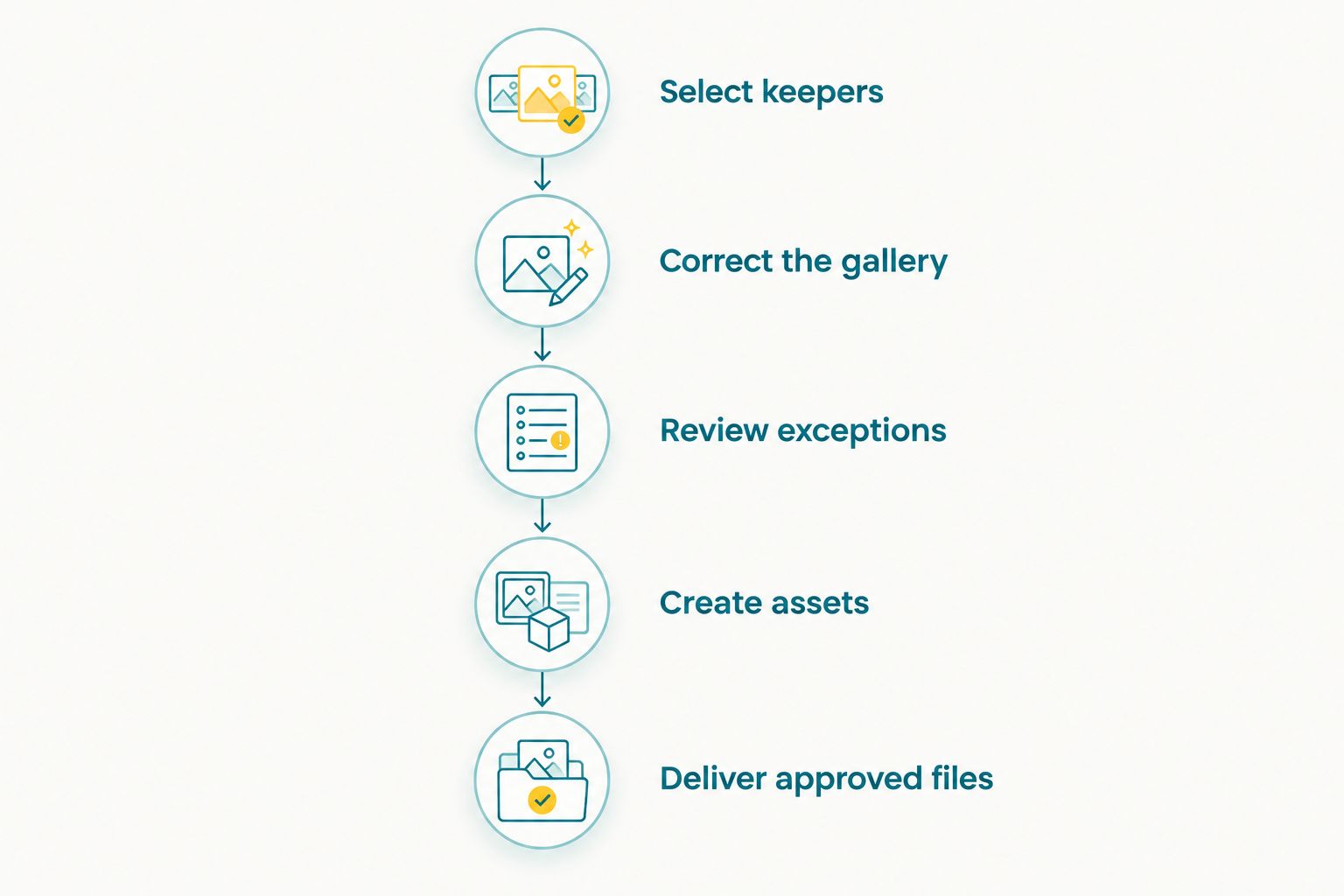
Choose software for the unfinished stage, not for the longest feature list.
For a 2026 tool evaluation, prescribe a small comparison rather than trusting a polished demonstration. Check 3 photographs per lighting setup: a close portrait, a group and a wider scene. Compare 2 versions per photograph, the original and the edited result, and require 1 human review pass before approving the workflow. These are practical review instructions, not performance benchmarks.
How we ranked these tools
The ranking uses gallery consistency, selective control, image integrity, batch suitability, workflow fit and human review. Each recommendation owns a different job; no speed, accuracy or processing-time score is implied.
Lightroom earns the overall recommendation because its organisation and correction tools fit complete event-gallery work. The remaining choices address creative transformations, detailed retouching, personalised batches or RAW preparation. Choose within that scope rather than expecting every tool to finish every stage.
Which AI photo editing tool should you choose?
Choose Adobe Lightroom if you need one starting point for complete event-gallery editing. Add Photoshop only when individual photographs need more detailed work, and consider Imagen when your established editing style needs a batch-focused workflow.
Choose AI Studio for creative transformations and image-to-video, not as a replacement for documentary corrections. Choose DxO PureRAW when preprocessing solves a recurring issue in your RAW files.
For your 2026 studio setup, avoid changing every stage at once. Keep the existing workflow intact, evaluate the tool against the specific unfinished task, and adopt it only after reviewing the output on your own event photographs.
FAQ
What's the best AI photo editing tool for event photographers?
Adobe Lightroom is the default recommendation for complete event-gallery editing. Its organisation, RAW adjustments, AI masking and synchronised edits address different parts of the same gallery workflow.
Is Fotoowl AI Studio better than Lightroom?
Fotoowl AI Studio and Lightroom serve different editing jobs. AI Studio supports generative edits and image-to-video from your own photographs; Lightroom suits routine organisation and correction of event galleries.
Should I use Photoshop for every wedding photograph?
Reserve Photoshop for photographs that need detailed individual retouching or layered edits. Use a gallery-oriented workflow for routine colour and exposure corrections across the full assignment.
Can AI editing handle mixed lighting at Indian weddings?
AI-assisted editing still needs review across different lighting setups. Separate daylight, indoor ceremony and reception photographs, then inspect skin tones and important clothing details in each group.
Is AI Culling an online photo editor?
AI Culling is an offline desktop application for selecting photographs, not a cloud or browser editor. It groups similar frames and supports a second human pass before export to Lightroom or the gallery.
Do I need DxO PureRAW if I already use Lightroom?
Choose DxO PureRAW only when RAW preprocessing addresses a recurring noise or optical-correction problem. It adds a preparation stage rather than replacing your final colour and retouching decisions.
Can I deliver generatively edited event photographs without checking them?
Review generatively edited event photographs before delivery. Inspect faces, hands, clothing, text and scene details, and distinguish creative transformations from documentary coverage.
One last thing
A technically strong photograph is not automatically the photograph that tells the event's story. Before rejecting a frame, check whether it contains a meaningful reaction, ritual or sporting moment that a cleaner neighbouring image misses. Keep editorial judgement with the photographer.