
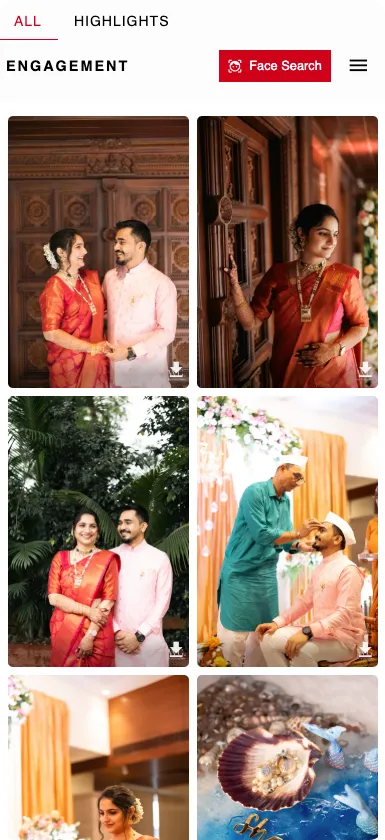
Simple. Seamless. Universal.
Follow these quick steps to install on your device. Scroll to see instructions for each platform.
Android
- 1Open the gallery in your Browser
- 2Tap the three-dot menu (⋮) in the address bar
- 3Select 'Add to Home Screen'
- 4Confirm and enjoy your new app!
iOS
- 1Open the gallery in browser
- 2Tap the Share button at the bottom
- 3Scroll down and select 'Add to Home Screen'
- 4Launch like a native app from your home screen
Web
- 1Open the gallery link in your browser
- 2Look for the Install App icon in the address bar
- 3Click to install and get instant access
- 4Access from your desktop like any other app
Why Web Galleries Hurt Your Business
See how Foto Owl AI Gallery's PWA integration gives your clients the native app experience they expect.
The Problem
Complex Client Experience
Clients struggle with web galleries - confusing navigation, hard to find photos, and poor mobile experience
Slow & Clunky Interface
Web galleries feel sluggish and unresponsive, making clients frustrated and less likely to purchase photos
No App-Like Feel
Web galleries don't feel native on mobile devices - clients expect smooth, app-like interactions
Poor User Engagement
Clients abandon web galleries quickly due to poor UX, resulting in lower photo sales and satisfaction
The FotoOwl Solution
Intuitive Client Experience
Clean, simple navigation with instant photo discovery - clients find what they want in seconds, not minutes
Lightning Fast Performance
PWA technology delivers native app speed - smooth scrolling, instant loading, responsive interactions
True App-Like Feel
Native mobile experience with smooth gestures, offline page, and push notifications.
Higher Engagement & Sales
Better UX keeps clients browsing longer, leading to more photo purchases and happier customers
