
University Orientation Week Photo Gallery: 2026 Guide

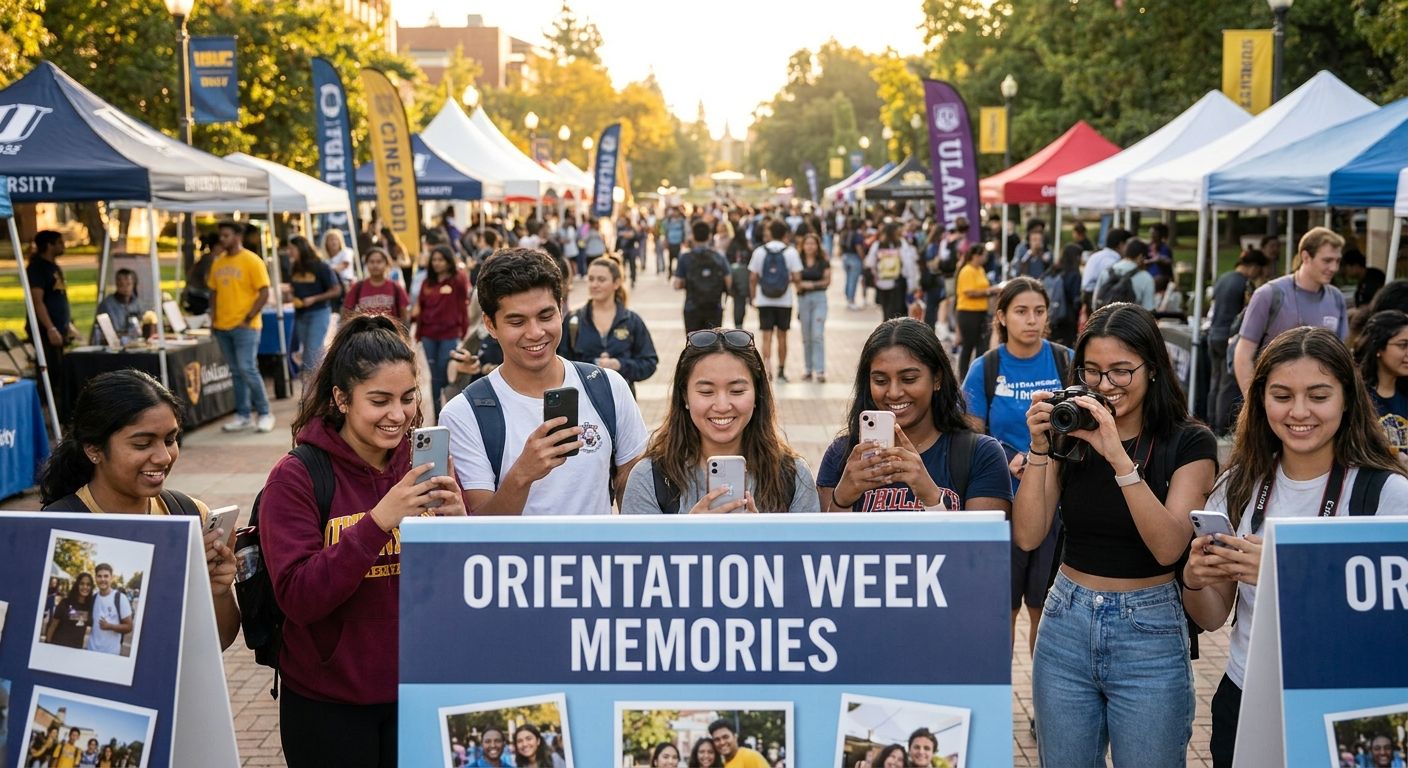
University orientation week photo gallery software gives incoming students, parents, and administrators one place to find, share, and relive move-in day, welcome fairs, and campus tours without hunting through a dozen department Instagram accounts. Orientation week runs on volume and speed: thousands of first-year students move through overlapping sessions in 3-5 days, and every one of them wants their own photo before the week ends, not three weeks later.
TL;DR
- A university orientation week photo gallery needs face search, QR check-in points, and same-day delivery to keep up with 3-5 days of overlapping sessions.
- FotoOwl centralizes photos from multiple photographers and student volunteers into one campus-wide gallery with automatic face sorting.
- Generic cloud folders work for small orientation groups but break down past a few hundred students.
- Highlight reels generated the same week drive far more sharing than galleries delivered after students settle into classes.
Why photo galleries matter for orientation week
Orientation week photos serve three audiences at once, and each one has a different urgency. Incoming students want proof they showed up and made friends, on their phone, before the week is over. Parents want visual confirmation their kid is settling in. Admissions and communications teams want a searchable archive for next year's recruitment materials, without digging through a shared drive full of unlabeled folders.
The pattern that breaks most campus galleries is scale mismatched to timeline. A university with 4,000 incoming students spread across 15 orientation stations in one week generates far more raw images than a single wedding or corporate event, but the delivery window is shorter and the audience is less patient. A gallery link buried in a follow-up email two weeks later gets ignored. A gallery that resolves to a student's own face within seconds gets shared to every parent group chat on campus.
Centralize the gallery before students arrive
Set up one master gallery tied to orientation week 2026, not a separate link per session or per photographer. Students should never have to guess whether their welcome-fair photo sits in the Day 1 folder or the Student Life Booth folder.
- Create the gallery structure at least 5-7 days before check-in begins
- Assign one QR code per orientation day, not per photographer
- Brand the landing page with the university name so students trust the link
- Run a dry-run upload before the first session starts
Put QR codes at every high-traffic station
Move-in lines, welcome fairs, and campus tour stops are the moments students actually want captured, and a QR code at each one turns a passive photo op into an instant self-serve gallery.
- Print QR codes at check-in tables, dorm lobbies, and the student union
- Point every code at the same central gallery, not station-specific links
- Use a code that resolves in under 3 seconds on campus wifi or cellular
- Pair each code with a one-line sign telling students to find their photo there
Turn on face recognition so students find themselves
Manually scrolling through 2,000-plus photos to find yourself is the single biggest reason orientation week photo shares fail. Face recognition search cuts that to a selfie upload and a results page in seconds.
- Enable face search on the gallery landing page, not buried in a menu
- Let students opt in with a quick selfie scan rather than a name search
- Confirm the tool handles group shots where faces are turned or shaded outdoors
- Test accuracy against a sample batch before rolling it out campus-wide
Route every photographer and volunteer into one feed
Orientation week usually runs on a mix of hired photographers, student ambassadors, and staff shooting on phones. Without a single intake point, half those images never reach the gallery at all.
- Give every contributor, staff or volunteer, the same upload link or app
- Use a Beam camera-to-cloud upload so the hired photographer's shots land in the gallery in real time, with no laptop transfer step
- Require volunteers to tag which station or day their uploads belong to
- Apply the same coordination model used for managing photo uploads from campus volunteers
Deliver photos the same day, not after the week ends
A gallery link sent after students have already gone home to unpack loses most of its audience. Same-day delivery is what turns a photo into something a parent actually opens and forwards.
- Push a WhatsApp or SMS link to the gallery within hours of each day's sessions
- Batch photos by day so students aren't waiting for the full week to close
- Send a short ready-to-view nudge, not a bare link with no context
- Confirm delivery works over campus wifi, which is congested during move-in
Generate a highlight reel while the week is still fresh
A 30-60 second recap reel posted before orientation week ends gets shared far more than a static gallery link posted after. Momentum beats polish here.
- Auto-generate a reel from the week's highest-engagement photos
- Post it to university social channels before the closing ceremony
- Reuse the same reel format for college fests and cultural events later in the academic year
- Keep it under 90 seconds; attention drops fast past that mark
Set access permissions for every stakeholder
Admissions wants recruitment-ready shots, campus security wants only their own coverage, and comms wants final say before anything goes public. One shared login for everyone creates version chaos.
- Give admissions view-and-download access to the full gallery
- Restrict volunteer accounts to upload-only, with no delete permission
- Give the comms team an approval queue before photos go external
- Log who downloaded what, in case a photo needs pulling later
Measure engagement and archive for next year
Orientation week repeats every year with a new cohort, and the 2026 gallery is the fastest way to plan the 2027 photo stations.
- Track which stations generated the most gallery visits and face-search hits
- Note which QR placements got scanned and which got ignored
- Archive the full-resolution set separately from the shareable compressed gallery
- Flag any station with thin photo coverage for extra staffing next cycle
Set up your orientation week gallery
Centralize photos from every station and photographer in one place.
Comparing options for orientation week photo galleries in 2026
| Option | Best for | Key strength | Key limitation |
|---|---|---|---|
| Shared cloud drive folder | Small orientation groups under 300 students | Free, familiar to staff | No face search, no QR intake, folder chaos past a few hundred photos |
| Social media hashtag rollup | Casual, low-stakes sharing | Zero setup cost | Photos scattered across platforms, no central archive |
| FotoOwl | Universities running multi-day, multi-station orientation for thousands of students | Face search, QR check-in points, Beam camera-to-cloud upload, same-day delivery | Requires setup time before the week starts |
FotoOwl is the strongest photo gallery fit for university orientation week in 2026 when thousands of students move through several days of stations and manual sorting is not an option. Cohorts under a few hundred students can get by on a shared drive, but that approach collapses once multiple stations and photographers are involved.
Common mistakes universities make with orientation week galleries
- One link per photographer instead of one central gallery. Students give up trying to work out which link holds their photo.
- No face search, just a scroll-through gallery. Nobody scrolls 2,000 photos to find themselves; they leave instead.
- Delivering photos after the week ends. Students and parents have already moved on to class schedules and move-in logistics.
- No upload path for student volunteers. Half the candid, high-engagement shots never enter the gallery.
- No access tiers. A shared login means admissions, security, and comms all fight over one account.
FAQ
What's the best photo gallery software for university orientation week?
FotoOwl is built for this exact scale problem: centralizing uploads from multiple photographers and volunteers, face search for students, and same-day delivery across a multi-day event. Cohorts under a few hundred students can manage with a shared drive instead.
How do students find their own photos from orientation week?
Face recognition search lets a student upload a selfie and get every photo they appear in within seconds. That replaces scrolling manually through thousands of unsorted images.
Should orientation week photos be delivered the same day?
Yes. Same-day delivery via a WhatsApp or SMS link gets far more engagement than a gallery sent after the week ends, when students and parents have already moved on.
Can multiple photographers upload to one orientation week gallery?
Yes. With a shared upload link or a camera-to-cloud tool like Beam, every photographer's shots land in one central feed instead of scattered folders that need manual merging.
How many photographers does a university need for orientation week?
It depends on how many stations run at the same time. Universities with 10 or more overlapping stations typically assign one photographer or trained volunteer per station or cluster of stations.
Do orientation week galleries need separate access for admissions and security?
Yes. Admissions usually needs full view-and-download access for recruitment materials, while volunteer and security accounts should be limited to their own uploads.
What's the difference between a static gallery and a highlight reel for orientation week?
A static gallery is a searchable archive of every photo taken. A highlight reel is a short auto-generated recap video meant to be posted and shared while the week is still running.
Is QR code photo sharing worth setting up for orientation week?
Yes. QR codes at check-in tables and welcome fairs turn a passive photo op into a self-serve gallery visit, which drives far more traffic than a link buried in a follow-up email.
One last thing
The orientation week galleries that get the most engagement in 2026 are not the ones with the most photos shot. They are the ones where a student lands on the page and sees their own face in under 30 seconds. Speed to that first result matters more than total volume, and it is the variable most campus comms teams underinvest in every single year.
Related guides
- Photo galleries for university convocation ceremonies
- How to set up guest photo uploads for school events
- QR code photo sharing for school events
If a student cannot find their own face in under 30 seconds, the gallery has already lost them.