
QR Code Photo Sharing for School Events: 2026 Guide

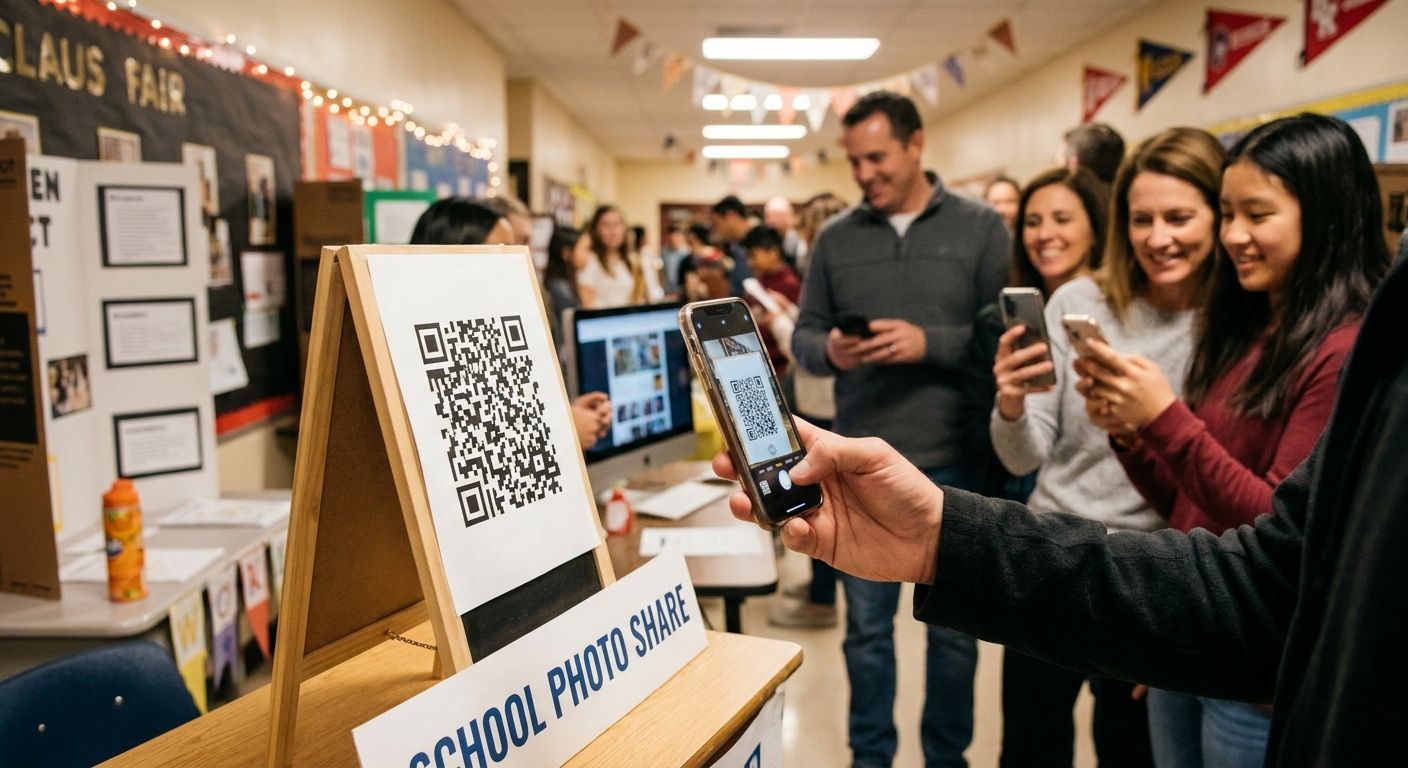
School events QR code photo sharing puts a scannable code on a poster, program, or check-in table that opens a live photo gallery on a parent's phone, no app download and no login wall required. Schools deal with a wider, less tech-savvy audience than a corporate client or a wedding guest list, plus privacy rules around minors that most event photo tools were never built to handle.
TL;DR
- Print QR codes at 2x2 inches minimum and post them at both drop-off and pickup points.
- Collect photo-release consent before the event, not after — the biggest school-specific compliance risk in 2026.
- Face recognition sorting replaces minutes of scrolling with one selfie upload on campuses over 300 students.
- Plain Google Drive links get indexed by search engines; code-gated galleries do not.
- Re-send the same QR code 48 hours after the event to catch the parents who missed it.
Why QR code photo sharing matters for schools
A single school event — picture day, graduation, sports day, a spring concert — can produce photos of 200 to 800 kids in one afternoon, and every one of those photos needs to reach the right parent without exposing images of students whose families opted out. Corporate clients and wedding guests are adults who signed a release. Schools deal with minors, FERPA-adjacent expectations, and PTA volunteers who are not IT staff.
A guest photo sharing app for schools solves the part a QR code alone can't: the code gets a parent to a gallery, but the gallery still needs consent rules, grade-level organization, and a way to exclude one specific student by name. That's the wall most schools hit in year two, after the first QR rollout works fine and then an opted-out student's photo shows up in a public link.
Picture day volume alone breaks manual folder-sorting past a few hundred kids. The steps below split the free, manual approach from the faster path once a campus crosses that size.
Print and post the QR code where parents actually stand
A code buried on page 4 of a printed program gets scanned by nobody. Placement and size decide adoption more than the platform behind them.
- Tape a copy to the check-in table at both drop-off and pickup, not just one
- Print it on the event program, the class newsletter, and signage near the exit
- Size the code at 2x2 inches minimum so it scans from three feet away in a hallway crowd
- Add the code to the school app or parent portal home screen if one exists
- Skip codes under 1 inch — photocopied flyers destroy small-code resolution fast
Build the gallery structure before doors open
One folder labeled "photos" becomes a scroll-forever mess by 3pm. Structure decided in advance saves every parent time later.
- Create one gallery per grade or homeroom instead of one school-wide dump
- Name galleries by date and event — "Spring Concert 2026", not "May photos"
- Assign one upload owner: the hired photographer, a teacher, or a PTA lead, not three people at once
- Set an upload cutoff time and publish it so parents know when the last batch lands
- Test the structure with a handful of sample photos before the event starts
Set consent and privacy rules first
This is the step schools skip most often, and the one that creates real liability. Handle it before a single photo goes live.
- Collect the photo-release form at registration, not as a follow-up email
- Keep a written opt-out list and exclude flagged students by name, never by memory
- Gate the gallery behind a code or password instead of a fully public URL
- Confirm the platform blocks search engine indexing on gallery pages by default
- The manual workaround is a shared password texted only to opted-in families; guest photo uploads for school events covers the access-control settings that kill the spreadsheet
Test the scan-to-gallery flow on more than your own phone
A QR code that works on your test phone on office WiFi can fail on a school network with 400 devices hitting it at once.
- Test on an older Android and a recent iPhone, not one device
- Check load time on the school's actual WiFi, not home broadband
- Confirm the code still scans after printing and photocopying at reduced size
- Have a non-technical staffer try it cold, with zero instructions from you
Add face recognition once the campus passes a couple hundred students
Under roughly 200 students, hand-sorting proofs against a class list is tedious but workable. Past that it stops scaling, and this is where the manual approach and the faster path genuinely split.
- Manual way: cross-reference class lists against proof sheets by hand, folder by folder
- Faster path: face recognition photo sorting for school events lets a parent scan the code, upload one selfie, and pull back only their child's photos
- Highest payoff at graduation, sports day, or any single gallery serving 300+ kids and their families
- Fotoowl runs face matching behind the same QR entry point, so parents install nothing
Track scans and re-share the code after the event
A code posted once on event day captures a fraction of its possible reach. Most parents look for event photos days later, not that afternoon.
- Compare scan counts against attendance to see how much of the audience actually connected
- Re-send the same QR code in a newsletter 48 hours after the event
- Keep the gallery live through the following weekend for the late half of your parent list
- Archive high-traffic galleries instead of deleting them once picture day wraps
Handle picture day orders separately from candid event photos
Portrait packages and casual event shots run on different workflows, and mixing them confuses both sides.
- Route picture-day proofs and package selection through a dedicated ordering flow, not the free candid gallery
- Give the yearbook committee a bulk-download option instead of one-by-one saves
- Keep package tiers visible only inside the ordering flow — see online ordering for school picture day photos for the setup
Comparing the options schools actually use
| Option | Best for | Key limitation |
|---|---|---|
| QR code + gated AI gallery | Schools with 200+ students and recurring events across the year | Requires upfront setup for grade folders and consent rules |
| Shared Google Drive or Dropbox folder | Small events under 100 photos, single-class use | No face matching; links over-share easily and can get indexed |
| WhatsApp broadcast group | Homeroom-level sharing with a small parent group | Compresses photo quality; no gallery structure at scale |
| Printed proofs or USB drives | Communities with limited parent smartphone access | Slow to distribute; no re-share option after the event |
A code-gated AI gallery is the clearest fit for any school running more than one event a year in 2026, because the consent controls and re-share options remove the most repeat work.
See how school galleries work
Consent-gated galleries with face search, built for school-size crowds.
Common mistakes schools make
- One QR code for the whole school year instead of per-event codes, so September's photos bury December's concert
- Skipping the opt-out list and letting a flagged student's photo go live in a shared gallery
- Using a fully public link that search engines index, putting kids' faces in front of anyone who searches
- Assuming every parent has a smartphone and dropping the printed fallback, cutting out the families who need it most
- Deleting the gallery within a week, before the slower half of the parent list has scanned the code once
FAQ
What's the best QR code photo sharing setup for school events?
A code-protected gallery beats a public Drive link because it keeps opted-out students excluded and blocks search engine indexing. For events covering 200 or more students, adding face recognition search removes the scrolling parents hate.
Is QR code sharing better than WhatsApp for school photos?
QR codes work better for larger events because the gallery stays organized by class or grade, while WhatsApp compresses image quality and offers no folder structure. WhatsApp is still fine for single-classroom sharing among a small parent group.
How do schools handle photo consent with QR code galleries?
Collect a photo-release form at registration, keep a written opt-out list, and exclude flagged students by name before uploading any batch. Gate the gallery behind a code so only registered families can view it.
Do parents need an app to view school event photos from a QR code?
No. A QR code should open a mobile browser gallery directly, with no app download or account creation. Requiring an install is one of the fastest ways to kill parent adoption at pickup.
How long should a school keep an event photo gallery live?
Keep it accessible for at least a week past the event, since most parents check photos days later rather than the same afternoon. Re-sending the same QR code 48 hours later in a newsletter improves scan rates.
Can face recognition find a specific child's photos automatically?
Yes. A parent uploads one reference selfie and the gallery returns only that child's matched photos instead of the full event set. This matters most on campuses with 300 or more students in one shared gallery.
What size should a printed QR code be for a school event?
Print QR codes at a minimum of 2x2 inches so they scan reliably from about three feet away in a hallway or check-in line. Codes under 1 inch, especially after photocopying, frequently fail on the first scan.
How much does QR code photo sharing cost for a school?
Pricing varies by platform and gallery volume, so check current pricing on the provider's site. Free file-sharing folders cost nothing but give you no consent controls or face search.
One last thing
Schools underestimate the consent step every single time — not the QR technology. A code that scans perfectly and loads instantly still creates a liability problem the moment an opted-out student's face appears in a gallery anyone with the link can open. Build the opt-out list before picture day 2026, not after the first complaint lands.