
Parent Photo Ordering for Summer Camp: 2026 Setup Guide

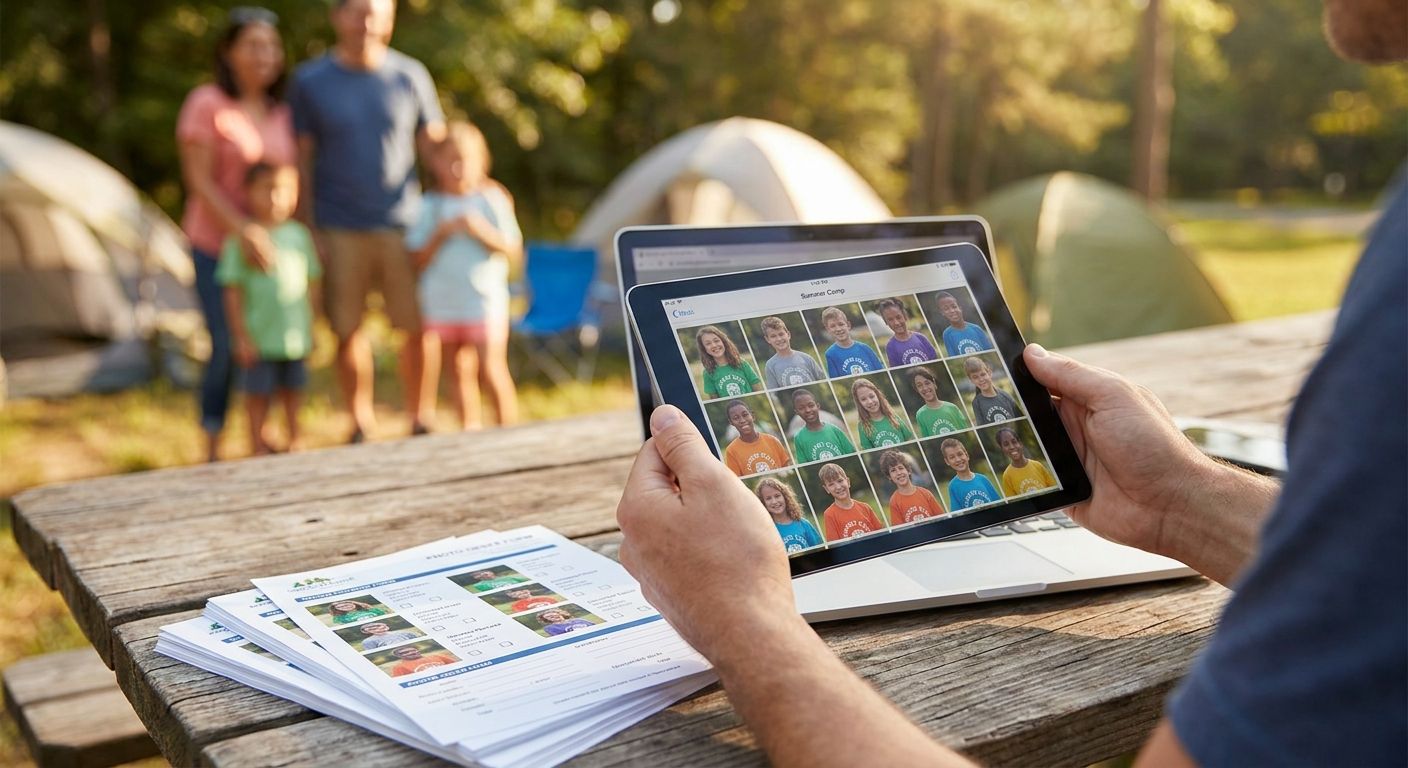
Parent photo ordering for summer camp works when you upload photos the same day they're taken, turn on face recognition so parents skip the scroll, and open ordering directly inside the gallery instead of routing families to a separate checkout link. The step most camps skip is locking access by session or family before photos go live — miss that and camp photos end up searchable by anyone with the link, not just enrolled parents.
TL;DR
- Parent photo ordering for summer camp needs four steps: upload, face-tag, enable ordering, share the link — FotoOwl's gallery platform runs all four from one dashboard.
- Face recognition search cuts a parent's scroll time from a folder of hundreds of photos to seconds per camper.
- WhatsApp and QR code delivery beat email for daily camp photo drops in 2026.
- Lock the gallery by camp session or family before turning on ordering to keep kids' photos private.
Why this matters
Camp photo chaos repeats every single day of the season: hundreds of campers, multiple bunks, counselors shooting on phones, and parents texting the office asking where Tuesday's swim photos went. Without an automated setup, someone on staff spends hours sorting shots by camper and emailing links one family at a time.
Camps running parent photo ordering on FotoOwl in 2026 skip that entirely. Upload once, let face recognition sort by camper, and let parents order straight from the gallery — no manual tagging, no email chains chasing payment.
How to set up parent photo ordering for summer camp photos
Setting up parent photo ordering for summer camp takes six steps, in this order:
- Upload same-day. Connect a camera directly to the cloud with Beam's camera-to-cloud upload so photos are live before the bus leaves for pickup. Waiting until a counselor gets back to a laptop adds a full day's delay parents notice immediately.
- Run face recognition tagging. FotoOwl's face recognition scans every face and groups shots by camper automatically, so a parent searching for their kid never scrolls a folder of hundreds of shots from one afternoon at the lake.
- Turn on ordering inside the gallery. Turn on FotoOwl's built-in digital downloads and print ordering on the same page parents already open — a separate checkout link is one more step parents abandon.
- Set access by session or family. Lock the gallery with a roster code or QR code handed out at check-in so Bunk 4's photos aren't findable by anyone outside enrolled families.
- Share the link the way parents actually check it. A WhatsApp message gets opened; a mass camp newsletter gets buried under school emails.
- Keep the gallery live all summer. Parents who order Week 1 photos come back for Week 4 and Week 8 if the same link keeps working, not a new one sent every session.
This mirrors the youth sports parent ordering setup, just organized by bunk and session instead of team and game.
Same-day WhatsApp delivery for daily camp photo drops in 2026
Camps that run daily activities — swim, campfire, color war — generate a fresh batch of photos every evening. Sending that batch through WhatsApp photo delivery for school events gets opened within the hour, because it lands next to the group chat parents already check for pickup times.
Email works for a single end-of-camp album. It struggles for a daily drop — open rates fall off after day three once the subject lines start blending together.
QR code pickup stations for weekly session camps
Camps running one-week sessions back to back need a station, not a link. Print a QR code at the front desk or on the daily schedule board; parents scan at pickup, land straight on that week's gallery, and order before they've left the parking lot.
This outperforms a link buried in a welcome packet from three weeks earlier that nobody can find anymore.
Multi-week camp galleries that stay open all summer
Overnight and multi-week camps should keep one gallery open per family for the entire season instead of resetting access every week. Parents who already ordered Week 2 photos are the easiest sale for Week 5 — they know where to click, and reordering takes one login instead of a fresh signup.
This works the same way FotoOwl sets up school picture day ordering in 2026: one gallery per family, open for the full ordering window, not a new link for every batch of photos.
Why camp photo ordering setups vary
- Camp length — a one-week day camp needs one gallery; an eight-week overnight program needs session-based folders inside it.
- Number of people uploading — camps with several counselors shooting on phones need a shared upload channel, not separate cameras dumping into different folders.
- Connectivity at the site — rural and lakefront camps often lose signal, which pushes uploads to end-of-day batches instead of live delivery.
- Pickup style — camps with daily parent pickup benefit from QR stations; drop-off-only camps rely more on WhatsApp or email links.
- Camper age — younger bunks need stricter access locks since parents are more protective of photos of younger kids online.
- Daily photo volume — camps shooting a high volume of photos need face recognition search from day one; camps with only a handful of shots a day can skip it for now.
How do parents find their kid's photos without scrolling through hundreds of shots?
FotoOwl's face recognition matches a photo of the camper against every shot in the gallery and returns only that kid's photos in seconds, instead of a parent scrolling a folder sorted by upload time. This is the single biggest reason camps see order rates go up once search is turned on.
Should a camp deliver photos through WhatsApp or email in 2026?
WhatsApp wins for daily or weekly camp photo drops because parents already have it open and check it more often than a camp newsletter inbox. Email still works for a single end-of-season highlight album parents expect to save, not act on immediately.
How do I keep camp photos private to enrolled families only?
Lock the gallery behind a roster code, family login, or QR code handed out only to enrolled parents at check-in, not a public link posted on social media. This keeps camp photos out of search engines and off the radar of anyone outside the families paying for the session.
Turn on camp parent ordering
Set up face search and gallery ordering before the next session starts.
FAQ
What's the best way to set up parent photo ordering for summer camp in 2026?
Upload photos the same day, turn on face recognition so parents find their kid without scrolling, and enable ordering inside the gallery instead of a separate checkout link. Lock access by session or family before opening ordering to any parent.
Do parents need to download an app to order camp photos?
No — parents open the gallery link in a mobile browser and order from there. A dedicated app isn't required for face search, ordering, or downloading photos.
Can parents order both prints and digital downloads from the same camp gallery?
Yes, digital downloads and print ordering both run from the same gallery page parents already use to view photos. Splitting ordering across two links or platforms is what slows down camp sales.
How do I stop non-parents from downloading camp photos?
Lock the gallery with a roster code, family login, or QR code distributed only to enrolled families at check-in. An open link posted anywhere public defeats the access control entirely.
What's the fastest way to deliver same-day camp photos to parents?
Upload straight from the camera using Beam's camera-to-cloud transfer, then send the gallery link over WhatsApp the same evening. Waiting for a laptop upload or a weekly email adds a full day or more of delay.
Is WhatsApp delivery better than email for camp photo distribution?
WhatsApp delivery works better for daily or weekly camp photo drops because parents check it more often than a camp newsletter inbox. Email still suits a single end-of-camp highlight album.
How do multi-week camps handle photo galleries across sessions?
Multi-week camps keep one gallery open per family for the full season instead of issuing a new link every week. Parents who ordered Week 2 photos reorder faster for Week 5 when the login and gallery stay the same.
Do parents need a face recognition scan to find their kid's photos?
No manual scan is required — the system matches faces automatically across the uploaded photos and surfaces only that camper's shots. Parents just search or tap their child's name.
One last thing
The camps getting the highest order rates aren't the ones with the best photos — they're the ones where FotoOwl's gallery gets the link to parents the same day the photo was taken. A photo from Tuesday's campfire sold on Wednesday morning outsells the same photo sitting in an unsorted folder until the Friday recap email, every time.
Related guides
- Set up guest photo uploads for school events
- Best school picture day management software for photographers
- Set up tiered pricing for event photo packages
- Cloud storage for school photographers
If a parent has to scroll past hundreds of photos to find their kid, they won't order — they'll close the tab.