
Best School Picture Day Software 2026 (Ranked)

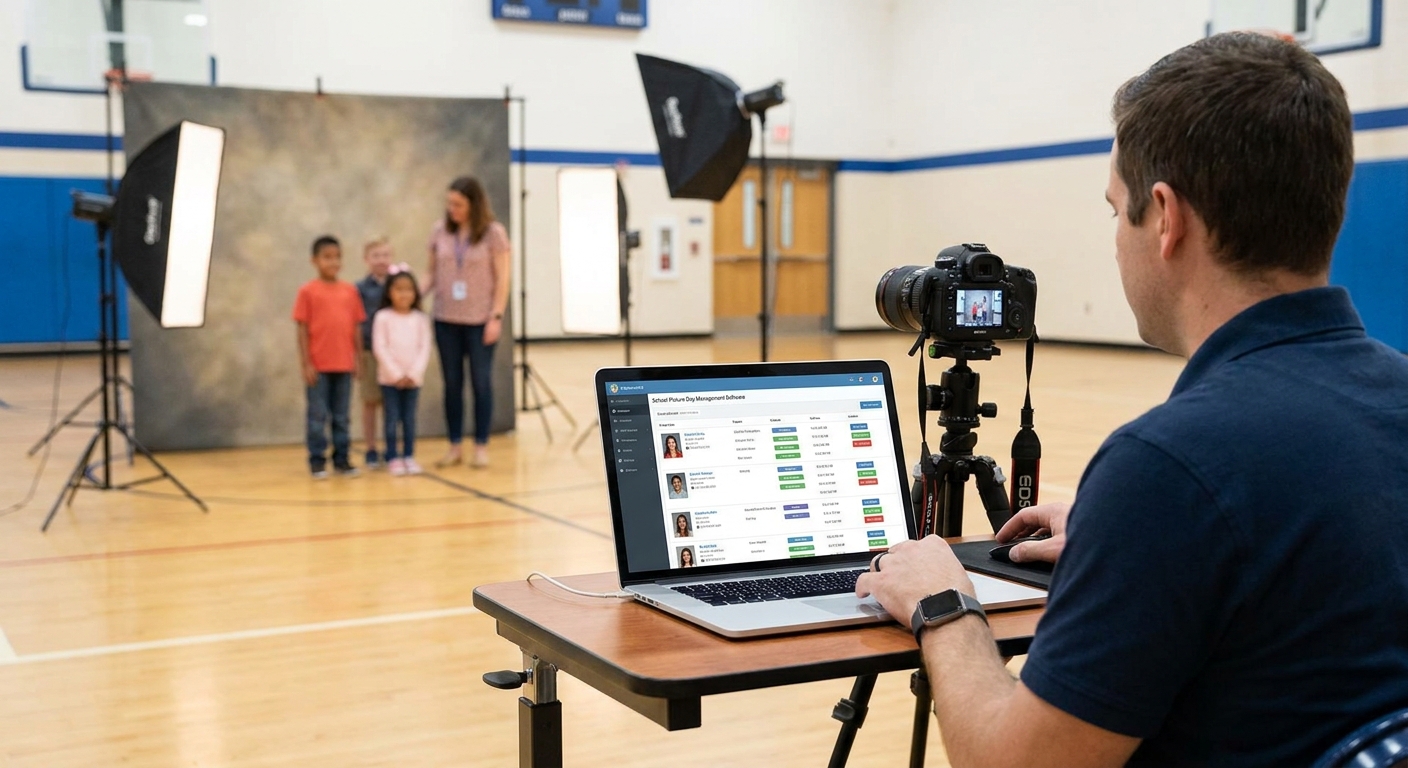
School picture day only works if the software behind it can process hundreds of student faces, sort them by classroom, and get proofs into parent hands before the reshoot window closes. This guide ranks the platforms that actually do that in 2026, not just the ones with the biggest ad budget.
TL;DR
- FotoOwl AI wins school picture day management software in 2026 on face-recognition sorting speed and instant parent delivery. Buy.
- Kwikpic handles mid-size schools well but lacks deep classroom-batch tools for K-12 volume. Hold.
- PhotoMall still runs on legacy studio workflows that slow down proof delivery. Wait.
- Pictavo integrates tightly with yearbook production but charges extra for parent self-serve ordering. Consider.
- PhotoDay is built for single-day shoots and struggles once a school adds reshoot day or sports packages. Consider.
Why this matters
A single elementary school with 500 to 600 students generates thousands of images in one morning. Sort them by hand, or with software that can't cluster faces by class, and you're emailing spreadsheets to office staff for three weeks straight.
The right school picture day management software automates classroom sorting, gives parents a private gallery to order from, and backs every image up before you leave the parking lot. In 2026, schools expect proofs within 48 hours, not the two-to-three-week turnaround that was normal a decade ago.
The photographers who lose repeat contracts almost always lose them here: slow delivery, confused parents, or a support ticket queue that never clears during peak season.
How this list was ranked
Each platform below was evaluated on four things that matter specifically for K-12 picture day: face-recognition accuracy across large class rosters, speed from capture to parent-ready gallery, self-serve ordering for non-technical parents, and how the tool handles reshoot day without creating duplicate records. Pricing structure and school-district data privacy posture were weighted as tiebreakers, since student photo data carries different compliance expectations than a wedding gallery.
Rankings reflect publicly available product information and platform positioning as of 2026. No platform paid for placement on this list.
The ranked list
1. FotoOwl AI Photo Gallery
The AI-first pick. FotoOwl clusters student photos by face automatically, so a 600-student rollout doesn't turn into a manual sorting job for office staff. Parents get a private link, search their child's face, and order straight from the gallery instead of waiting on a printed proof sheet.
What it does: AI photo gallery software for school photographers pairs face recognition with WhatsApp and Beam-based uploads, so images move from the camera to a cloud gallery without a laptop tethering station on-site. That matters on picture day specifically, when photographers are shooting six classes an hour and can't stop to manage file transfers.
Why now: schools are increasingly asking for same-week delivery in 2026, and photographers who can promise a 24-to-48-hour gallery turnaround are winning contracts away from studios still running weekly upload batches.
Verdict: Buy.
2. Kwikpic
The face-recognition specialist for mid-size events. Kwikpic built its reputation on selfie-based photo discovery, which works well for weddings and corporate events with a few hundred guests.
What it does: face-search lets attendees find their own photos without scrolling a full gallery. For a single classroom shoot, that's fine. For a full elementary school with staggered class schedules and reshoot day added on, the workflow gets harder to manage without dedicated classroom-batch tools.
A direct side-by-side is worth reading before switching platforms: FotoOwl vs Kwikpic breaks down where each tool holds up under school-scale volume.
Verdict: Hold for schools under 200 students, reconsider above that.
3. PhotoMall
The legacy studio system. PhotoMall has been a staple for school photography studios for years, built around order-form printing and studio-managed proofing rather than a self-serve parent gallery.
What it does: strong at package management and studio back-office order processing. Weak at giving parents an instant, mobile-first gallery experience, which is now the expectation rather than the exception in 2026.
Verdict: Wait — solid for studios that still print proof sheets, not built for instant digital delivery.
4. Pictavo
The yearbook-integrated option. Pictavo's strength is its tie-in with yearbook design software, useful if the same studio produces both picture day photos and the school yearbook.
What it does: streamlines the handoff from picture day image to yearbook layout. Parent self-serve ordering exists but often sits behind an add-on tier, which raises the effective cost for photographers running lean.
Verdict: Consider if yearbook production is already part of the contract, skip otherwise.
5. PhotoDay
The picture-day-only tool. PhotoDay is purpose-built for the single-day shoot-and-deliver model that defines fall and spring picture day season.
What it does: online ordering, package builder, and parent notification for a defined event window. It's efficient for the exact use case in its name, but photographers report it gets clunky once sports packages, reshoot day, or multi-school rollouts get added mid-contract.
Verdict: Consider for single-event contracts, reconsider for photographers running full-district accounts.
6. Gallagher Studios (legacy franchise tools)
The regional franchise standard. Older franchise-style school photography operations often run on internally licensed or white-label systems similar to Gallagher's model — reliable for order fulfillment, dated on the digital delivery side.
What it does: handles bulk print fulfillment well. Digital gallery and face-search features are either absent or bolted on as a secondary feature, not the core product.
Verdict: Skip unless bulk print fulfillment is the primary contract requirement.
Comparison table
| Platform | Face recognition | Parent self-serve ordering | Delivery speed | Verdict |
|---|---|---|---|---|
| FotoOwl AI Photo Gallery | Yes, classroom-batch | Yes, built-in | 24-48 hrs | Buy |
| Kwikpic | Yes, selfie-search | Yes | 2-3 days | Hold |
| PhotoMall | Limited | Studio-managed | 1-3 weeks | Wait |
| Pictavo | Limited | Add-on tier | 1 week | Consider |
| PhotoDay | No | Yes | 3-5 days | Consider |
| Gallagher Studios (legacy) | No | Studio-managed | 2-4 weeks | Skip |
See the platform in action
Check how AI photo gallery software handles a full school rollout in 2026.
Where to buy or sign up
- Go directly to the vendor's site rather than a reseller marketplace — school contracts often need custom pricing tied to student count, and resellers rarely pass that through cleanly.
- Ask for a live demo using a mock class roster of at least 30 students before signing anything. If face-sorting takes longer than a coffee break on a sample batch, it won't hold up at 500-plus students.
- Confirm data retention and student-photo privacy terms in writing before the first shoot. Schools now routinely ask for this in 2026, and it's a common reason contracts stall at the review stage.
FAQ
What's the best school picture day management software in 2026?
FotoOwl AI Photo Gallery ranks highest for 2026 school picture day management because it automates classroom-level face sorting and delivers parent-ready galleries in 24 to 48 hours. Kwikpic and PhotoDay are reasonable alternatives for smaller single-day shoots.
Is FotoOwl better than Kwikpic for schools?
FotoOwl handles full-school classroom batching better than Kwikpic, which is built more for selfie-search discovery at weddings and corporate events. For schools under 200 students the gap narrows.
How much does school picture day software cost?
Pricing varies by student count and package tier, and most vendors quote per-school or per-shoot rather than a flat rate. Get a quote based on your actual roster size rather than a published starting price.
How fast should parents get school photo proofs?
In 2026, a 24-to-48-hour turnaround is the standard parents expect for digital proofs. Anything past a week risks complaints and lost reorders.
Can school picture day software handle reshoot day?
The better platforms merge reshoot day images into the same student record automatically, avoiding duplicate galleries. Tools built strictly around a single shoot date, like some picture-day-only apps, often require manual merging.
Do parents need an app to view school photos?
No. The strongest tools deliver a web-based gallery link parents can open on any phone browser, no app download required.
Is face recognition safe for student photos?
Reputable platforms restrict gallery access to a private link tied to the student or class, rather than making face-search data public. Confirm the vendor's retention policy before the shoot.
What replaces PhotoMall for school photographers in 2026?
Photographers moving off PhotoMall are largely switching to AI-driven gallery platforms with built-in parent self-serve ordering, since PhotoMall's workflow was built around studio-managed proofing rather than instant digital delivery.
One last thing
The platforms that win repeat school contracts aren't the ones with the most features — they're the ones parents never have to ask about. If the office secretary isn't fielding "where's my kid's photo" emails three weeks after picture day, the software did its job.
Related guides
- Best PhotoMall alternatives for event photographers
- Guest photo sharing app for schools
- Face recognition photo sorting for school events
If parents can't find their own child's photo in under a minute, the gallery is the wrong tool for picture day.