
How to integrate a print lab with your event photo gallery

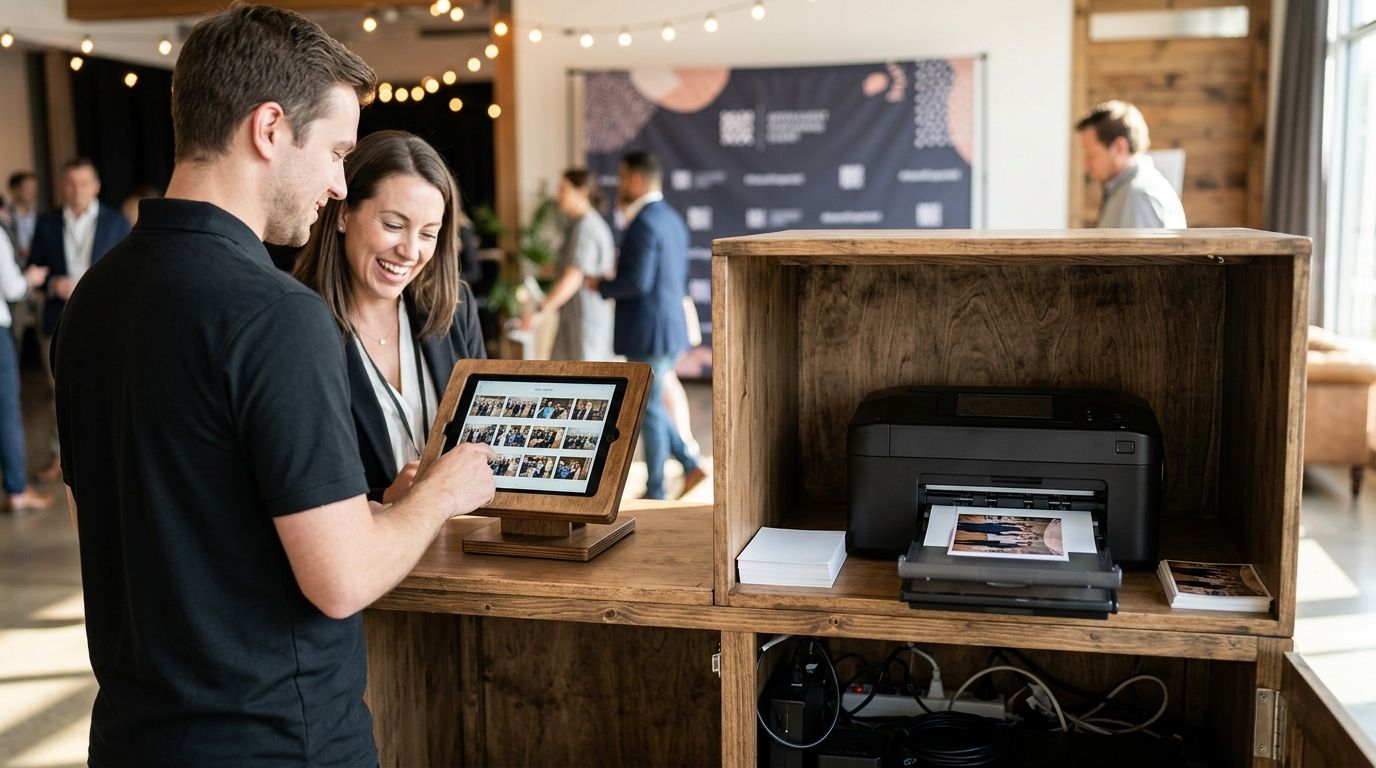
Print lab integration works when your event photo gallery pushes order data straight to the lab's API — no manual re-uploads, no separate storefront, no guest re-entering their shipping address twice. The hidden cost most photographers miss: image resolution. Guests view web-optimized previews in the gallery, but a print lab needs the full-resolution master file, and if your platform doesn't map both versions automatically, every print order becomes a manual file hunt.
FotoOwl handles this by keeping the original capture alongside the compressed preview, so the swap happens without a second upload.
TL;DR
- Integrating a print lab with an event photo gallery means connecting order data, high-res files, and shipping info through one API feed.
- The real bottleneck is resolution mismatch between gallery previews and print-ready files, not the checkout flow itself.
- FotoOwl's photo selling tools let photographers add print options inside the same gallery guests already use to browse and buy.
- Testing the order flow end-to-end before a live event in 2026 prevents the most common failure: orders stuck between platforms.
Why this matters
Event photographers lose print revenue at the handoff point, not the sales pitch. A guest clicks "order print" inside your gallery, and if that click doesn't route cleanly to a lab's fulfillment system, you're stuck manually exporting files, re-uploading them somewhere else, and typing in a shipping address by hand. That's fine for three orders. It falls apart at three hundred.
By 2026, most event photo galleries with any print revenue run on some form of API-connected fulfillment — a photographer selling wedding or sports prints without automated routing is doing data entry as a second job.
How to integrate a print lab with your event photo gallery
Here's the process, in order:
- Pick a print lab with an open API or webhook system. Labs like WHCC, Bay Photo, and Miller's Professional Imaging all support programmatic order submission — confirm this before signing anything, because a lab that only accepts manual uploads defeats the point.
- Map your gallery's product catalog to the lab's SKU system. Every print size and finish in your gallery (4x6, 8x10, canvas, metal) needs a corresponding product code on the lab's side. Mismatched SKUs are the #1 reason print orders bounce.
- Connect high-resolution file delivery, not preview images. Galleries typically show compressed JPEGs for fast loading. Print labs need the source file at 300 dpi minimum for anything larger than a 5x7. Confirm your gallery platform stores and can serve the original capture, not just the web version.
- Automate order routing on purchase. When a guest buys a print, the order — SKU, quantity, shipping address, and file reference — should fire to the lab automatically. Manual export at this stage is where volume kills you.
- Test the full loop before a live event. Place a real test order, confirm the file arrives at the lab in the correct resolution, and check that shipping confirmation flows back to the buyer. Do this in 2026 before your first event of the season, not after a guest complains.
Print lab integration checklist
| Step | What breaks if skipped |
|---|---|
| API/webhook confirmation | Manual file uploads for every order |
| SKU mapping | Wrong print size or finish shipped |
| High-res file linking | Blurry or rejected print files |
| Automated order routing | Data entry backlog after each event |
| End-to-end test order | Guest complaints during peak season |
Why print lab integration gets complicated
A handful of factors decide whether this setup takes an afternoon or a week:
- File storage architecture — if your gallery only keeps compressed previews, you'll need to rebuild how originals are stored before any lab connection works.
- Order volume per event — a wedding gallery with 40 print orders behaves differently than a school picture day gallery with 2,000.
- Number of photographers on one event — multi-shooter weddings and sports tournaments need file attribution sorted before routing orders to a lab, or the wrong photographer's master file ships.
- Shipping complexity — international guests, gift shipping to a third address, or bulk team orders all add fields the API mapping has to handle.
- Lab turnaround commitments — some labs batch orders overnight, others process on submission; your gallery's "order confirmed" messaging should match reality.
- Guest payment flow — whether print orders route through the same checkout as digital downloads or a separate cart affects how much re-engineering the integration needs.
Photographers running print-on-demand photo sales at sports events deal with this at scale weekly — team photo days generate hundreds of print orders in a single afternoon, and manual routing simply isn't an option at that volume.
Sell prints from your event gallery
Add print options to the same gallery guests already use to view and buy photos.
Related questions
Can guests order prints directly from a WhatsApp-shared gallery?
Yes — if the gallery platform routes the WhatsApp link to the same web gallery where print ordering lives, guests can browse, select a print, and check out without leaving the chat thread. The print order still needs to hit the lab's API the same way a direct-visit order would.
Do I need a separate storefront for print sales?
No, and running one usually costs you conversions. Guests who already found their photos through face search or a gallery link are far more likely to buy a print in the same session than to click through to an unfamiliar third-party store.
What file format do print labs require from an event gallery?
Most professional print labs require TIFF or high-resolution JPEG files at 300 dpi for anything above a 5x7 print. Confirm your gallery platform retains the original camera file, since the web preview shown to guests is almost always compressed below that threshold.
FAQ
How do I connect a print lab to my online photo gallery?
You connect a print lab to your gallery through the lab's API or webhook system, mapping your gallery's print products to the lab's SKUs and linking high-resolution files for order fulfillment. Test a full order before going live with guests.
Which print labs support API integration for event photographers?
WHCC, Bay Photo, and Miller's Professional Imaging are among the labs offering programmatic order APIs commonly used by event photographers in 2026. Confirm API access before committing, since some labs only accept manual batch uploads.
Does FotoOwl support print lab integration?
FotoOwl's photo selling tools let photographers add print options inside the same gallery guests already use to view and share event photos. Print fulfillment still routes through your chosen lab's system.
What resolution do I need for print orders from an event gallery?
Print labs generally require 300 dpi source files for prints larger than a 5x7, well above the compressed preview resolution most galleries show guests. Your gallery platform needs to store and serve the original capture file for print orders to come out sharp.
Can I sell prints and digital downloads from the same gallery?
Yes, most event photo galleries in 2026 sell prints and digital downloads through one checkout flow rather than splitting them across separate stores. Keeping both in one cart reduces abandoned orders.
Why do print orders fail after integration?
Print orders most often fail from SKU mismatches between the gallery's product catalog and the lab's system, or from low-resolution files being sent instead of the original capture. A test order before a live event catches both issues.
Is print lab integration worth it for a small event photography business?
It's worth it once print orders exceed roughly a dozen per event, since manual file handling below that volume is manageable but scales badly past it. Automated routing pays off fastest for wedding and sports photographers running back-to-back events in 2026.
One last thing
The integration itself is rarely the hard part — most print labs publish clear API documentation. The failure point that actually costs photographers money is resolution mismatch: a gallery built to load fast for guests on mobile data will compress images well below the 300 dpi threshold labs need, and nobody notices until a print ships blurry. Fix the file pipeline before you touch the API.