
How much cloud storage does a wedding photographer need per event?

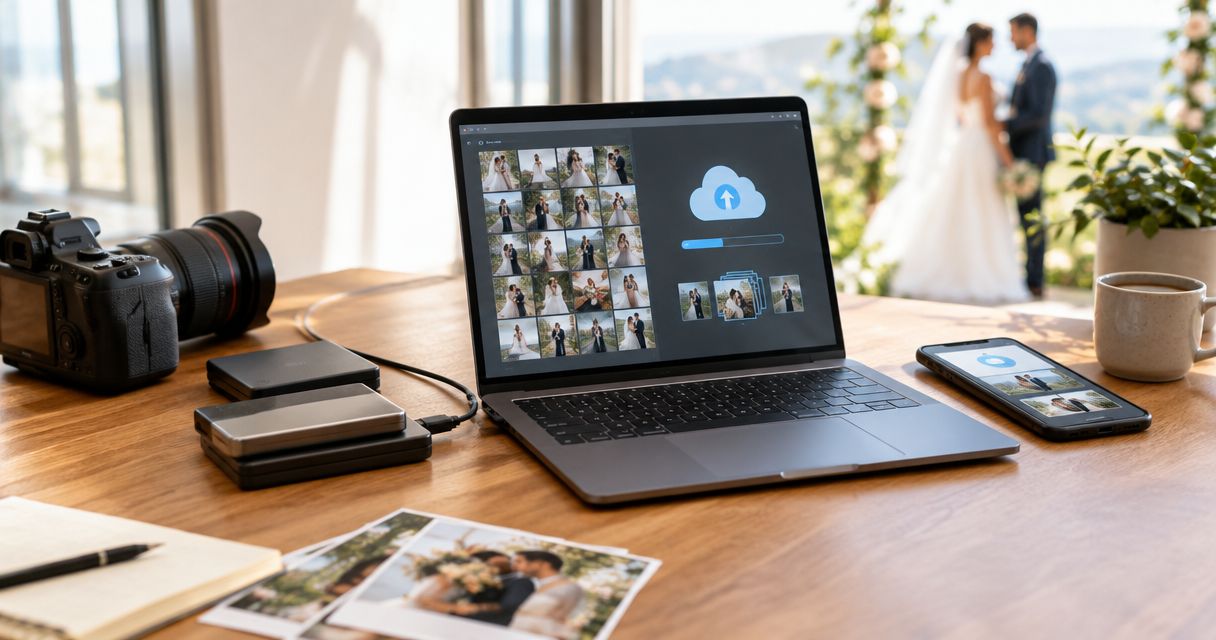
The cloud storage needed per wedding event is the combined size of the files you keep online: delivered photos, retained originals, video and any additional versions. For your 2026 bookings, measure those folders rather than choosing a fixed allowance per wedding. A delivery-only calculation excludes your original-file archive, while a studio-wide calculation must also include older events still stored online.
TL;DR
- Calculate cloud storage needed per wedding event from measured folders, not guest count.
- Separate client photo delivery from RAW backup before comparing capacity.
- Include video, retained versions and older weddings in your studio total.
- Fotoowl suits professional wedding photographers who need face-recognition photo delivery.
How much cloud storage does a wedding photographer need per event?
Allocate the measured size of everything you intend to store online for that wedding, then add space for unfinished work. There is no useful universal event allowance without knowing your file sizes, delivery scope and retention policy.
Use this calculation:
Per-event cloud requirement = delivered photos + retained originals + stored video + additional retained files.
Count each file once within the storage account you are sizing. If the same export exists in separate uploaded folders, include both copies unless you have confirmed that the service counts them differently.
| Storage scope | Best for | What to measure | Advantage | Limitation |
|---|---|---|---|---|
| Delivery only | Studios keeping originals elsewhere | Final photo exports and delivered video | Keeps the online delivery set focused | Does not protect originals stored elsewhere |
| Delivery and selected originals | Studios retaining source files for chosen photographs | Final exports, selected originals and associated editing files | Preserves material for selected re-edits | Excludes rejected or unselected source files |
| Complete retained event archive | Studios with a defined original-file retention commitment | All retained originals, exports, video and project files | Keeps the retained event material together | Requires space beyond the client delivery set |
For the wider distinction between storage and delivery, see the guide to cloud storage for photographers. Choose your storage scope before comparing account capacity.
Why this matters
A wedding gallery and a wedding archive serve different jobs. Your client needs the agreed deliverables; your studio needs whatever source material supports its editing, recovery and retention commitments.
For an Indian wedding covering an engagement, haldi, mehendi, sangeet, ceremony and reception, start by defining what the booking includes. Do not assume that a folder labelled with the ceremony date represents the whole assignment.
Your 2026 storage plan should follow the booking's deliverables, not its label. A single booking can contain several functions, separate photography teams and video deliverables. Add their actual files rather than assigning an unsupported average to the word wedding.
Delivery-only storage: measure the final exports
Delivery-only storage covers the files you upload for clients to view or download. Measure the final export folders after applying your intended image dimensions, format and compression settings.
Do not substitute the size of your camera cards. Those cards contain capture material, not necessarily the files you will deliver. Likewise, a preview export does not represent a full-resolution delivery set unless that is your agreed output.
Best for: photographers who maintain their originals in a separate, verified backup system and use cloud galleries for delivery.
The advantage is a clearly bounded online collection. The limitation is equally clear: losing your separately stored originals cannot be solved by a gallery containing only exported photographs.
Record whether your delivery set includes alternate edits, album-ready exports or video. Include each retained version in the calculation instead of treating those files as invisible extras.
Selected-original storage: define what survives the cull
Selected-original storage adds the source files you retain for chosen photographs. Measure those originals separately from your final exports, along with any editing files required by your workflow.
The important decision is the retention boundary. Does your studio keep only the photographs selected for delivery, or also technically sound alternatives that clients have not seen? Write that decision down before deleting or excluding anything.
Best for: studios with a documented policy for retaining selected source material rather than every capture.
This approach preserves selected re-editing material without treating every captured frame as permanent cloud content. Its limitation is scope: an excluded original is not recoverable from an archive that never contained it.
For your 2026 workflow, make the retained-original folder identifiable. Avoid mixing files awaiting review with files approved for long-term retention; otherwise, the folder size tells you little about the final requirement.
Complete archive storage: include every retained file category
A complete retained archive includes all files your studio has decided to preserve for the event. That can include camera originals, edited photographs, video footage, finished films, editing projects and album production files.
Measure each category directly. Adding only the photo folders leaves the video team's material outside the calculation, even when the studio is responsible for retaining it.
Best for: studios whose contracts or internal policies require a broad event archive.
The advantage is a clear inventory of retained material. The limitation is that putting everything in an online folder does not, by itself, establish an independent backup or a tested recovery process.
Keep an archive manifest: folder names, file categories, measured sizes and retention dates. This turns a vague promise to keep the wedding into a storage commitment you can review.
How do you calculate storage before the wedding is finished?
Use a completed, comparable assignment as a planning reference, then replace estimates with measurements as the new wedding progresses. A comparable assignment means similar coverage and deliverables—not merely a similar guest list.
- Define scope. List the functions, teams and deliverables included in the booking. Mark which files belong in the delivery gallery and which belong in the retained archive.
- Measure folders. Open your operating system's folder information and record the logical file size for each category. Avoid mixing logical size with local disk allocation figures.
- Separate versions. Identify previews, final exports, alternate edits and duplicate uploads. Decide which versions remain online after delivery.
- Add video. Include the footage or finished films you intend to retain in that account. Use the actual folders rather than a photo-based estimate.
- Review capacity. Add the wedding's requirement to existing account usage, then identify work that has not yet been uploaded. Leave room for those known outstanding files.
Keep the categories separate in your worksheet. A single total is useful for capacity planning, but separate totals show whether originals, exports or video explain the requirement.
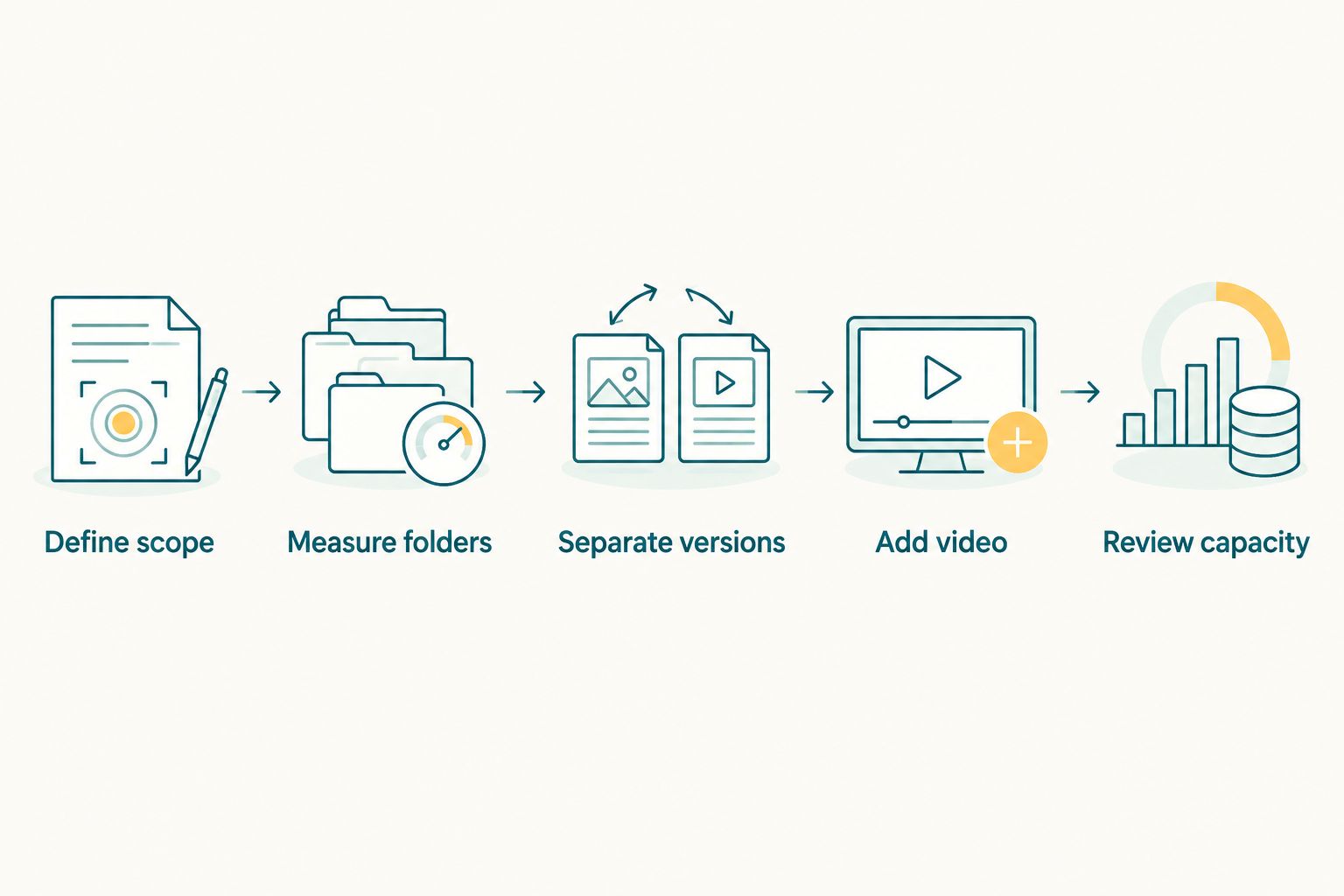
Measure each file category before adding the wedding to your studio's storage total.
For unfinished assignments, mark every figure as either measured or estimated in your internal worksheet. Replace an estimate when the relevant folder is complete; do not let an early planning assumption become the permanent record.
Why cloud storage needs vary between weddings
These factors change what belongs in your calculation. Each is something your studio can inspect or decide, rather than an industry average you must trust.
- Coverage scope: Separate functions and additional teams contribute their own retained files. Include every covered part of the booking.
- Capture settings: Camera format, resolution and compression affect original-file size. Measure files produced with your actual settings.
- Retention boundary: Keeping every capture and keeping only approved selections create different inventories. Apply the policy consistently.
- Export versions: Full-resolution delivery files, previews and alternate edits are separate files when retained separately. Count the versions you upload.
- Video scope: Finished films and retained source footage belong in different categories. Include whichever your studio stores online.
- Retention overlap: Previous weddings continue occupying account space until removed. A new event's requirement does not replace the existing account total.
For 2026 capacity reviews, compare like with like. A delivery-only wedding folder is not a valid reference for a new booking that includes original-file retention and video.
How do you keep MB, GB and TB calculations consistent?
Use the same unit convention throughout your worksheet. In decimal storage units, 1 GB equals 1,000 MB, and 1 TB equals 1,000 GB. A byte contains 8 bits, so a transfer rate expressed in bits is not the same measurement as a file size expressed in bytes.
These are unit conversions, not recommended wedding capacities. They help you reconcile folder measurements and account reporting without inventing an event-size benchmark.
Check whether a display uses GB or GiB before comparing figures. Different unit conventions can produce different displayed totals for the same files; use the service's stated convention when checking its capacity limit.
For a finished folder, use its measured total rather than multiplying file count by an assumed average. File-count calculations are planning aids, not a substitute for the files themselves.
How much storage does your whole studio need?
Studio capacity equals existing retained content plus incoming event files and outstanding uploads. The per-wedding total is only one component.
Maintain a booking-level register with these fields:
- Event name and covered functions.
- Delivery-folder size and archive-folder size.
- Video storage included in the same account.
- Files still awaiting export or upload.
- Agreed retention end date and deletion status.
Review the register before accepting another upload-heavy assignment or changing your retention policy. Removing a gallery from a client-facing view and deleting its stored files are not necessarily the same action; confirm what your chosen service does.
Do not delete material solely because a spreadsheet predicts that its retention period has ended. Check the relevant agreement, delivery status and backup requirements first.
Should you store RAW files in the client gallery?
Store RAW files according to your archive policy, not simply because a client gallery exists. Decide separately what clients receive and what your studio retains, then check the destination's accepted formats and storage accounting.
A gallery is a delivery decision; original-file retention is an archive decision. Keeping those decisions separate prevents an exported-photo collection from being mistaken for a complete event backup.
Does a multi-function Indian wedding need a separate calculation?
Calculate every covered function, then add the totals for the booking. Keep engagement, haldi, mehendi, sangeet, ceremony and reception folders distinct when those functions are included.
Function-level measurements also reveal unfinished uploads. An empty reception folder should not make the booking look complete when that team's files are still on local storage.
Can a photo delivery platform replace your storage plan?
No. A delivery platform handles the uploaded collection; your studio still decides what to retain and for how long. Fotoowl AI Gallery supports photo and video delivery with face recognition, making it relevant to the client-facing part of this workflow.
Fotoowl is best for professional wedding photographers who need face-recognition photo delivery. That fit does not remove the need to calculate capacity, define original-file retention or verify recovery from independent copies.
FAQ
How much cloud storage do I need for one wedding?
You need the combined measured size of the wedding files you intend to keep online. Add delivered photos, retained originals, stored video and additional retained versions; do not use a fixed allowance without checking your files.
Should I calculate storage from the number of wedding guests?
No. Calculate storage from files and deliverables, not guest count. Your retained captures, export settings, video scope and retention policy determine what occupies storage.
Do RAW files and delivered photos count separately?
Yes, when you store both as separate files in the account you are measuring. Include retained originals and exported delivery files as separate categories in your worksheet.
Does wedding video belong in my photo storage calculation?
Include video when it is stored in the same account or belongs within the capacity you are planning. Measure retained footage and finished films separately from still photographs.
Can I delete originals after uploading the wedding gallery?
A gallery upload alone is not a reason to delete originals. Follow your retention agreement and verify the required independent copies before removing source files.
Is Fotoowl relevant if I already have an archive?
Fotoowl is relevant when you need face-recognition photo delivery alongside your existing archive workflow. Keep the delivery collection and original-file retention plan clearly defined.
How should I plan wedding storage for 2026?
Plan 2026 wedding storage from measured comparable assignments, then update each booking with actual folder sizes. Include existing retained weddings and files still awaiting upload when checking account capacity.
One last thing
An upload is not a recovery test. Before clearing local working files, retrieve retained material from its backup destination and confirm that it opens correctly.
Record that check beside the event's storage total. Knowing how much space a wedding occupies matters; knowing you can recover the agreed files matters more.