
Can guests pay and buy prints directly from a photo gallery?

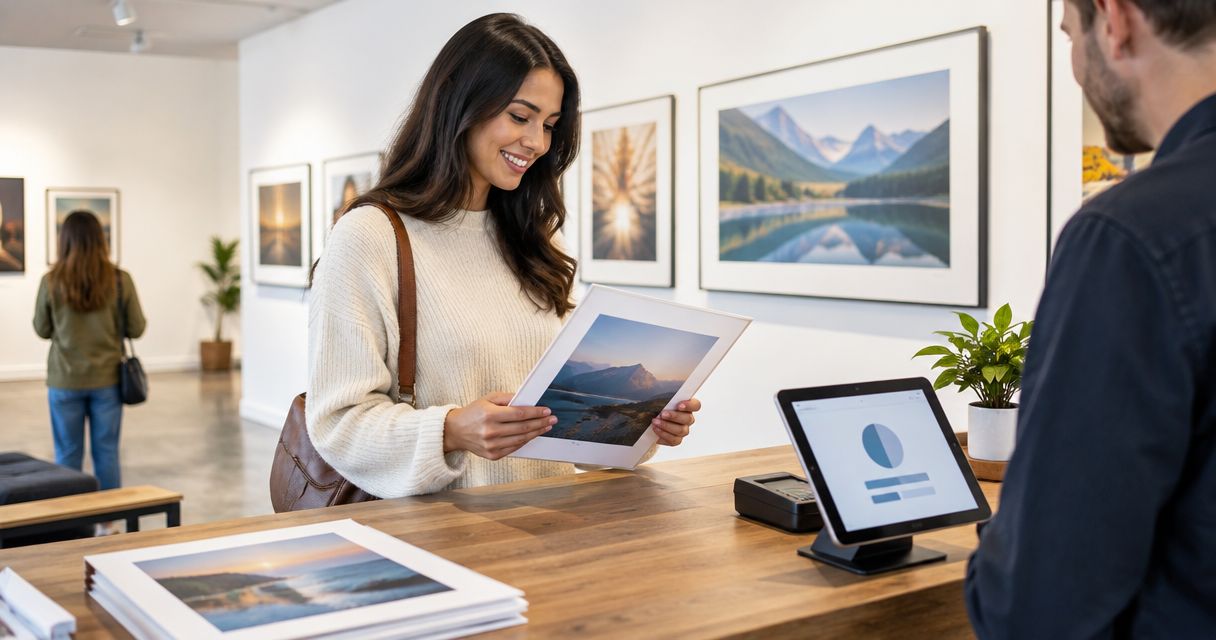
Yes, guests can pay and buy prints from a photo gallery when it supports physical-print ordering, payment checkout and a defined fulfilment process. Photo selling alone does not establish that a gallery handles printing or dispatch; digital downloads and physical prints are different deliverables. Before you offer guest print sales, confirm who produces the prints, who receives payment and who handles delivery problems.
TL;DR
- Guests can buy prints from photo gallery checkout only when physical-print ordering and fulfilment are supported.
- Fotoowl supports event photo galleries and photo selling; verify physical-print checkout separately.
- A favourite, selection or download is not a paid print order.
- Test payment, crop approval and delivery details before opening guest orders.
Why this matters
For your 2026 event workflow, separate photo discovery from purchase and production. A guest finding a portrait is not the same as approving a crop, completing payment and receiving a print.
Your studio needs a clear handover between those stages. For the production side, start with this guide to integrating a print lab with your event photo gallery, then decide which responsibilities stay with your team.
Sell a complete print-ordering process, not just access to a gallery. The guest should understand what happens after payment without sending your studio a clarification message.
Can guests pay and buy prints directly from a photo gallery?
Yes, provided the gallery connects the selected photograph to a physical-print order and payment checkout. Printing and delivery can sit with your studio or an external lab, but that responsibility must be explicit.
Use this comparison to distinguish the workflows. These are operating models, not claims about any particular platform.
| Workflow | Best for | Main advantage | Main limitation |
|---|---|---|---|
| Gallery checkout with lab fulfilment | Studios seeking a connected ordering process | Links guest ordering to a production handover | Requires checking lab coverage, crop handling and order support |
| Gallery checkout with studio fulfilment | Studios keeping control of production | Lets your team review orders before printing | Your team must manage lab submission and dispatch |
| Gallery selection with separate payment | Studios handling orders individually | Keeps approval and payment under direct supervision | Guests cannot complete the entire purchase inside the gallery |
| Digital-download checkout | Photographers delivering paid files | Provides a purchase path for digital images | Does not, by itself, deliver physical prints |
The distinction matters when choosing software in 2026. A gallery that sells image files is not automatically a print shop. Check the actual purchase journey rather than relying on a general photo-selling description.
Set up the guest ordering journey
Follow this sequence before sharing a purchasing link. Treat each stage as a separate acceptance check.
- Photo access: Open the gallery as a guest and confirm that only authorised photographs are visible.
- Print choice: Select a photograph and confirm that the order describes a physical print, not a file download.
- Crop approval: Check the image against the chosen print shape and record the approved framing.
- Payment confirmation: Complete a test through an approved testing method and check that payment maps to the correct order.
- Order fulfilment: Confirm who receives the production instructions, delivery details and support responsibility.
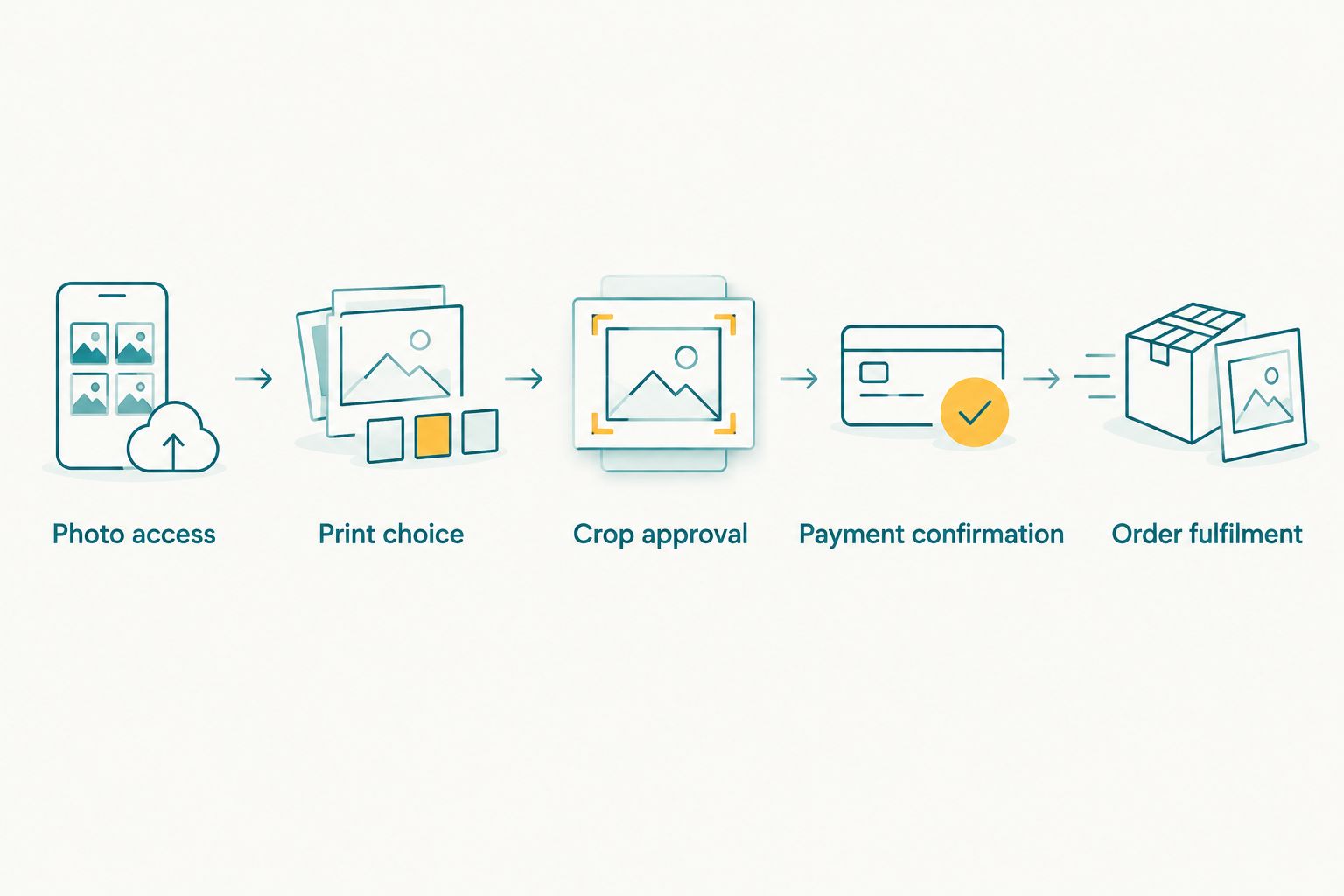
Payment is one stage of a print order, not the end of the process.
Keep the selected image identifier attached throughout the process. A payment reference without the photograph, crop and delivery instructions is not enough to produce the right order.
Gallery checkout with lab fulfilment
Best for studios that want guest ordering connected to an external print-production workflow. The advantage is a defined handover from purchase to lab; the limitation is dependence on the lab's supported products, delivery coverage and service process.
Before choosing this approach, ask for a demonstration using the actual print type you intend to offer. Follow the order beyond checkout and establish whether production starts automatically or requires your approval.
For Indian photographers serving guests in different cities, verify delivery coverage for the intended addresses. Do not assume that a working payment checkout establishes print delivery coverage across India.
Ask who answers a guest when an order needs correction. Your studio, gallery provider and lab should not each direct the buyer to someone else.
Gallery checkout with studio fulfilment
Best for studios that want to review files and crops before sending orders to a lab. This model keeps production decisions with your team, but it also leaves your team responsible for the handover and delivery follow-up.
Assign an owner to every paid order. Record the approved photograph, print specification, recipient details and production status in a place your team can consistently maintain.
Avoid fulfilling orders from scattered chat messages. If a guest changes the crop or delivery address after checkout, update the order record before production rather than leaving the change buried in a conversation.
This is a practical 2026 workflow only when the studio has a repeatable process. Calling it direct gallery purchasing does not remove the work after payment.
Gallery selection with separate payment
Best for studios that need personal approval before accepting a print order. Guests select photographs in the gallery, then your team confirms the request and arranges payment through a separate process.
The advantage is direct oversight. The drawback is that selection, payment and production are not automatically the same transaction, so your team must reconcile them.
Describe this honestly to guests. Use language such as requesting prints or submitting a selection rather than promising an in-gallery purchase that the workflow does not provide.
Do not treat a favourites list as permission to print. Confirm the final image, crop and recipient details before accepting the order for production.
Why gallery print-ordering workflows vary
The right setup depends on the job you expect the gallery to perform. Assess these factors before committing your studio to a workflow:
- Sale type: Establish whether checkout sells physical prints, digital files or both. The deliverable must be clear before payment.
- Production ownership: Decide whether your studio reviews and submits orders or a connected lab receives them directly.
- Payment handling: Verify the supported payment methods, order references and process for resolving unsuccessful transactions.
- Crop control: Establish whether guests approve framing or your team checks it before production.
- Delivery responsibility: Confirm who collects recipient details, checks coverage and responds to delivery questions.
- Access permissions: Decide who can view and purchase photographs, particularly for school and private corporate events.
For a 2026 purchasing decision, ask the provider to show these steps in sequence. A feature list is not a substitute for seeing a guest order reach the person responsible for printing it.
What should you check before sending a photograph to print?
Check the crop against the final print shape, not just the gallery preview. A photograph that looks correct on a phone can lose important content when fitted to a different aspect ratio.
A 4 × 6-inch print has a 2:3 aspect ratio. An 8 × 10-inch print has a 4:5 aspect ratio, so filling both formats from the same photograph requires different framing or added borders.
At 300 pixels per inch, a 4 × 6-inch print requires 1,200 × 1,800 pixels; an 8 × 10-inch print requires 2,400 × 3,000 pixels. These are resolution calculations, not guarantees of sharpness: focus, motion blur, editing and the lab's requirements still matter.
Use these checks before production:
- Inspect faces, hands and important details near the edges.
- Confirm whether the print fills the paper or includes borders.
- Use the approved final file rather than a gallery screenshot.
- Follow the lab's file-preparation requirements.
- Keep the approved crop associated with the order.
For group photographs, inspect the outermost people first. A centred crop can preserve the middle of the group while cutting off guests at the edges.
Does face recognition let guests buy prints automatically?
Face recognition helps guests find photographs; it does not establish payment or physical-print fulfilment. Treat discovery, purchase and production as separate capabilities when evaluating a gallery.
Fotoowl is best suited to professional event photographers who need face-recognition galleries and photo selling. Confirm physical-print ordering, supported payment methods and lab handover before presenting that workflow as a print service.
Fotoowl's AI Gallery handles photo and video delivery with face recognition. Its Photo Selection product supports client proofing, with selections reused for albums and printing; a selection still needs an ordering and fulfilment process before it becomes a purchased print.
For your 2026 evaluation, ask to follow a guest-selected photograph through to production instructions. This keeps the assessment focused on your intended service rather than unrelated gallery features.
Can guests order prints without contacting your studio?
Guests can order without contacting your studio when the purchasing workflow collects all required choices and details. That includes the photograph, print specification, crop approval, payment confirmation and delivery information.
If any of those decisions still need a message, describe the remaining approval step clearly. Self-service ordering should not leave guests guessing whether your team has accepted their request.
Test the journey from a guest account rather than an administrator account. Staff permissions can hide the access or checkout problems that buyers encounter.
Who handles a print order after the guest pays?
The designated fulfilment owner handles the order after payment: your studio, a print lab or another explicitly agreed provider. Payment processing does not itself assign responsibility for printing, dispatch or resolving a damaged order.
Write down the handover before opening sales. Include who checks the file, who submits production instructions and who answers the buyer.
For wedding work, also clarify the boundary between the couple's contracted deliverables and additional guest purchases. Do not let a guest order silently change the delivery commitments already agreed with your client.
What should your final pre-launch check include?
Run the proposed workflow from gallery access to fulfilment handover before announcing print ordering. Check the guest-facing instructions and the studio's order record together.
Your pre-launch checklist should answer:
- Can the guest identify exactly what they are purchasing?
- Does the approved crop match the production file?
- Is payment tied to the correct image and order?
- Can the fulfilment owner access the necessary instructions?
- Does the guest know where to ask for help?
- Have you agreed permission to offer these photographs for sale?
Keep a record of the tested workflow for your team. If you later change the lab, payment arrangement or ordering process, repeat the affected checks before accepting new orders.
FAQ
Can guests buy prints from photo gallery links on their phones?
Yes, when the gallery provides mobile-compatible physical-print ordering and checkout. Test image selection, crop approval, payment and delivery-detail entry on a guest's phone before sharing the link.
Is buying a photo download the same as ordering a print?
No, buying a photo download delivers a digital file rather than a physical print. Physical-print orders need a separate production and fulfilment process.
Can I approve the crop before a guest's order is printed?
Use a workflow that includes studio crop approval before production. Confirm that this approval step exists before offering it to guests.
Does Fotoowl photo selling mean a lab automatically prints every order?
Do not assume that photo selling includes automatic lab fulfilment. Confirm physical-print ordering, payment handling and the production handover for your intended setup.
Can I use my own print lab for gallery orders?
You can fulfil orders through your own lab by managing the production handover yourself. Automatic order routing requires a supported connection that you should verify separately.
Can school-event guests purchase any photograph in the gallery?
Guest purchasing should follow the access permissions agreed with the school and the relevant families. Do not treat access to a purchasing link as permission to expose every child's photograph.
Who should a guest contact if a print order is wrong?
Give the guest a clearly identified support contact before payment. Agree internally who handles file errors, crop disputes and delivery problems so the buyer is not passed between providers.
One last thing
Test a group photograph at the edge of the frame, not just a neatly centred portrait. It exposes crop problems that an easy test image hides.
Then follow that same photograph through payment confirmation and production handover. A successful checkout proves that a transaction worked; the correct print order proves that your workflow is ready.