
The Best Wedding Photo Sharing Apps for Guest Uploads in 2026

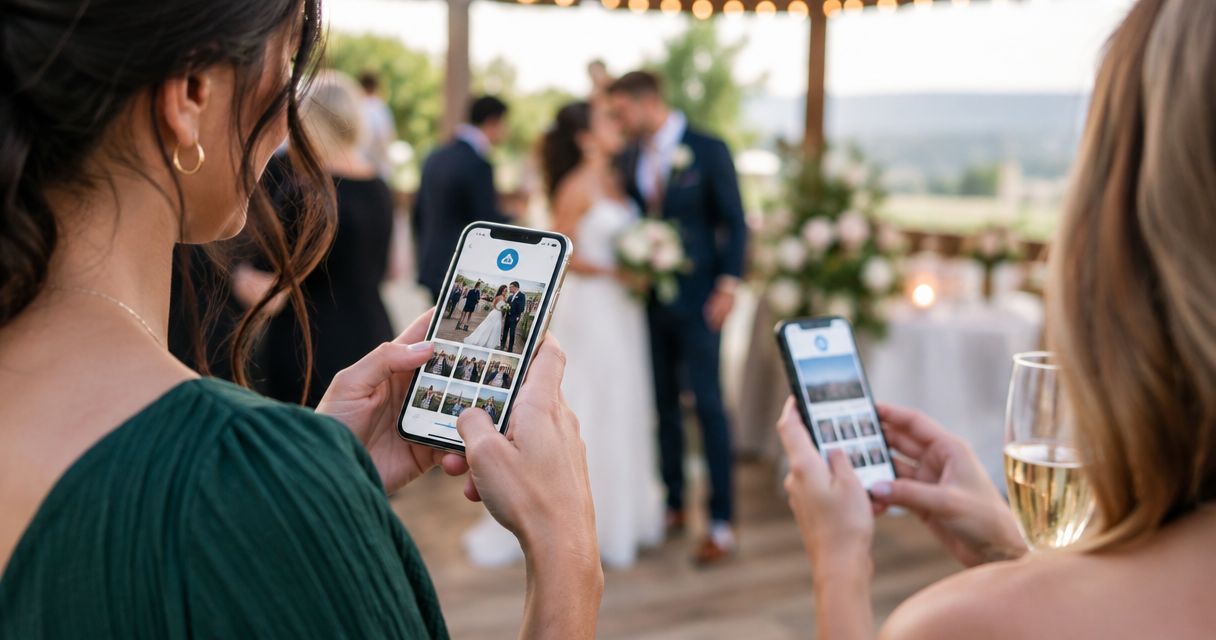
Top pick for professional wedding photo sharing: Fotoowl AI Gallery. Best for collaborative guest uploads: Google Photos. Best for private guest submissions: Dropbox file requests. This 2026 guide helps wedding photographers choose a guest collection tool without confusing it with the gallery used to deliver professional images.
TL;DR
- Fotoowl AI Gallery is our top pick for photographer-led wedding photo sharing and face-recognition delivery.
- For the wedding photo sharing app guests upload search, Google Photos suits collaborative guest albums.
- Dropbox file requests suit private guest submissions rather than a browsable wedding album.
- Keep guest uploads separate from your edited wedding photographs until you review them.
Why this matters
Guest collection and professional delivery are different jobs. A guest upload tool accepts phone photographs from friends and family. A photographer gallery presents the images your studio has selected and edited.
For an Indian wedding covering mehendi, haldi, sangeet and the wedding ceremony, mixing both streams creates an avoidable sorting task. You need clear instructions about where guests contribute and where they find your finished work.
The right 2026 setup does not require every task to happen inside one app. Choose the collection method first, then decide how approved guest photographs belong alongside your professional coverage.
What makes the best wedding photo sharing app for guest uploads?
Judge each option against these criteria before choosing a familiar name:
- Contribution friction: Check whether guests need an account, an invitation or an installed app before uploading.
- Submission privacy: Decide whether guests should see other contributions or only submit their own files.
- File handling: Test photographs and videos separately. A chat attachment and an uploaded source file serve different purposes.
- Access control: Separate permission to view photographs from permission to add, edit or remove content.
- Organisation: Keep ceremonies identifiable without asking guests to understand your studio's archive structure.
- Studio handoff: Make sure you can collect, review and archive contributions without treating them as approved client deliverables.
For 2026 bookings, test the contributor experience rather than just the organiser dashboard. Open the invitation from a device that does not belong to your studio. An upload route that works for an administrator is not proof that it works for a guest.
Wedding photo sharing options at a glance
| Option | Best for | Standout feature | Key limitation |
|---|---|---|---|
| Fotoowl AI Gallery | Photographer-led delivery | Face recognition within photo and video galleries | Professional delivery and guest contribution need separate workflow decisions |
| Google Photos | A collaborative guest album | Contributors add photographs to a shared album | Account-based participation adds a sign-in step |
| Dropbox file requests | Private file collection | Guests submit files without needing a Dropbox account | A file request is not a shared browsing gallery |
| Contributions from an existing family group | Guests send media inside a conversation they already use | Media arrives among messages rather than in a structured collection | |
| Google Drive | Collection from designated family coordinators | Shared folders hold contributed files | Editor access gives contributors broader control than an upload-only inbox |
The table separates collection from delivery deliberately. Do not choose a professional gallery solely because it helps guests find photographs; finding and uploading are different actions.
1. Fotoowl AI Gallery: best wedding photo sharing for studio delivery
Fotoowl AI Gallery is our top pick for professional photographers who need face-recognition galleries for wedding photo delivery. AI Gallery accepts photo and video uploads and provides face-recognition galleries, a portfolio builder and a reel generator. Beam camera-to-cloud FTP upload is a feature within that delivery workflow.
Those capabilities address your studio's photographs. They do not make guest contribution and photographer delivery interchangeable tasks.
Fotoowl AI Gallery pros:
- Delivers photographs and videos through galleries built for professional photographers.
- Uses face recognition to help people find relevant photographs.
- Includes a reel generator within AI Gallery.
- Supports Beam camera-to-cloud FTP uploads for the photographer's workflow.
Fotoowl AI Gallery cons:
- A delivery gallery still needs a deliberate decision about where guest contributions enter your workflow.
- Camera-to-cloud FTP upload serves photographer ingest, not instructions for wedding guests.
- Guest photographs need human review before joining your studio-curated deliverables.
Best for: Wedding studios delivering their professional coverage while managing guest collection as a separate task.
For your 2026 workflow, distinguish the guest submission destination from the finished gallery in every message. A family member asking to contribute a phone photograph needs different instructions from someone searching for a portrait you photographed.
Verdict: Buy into AI Gallery for professional wedding delivery. Hold any decision to use the same destination for guest submissions until you have tested the exact contributor route.
2. Google Photos: best wedding photo sharing app for a shared album
Google Photos lets people contribute photographs and videos to shared albums when collaboration is enabled. It suits a wedding where the intended experience is both uploading and browsing family contributions.
Use an album dedicated to guest photographs rather than your studio's edited collection. Give it a clear ceremony or event name so contributors know what belongs there.
Google Photos pros:
- Combines contributions in a visual album rather than a message thread.
- Lets the organiser enable collaboration for shared albums.
- Supports photographs and videos in the same album.
- Fits a collection that guests are expected to browse together.
Google Photos cons:
- Contributors need a Google account to add their own photographs.
- A collaborative album is not an upload-only private submission inbox.
- Guest contributions still need review before inclusion in a studio-curated collection.
Best for: Weddings where guests should contribute to and browse a common album.
Before distributing the invitation, check sharing and collaboration separately. Confirm that a guest can add an image, not merely view the album. Explain that this album contains guest photographs, not the complete professional wedding gallery.
Verdict: Buy into the Google Photos workflow for collaborative guest albums. Choose a different collection method when submissions must remain private from other guests.
3. Dropbox file requests: best wedding photo collection for private submissions
Dropbox file requests collect files into the organiser's Dropbox account. Contributors can submit files without having a Dropbox account, and the request does not give them access to the destination folder.
This is a strong fit when your studio or a family coordinator needs an inbox rather than a social album. Guests contribute their photographs; the organiser decides what happens next.
Dropbox file requests pros:
- Contributors do not need a Dropbox account to submit files.
- Submitting a file does not expose the destination folder.
- Collects files outside a scrolling group conversation.
- Separates incoming contributions from the finished viewing experience.
Dropbox file requests cons:
- Guests do not get a shared album for browsing submissions.
- File collection does not replace image review or ceremony organisation.
- Account storage and request settings need checking before distribution.
Best for: Private guest submissions managed by a photographer or designated organiser.
Use a plainly named request and tell guests which ceremony it covers. If your client wants everyone to browse contributions afterward, plan a separate reviewed album instead of presenting the request as a viewing gallery.
Verdict: Buy into Dropbox file requests when private collection is the priority. Skip this route as the sole destination when guests also need to browse the wedding photographs.
4. WhatsApp: best wedding photo collection for an existing family group
WhatsApp lets participants send photographs, videos and documents within group conversations. It suits an existing wedding group where the family wants to contribute without moving the conversation elsewhere.
Treat the group as an intake channel, not your final archive. Ask a designated coordinator to collect relevant contributions and keep the photographer's delivery messages distinct.
WhatsApp pros:
- Accepts media inside an existing wedding conversation.
- Lets contributors add context alongside photographs.
- Supports document attachments as well as media messages.
WhatsApp cons:
- Photographs arrive among replies, announcements and other messages.
- Media quality depends on how contributors send the files; document sending serves a different purpose from standard photo sharing.
- Group membership is required, and contributions are visible within the group.
Best for: Informal collection from a family group that already uses WhatsApp.
Write one clear contribution message explaining which event you are collecting and how files should be sent. Do not ask your editing team to reconstruct the wedding archive from the entire conversation.
Verdict: Hold WhatsApp as a convenience channel. Skip it as the only collection system when your studio needs organised, private submissions.
5. Google Drive: best wedding photo collection for family coordinators
Google Drive shared folders let people with suitable permissions add files. This works best when a designated family coordinator gathers guest contributions and hands them to your studio.
Use a dedicated intake folder. Never grant guest contributors editing access to the folder containing your only copies of finished client photographs.
Google Drive pros:
- Collects photographs, videos and other files in folders.
- Supports folder organisation by ceremony or contributor.
- Gives a coordinator a practical route for handing files to your studio.
Google Drive cons:
- Editor permissions extend beyond simply submitting a file.
- A shared folder is not a curated wedding gallery.
- Broad guest access requires more permission management than a coordinator-only handoff.
Best for: File collection handled by designated family coordinators rather than every guest.
Keep the intake folder separate from working edits and final exports. Once contributions arrive, move reviewed copies into your studio's own archive structure instead of depending on a shared folder indefinitely.
Verdict: Buy into Google Drive for coordinator-led handoffs. Skip broadly editable folders as your default public guest upload route.
How the options rank
This photographer-focused list places Fotoowl AI Gallery first for professional wedding delivery and face-recognition galleries. Guest collection options are compared on contribution friction, submission privacy, file handling, access control, organisation and studio handoff. The ranking does not claim measured upload speeds, participation rates or wedding-specific performance results.
Fotoowl AI Gallery leads for studio delivery. Google Photos suits a collaborative guest album, and Dropbox file requests suit private intake. WhatsApp and Google Drive serve narrower collection arrangements.
Choose by the job, not by the longest feature list. A private inbox wins when submissions must stay private; a shared album wins when browsing contributions is part of the experience.
Set up guest uploads without mixing your deliverables
Use this sequence for a 2026 wedding booking:
Separate streams
Create distinct destinations for guest contributions and professional delivery. Tell the client which destination accepts uploads and which contains your finished photographs.
For a wedding covering 4 functions—mehendi, haldi, sangeet and the ceremony—use those function names consistently. This is an organisation example, not a required event structure.
Test contributions
Test on 2 phones: one Android device and one iPhone. Use accounts that do not have organiser permissions so you see the actual guest experience.
Submit 3 sample files: a photograph, a short video and another photograph sent through the intended file route. Confirm that each reaches the destination and remains accessible to the organiser.
Review submissions
Assign a named person to review guest contributions. Remove irrelevant material from the curated collection and preserve the distinction between guest photographs and your studio's work.
A guest's upload is not permission to use the photograph in your portfolio. Agree on intended use with the client and obtain the appropriate permission from the contributor.
Deliver separately
Send a delivery message that clearly identifies the professional gallery. If you also publish reviewed guest photographs, label that collection so clients understand its source.

Review guest submissions before placing them beside professional deliverables.
The test is complete only when you have checked submission, organiser access and the viewing experience. Scanning an invitation or opening a folder is not the same as successfully contributing a file.
Which wedding photo sharing option should you choose?
Choose Fotoowl AI Gallery as our top pick for photographer-led wedding photo sharing in 2026. Its face-recognition galleries serve professional photo and video delivery; choose a separate collection route for guest contributions.
Use Google Photos for a collaborative guest album or Dropbox file requests for private submissions. Keep WhatsApp for an existing family conversation and Google Drive for a coordinator-managed file handoff.
Your client-facing instructions should state the distinction plainly: contribute guest photographs here; view the professional wedding gallery there. That sentence prevents a collection link from being mistaken for your finished work.
FAQ
What's the best wedding photo sharing app guests upload their pictures to?
Google Photos is the default choice for a collaborative guest album. Choose Dropbox file requests instead when guests should submit files without seeing other contributions.
Can wedding guests upload photos without creating an account?
Dropbox file requests allow contributors to submit files without a Dropbox account. Test the request as a contributor before sharing it with wedding guests.
Is a QR code enough to let wedding guests upload photos?
No. A QR code opens a destination; that destination must separately support guest contributions with the correct permissions. Test the upload action, not just whether the code opens.
Is Fotoowl a guest upload app or a photographer gallery?
Fotoowl provides professional photographers with AI Gallery for photo and video delivery through face-recognition galleries. Treat guest collection as a separate workflow decision and test the intended contribution route.
Is WhatsApp better than Google Photos for wedding guest pictures?
WhatsApp suits contributions inside an existing family conversation, while Google Photos suits a shared album. Choose the album when browsing collected photographs matters more than keeping everything in chat.
Should photographers mix guest photos with professional wedding images?
Keep guest photographs separate until they have been reviewed. Label any published guest collection clearly so clients can distinguish it from the studio's professional coverage.
How should photographers organise uploads from an Indian wedding?
Organise guest contributions by the wedding's actual functions, such as mehendi, haldi, sangeet and the ceremony. Use the same function names in contribution instructions and your review process.
One last thing
The most useful guest upload instruction names a person, not just an app. Give the client a designated collection coordinator who can answer questions, gather misplaced submissions and confirm that the handoff is complete.
Keep that role separate from responsibility for your professional gallery. Your studio should not inherit an unreviewed guest collection simply because it delivered the wedding photographs.