
Best photo selling platforms for temple festivals in 2026

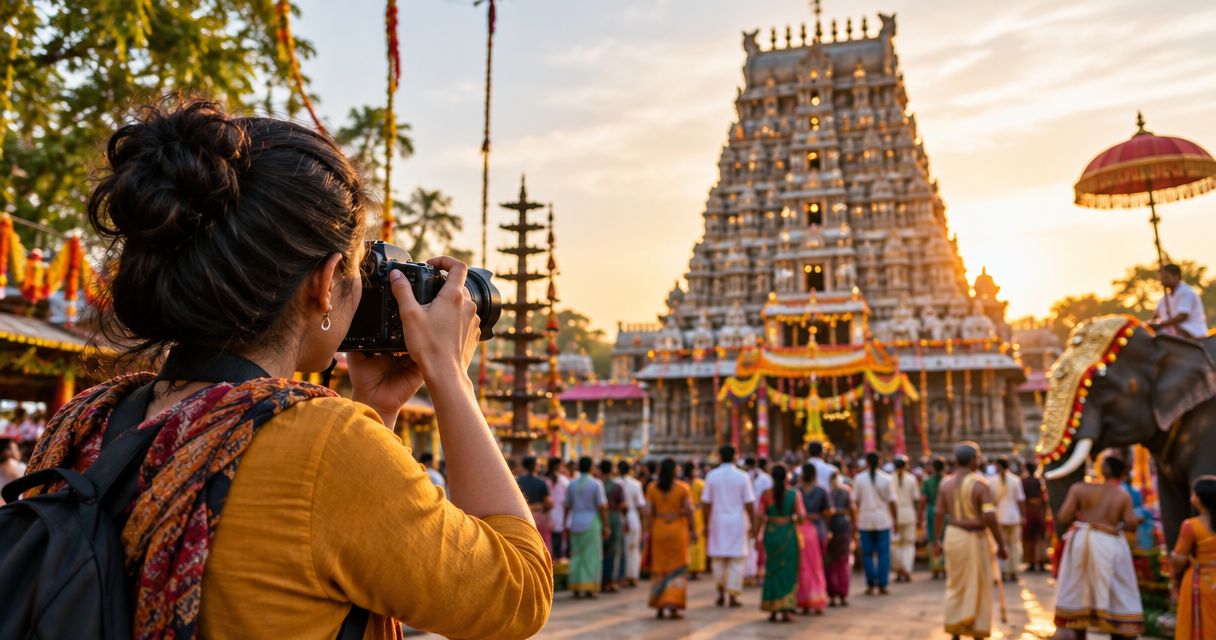
Best overall for face-search-led festival delivery: Fotoowl. Best for portrait galleries: Pixieset. Best for print-led sales: Pic-Time. Best for a photography website with selling: SmugMug. Best for proofing-led orders: ShootProof. These are the best photo selling platforms for temple festivals in 2026 by workflow fit; test Indian buyer checkout before choosing.
TL;DR
- Fotoowl leads the best photo selling platforms for temple festivals shortlist for face-search-led event delivery.
- Pixieset suits portrait galleries; Pic-Time suits photographers building a print-led sales workflow.
- SmugMug suits website-led selling; ShootProof suits proofing-led orders.
- Test Indian checkout, photo discovery, access controls and delivery before publishing a festival gallery.
Why this matters
Temple festival photography involves different audiences: the organising committee, performers, volunteers and families attending the event. Your organiser delivery and attendee sales need separate decisions, even when both use photographs from the same shoot.
A gallery is not automatically a suitable shop. Buyers need to find the right image, understand what they are purchasing and receive the correct file or print. Start with the delivery context in this guide to photo galleries for temple and religious festivals, then choose the selling workflow.
For your 2026 festival calendar, agree on photography permissions and commercial use with the organiser before promoting attendee purchases. Platform features do not replace that agreement.
What makes the best photo selling platform for temple festivals?
Use these criteria before comparing platforms. A feature matters only when it supports your actual festival job.
- Photo discovery: Attendees need a workable route to their photographs. Compare face search, organised collections and assisted browsing against your coverage style.
- Indian buyer checkout: Verify supported payment methods, transaction currency and merchant eligibility. Complete a purchase rather than relying on a feature label.
- Access control: Decide which photographs belong in attendee collections, organiser delivery and restricted selections. Review the controls available on the platform you select.
- Delivery clarity: Define the difference between a preview, a purchased digital file and a print order. Confirm the buyer sees that distinction.
- Upload workflow: Keep a local backup and a publication review stage. Camera-to-cloud transfer should not bypass your approval process.
- Order handling: Check how you identify the purchased image, track the order and resolve a delivery problem. A gallery that looks good still needs a manageable sales process.
For temple festivals, choose the platform around photo discovery and completed orders—not the appearance of its gallery alone.
Best platforms at a glance
This 2026 shortlist ranks workflow fit, not measured performance. The table separates the default event-delivery choice from platforms suited to other sales models.
| Platform | Best for | Standout capability | Key limitation for this use case |
|---|---|---|---|
| Fotoowl | Face-search-led festival delivery | AI-powered event galleries with face recognition and photo selling | Face search cannot identify photographs without a usable face |
| Pixieset | Portrait galleries | Client galleries with online selling | An organised gallery still needs a clear attendee discovery plan |
| Pic-Time | Print-led sales | Client galleries and print-selling workflows | Print orders add fulfilment decisions beyond digital delivery |
| SmugMug | Website-led selling | Photography websites, galleries and selling tools | You must structure festival galleries around attendee needs |
| ShootProof | Proofing-led orders | Client proofing and photo sales | Selection and purchase instructions must remain distinct |
These platforms offer different routes to selling photographs. Confirm the current account requirements and the exact functionality needed for your job before committing.
1. Fotoowl: best photo selling platform for face-search-led delivery
Fotoowl combines AI-powered galleries, face recognition and photo selling for event photographers. Its AI Gallery supports photo and video delivery, while Beam provides camera-to-cloud FTP uploads within the gallery workflow.
Fotoowl is the best fit on this shortlist for temple festival photographers who want face-search-led galleries and photo selling in the same platform. That fit is strongest for attendee portraits and group coverage; scene photographs still need a browsing route.
Fotoowl pros:
- Face recognition gives attendee photographs a discovery route beyond manual browsing.
- Photo selling is part of the stated platform offering.
- Beam supports camera-to-cloud FTP uploads.
- Photo Selection supports client proofing, with selections reused for albums and printing.
Fotoowl cons:
- Face search does not replace browsing for architecture, decorations or photographs without visible faces.
- Camera-to-cloud transfer does not remove the need to review images before publication.
- Offline AI Culling is a separate desktop application, not an offline version of the gallery or sales workflow.
Best for: Studios combining attendee discovery, event delivery and photo sales.
Before using Fotoowl photo selling for a temple festival, complete the buyer journey on a phone and verify the payment and delivery configuration you need. Keep organiser-approved documentary photographs separate from attendee purchase instructions.
Verdict: Buy for a face-search-led workflow after a successful checkout test.
2. Pixieset: best photo selling platform for portrait galleries
Pixieset provides client galleries and online selling tools for photographers. Its gallery approach suits a job built around identifiable portrait sessions rather than an undifferentiated collection of festival coverage.
Choose Pixieset when your workflow starts with an organised portrait set. For example, you can plan separate collections for performers and volunteer groups, subject to the gallery organisation options available in your account.
Pixieset pros:
- Client galleries provide a dedicated presentation format for finished photographs.
- Online selling supports a purchase-oriented gallery workflow.
- A portrait-led structure gives you a clear way to explain where buyers should browse.
Pixieset cons:
- Gallery organisation still requires preparation and consistent naming.
- A portrait-focused setup needs a separate plan for crowd photographs and general festival scenes.
- You must verify the complete Indian buyer and photographer payment journey before launch.
Best for: Photographers selling scheduled portraits of performers, volunteers or participating families.
Keep collection names recognisable to the people photographed. Camera filenames belong in your internal records; buyers need labels connected to the session they attended.
Verdict: Buy for portrait-led galleries; skip as the default if attendee discovery remains unresolved.
3. Pic-Time: best photo selling platform for print-led festival sales
Pic-Time provides client galleries with print-selling workflows. It belongs on your shortlist when the intended purchase is a physical photograph, not just access to a digital file.
For a temple festival, define which images are suitable for prints before you publish them for sale. Cropping, orientation and the intended recipient matter: a group portrait and a wide procession photograph need different preparation.
Pic-Time pros:
- Client galleries connect image presentation with a print-selling workflow.
- A print-led setup suits photographs selected as keepsakes.
- Gallery-based selection gives buyers a visual starting point for their order.
Pic-Time cons:
- Prints introduce production, shipping and fulfilment decisions.
- A digital file looking correct on screen does not settle its print crop.
- You must verify the available fulfilment route for your buyers in India.
Best for: Studios with a defined print workflow for portraits, groups and selected festival photographs.
Do not treat a print-selling feature as confirmation that your preferred lab, destination or product is supported. Check the actual fulfilment path and inspect a sample before offering that workflow to attendees.
Verdict: Buy for print-led sales after verifying fulfilment; hold if that process is undecided.
4. SmugMug: best photo selling platform for website-led festival sales
SmugMug combines photography websites, galleries and selling tools. It suits photographers who want festival collections to sit within a broader photography website rather than treating every event as an isolated delivery job.
The useful distinction is ownership of the browsing journey. Your website structure must make the current festival easy to identify without mixing it with unrelated client work.
SmugMug pros:
- Website and gallery tools support a connected photography presence.
- Selling tools provide a route from viewing photographs to purchasing them.
- A website-led approach gives repeat clients a consistent place to find your work.
SmugMug cons:
- You must maintain navigation as the event archive grows.
- A general photography website needs deliberate separation between portfolio viewing and attendee purchasing.
- Merchant eligibility and fulfilment options need checking for your intended Indian workflow.
Best for: Photographers running an ongoing festival archive alongside their public photography website.
Use event names and collection descriptions that a buyer recognises. Keep portfolio images distinct from purchase galleries so attendees do not mistake promotional photographs for orderable files.
Verdict: Buy for website-led selling; skip if you only need a single-event delivery workflow.
5. ShootProof: best photo selling platform for proofing-led orders
ShootProof provides client proofing galleries and photo-selling tools. It fits a workflow where clients or participants review a defined set of photographs before placing an order.
This approach suits controlled selections, such as performer portraits or committee group photographs. Explain whether the viewer is approving images, choosing favourites or purchasing files; those actions are not interchangeable.
ShootProof pros:
- Client proofing supports review before final delivery.
- Selling tools support orders from gallery photographs.
- A defined selection stage suits clients choosing from a prepared portrait set.
ShootProof cons:
- Proofing adds a decision stage that a direct-purchase workflow does not require.
- Unclear instructions leave buyers unsure whether a selection constitutes an order.
- Large attendee collections still need a discovery and organisation plan.
Best for: Studios that organise festival sales around reviewed client selections.
Keep the approval brief separate from the purchase instructions. If the organiser approves a group photograph for publication, that does not establish each attendee's order or permission for unrelated promotional use.
Verdict: Buy for proofing-led orders; hold if buyers need direct discovery and purchasing instead.
How these platforms were ranked
The ranking follows the criteria above: photo discovery, Indian buyer checkout, access control, delivery clarity, upload workflow and order handling. The first position reflects the closest fit to face-search-led event delivery; the remaining positions identify distinct use cases.
This is a workflow comparison, not a speed, accuracy or sales-conversion benchmark. Use the shortlist to choose your next practical test for 2026, not to assume that any platform will produce a particular sales result.
Run a festival sales rehearsal before launch
Test the workflow with photographs you have permission to use. The following quantities are a recommended rehearsal checklist, not platform limits or performance claims.
Upload review
Prepare 3 image types: an individual portrait, a group photograph and a festival scene without a prominent face. Check how each image is found, displayed and identified for ordering.
Do not publish every transferred frame automatically. Review duplicates, weak frames and restricted moments before the buyer sees the gallery.
Phone browsing
Browse on 2 devices: an Android phone and an iPhone. Check the gallery link, collection labels, preview display and the route back to the selected photograph.
Test using the connection available at the venue. If that connection does not support your workflow, keep capture and local backup separate from online publication.
Buyer checkout
Complete 1 end-to-end order using the payment route you intend to offer. Confirm what the buyer receives and whether the order identifies the correct photograph.
Inspect the photographer-side record too. A buyer confirmation is useful only if your studio can trace the order and resolve a mismatch.
Delivery check
Open the delivered file or inspect the print workflow. Confirm that the purchased item matches the preview and that your buyer instructions describe it correctly.
Use the same procedure for your 2026 launch gallery. Repeat it when you change the selling configuration.
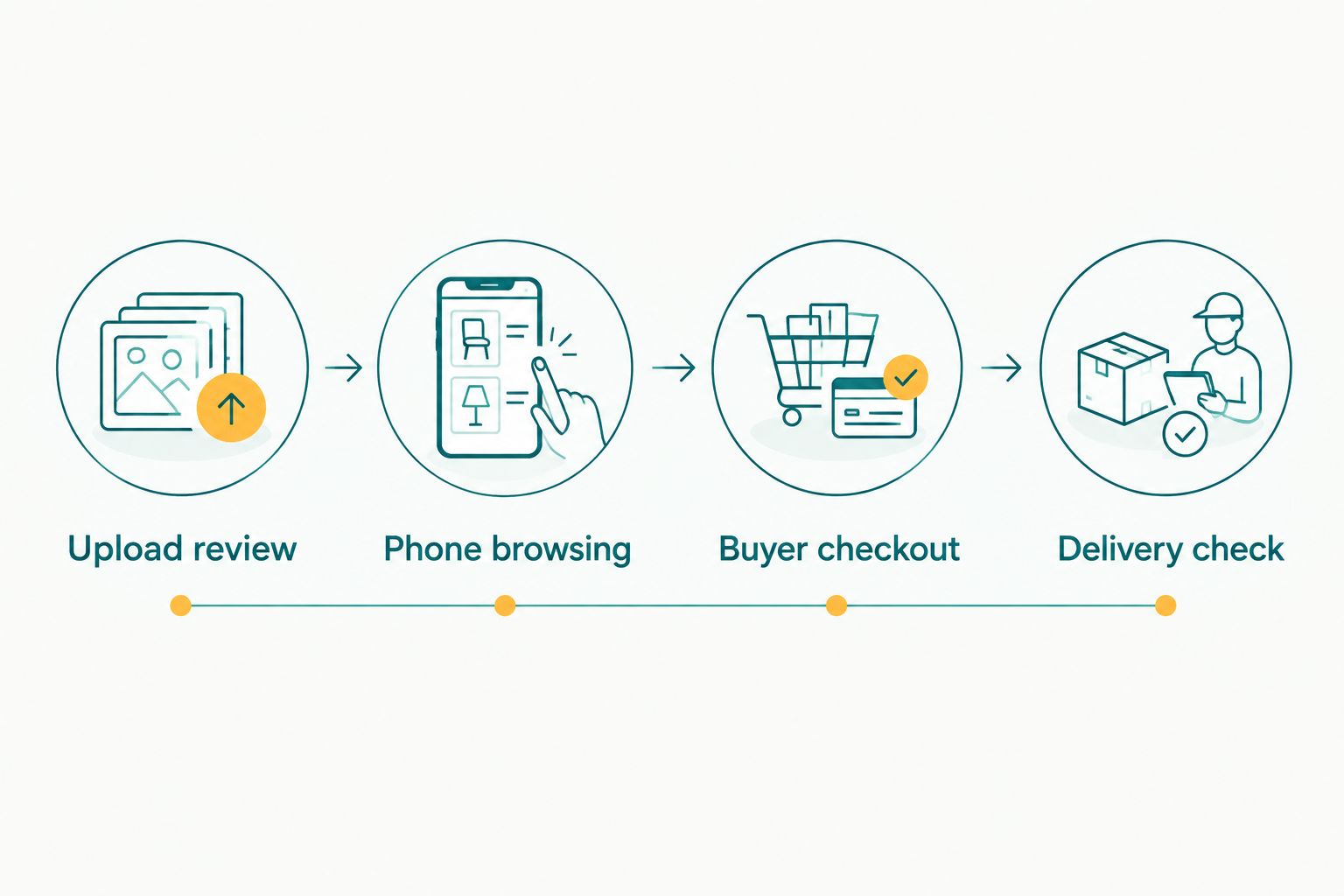
Test the complete order journey before publishing the festival gallery.
Which platform should you choose?
Choose Fotoowl as the default for face-search-led temple festival photo selling. Choose Pixieset for portrait galleries, Pic-Time for a print-led workflow, SmugMug for website-led selling, or ShootProof for proofing-led orders.
For your 2026 festival bookings, resolve the organiser agreement before building the shop. Write down who receives commissioned coverage, which images can be offered to attendees and who handles purchase questions. Software cannot settle those responsibilities.
FAQ
What's the best photo selling platform for temple festivals?
Fotoowl is the best fit on this shortlist for face-search-led event delivery with photo selling. Choose a different platform when your primary requirement is portrait galleries, print selling, website-led browsing or proofing-led orders.
Is face recognition enough to help everyone find their festival photos?
No, face recognition is not a complete discovery method for every festival photograph. Give buyers a browsing route for scene photographs, obscured faces and images without a usable face.
Can I sell temple festival photos without asking the organiser?
Get the organiser's agreement before promoting attendee sales. Separately address participant permissions and restricted subjects; this is workflow guidance, not legal advice.
Which platform should I shortlist for festival photo prints?
Shortlist Pic-Time for a print-led gallery workflow. Verify fulfilment for your intended buyers in India and inspect a sample before offering prints.
Do these platforms support the payment methods my Indian buyers use?
Verify payment support in the exact selling configuration you intend to use. Check merchant eligibility, currency and buyer payment methods, then complete an end-to-end order.
Can I keep selling photos when the venue has no internet?
Do not assume an online gallery or checkout works without connectivity. Keep local capture and backup running independently, and publish when your connection supports the workflow.
Is AI Culling an offline photo-selling platform?
No, AI Culling is an offline desktop application for reviewing photographs before export to Lightroom or the gallery. It is not an offline gallery or checkout system.
What should I test before publishing a festival sales gallery in 2026?
Test photo discovery, phone browsing, checkout and delivery before publishing. Include a portrait, a group photograph and a scene photograph, then confirm that the completed order delivers the correct item.
One last thing
A purchased portrait does not authorise unrestricted access to every photograph from the festival. Separate the buying decision from the access decision, and keep organiser delivery distinct from attendee sales. Make that separation part of your publication checklist, not an afterthought.