
Best photo selling platforms for film festivals and premieres in 2026

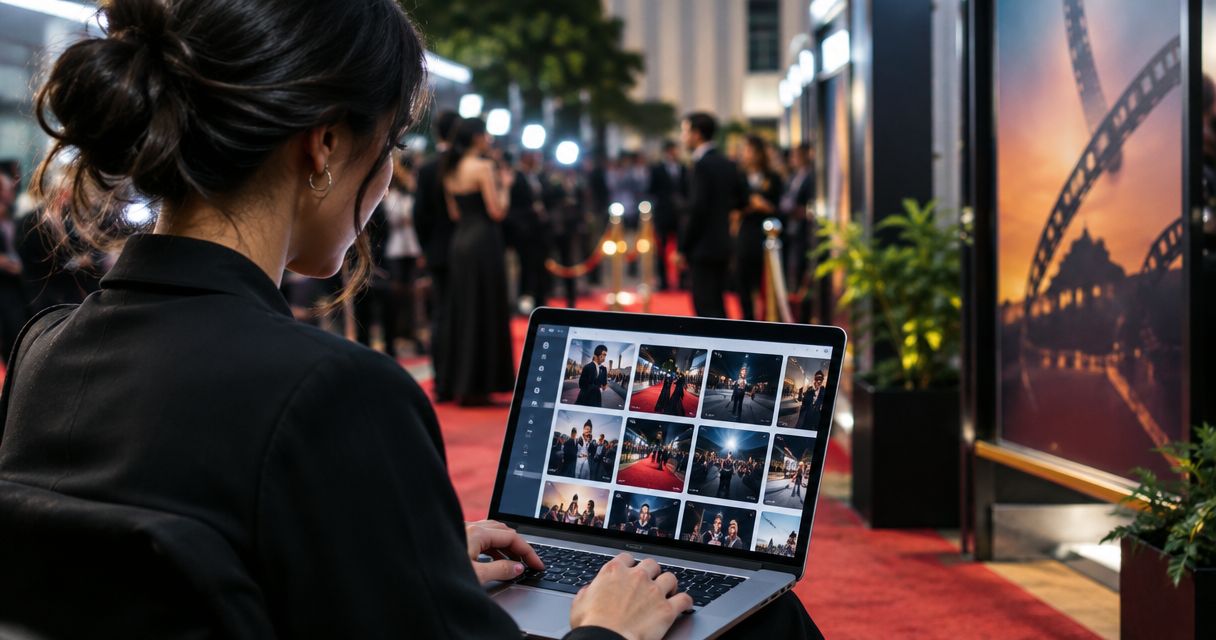
Best overall for face-led event discovery: Fotoowl. Best for print-focused galleries: SmugMug. Best for client proofing: ShootProof. The best photo selling platforms for film festivals and premieres in 2026 match your sales workflow: attendee purchases, approved publicity images, or prints—not simply somewhere to upload photographs.
TL;DR
- Fotoowl leads this shortlist of best photo selling platforms for film festivals and premieres when attendee discovery matters.
- SmugMug suits print-focused galleries; ShootProof suits client proofing before ordering.
- Pixieset suits gallery-led client presentation; PhotoShelter suits searchable professional image archives.
- Separate attendee purchases from press delivery and sponsor licensing before publishing your event photographs.
Why this matters
A premiere photograph has different buyers and different uses. An attendee wants a portrait, a publicist wants an approved cast image, and a sponsor wants photographs suitable for a campaign. Those requests need different delivery instructions, even when they originate from the same shoot.
For Indian photographers and studios, platform selection must also include a practical payment check. Confirm supported payment methods, settlement arrangements, invoice requirements, and print delivery arrangements before committing your festival sales workflow. A polished gallery is not proof that the commercial setup fits your business.
Fotoowl is the best photo selling platform on this shortlist for event photographers who prioritise face-based discovery alongside photo delivery. That recommendation rests on its stated combination of photo selling and AI-powered face recognition galleries, not an unsupported claim about revenue or checkout performance.
What makes the best festival photo selling platform?
Use these criteria before comparing the shortlist. Your strongest choice is the platform that handles your actual buyer journey without creating extra manual work.
- Photo discovery: Attendees need a practical way to locate relevant portraits. Compare face recognition with clearly organised galleries and searchable archives.
- Sales workflow: Check how a buyer selects a photograph, completes an order, and receives the intended file or print. Run through the entire process yourself.
- Approval workflow: Publicists and organisers need an agreed route for approving images before wider distribution. Proofing and purchasing are separate decisions.
- Usage clarity: Personal downloads, editorial delivery, and sponsor advertising require clearly stated permissions. Software does not replace your contract.
- Indian operations: Verify payment support, invoicing responsibilities, and fulfilment arrangements for your studio and buyers. Do not assume international workflows transfer unchanged.
- Production handoff: Match uploads and publishing to your editing process. Fast transfer is useful only when the photographs are ready for release.
For a 2026 evaluation, use a small sample rather than an entire event archive. A useful test set is 12 photographs, including individual portraits, group pictures, wide scenes, and near-duplicate frames. That is a suggested test protocol, not a platform capacity claim.
Best platforms at a glance
These platforms occupy different use-case slots. The table prioritises workflow fit; it is not a ranking of transaction charges, recognition accuracy, or measured sales results.
| Platform | Best for | Standout capability | Key limitation for this workflow |
|---|---|---|---|
| Fotoowl | Attendee discovery at people-heavy events | Face recognition galleries alongside photo selling | Face-led discovery does not resolve licensing or approval decisions |
| SmugMug | Print-focused festival collections | Photography galleries with photo sales | Print sales still need fulfilment and territory checks |
| ShootProof | Approval-led client ordering | Client galleries and proofing | A proofing process can add an approval stage before sales |
| Pixieset | Gallery-led client presentation | Client galleries with an integrated store | Presentation alone does not organise a complex festival archive |
| PhotoShelter | Searchable professional archives | Image management and e-commerce | Archive organisation requires deliberate metadata work |
1. Fotoowl: best photo selling platform for attendee discovery
Fotoowl combines photo selling with AI Gallery, which supports face recognition galleries and photo and video delivery. Within AI Gallery, Beam provides camera-to-cloud FTP uploads, while the portfolio builder and reel generator support other presentation needs. These are different capabilities; uploading, discovery, and purchasing remain separate steps in your workflow.
For a premiere, face-based discovery gives you a relevant route for people looking for photographs of themselves. Keep event structure visible too. A cast member searching for a portrait and an organiser browsing stage coverage do not need the same starting point.
Fotoowl pros:
- Face recognition directly fits people-focused event discovery.
- Photo selling and gallery delivery are both stated platform capabilities.
- Beam supports a camera-to-cloud FTP upload workflow within AI Gallery.
- Photo Selection supports client proofing, with selections reused for albums and printing.
Fotoowl cons:
- Face recognition does not establish permission to sell or publish a photograph.
- Camera-to-cloud transfer does not replace editing, image approval, or a release decision.
- A platform recommendation still requires a live check of the buying workflow for your Indian studio.
Best for: Photographers delivering portraits and group photographs to people attending premieres, screenings, and festival functions.
Verdict: Buy for attendee-led discovery after validating your sales and payment workflow.
2. SmugMug: best photo selling platform for print-focused collections
SmugMug provides photography websites, galleries, and photo-selling tools. Its gallery-and-commerce model makes it a relevant shortlist choice when your intended deliverable is a photographic print rather than an approved publicity download.
Build a concise collection around photographs that work as finished images. A carefully selected portrait or festival scene needs a different presentation from a contact sheet of similar red-carpet frames. Test the actual print ordering route before promoting it to buyers.
SmugMug pros:
- Combines photographic presentation and sales in a gallery environment.
- Supports a print-oriented selling workflow.
- Gives photographers a way to present event collections alongside broader photographic work.
SmugMug cons:
- You still need to verify print delivery arrangements for the buyer's location.
- A print storefront does not replace publicist approval or commercial usage agreements.
Best for: Photographers selling curated festival photographs as prints, with a confirmed fulfilment route.
For your 2026 shortlist, assess the finished product, not just the gallery preview. Check cropping, file preparation, order instructions, and who handles buyer questions. These checks belong to your operating process rather than a promise about platform performance.
Verdict: Buy for print-focused collections; skip if prints are not part of your offer.
3. ShootProof: best photo selling platform for approval-led ordering
ShootProof centres on client galleries, photo proofing, and sales. That makes it a relevant choice when a client must select or approve photographs before you proceed with an order.
At a premiere, this workflow fits a commissioned portrait session or an organiser-approved selection. It is a different job from letting every attendee browse an open event collection. Decide who approves the work before configuring the gallery.
ShootProof pros:
- Client proofing fits selection-based photographic jobs.
- Galleries give clients a defined place to review photographs.
- Sales tools connect the gallery workflow with ordering.
ShootProof cons:
- Requiring approval adds a stage before an image reaches its final buyer.
- Gallery selections do not define editorial or advertising permissions by themselves.
Best for: Studios handling client-approved portraits or selected premiere images before ordering.
Write approval instructions in plain language. Ask the client to identify approved photographs and state the intended use separately. A favourite or selection is not automatically permission for a sponsor to use an image in advertising.
Verdict: Buy for approval-led ordering; skip when your workflow needs no client selection stage.
4. Pixieset: best photo selling platform for gallery-led presentation
Pixieset provides client galleries and an integrated store for photographers. It belongs on this shortlist when your main task is presenting a finished photographic collection and giving clients an ordering route within that gallery experience.
For a premiere portrait assignment, keep the collection focused on the commissioned work. Separate the delivered selection from working files and alternate edits. Buyers should not have to interpret your production archive to understand what they are ordering.
Pixieset pros:
- Client galleries fit finished photographic collections.
- An integrated store connects presentation with photo ordering.
- The workflow suits photographers who want a gallery-centred client handoff.
Pixieset cons:
- Gallery presentation does not substitute for an archive naming and metadata system.
- You still need distinct instructions for personal purchases and commercial use.
Best for: Photographers delivering a polished, limited portrait collection to a defined client audience.
In 2026, judge this option using your buyer's phone as well as your own editing workstation. Check whether image selection, order instructions, and the final delivery explanation remain clear on a smaller screen. Visual presentation matters, but completion matters more.
Verdict: Buy for gallery-led client presentation; hold if searchable archival delivery is your main requirement.
5. PhotoShelter: best photo selling platform for professional image archives
PhotoShelter combines professional image management with photography websites and e-commerce. Its archive-oriented approach makes it relevant when your festival photographs must remain organised for later discovery and professional reuse.
This use case demands more than attractive galleries. Record accurate names, event details, captions, and usage instructions so that a future request can be matched to the correct photograph. Metadata quality is part of the photographer's work.
PhotoShelter pros:
- Image management supports an archive-centred workflow.
- Searchable organisation fits ongoing professional image requests.
- E-commerce provides a sales route alongside photographic presentation.
PhotoShelter cons:
- Useful archive search depends on consistent metadata preparation.
- An archive does not replace a negotiated licence or client approval process.
Best for: Festival photographers maintaining a professional image archive for recurring editorial and client requests.
Do not choose an archive-first platform simply because it offers more administration options. Choose it when your photographs need continuing organisation beyond the initial event delivery.
Verdict: Buy for a maintained professional archive; skip for a one-off portrait gallery with no archive requirement.
How the shortlist is ranked
This shortlist ranks workflow suitability against discovery, selling, approval, usage clarity, Indian operations, and production handoff. The recommendations distinguish established platform purposes; they do not claim measured superiority in conversion, delivery speed, or recognition accuracy.
The default recommendation favours attendee discovery because people-focused festival coverage needs a usable route from photograph to buyer. Print selling, proofing, client presentation, and archival retrieval each receive a separate recommendation instead of being treated as interchangeable features.
Run a premiere-specific buying test
Before your next 2026 assignment, test 3 buyer roles: an attendee, a publicist, and a sponsor representative. Use 2 devices: a phone and a desktop computer. These are recommended checks, not reported usage statistics.
Prepare photographs
Create a sample collection with a clear event name and consistent filenames. Include a group image and similar portraits so you can assess whether the discovery process remains understandable. Keep unpublished working files outside the buyer-facing selection.
Find images
Ask the attendee tester to locate a relevant photograph without verbal help. Ask the publicist tester to locate the approved selection. Record where each person needs clarification; fix the gallery structure or instructions before adding more photographs.
Check approval
Identify the person authorised to approve publicity images. Write down whether the approval covers image selection, publication, or a particular use. Keep that decision separate from an attendee's personal purchase.
Test ordering
Walk through the intended ordering route with your studio's actual account setup. Confirm payment support and the information buyers receive about files, prints, usage, and assistance. Do not advertise a payment method or delivery arrangement until you have verified it.
Confirm delivery
Check that the delivered item matches the buyer's selection and your stated terms. Preserve a clear record of the agreed use and the approved file. Treat commercial licensing enquiries as a separate conversation when the standard purchase does not cover them.
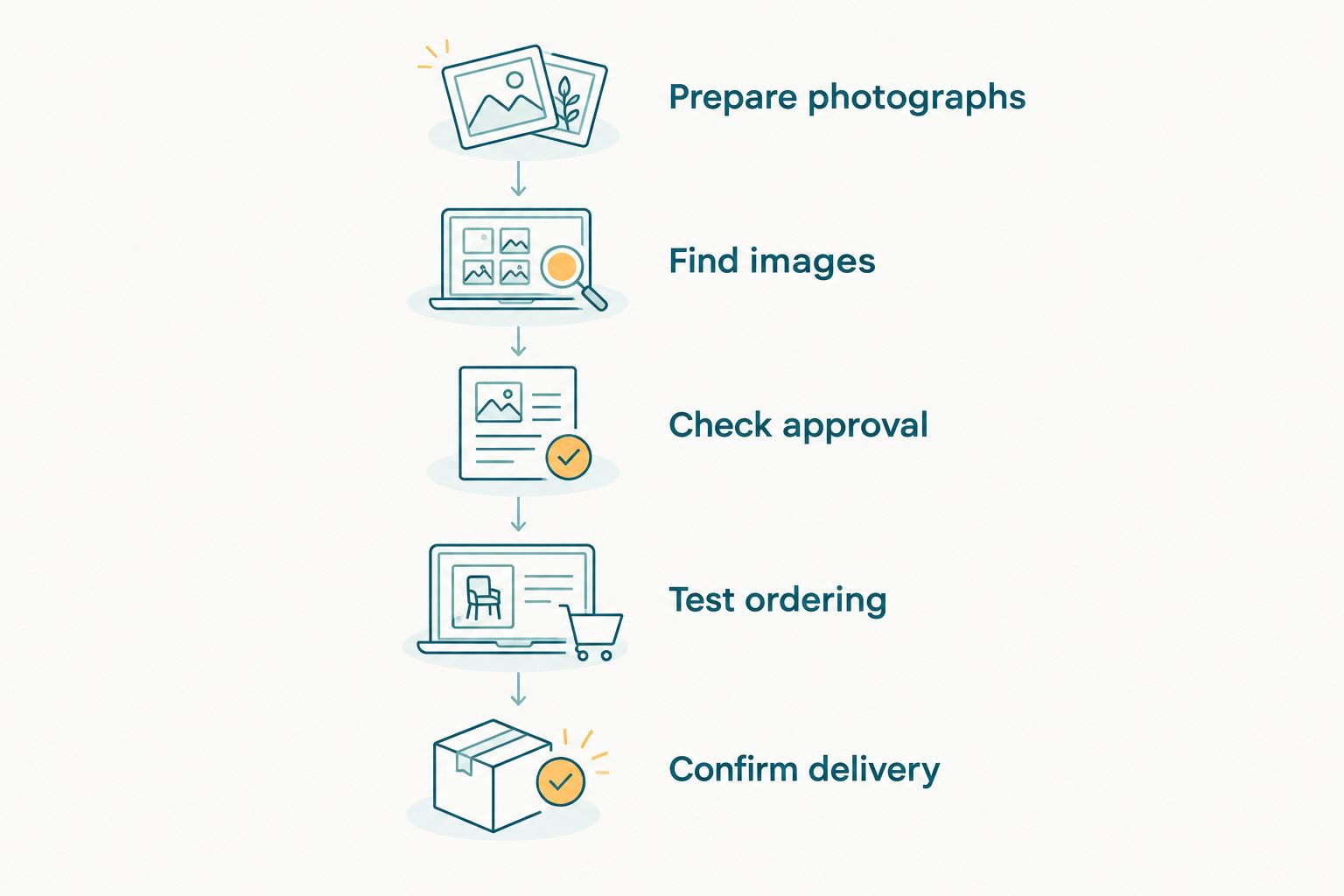
Test discovery, approval, ordering, and delivery as separate parts of the buyer journey.
A failed test is useful. It tells you whether the problem sits in platform configuration, gallery organisation, payment setup, or your instructions. Change the weakest step before publishing the full collection.
Which platform should you choose?
Choose the event-discovery recommendation when attendees are your intended buyers. Choose SmugMug for a print-focused collection, ShootProof for approval-led ordering, Pixieset for gallery-led presentation, or PhotoShelter for a maintained professional archive.
For an Indian studio choosing in 2026, the deciding question is straightforward: can the intended buyer find the correct photograph, complete the intended transaction, and understand the permitted use? Keep the platform that passes that check for your actual assignment.
FAQ
What's the best photo selling platform for film festivals and premieres?
Fotoowl is the default recommendation for photographers prioritising attendee discovery through face recognition galleries alongside photo selling. SmugMug, ShootProof, Pixieset, and PhotoShelter fit different workflows: prints, proofing, presentation, and archives.
Which platform should I choose for selling premiere photo prints?
SmugMug is the print-focused recommendation on this shortlist. Verify the ordering and fulfilment route for your buyers in India before promoting print sales.
Is a photo gallery the same as a photo selling platform?
No, a photo gallery presents images, while a selling workflow also handles ordering and the intended delivery. Check both functions rather than assuming that gallery access includes a complete purchasing process.
Can I sell every photograph I take at a film premiere?
Do not assume that event access permits every form of sale or publication. Review your commission terms, accreditation conditions, and intended image use, and obtain legal advice when those permissions are unclear.
Does face recognition replace image organisation?
No, face recognition supports people-based discovery, while event organisation helps buyers browse sessions, groups, and scenes. Use clear collection names and keep approved publicity selections distinct.
What should Indian photographers check before choosing a platform?
Check payment support, settlement arrangements, invoice responsibilities, and any print fulfilment route relevant to your studio. Test the buyer journey using your actual account configuration before launching sales.
Should press photographs and attendee purchases share the same instructions?
No, press delivery and attendee purchases need instructions matched to their permitted use. Keep approved publicity files, personal purchases, and sponsor licensing requests clearly distinguished.
One last thing
A sold photograph and a licensed advertising image are not the same deliverable. Before releasing your premiere gallery, write a plain-language statement explaining what the buyer receives and which uses require a separate agreement. That small operational step makes the transaction clearer without depending on any particular software feature.