
Best NAS storage systems for photography studios

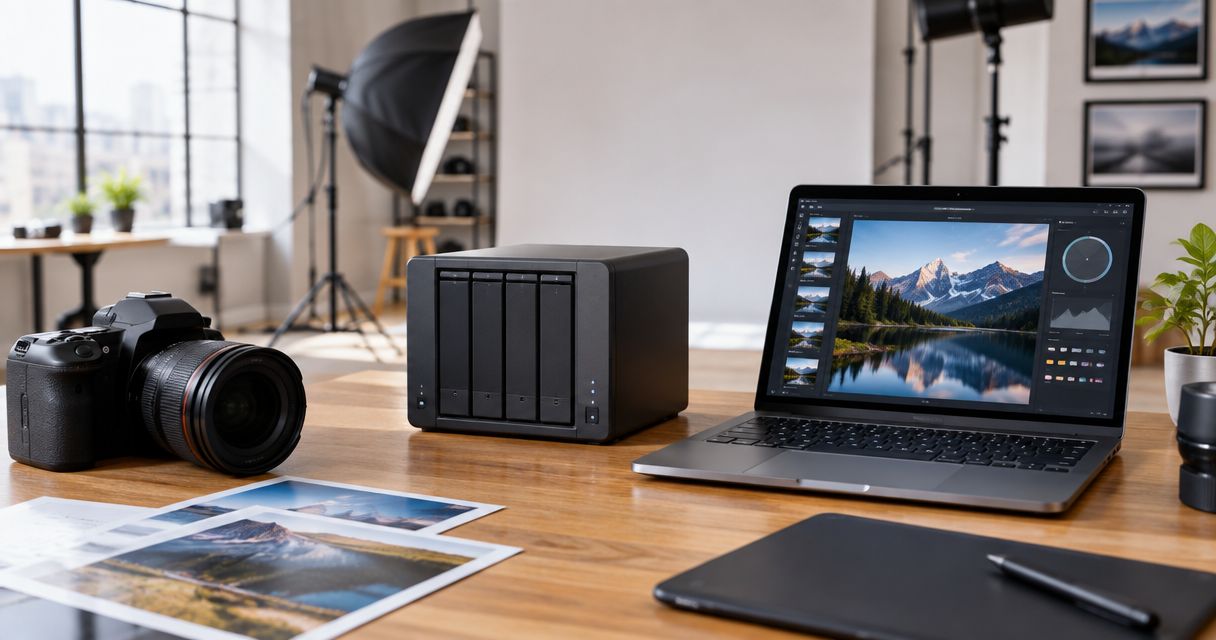
Best overall: Synology DiskStation DS923+. Best for fast RAW previews: QNAP TS-464. Best budget option: TerraMaster F4-423. This 2026 guide compares NAS storage systems for photography studios and explains how local storage fits beside cloud storage for photographers.
TL;DR
- Synology DiskStation DS923+ is the best overall NAS storage system for photography studios in 2026.
- QNAP TS-464 wins for RAW previews because it combines four drive bays with NVMe caching and dual 2.5GbE.
- Synology DiskStation DS1522+ fits multi-photographer studios that need five bays and more expansion capacity.
- TerraMaster F4-423 is the budget pick for photographers who prioritise four bays and dual 2.5GbE.
- RAID limits downtime after drive failure, but photographers still need a separate off-site backup.
Why this matters
Photography studios do not create files at a steady office pace. A wedding, school event, sports tournament or corporate conference can send several cards into the archive at once, followed by culling, editing, export and client delivery. Slow or scattered storage delays every stage.
A NAS gives multiple computers controlled access to one central archive over the studio network. The right model also supports redundant drive layouts, snapshots and scheduled backups instead of leaving every photographer to manage separate portable drives.
The NAS is only one part of a 2026 photography workflow. Camera cards or Beam camera-to-cloud FTP uploads handle ingest, the NAS holds the working archive, AI Culling removes duplicate and weak frames offline, and Foto Owl AI Gallery handles client delivery. A NAS should protect and organise source files; it should not become the client gallery.
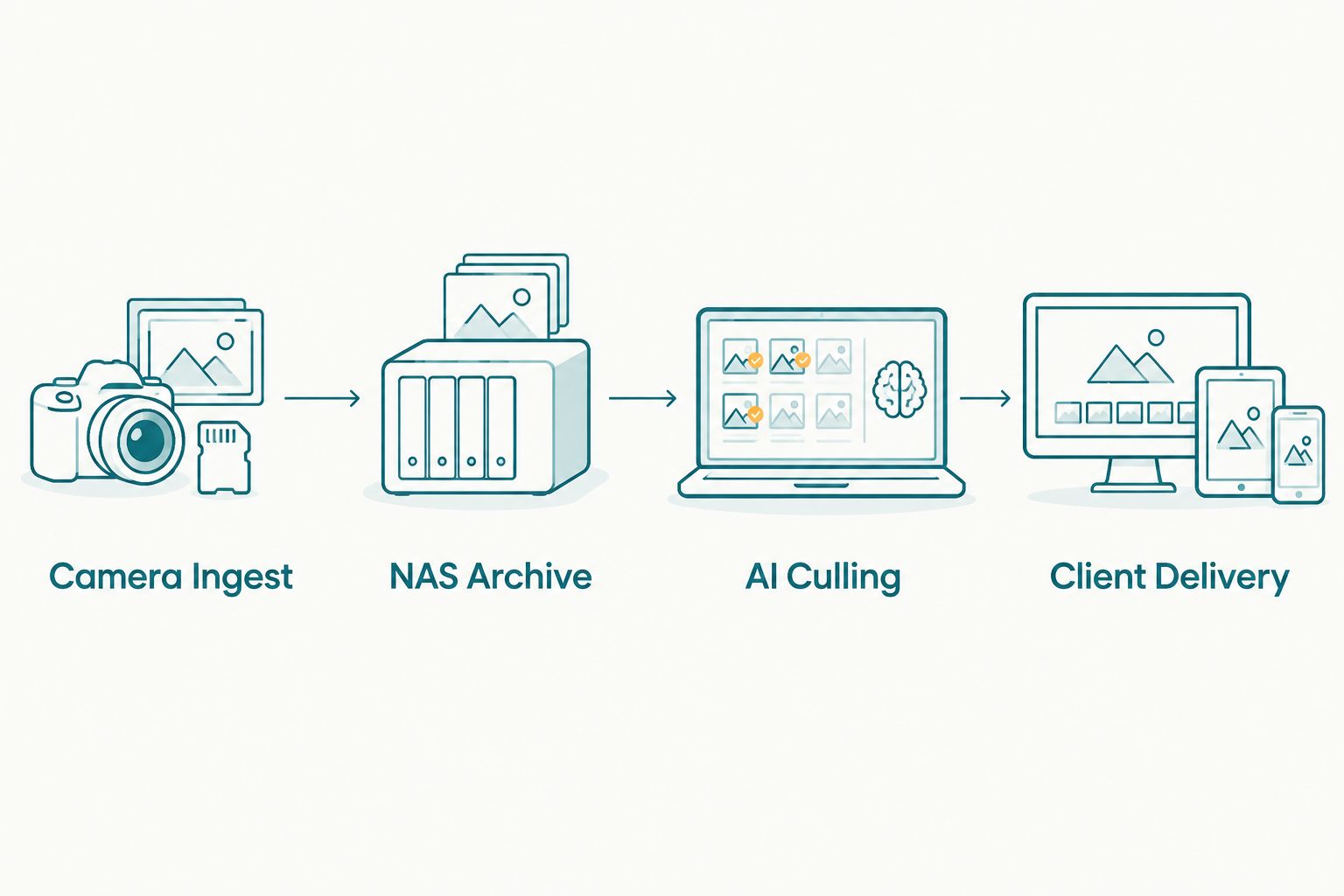
The NAS protects the working archive while a gallery handles client-facing delivery.
What makes the best NAS for a photography studio
- Drive bays: Two bays suit a solo photographer using mirrored storage. Four or five bays give growing studios more capacity choices and better expansion paths.
- Network speed: Dual 2.5GbE ports or an optional 10GbE upgrade matter when several editors open RAW files, build previews or export finished galleries at the same time.
- RAID flexibility: RAID 1 suits two-drive systems. RAID 5 and hybrid RAID layouts make better use of four- and five-bay systems while retaining single-drive fault tolerance.
- NVMe support: M.2 NVMe slots can hold cache drives or fast storage volumes, depending on the NAS model and operating system.
- Snapshots and backup jobs: Snapshots help recover earlier file versions. Scheduled backup jobs create the separate copy that RAID does not provide.
- Expansion options: A NAS should accommodate the studio's next archive cycle without forcing a complete replacement.
- Software management: Clear permissions, storage alerts and remote administration reduce the chance of an editor changing the wrong folder or missing a failing drive.
RAID is not the same as backup
RAID keeps a compatible array operating when a covered drive failure occurs. It does not protect the studio when someone deletes a project folder, ransomware reaches the NAS, a power event damages the unit or the entire device is stolen.
A practical 2026 setup follows the established 3-2-1 backup principle: keep three copies of important files, store them on two types of media and place one copy off-site. For a studio, that can mean a working NAS, a separate local backup and an off-site copy.
Connect the NAS and network equipment to a compatible uninterruptible power supply. Configure automatic shutdown support where the NAS and UPS permit it. This is particularly important for Indian studios dealing with unstable power during long ingest or backup jobs.
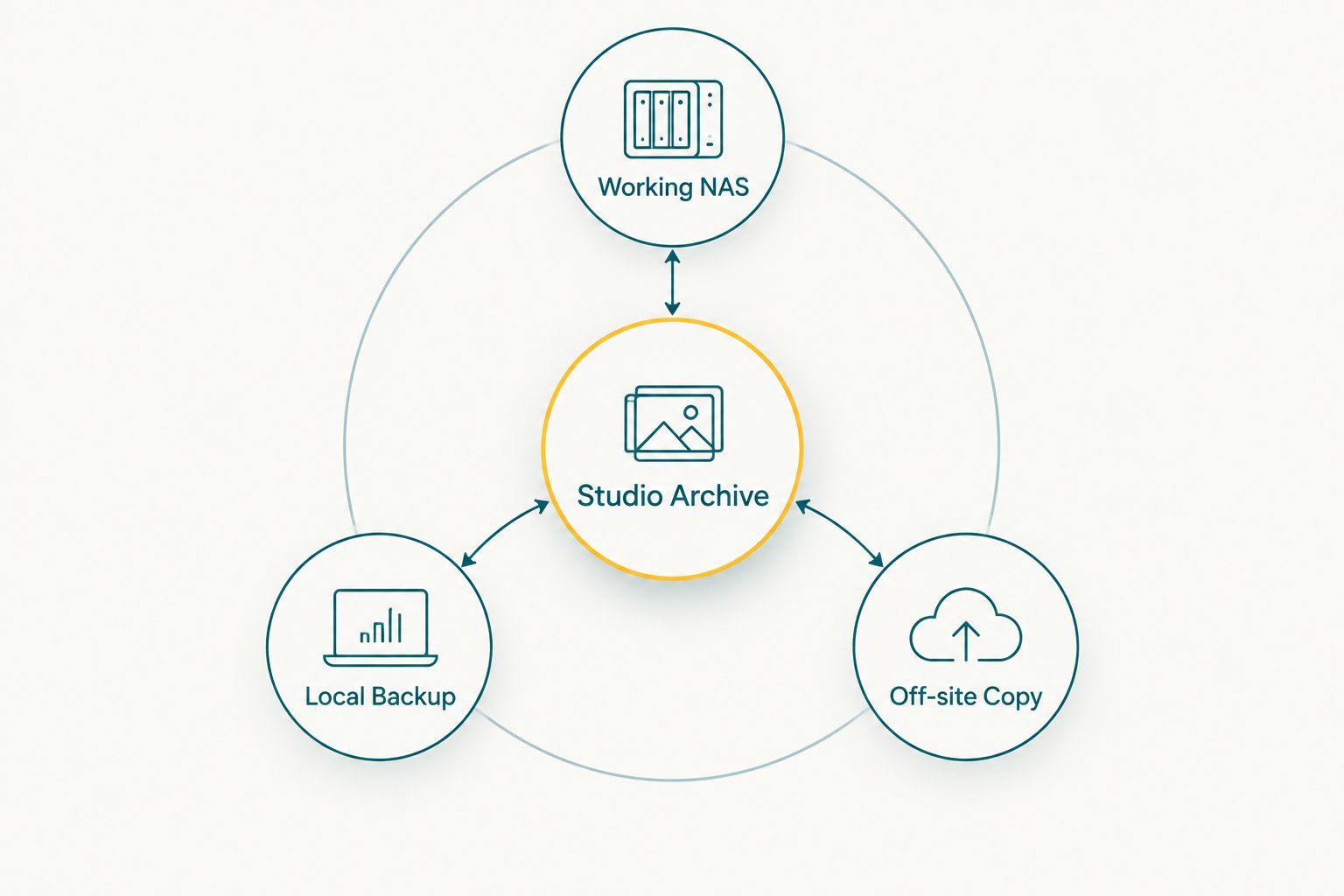
Drive redundancy and separate backup copies solve different storage risks.
Best NAS storage systems for photography studios at a glance
| NAS system | Best for | Drive bays | Network options | Key limitation |
|---|---|---|---|---|
| Synology DiskStation DS923+ | Growing studios overall | 4 | Dual 1GbE; optional 10GbE | Faster networking requires a separate module |
| QNAP TS-464 | RAW previews and culling | 4 | Dual 2.5GbE | Administration requires more initial configuration |
| Synology DiskStation DS1522+ | Multi-photographer teams | 5 | Four 1GbE; optional 10GbE | Larger than most solo photographers need |
| TerraMaster F4-423 | Budget-focused four-bay storage | 4 | Dual 2.5GbE | Smaller first-party application catalogue |
| Synology DiskStation DS224+ | Simple mirrored storage | 2 | Dual 1GbE | No expansion beyond two internal drive bays |
1. Synology DiskStation DS923+: best overall for growing studios
The Synology DiskStation DS923+ balances capacity, expansion and straightforward administration. Manufacturer specifications list four internal drive bays, two M.2 NVMe slots, dual 1GbE ports and support for an optional 10GbE network module.
An expansion unit can take the system from four bays to nine. That gives a growing wedding or event studio a longer upgrade path than a fixed two-bay enclosure, while Synology Hybrid RAID makes later drive changes easier to manage than a rigid array layout.
Synology DiskStation DS923+ pros:
- Four bays support mirrored or parity-based RAID layouts.
- Two M.2 slots support compatible NVMe storage configurations.
- Synology Hybrid RAID simplifies capacity expansion.
- Snapshot, permission and backup tools sit inside one management interface.
Synology DiskStation DS923+ cons:
- The standard network ports are 1GbE.
- Reaching 10GbE requires a compatible add-on module and network equipment.
- Heavy concurrent workloads can justify a memory upgrade.
Best for: Wedding and event studios moving from portable drives to a central archive that can expand.
Verdict: Buy. The Synology DiskStation DS923+ is the safest default for a growing photography studio in 2026.
2. QNAP TS-464: best for fast RAW previews
The QNAP TS-464 combines four drive bays, dual 2.5GbE network ports and two M.2 NVMe slots. Those specifications suit studios that build Lightroom previews, browse large folders or run multiple file transfers over a faster local network.
The NVMe slots do not replace a proper RAM, network and disk plan. They become useful when the studio has identified repeated small-file access or preview generation as the bottleneck and configures the cache or storage pool correctly.
QNAP TS-464 pros:
- Dual 2.5GbE is built into the unit.
- Two M.2 slots support compatible NVMe configurations.
- Four bays provide more RAID choices than a two-bay NAS.
- Hardware expansion options suit mixed media workflows.
QNAP TS-464 cons:
- The QTS interface exposes more settings than a first-time NAS owner may expect.
- NVMe configuration adds another storage layer to monitor.
- External access needs careful account, update and firewall settings.
Best for: Studios that edit or cull from network storage and already have 2.5GbE switching and compatible computers.
Verdict: Buy. Choose the QNAP TS-464 when network and preview speed matter more than minimal setup.
3. Synology DiskStation DS1522+: best for multi-photographer teams
The Synology DiskStation DS1522+ starts with five internal bays and supports expansion to fifteen bays through compatible expansion units. Four 1GbE ports are standard, while an optional module adds 10GbE networking.
Five bays give a studio more flexibility when balancing usable capacity and drive redundancy. The system fits a shared production environment where photographers, cullers and editors need different folder permissions but work from the same archive.
Synology DiskStation DS1522+ pros:
- Five internal bays provide more storage-layout choices.
- Expansion support reaches fifteen total bays.
- Four network ports support link aggregation on compatible equipment.
- Synology Hybrid RAID supports gradual drive replacement and expansion.
Synology DiskStation DS1522+ cons:
- The standard interfaces remain 1GbE.
- A 10GbE workflow requires a separate module and compatible network hardware.
- The larger chassis is unnecessary for many solo photographers.
Best for: Studios with several photographers or editors accessing one active archive.
Verdict: Buy. The Synology DiskStation DS1522+ is the stronger team option when five bays will be useful immediately.
4. TerraMaster F4-423: best budget four-bay NAS
The TerraMaster F4-423 provides four drive bays, dual 2.5GbE ports and two M.2 NVMe slots. Its hardware specification covers the core needs of a solo photographer who wants a four-bay array and faster-than-gigabit networking without prioritising the largest software catalogue.
The decision comes down to administration. TerraMaster's operating system covers storage pools, user access and backup tasks, but photographers should confirm that every required backup destination and workflow application is supported before committing their archive.
TerraMaster F4-423 pros:
- Four internal bays allow RAID 5 and mirrored configurations.
- Dual 2.5GbE ports support faster local transfers on compatible networks.
- Two M.2 slots provide NVMe configuration options.
- The hardware suits photographers who expect their archive to grow.
TerraMaster F4-423 cons:
- The first-party application selection is smaller than Synology's catalogue.
- There is no internal drive-bay expansion path.
- Switching NAS ecosystems later requires migration planning.
Best for: Solo photographers who want four bays and dual 2.5GbE while keeping the system focused on storage.
Verdict: Buy. Choose the TerraMaster F4-423 when hardware value matters more than a broad application ecosystem.
5. Synology DiskStation DS224+: best simple two-bay NAS
The Synology DiskStation DS224+ is a two-bay system with dual 1GbE ports. Configure two matching drives as RAID 1 or Synology Hybrid RAID to maintain a mirrored copy when one drive fails.
Its main strength is simplicity. A solo photographer gets the same core DiskStation Manager environment used by larger Synology units without planning a four- or five-drive array.
Synology DiskStation DS224+ pros:
- Two-bay design keeps RAID planning straightforward.
- Dual 1GbE ports support link aggregation on compatible networks.
- DiskStation Manager includes snapshots, permissions and backup tools.
- Compact dimensions suit a small studio workspace.
Synology DiskStation DS224+ cons:
- Storage cannot expand beyond two internal drive bays.
- Mirroring uses one drive's capacity for redundancy.
- 1GbE networking limits direct multi-user editing compared with 2.5GbE or 10GbE systems.
Best for: Solo photographers who need a central mirrored archive rather than a multi-editor storage server.
Verdict: Hold if growth is likely; buy if two bays will cover the full retention plan.
How the NAS systems were ranked
The ranking uses published manufacturer specifications for drive bays, network interfaces, NVMe support and expansion compatibility. It then weighs those features against photography-studio tasks: ingesting event files, creating previews, culling duplicates, sharing projects with editors and maintaining separate backups.
Bay count and network options carry more weight than media-streaming features. A photography studio needs predictable file access and recoverable archives, not a long list of entertainment applications.
Storage discipline also affects the result. Foto Owl AI Culling is an offline desktop application that rejects duplicate and weak frames, groups similar images, and ranks them by composition, exposure and blur before a human second pass. Following a faster photo-culling workflow prevents rejected frames from occupying long-term NAS and backup capacity.
Which NAS storage system should you choose in 2026?
Choose the Synology DiskStation DS923+ if you need one answer. It gives a growing studio four bays, NVMe options, a clear management system and a route to both additional bays and 10GbE networking.
Choose the QNAP TS-464 when dual 2.5GbE and NVMe flexibility matter now. Choose the Synology DiskStation DS1522+ when several team members use the archive and five bays fit the storage plan. Pick the TerraMaster F4-423 for a storage-focused four-bay build, or the Synology DiskStation DS224+ for a simple two-drive mirror.
Do not choose by enclosure alone. Budget for NAS-rated drives, compatible networking, an uninterruptible power supply and a separate backup destination. A fast NAS connected through a 1GbE switch will still operate at the slower network speed.
Foto Owl belongs after storage and culling in this workflow. Its AI Gallery delivers selected photos and videos to clients with face recognition, while the NAS retains the studio's working files and source archive.
FAQ
What is the best NAS storage system for a photography studio in 2026?
The Synology DiskStation DS923+ is the best overall NAS storage system for most photography studios in 2026. It combines four bays, NVMe support, expansion capability and an optional 10GbE upgrade.
How many NAS drive bays does a wedding photography studio need?
A solo wedding photographer can start with two mirrored bays, while a growing studio should choose four or five bays. More bays provide better capacity options and a longer expansion path.
Is a NAS better than cloud storage for photographers?
A NAS is better for fast local access to a working archive, while cloud storage provides off-site protection and remote access. Photography studios should use both rather than treating either one as the only copy.
Can photographers edit RAW files directly from a NAS?
Yes, photographers can edit RAW files directly from a NAS when the drives, network and computers support the required throughput. Dual 2.5GbE or 10GbE becomes more useful when several editors work concurrently.
Does RAID count as a backup for wedding photos?
No, RAID is not a complete backup because deletion, ransomware, theft or device damage can affect the entire array. Keep a separate local or off-site copy under a 3-2-1 backup plan.
Should a photography NAS use SSDs or hard drives?
Hard drives remain suitable for the main high-capacity archive, while supported NVMe SSDs can serve as cache or fast volumes. The correct configuration depends on the NAS model and the studio's actual bottleneck.
Where does Foto Owl fit with NAS storage?
Foto Owl AI Gallery handles client-facing photo and video delivery after files are culled and edited. The NAS remains the studio's local working archive, so the two systems perform separate jobs.
Do photography studios need 10GbE networking?
A solo photographer does not always need 10GbE, but multi-editor studios handling large RAW and video files can benefit from it. Every computer, cable and switch in the path must support the faster connection.
One last thing
Test recovery before the next paid event. Restore a complete project folder from the local backup and the off-site copy, then document the steps for the studio team. A backup that has never completed a restore is only an assumption.
Foto Owl should receive the culled, edited files intended for clients; the NAS should retain the working archive according to the studio's retention policy. Keeping those roles separate makes the 2026 workflow easier to secure, maintain and scale.