
Best Facebook alternatives for event photo delivery

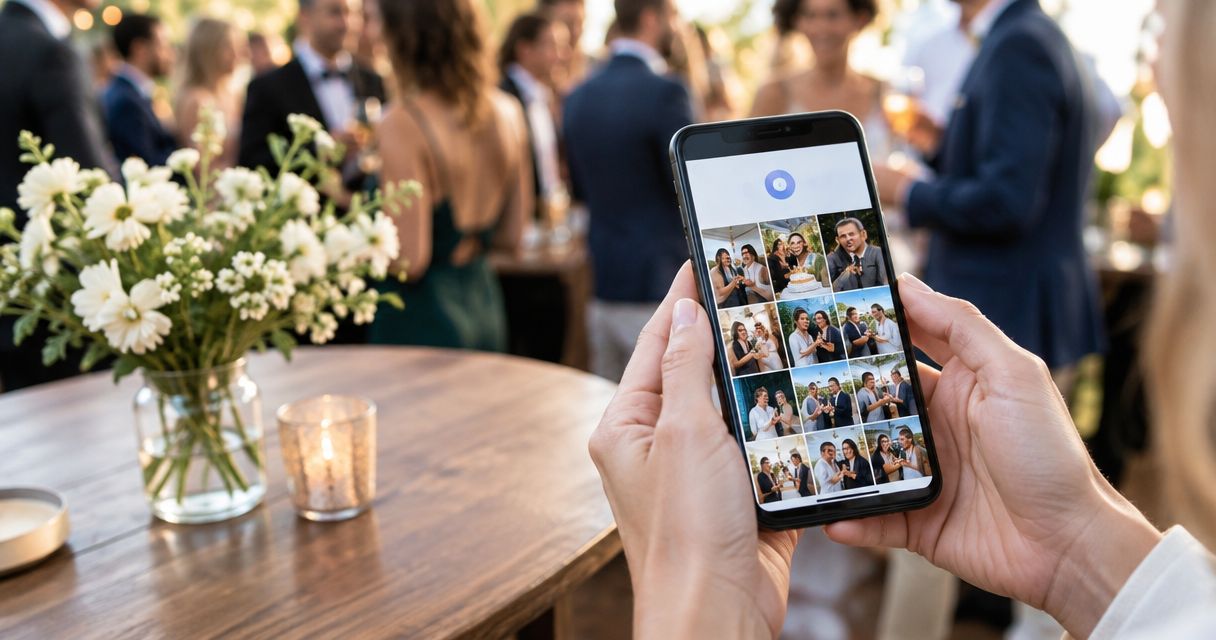
Facebook makes event highlights easy to share with an existing community through albums, comments and tags. Its ceiling appears when your photography studio needs a dedicated client gallery, face-based photo discovery and selections for albums rather than a social post. The best Facebook alternative in 2026 is Fotoowl for professional event photo delivery; Google Drive is the better fit for straightforward file handover.
TL;DR
- Fotoowl leads facebook alternatives for photo sharing when professional event delivery needs AI Gallery and face recognition.
- Google Drive suits file handover; Google Photos suits shared albums rather than studio proofing.
- WhatsApp works for delivery messages and previews, not as your master event archive.
- Keep Facebook for approved highlights; separate public promotion from client delivery.
Why this matters
An Indian wedding photographer has different delivery responsibilities from a guest posting reception highlights. You need to deliver the agreed photographs, help recipients find relevant images and distinguish finished files from previews. A comment thread does not define that workflow.
The same distinction applies to school functions, sports tournaments and corporate events. Before choosing a Facebook replacement in 2026, decide whether you need photo discovery, client selection or file transfer. Those are different jobs, and the strongest choice depends on which job your current process leaves unfinished.
Facebook alternatives at a glance in 2026
| Platform | Best for | Standout capability | How it differs from Facebook | Main limitation |
|---|---|---|---|---|
| Fotoowl AI Gallery | Professional wedding and event delivery | AI-powered face recognition galleries | Centres the experience on delivered event media | A cloud delivery workflow needs connectivity |
| Community highlights and discussion | Albums, comments and tagging | The social-sharing benchmark | Social interaction is not a client proofing workflow | |
| Google Photos | Simple shared photo albums | Photo organisation and shared albums | Puts the album ahead of the social feed | Shared albums do not provide a photographer-specific approval process |
| Google Drive | Finished-file handover | Folders and configurable sharing permissions | Organises delivery around files rather than posts | Recipients browse folders rather than an event-specific face-search workflow |
| Dropbox | File delivery and team handover | File synchronisation and shared links | Focuses on transferring and organising files | File organisation still needs a clear folder structure |
| Client messages and selected previews | Direct conversations and document sharing | Reaches recipients through a conversation | Chat history is not a structured event gallery |
Choose a gallery for discovery, a file platform for handover and messaging for communication. Do not judge every option by how closely it resembles Facebook. Judge it by the work your client needs to complete.
1. Fotoowl: best for professional event photo delivery
Fotoowl event photo delivery centres on AI Gallery, which supports photo and video uploads, face recognition galleries, a portfolio builder and a reel generator. Beam adds camera-to-cloud FTP uploads within that gallery workflow. This is a photography delivery platform, not a replacement social network.
Best for: Wedding and event photographers who need clients and attendees to find relevant photographs, with a separate proofing workflow when selections are required.
Where AI Gallery shines
- Face recognition supports finding photographs by person rather than relying only on manual browsing.
- Photo and video delivery belong in the same event-media workflow.
- Beam supports camera-to-cloud FTP uploads.
- Photo Selection handles client proofing, with selections reused for albums and printing.
Where AI Gallery falls short
- Uploading and accessing a cloud gallery depends on connectivity; plan around the venue's connection.
- It does not replace Facebook's existing community conversations.
- Gallery delivery and client proofing are distinct tasks. Use Photo Selection when the client must choose images, rather than treating gallery access as approval.
| Dimension | AI Gallery and Photo Selection | |
|---|---|---|
| Primary purpose | Event delivery and client proofing | Social publishing and interaction |
| Finding people | AI-powered face recognition galleries | Browsing and manual tagging |
| Client choices | Photo Selection for album and print selections | Comments and messages require separate organisation |
| Upload workflow | Beam camera-to-cloud FTP uploads | Social photo and album uploads |
Do not confuse AI Gallery with AI Culling. AI Culling is an offline, desktop-only application that rejects duplicate and weak frames, groups similar photographs and ranks frames by composition, exposure and blur. A second human pass precedes export to Lightroom or the gallery.
Verdict: Buy for a professional gallery workflow; keep social promotion separate.
2. Google Photos: best for straightforward shared albums
Google Photos is a practical alternative when your main requirement is sharing a browsable photo album. Its photo organisation and shared-album features suit a simpler handover without building a studio approval process around the album.
Best for: Photographers delivering a straightforward album when formal client selection is not part of the assignment.
Where Google Photos shines
- Shared albums give recipients a defined collection to browse.
- Photo organisation keeps the focus on images rather than social posts.
- Album sharing separates the delivered collection from a Facebook feed.
Where Google Photos falls short
- Shared albums are not a photographer-specific proofing system.
- Comments do not establish a structured album or print selection workflow.
- Consumer photo organisation is not the same as a tested guest-facing event discovery process.
| Dimension | Google Photos | |
|---|---|---|
| Main experience | Photo library and albums | Social feed and albums |
| Sharing unit | Shared album | Post or album with an audience |
| Recipient response | Album interaction | Comments, reactions and tags |
For a wedding assignment, separate the question “Can the family browse these photographs?” from “Has the client approved these photographs for the album?” Google Photos addresses the first through shared albums. You still need a defined process for the second.
Verdict: Buy for simple album sharing; skip it as your complete proofing workflow.
3. Google Drive: best for finished-file handover
Google Drive fits assignments where the recipient needs files, not a social experience. You can organise finished photographs into folders and set sharing permissions for the handover. That makes it a useful option for a corporate client receiving material for internal communications or design work.
Best for: Delivering clearly labelled finished files to a client or production team.
Where Google Drive shines
- Folders support an explicit delivery structure.
- Sharing permissions let you define who receives access.
- File-oriented delivery keeps the handover separate from public promotion.
Where Google Drive falls short
- The client still needs to understand your folder names and file versions.
- A folder does not provide an event-specific guest face-search experience.
- Requests for album selections require another process rather than a loose exchange of filenames.
| Dimension | Google Drive | |
|---|---|---|
| Main purpose | File storage and sharing | Social publishing |
| Organisation | Folders and filenames | Posts and albums |
| Access | File and folder permissions | Post, album and group audiences |
| Client action | Open or download delivered files | Browse and interact with posted images |
For a corporate annual day, distinguish final delivery from photographs approved for public use. Label the folders according to the client's assignment, not according to your camera-card names. Clear structure matters more than adding another sharing app.
Verdict: Buy for file handover; skip it when guest photo discovery is the main requirement.
4. Dropbox: best for file-based team delivery
Dropbox is another file-first alternative to Facebook. File synchronisation and shared links suit a workflow in which the photographer, editor and client need an organised collection of delivered files.
Best for: Studios already using a file-based handover between team members and clients.
Where Dropbox shines
- File synchronisation supports keeping working files organised across a team workflow.
- Shared links provide a defined route to the delivered collection.
- Folder-based delivery avoids mixing client files with social discussion.
Where Dropbox falls short
- Recipients still depend on your folder structure and naming.
- File sharing does not establish which photographs a client has approved for an album.
- A file-transfer workflow is not an event-specific face-search gallery.
Choose between Dropbox and Google Drive according to the file workflow your studio and client already use. Do not introduce another platform merely to replace a Facebook album if the existing file handover meets the brief.
Verdict: Hold if Dropbox already handles your team delivery; skip switching solely for social-style browsing.
5. WhatsApp: best for delivery messages and selected previews
WhatsApp is a messaging alternative, not a complete gallery alternative. Use it to communicate delivery instructions, send selected previews or share the route to the finished collection. Document sharing also serves a different purpose from posting an image in a conversation.
Best for: Direct client communication alongside a gallery or file-delivery platform.
Where WhatsApp shines
- Direct conversations keep delivery questions close to the client's messages.
- Selected previews support discussion without publishing a public album.
- A gallery link can sit alongside clear instructions about the next action.
Where WhatsApp falls short
- Chat history mixes delivery messages with unrelated conversation.
- Repeated image batches do not create a structured event archive.
- Selections sent across separate messages need consolidation before album production.
For Indian wedding assignments, send a concise delivery message explaining what is ready and what the client should do next. The guide to WhatsApp photo delivery for wedding photographers covers that communication-focused workflow.
Verdict: Buy as a communication companion; skip it as your only event archive.
Why photographers switch from Facebook
The supported reasons are workflow differences, not claims about Facebook outages or changing charges. Facebook remains useful for social sharing. You outgrow it as a delivery tool when the assignment asks for something more specific.
- Photo discovery: You want attendees to find their photographs through a dedicated face-recognition gallery.
- Client selection: You need recorded choices for albums or printing rather than comments scattered across posts.
- File handover: Your corporate client needs an organised collection of finished files.
- Publishing boundaries: The complete client delivery and the public promotional selection are different collections.
A wedding studio can keep Facebook for an approved reception highlight post while delivering the complete assignment elsewhere. A school photographer should establish the intended recipients and sharing boundaries before distributing photographs. Replacing the platform does not replace permission planning.
Run 4 checks before changing your delivery workflow
Test your proposed workflow on an approved sample assignment before making it your studio's default in 2026. Use the same finished photographs across the options so you compare the recipient experience rather than different edits.
- Find photos: Ask a recipient to locate relevant photographs without your assistance. Note where browsing or instructions become necessary.
- Check access: Open the collection as the intended recipient, not from your own administrator session. Confirm that the sharing arrangement matches the assignment.
- Record selections: If the job includes an album, complete a selection exercise and confirm where the approved choices are recorded.
- Complete handover: Retrieve a finished file and check that its filename and version match the promised deliverable.
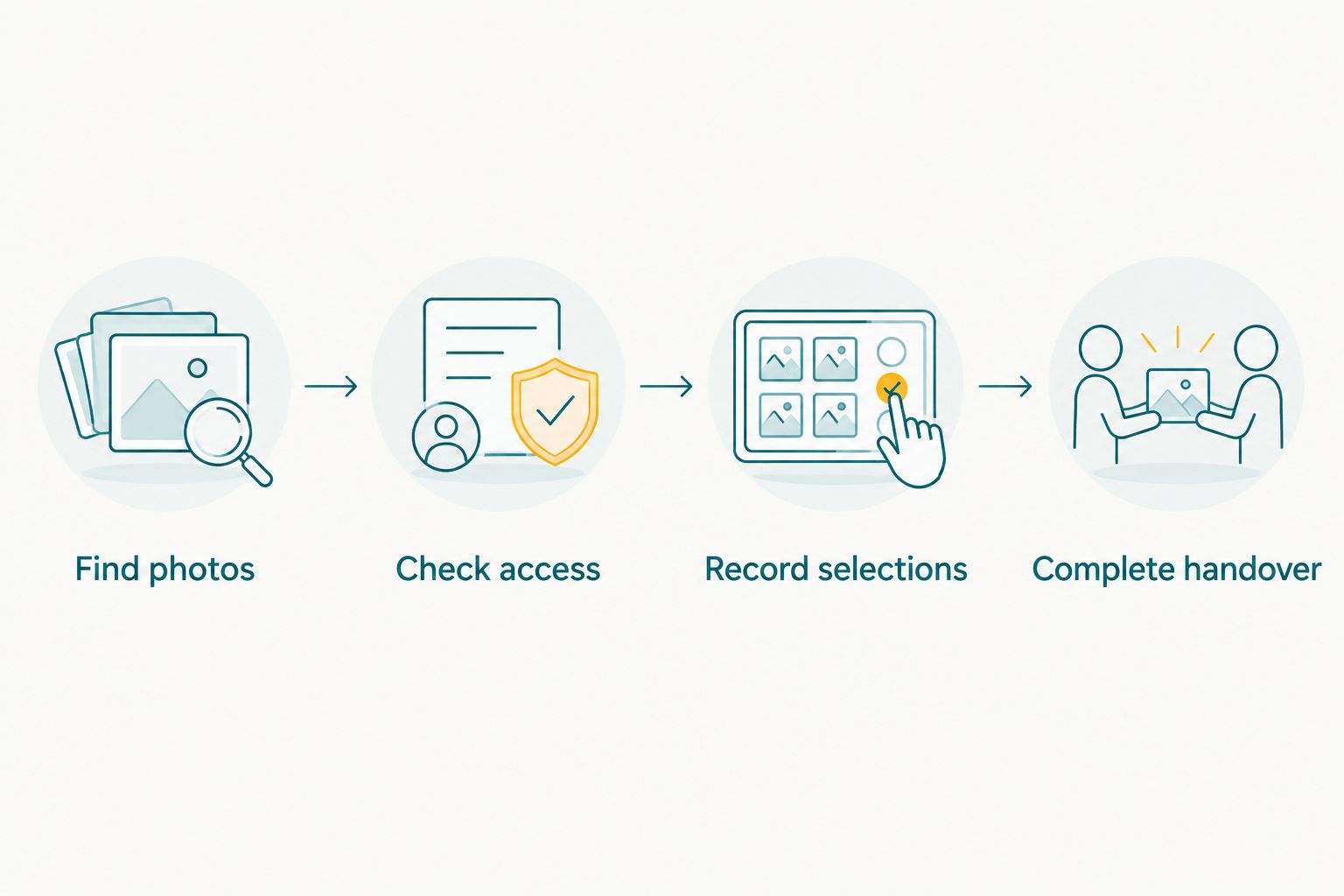
Test the recipient's complete task, not just whether an upload succeeds.
Keep these checks distinct. A platform that passes file handover can still leave you manually collecting selections, while an attractive album can still have confusing access instructions. Choose the workflow that completes your contracted task.
When staying with Facebook is the right call
Stay with Facebook when the assignment is an approved highlight album for an existing community and the main goal is discussion, reactions or tagging. Its social features are relevant to that brief. Moving the highlights elsewhere does not automatically improve the outcome.
Best for: Public-facing event highlights or community sharing with an agreed audience.
- Strength: Facebook brings albums and social interaction together.
- Limitation: Social feedback is not a structured client approval record.
The sensible 2026 setup is not always “delete Facebook.” It is often “stop asking Facebook to handle the complete client delivery.” Keep promotion where the audience is and deliver the contracted work through the appropriate workflow.
Verdict: Hold for community highlights; skip as the sole professional delivery system.
FAQ
What's the best Facebook alternative for professional event photo delivery?
Fotoowl is the best fit here for professional event photo delivery that needs AI-powered face recognition galleries. AI Gallery handles gallery delivery, while Photo Selection handles client proofing for albums and printing.
Is Google Drive better than Facebook for delivering event photographs?
Google Drive is better for organised finished-file handover. Facebook is better suited to social highlights and community interaction; neither a folder nor a comment thread replaces a defined album-selection process.
Can I use Google Photos instead of Facebook albums?
Yes, Google Photos shared albums are an alternative for straightforward photo browsing and sharing. Use a separate approval process if the client must choose photographs for an album or printing.
Can WhatsApp replace an event photo gallery?
WhatsApp can handle delivery messages and selected previews, but it is not a structured event gallery. Use the conversation to explain where the collection is and what the recipient needs to do next.
Which Facebook alternative suits Indian wedding photographers in 2026?
Fotoowl suits Indian wedding photographers who need professional gallery delivery and face recognition. Choose Google Drive instead when the brief is simply handing over organised finished files.
Is a face-recognition gallery automatically private?
No, face recognition is a photo-discovery capability, not proof that a collection is private. Establish the intended recipients, permissions and publication boundaries before sharing the event photographs.
Does AI Culling work in a browser or cloud gallery?
No, AI Culling is an offline, desktop-only application. It rejects duplicate and weak frames, groups similar photographs and supports a second human pass before export to Lightroom or the gallery.
One last thing
For your next 2026 assignment, define 2 outputs: client delivery and promotional highlights. They need separate approval decisions even when they contain some of the same photographs. The strongest Facebook replacement starts with that boundary, not with a longer feature list.