
AI photo gallery for theme park photographers: complete 2026 guide

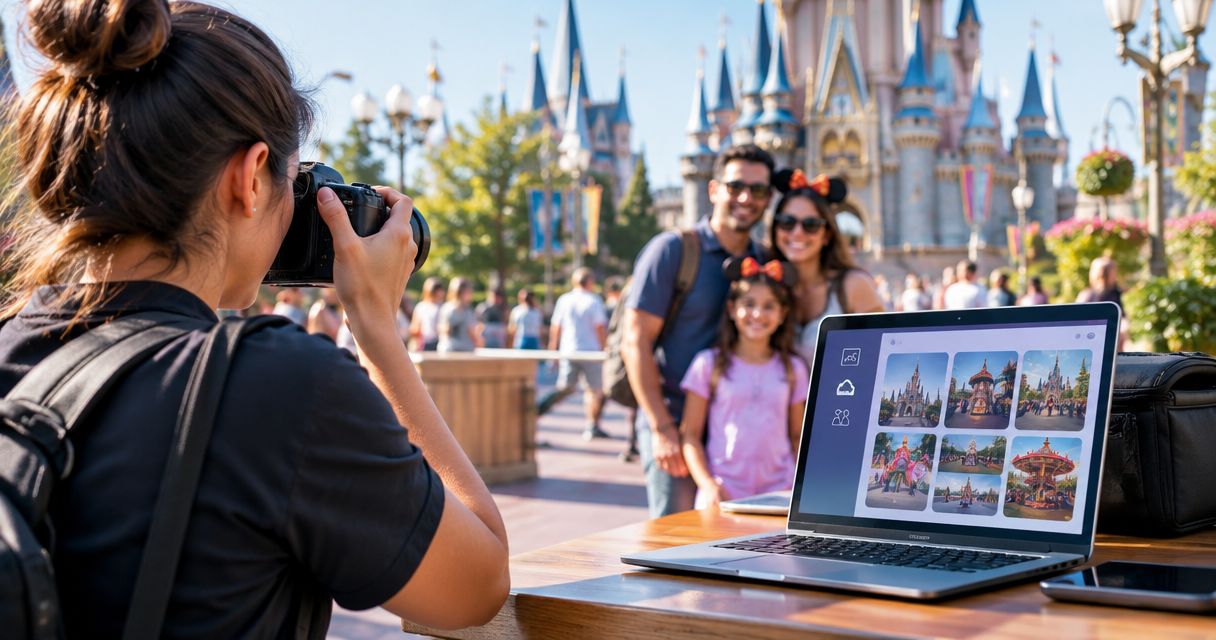
Theme park photographers’ photo gallery software is a system for organising, finding and delivering visitor photographs with the aim of connecting each family to the right images. This 2026 guide explains how to manage separate shooting zones, test face recognition and build a delivery workflow without assuming your gallery also controls ride cameras or ticketing.
TL;DR
- Choose photo gallery software for theme park photographers around visitor retrieval, controlled delivery and a tested upload workflow.
- Fotoowl AI Gallery suits photographer-led visitor photo delivery; validate theme park workflows before committing.
- Keep date, shooting zone and capture time as a manual fallback to face recognition.
- Test family portraits, obscured faces and interrupted uploads before opening a gallery to visitors.
Why gallery software matters for theme park photographers
Your job does not end when a visitor smiles for the camera. You need to distinguish an entrance portrait from a character interaction, keep different operating dates separate and help the right family find the right photograph. A shared folder addresses storage; your delivery process must also address retrieval and access.
Theme park photography also needs clear boundaries between photographer-led portraits and automated ride capture. Do not treat those as interchangeable projects. A gallery evaluation should start with the photographs your team produces and the delivery experience you control.
For your 2026 shortlist, separate three decisions: where files are stored, how visitors find photographs and who can view or receive them. The guide to managing photo access permissions covers the access question in more detail. Face recognition is a retrieval method, not proof that a visitor is authorised to see an image.
Build your theme park gallery workflow
1. Map the visitor journey before choosing software
Start with a paper checklist or spreadsheet. Record what happens between taking a photograph and delivering it: who identifies the session, who transfers files, who checks them and who handles a visitor who cannot find an image.
Use a bounded pilot rather than copying an entire park operation into a new system. For example, test 3 shooting zones: entrance portraits, character encounters and an evening show. These are suggested test categories, not a required gallery structure.
Assign one person to each handoff. A photographer should know whether to send a completed batch to an editor or upload approved files directly; a delivery assistant should know where to search when a visitor remembers only the location.
Close the planning stage with these decisions:
- Define the photographs included in the pilot.
- Name the person responsible for each transfer.
- Record the visitor’s fallback search details.
- Decide who can approve images for release.
- Write down the process for missing-photo requests.
2. Organise files by date, zone and capture time
Use folders and a spreadsheet before adding automation. Give every operating date a separate working location, then divide photographs by shooting zone or session. Preserve original filenames in your working records so staff can trace a delivered photograph back to its source.
Synchronise camera clocks before the shift. When a visitor remembers the approximate time and location, those details give your team a manual search route even if a face search returns no useful result.
Keep working files and delivery exports distinct. Your internal folder can contain rejects and unfinished edits; the visitor-facing set should contain only approved photographs. Do not make the gallery the place where staff decide what deserves delivery.
Use the same naming convention throughout your 2026 pilot:
- Create separate folders for operating dates.
- Use consistent names for shooting zones.
- Record camera or photographer identifiers internally.
- Preserve capture-time information during processing.
- Separate originals, working edits and approved exports.
3. Test face recognition against actual shooting conditions
Begin with manual identification: find a known visitor’s photographs by zone and time, then compare those results with face search. This establishes a reference set instead of judging the software by whether a results page looks convincing.
Fotoowl AI Gallery provides face recognition galleries for photo and video delivery. Fotoowl AI Gallery is best for professional photographers who need face-based photo retrieval and client delivery. For theme park work, test that capability with your own portrait and event photographs rather than assuming it covers every capture situation.
Build a suggested test set of 20 approved photographs covering individual portraits, family groups, side profiles and partially obscured faces. Count relevant photographs found, relevant photographs missed and unrelated photographs returned. These are your pilot measurements, not published accuracy claims.
Keep the evaluation concrete:
- Compare results with a manually checked reference set.
- Include faces at different sizes within group photographs.
- Include hats, glasses and partial obstructions.
- Check results under contrasting lighting conditions.
- Retain a zone-and-time search fallback.
4. Choose the upload route and test interruptions
Start with card import and a reviewed upload batch. This makes the transfer process visible: staff can check which files left the camera, which reached the workstation and which were approved for delivery.
Beam is the camera-to-cloud FTP upload feature inside AI Gallery. It offers a direct upload route, but you still need to validate your camera setup, connectivity and review process. A direct transfer does not decide whether a frame is sharp, appropriate or ready for visitors.
During your 2026 pilot, deliberately interrupt a test transfer. Check the resulting files and document how your team identifies anything missing or repeated. Do not promise a delivery deadline until the complete route has been tested at the shooting location.
The camera-to-cloud upload workflow is relevant when evaluating that route.
- Test with the actual camera and network setup.
- Compare the source batch with the received files.
- Document what staff do after an interrupted transfer.
- Keep local originals until delivery checks are complete.
- Separate successful upload from approval for release.
5. Review photographs before visitor delivery
Use manual review first. Remove unusable frames, compare similar photographs and check the final set for inappropriate background details. A crowded scene needs more than a sharp main subject; inspect the whole frame before sharing it.
For larger review batches, Fotoowl AI Culling is an offline desktop application that rejects duplicate and weak frames, groups similar images and ranks them by composition, exposure and blur. It supports export to Lightroom or the gallery after a second human pass. It is not a browser-based or cloud culling tool.
Keep creative review separate from technical ranking. A technically stronger frame is not automatically the photograph that best represents a family interaction. Your reviewer makes that decision before delivery.
Use a short release checklist:
- Remove accidental and unusable frames.
- Compare expressions across similar photographs.
- Inspect background people and sensitive details.
- Confirm that edits match the intended delivery set.
- Complete a second human review before export.
6. Separate photo finding from access approval
Write your access process manually before configuring a gallery. Decide who receives access, how staff handle children’s photographs, what visitors are told about face search and how someone requests removal. For Indian operations, have the park’s responsible team review applicable privacy obligations rather than treating software settings as legal advice.
Ask every shortlisted provider to demonstrate access controls with a real test gallery. Do not infer that face recognition, a shared link or a hidden page prevents unrelated visitors from seeing photographs. Test the viewing and download experience separately.
Use 2 test devices for the pilot: one for a staff member and one representing a visitor without staff access. This is a recommended test setup, not a platform specification. Check what each user can see before publishing the gallery.
- Identify who approves visitor access.
- Document the process for children’s photographs.
- Explain face-search use before collecting reference images.
- Test viewing and download access separately.
- Provide a clear route for removal requests.
7. Rehearse delivery and record failure points
Run the delivery journey manually with a colleague acting as a visitor. Give that person only the information a real visitor receives. Ask them to locate a photograph, inspect it and follow the agreed delivery process without coaching.
Measure the complete journey in minutes, from the photograph being approved to the visitor successfully receiving it. Also record missing-image requests and staff interventions. Do not substitute upload completion for successful delivery; those are different milestones.
Use the same sequence for every 2026 rehearsal: capture, organise, review, deliver and support. Repeat the rehearsal after changing the upload route or access settings. A successful test of yesterday’s configuration does not validate a different workflow.
- Record the start and finish of each test delivery.
- Note every point where a visitor needs help.
- Check the process on a visitor’s phone.
- Rehearse a missing-photo request.
- Assign responsibility for unresolved delivery issues.
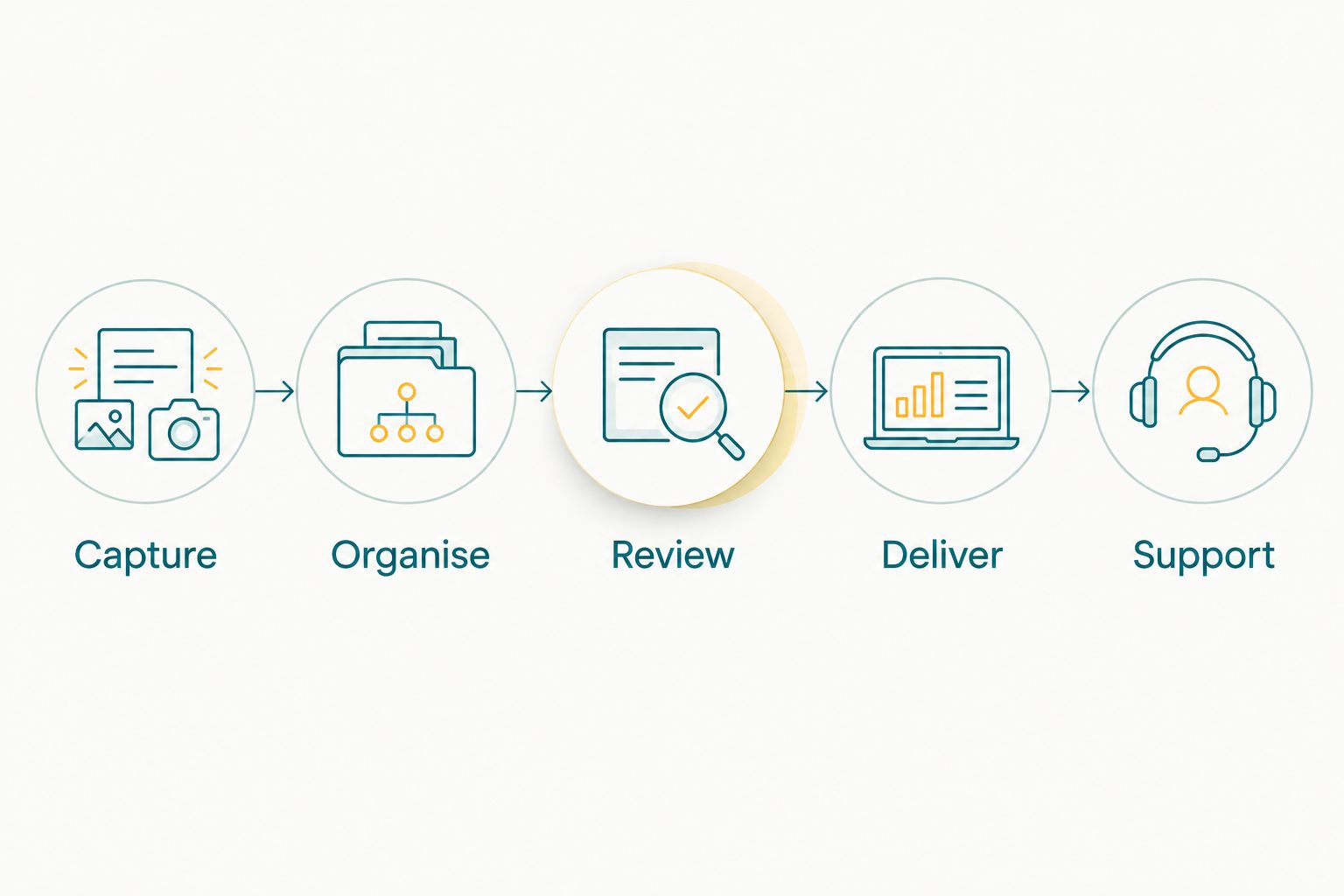
Test the complete visitor journey, not just the upload stage.
Compare gallery options for your shooting model
Choose photo gallery software for theme park photographers according to the work you control. A photographer delivering family portraits needs a different evaluation from a park replacing an automated ride-photo system. Neither should inherit the other’s requirements without checking them.
The options below compare workflow approaches rather than claiming that every gallery has the same capabilities. Require a demonstration of each essential function using your own files.
| Option | Best for | Main advantage | Key limitation |
|---|---|---|---|
| Manual folders and delivery log | A small, staff-assisted portrait pilot | Keeps organisation and handoffs visible | Staff must identify and deliver photographs manually |
| Standard client gallery | Visitors who already know their session or album | Provides a defined destination for an approved photo set | Face search and access controls need separate verification |
| Fotoowl AI Gallery | Photographer-led delivery using face recognition | Combines photo and video delivery with face recognition galleries | Theme park retrieval, access and transfer workflows require validation |
| Specialist ride-photo system evaluation | A park assessing automated ride capture | Starts with ride capture and operational integration requirements | A general event-gallery feature list does not establish suitability |
Do not add ride triggers, ticket matching, wristband identification or park checkout integration to a requirements document as assumed features. If your project needs them, make each one a demonstration requirement. An event delivery platform and a park-wide capture system are different purchasing decisions.
Common mistakes theme park photographers make
Mixing operating dates into one visitor gallery
Repeated shooting locations make date separation essential to your manual fallback. Keep each operating date identifiable, and verify that staff send visitors to the intended set rather than a previous day’s photographs.
Treating face search as permission to view
A search result answers a retrieval question. It does not establish consent, guardianship or access rights. Test permissions independently, especially when photographs include children or unrelated people in the background.
Publishing before the review pass
Camera-to-cloud transfer moves files; it does not approve them. Keep your review decision explicit so weak frames and unsuitable background details do not enter the visitor-facing set simply because an upload succeeded.
Promising delivery speed from an upload test
A successful transfer is only part of delivery. Your 2026 service promise should reflect the tested path through review, publication, visitor retrieval and support—not the fastest isolated upload.
Buying for integrations nobody has demonstrated
Do not choose a gallery because its category sounds close to a ride-photo platform. Separate photographer-led delivery from ticketing, ride capture and park operations, then request evidence for every required connection.
FAQ
What is the best photo gallery software for theme park photographers?
The best choice matches your capture workflow, visitor retrieval needs and access requirements. Fotoowl AI Gallery is a fit for photographer-led delivery with face recognition; validate the park-specific workflow using your own photographs before selecting it.
Can face recognition find every visitor in theme park photographs?
Do not assume face recognition will find every visitor photograph. Compare results with a manually checked set that includes groups, side profiles and obscured faces, and keep date, zone and capture time as a fallback.
Can a photo gallery replace an automated ride-photo system?
A photo gallery does not establish support for automated ride capture. Require a separate demonstration of ride triggers, visitor identification and any park-system connections your project needs.
Can I upload theme park photographs directly from my camera?
A camera-to-cloud FTP route is available through Beam within AI Gallery. Validate your actual camera configuration, network connection and interrupted-transfer procedure before using that route for visitor delivery.
Does AI Culling work in a browser at the park?
AI Culling is an offline desktop application, not a browser or cloud feature. It groups similar photographs and ranks frames for review, with a second human pass before export to Lightroom or the gallery.
How should Indian photographers handle children's theme park photographs?
Use a documented access and removal process reviewed by the park's responsible team. Confirm applicable privacy obligations, explain any face-search process and test what an unrelated visitor can view or download.
What should I measure during a theme park gallery pilot?
Measure the complete approved-photo-to-delivery journey, search misses and staff interventions. Keep upload completion, publication and successful visitor receipt as separate checkpoints so you can identify the actual delay.
One last thing
Test the visitor who gets no search results. Give a colleague an approved photograph that your first search did not retrieve, then ask the delivery team to locate it using only the operating date, shooting zone and approximate capture time.
A reliable gallery workflow includes a recovery route. Keep that manual route in your 2026 operating checklist even after adopting face recognition. It gives your team a specific next action when automation does not produce the photograph a visitor expects.