
AI photo gallery for government photographers: complete 2026 guide

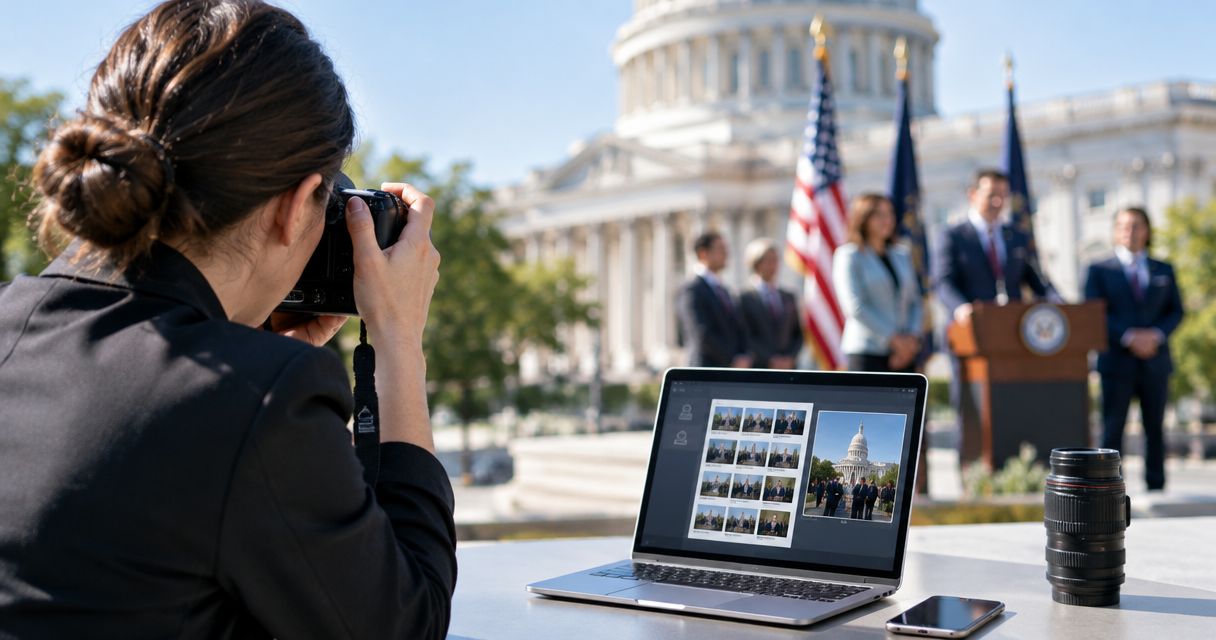
Government photographers’ gallery software is a photo organisation and delivery system with the aim of getting approved event images to the right recipients. For Indian government assignments in 2026, choose photo gallery software for government event photographers around departmental approval, permitted storage and controlled release—not face search alone.
TL;DR
- Choose photo gallery software for government event photographers by approval workflow, storage permission and delivery needs.
- Fotoowl AI Gallery fits photographers delivering approved event photos with face recognition; departmental acceptance still needs verification.
- Separate public-release images, departmental review files and restricted material before uploading.
- Face recognition helps find photographs; it does not authorise access or publication.
Why gallery software matters for government photographers
A government event assignment needs more than an attractive gallery. Before delivery, you need answers to practical questions: who approves publication, which photographs belong in the press set, and where the department permits files to be stored.
Choose the release process before choosing the gallery. A district-level award ceremony, public consultation and departmental conference need different delivery decisions, even when the photography workflow looks similar.
Start with the guide to managing photo access permissions for event stakeholders. Apply that planning to your departmental contact, communications approver, press recipients and photographed attendees.
For a 2026 assignment, record the department’s requirements in the brief rather than assuming that public attendance permits unrestricted sharing. Treat this as a delivery-planning guide, not confirmation that any platform meets a particular tender, security policy or legal requirement.
Build an approval-first gallery workflow
Define the department’s delivery brief
Start manually with a written brief and a spreadsheet. Ask your commissioning contact to identify the authorised approver, intended recipients and acceptable delivery method before you photograph the event.
Separate contractual requirements from preferences. An attendee’s request for a photograph does not replace the department’s release decision, and a communications deadline does not settle where files can be uploaded.
Ask whether the assignment requires an external gallery at all. If the department specifies an internal repository or physical handover, build your workflow around that instruction instead of adding another platform.
- Name the person authorised to approve release.
- Record the permitted storage and delivery channels.
- Identify recipients for press, internal and attendee images.
- Agree the caption language, including regional-language requirements.
- Document restrictions on identifiable people and sensitive locations.
Separate photographs by release purpose
Use local folders and a release-status sheet first. Create 3 delivery sets: public release, departmental review and restricted hold. These are working categories for your assignment, not official government classifications.
Keep the capture archive separate from these delivery sets. A technically strong image can still belong on hold because a document, badge, screen or background detail needs examination.
Do not upload the entire card simply to make selection convenient. Review the frame edges as carefully as the subject, especially when photographing registration desks, offices or backstage areas.
- Place approved publicity images in the public-release set.
- Put undecided photographs in the departmental-review set.
- Hold images containing details that need further assessment.
- Maintain a filename list for every proposed delivery batch.
- Keep original captures separate from edited delivery copies.
Match the software to the permitted workflow
You can deliver approved photographs through manually organised folders and a department-approved transfer method. This remains a practical option when an external gallery is unnecessary or disallowed.
For an authorised external-gallery workflow, Fotoowl AI Gallery supports photo and video delivery with face recognition. Its benefit is helping recipients find photographs without relying entirely on a photographer’s manual sorting. Its limitation for this segment is that face recognition does not establish departmental acceptance or replace release approval.
Fotoowl is best for event photographers who need face-recognition galleries to deliver approved photographs. Verify the department’s requirements separately; do not treat that fit as a government-use certification.
Use a representative, non-sensitive sample to examine the workflow before a live assignment. Test the delivery task you actually need, rather than judging the platform only by its demonstration gallery.
- Confirm whether external hosting is permitted.
- Request written answers about storage location and processing.
- Check available access, download and removal controls.
- Test recipient access on the devices they will use.
- Keep a manual handover route for exceptions.
Keep capture and publication separate
Start with card ingestion, local review and a manual upload of the approved set. This makes the boundary between photographing an event and publishing its images explicit.
Beam is the camera-to-cloud FTP upload feature inside AI Gallery. It offers a direct upload route, but a faster transfer route is not permission to transmit every captured frame. Establish what leaves the camera and where it goes before enabling it on a government assignment.
For 2026 field coverage, write down your fallback for interrupted connectivity. Do not describe a gallery as offline-capable unless that capability has been confirmed for the exact task you need.
- Confirm the upload destination before connecting equipment.
- Test the camera and transfer configuration before departure.
- Decide which files are permitted to leave the venue.
- Retain local originals until the agreed handover is complete.
- Keep unreviewed uploads outside the public-release process.
Review identity, captions and sensitive details
Begin with manual visual inspection and caption checking. Use 2 human reviews as your working process: a photographer’s technical review followed by the designated approver’s release review.
For culling, Fotoowl AI Culling is an offline desktop application that rejects duplicate and weak frames, groups similar images and ranks composition, exposure and blur. It includes a second human pass before export to Lightroom or the gallery. It does not decide whether an image is authorised for government publication.
Keep documentary editing distinct from creative transformation. For an official event record, retain originals and obtain explicit instructions before making changes that alter what the photograph depicts.
- Check names and designations against an approved reference.
- Verify captions in every requested language.
- Inspect visible documents, screens, badges and vehicle details.
- Review near-duplicates before choosing the official frame.
- Record approval against the final filename, not a thumbnail position.
Deliver separate sets to separate audiences
Start with a filename manifest and separate delivery packages. Your press contact, departmental approver and photographed attendee do not automatically need the same collection.
Use face recognition only within a release process the department has accepted. Finding someone in an image does not establish that person’s right to view every other image in the collection.
The diagram below shows the delivery sequence. Keep each decision distinct, even when software handles several tasks in the same interface.
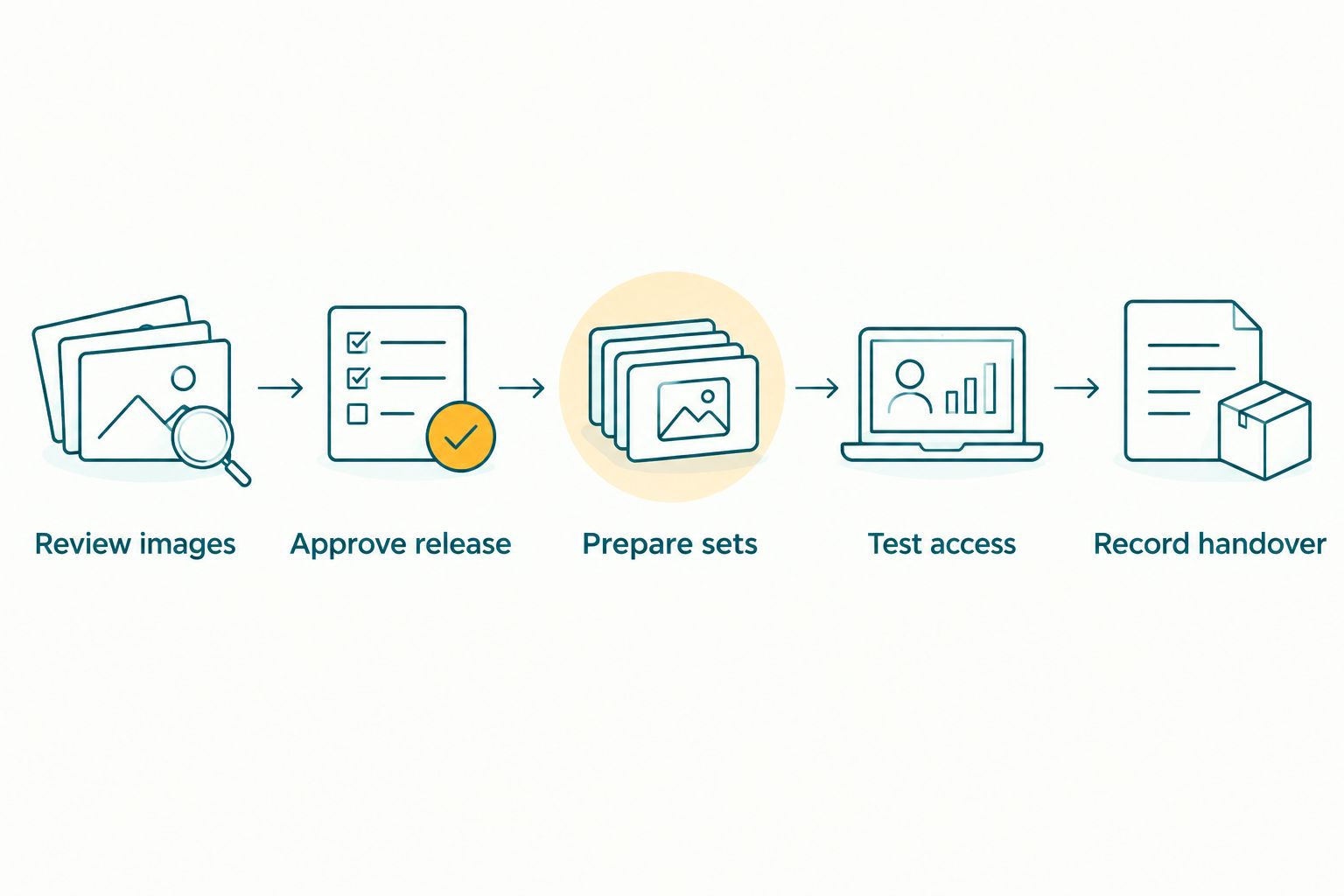
Release approval comes before recipient access.
Before sending invitations, test the actual recipient journey. Use a non-administrator session to check what opens, what is visible and what can be downloaded; do not assume the editor’s view matches the recipient’s.
- Review images for technical and disclosure issues.
- Approve release through the designated departmental contact.
- Prepare sets for each authorised audience.
- Test access using a recipient-level session.
- Record handover with filenames, recipients and approval evidence.
Close the assignment with a retention record
Start with a simple handover document. Record what you delivered, what remains on hold and who owns the next decision about retention or removal.
For your 2026 workflow, agree retention instructions before closing the job. Do not assume that removing a gallery also removes originals, downloaded copies, search-related data or backups; ask the provider to explain the scope of its removal process.
Keep a separate archive plan. A delivery gallery serves recipients, while your contractual record needs an agreed location, responsible owner and handling process.
- Confirm receipt of the approved delivery set.
- Record unresolved release decisions and their owner.
- Document the department’s retention instructions.
- Ask how uploaded files and related processing data are removed.
- Record outstanding copies held by your team or subcontractors.
Compare delivery options for government assignments
Choose the simplest option that satisfies the department’s brief. Face search is useful for recipient retrieval; it is not a reason to bypass an approved internal delivery route.
This comparison describes workflow choices, not verified security capabilities. For every external service, check its actual controls and the department’s acceptance before uploading assignment material.
| Option | Best for | Practical advantage | Key limitation |
|---|---|---|---|
| Fotoowl AI Gallery | Photographers delivering approved images with face recognition | Helps recipients find relevant event photographs | Government acceptance and required controls need separate verification |
| Department-approved internal repository | Assignments requiring an internal handover route | Keeps delivery within the specified process | Organisation and recipient retrieval depend on the repository and your filing work |
| Manual folders through an approved transfer channel | Small, clearly defined recipient groups | Straightforward filename-based delivery | You must manage selections, updates and recipient requests manually |
| Offline archive with physical handover | Assignments that prohibit external uploads | Avoids external gallery hosting for the handover | Requires a separate process for custody, copies and later retrieval |
Do not compare software only by the number of features. Ask which option supports your approved release process with the least manual reconciliation and no unresolved handling requirements.
A useful 2026 evaluation is a complete trial handover: prepare a sample set, obtain mock approval, deliver it through the proposed route and document the result. An upload test alone does not test the assignment.
Common mistakes government event photographers make
Treating attendance as publication permission
A public-facing event still needs a defined release process. Confirm the brief’s treatment of identifiable attendees, children, staff and sensitive activities instead of applying one sharing rule to every frame.
Keep permission to photograph separate from permission to distribute. Record the department’s decision rather than trying to infer it from the venue or invitation.
Sending one master collection to everyone
An internal reviewer needs context that a press recipient does not necessarily need. A photographed attendee has a different retrieval task again.
Prepare audience-specific sets. If your chosen platform cannot support the required separation, use separate packages through the approved delivery channel rather than compromising the brief.
Using face search as an access-control decision
A matching face answers a retrieval question, not an authorisation question. It also does not tell you whether the surrounding scene is suitable for release.
Test retrieval and access separately. Keep a filename-based request route for recipients whose photographs are not found through the intended search method.
Removing files without checking the retention brief
Do not clear an assignment from your working storage merely because the gallery has been delivered. Equally, do not keep external copies indefinitely by habit.
Get the department’s retention instructions in writing. Record which originals, exports and delivery copies remain, where they are held and who handles removal requests.
FAQ
What is the best photo gallery software for government event photographers?
The best choice is the delivery system that meets the department’s approval, storage and recipient-access requirements. Fotoowl AI Gallery fits photographers who need face-recognition delivery of approved event photographs, but departmental acceptance requires separate verification.
Can I upload government event photographs to an external gallery?
Confirm external-upload permission with the commissioning department before uploading. Record the permitted material, destination and handling conditions in the assignment brief.
Does face recognition make an event gallery private?
Face recognition is a retrieval feature, not proof of privacy or authorised access. Examine recipient visibility and download controls separately, and test the actual sharing workflow.
Can I deliver photos to the press before the whole event is edited?
Use a separately approved press set if the departmental brief permits staged delivery. Keep its filenames and approval record distinct from the unfinished event collection.
What should I do when internet access fails at a government venue?
Continue the agreed local capture and storage workflow, then transfer approved files when the permitted connection is available. Do not depend on unverified offline gallery behaviour.
Is offline culling the same as an offline gallery?
No. Offline culling reviews and selects files locally, while an offline gallery would need separate viewing and delivery capabilities. Confirm each task independently.
What should I ask a gallery provider before a government assignment?
Ask about storage location, processing, recipient access, downloads, removal and export. Compare the written answers with the department’s requirements before committing assignment material.
One last thing
Deliver the approval record alongside the photographs. A polished collection is harder to manage when nobody can identify which files were cleared for which audience.
Before your next assignment, build a reusable manifest with filename, caption, release status, approver and delivery audience. That modest document connects photographic quality to an accountable handover—regardless of which software you choose.