
AI photo gallery for brand activation agencies: complete 2026 guide

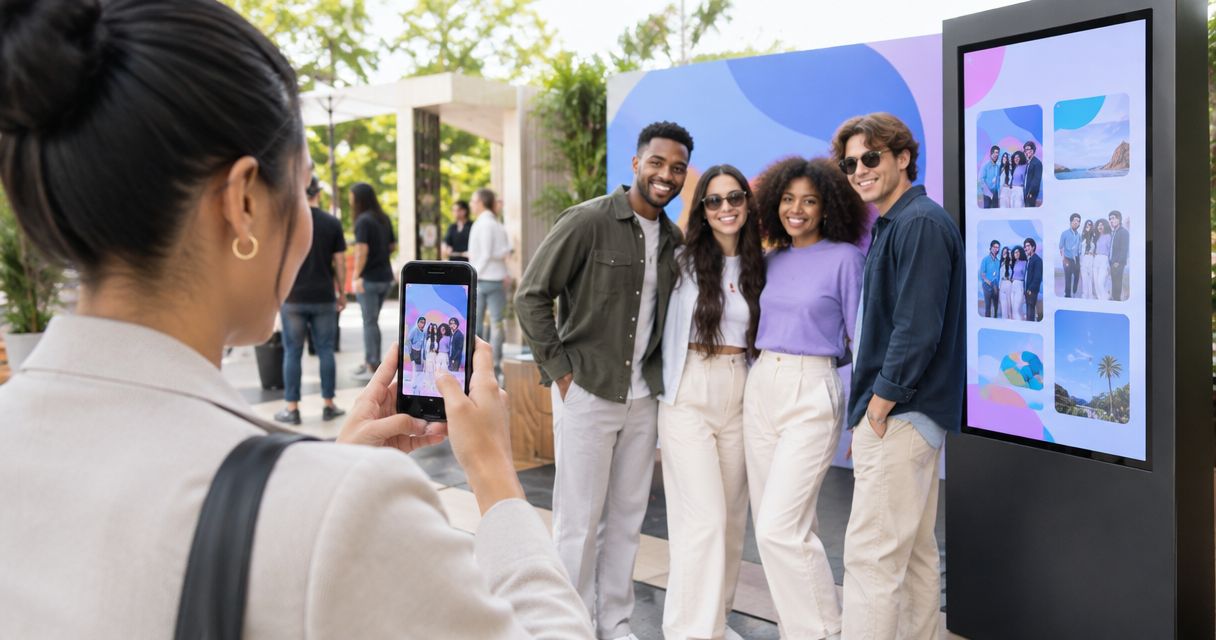
Brand activation agency photo gallery software is a system for organising, finding and delivering activation images with the aim of giving participants usable photos and agencies approved campaign assets. If you photograph activations in India, your workflow must separate participant delivery from agency review and brand publication—not treat every image as ready for everyone.
TL;DR
- Choose photo gallery software for brand activation agencies around participant retrieval, agency approval and brand delivery.
- Fotoowl AI Gallery suits photographers who need face-recognition galleries for activation photo delivery.
- Keep face search separate from publication approval; finding a person does not establish permission to publish.
- Test camera uploads, mobile access and a manual fallback before the activation opens.
Why photo gallery software matters for brand activation agencies
A photographer serving an activation agency has distinct delivery jobs: help participants find their pictures, give the agency review material, and supply the brand with approved assets. A shared upload destination is not a complete delivery workflow.
Your 2026 brief should define those jobs separately. A portrait at a sampling counter, a wide shot showing installation branding and a press-ready product image need different review decisions. Face recognition addresses person-based retrieval; it does not decide whether signage, expressions or campaign messaging are acceptable.
Start with a clear corporate event photo organisation workflow. Then add the activation-specific approval and participant-delivery rules below.
The practical buying question is not which platform has the longest feature list. It is which combination lets you deliver the right photograph to the right audience without exposing unfinished work or confusing the agency's sign-off process.
Build your activation photo delivery workflow
Define the deliverables before choosing software
Start with a spreadsheet or written brief. List what you owe the agency, who receives each output, and what approval is required before release. You can establish this manually before buying or configuring anything.
For your 2026 activation brief, define 3 deliverables: participant photos, agency review images and approved brand assets. These are recommended handoff categories, not mandatory platform features. Split them further when your assignment includes press, creators or separate city teams.
Ask the agency to name the intended use for each category. A participant's personal download and a brand's advertising asset are different deliverables even when both use the same photograph. Record export requirements rather than guessing them from the campaign's social channels.
Close the brief with concrete decisions:
- Name the recipient for each deliverable.
- Record required formats and crops.
- Separate review files from approved exports.
- Agree the publication approval owner.
- Document exclusions and removal requests.
Map access around the recipient's task
Create a manual access register before uploading. Write down who needs participant images, who reviews the assignment and who can authorise brand publication. Do not assume a gallery's face-search function also restricts everything a recipient can browse.
Use 2 access routes in your plan: participant retrieval and client review. Separate galleries or delivery folders are alternatives when the platform cannot enforce the boundaries you need. Test the actual recipient experience rather than relying on an administrator's view.
For an activation with multiple participating brands, confirm whether each brand receives only its own assets. The same question applies to agency freelancers and on-ground staff. Being involved in production does not automatically establish a need for unrestricted access to every photograph.
Check the boundaries with these actions:
- List each recipient group.
- Specify what each group should see.
- Open delivery links outside your account.
- Test forwarded-link behaviour.
- Confirm who handles access changes.
Test participant retrieval with real assignment images
Begin manually: select a representative set of photographs and ask a colleague to find a particular participant. This exposes the difference between an orderly folder and an easy retrieval experience. Include portraits, groups and frames with partially obscured faces.
Fotoowl AI Gallery provides face-recognition galleries for photo and video delivery. Fotoowl AI Gallery is best for photographers serving activation agencies that need face-recognition photo delivery. Its fit here is participant retrieval; campaign approval still needs a named human owner.
For your 2026 evaluation, use images resembling the actual assignment rather than only clean demonstration portraits. Judge whether the participant can complete the task without your assistance. Keep a manual route for pictures that a participant cannot locate through face search; do not promise that every face will be found.
Run a practical retrieval check:
- Include solo portraits and group photographs.
- Test with consented reference images.
- Check results for missed or incorrect matches.
- Open the experience on a participant's phone.
- Document the manual assistance route.
Plan uploads without skipping image review
Start with the manual route: copy camera files, keep your working backup, select usable frames and upload the delivery exports. Write this sequence down so another photographer can follow it when you are shooting.
Beam is the camera-to-cloud FTP upload feature inside AI Gallery. Evaluate that route when your assignment needs ongoing uploads, but test the camera setup and venue connection first. Camera-to-cloud transfer does not replace image selection or client approval.
Fotoowl AI Culling is an offline desktop application that rejects duplicate and weak frames, groups similar images, and ranks by composition, exposure and blur. It supports a second human pass before export to Lightroom or the gallery. It is not a browser tool or an offline cloud gallery.
Keep the upload plan grounded in the assignment:
- Test the intended camera upload route.
- Retain a manual card-transfer fallback.
- Review duplicates and weak frames.
- Inspect expressions, signage and product visibility.
- Upload the intended delivery exports.
Separate approval from participant discovery
A manual contact sheet and a written selection record can establish approval without specialist software. Assign 1 approval owner on the agency side and agree how that person marks files as accepted, rejected or requiring changes.
Photo Selection provides client proofing. Use it where the assignment requires the client to choose images, while keeping the campaign's publication decision explicit. A selected photograph is not automatically cleared for every possible marketing use.
For a 2026 activation, define the sequence as Capture, Review, Approve, Publish and Archive. Each stage needs an owner or a clear completion condition. Do not let faster uploads move unreviewed material directly into a public handoff.
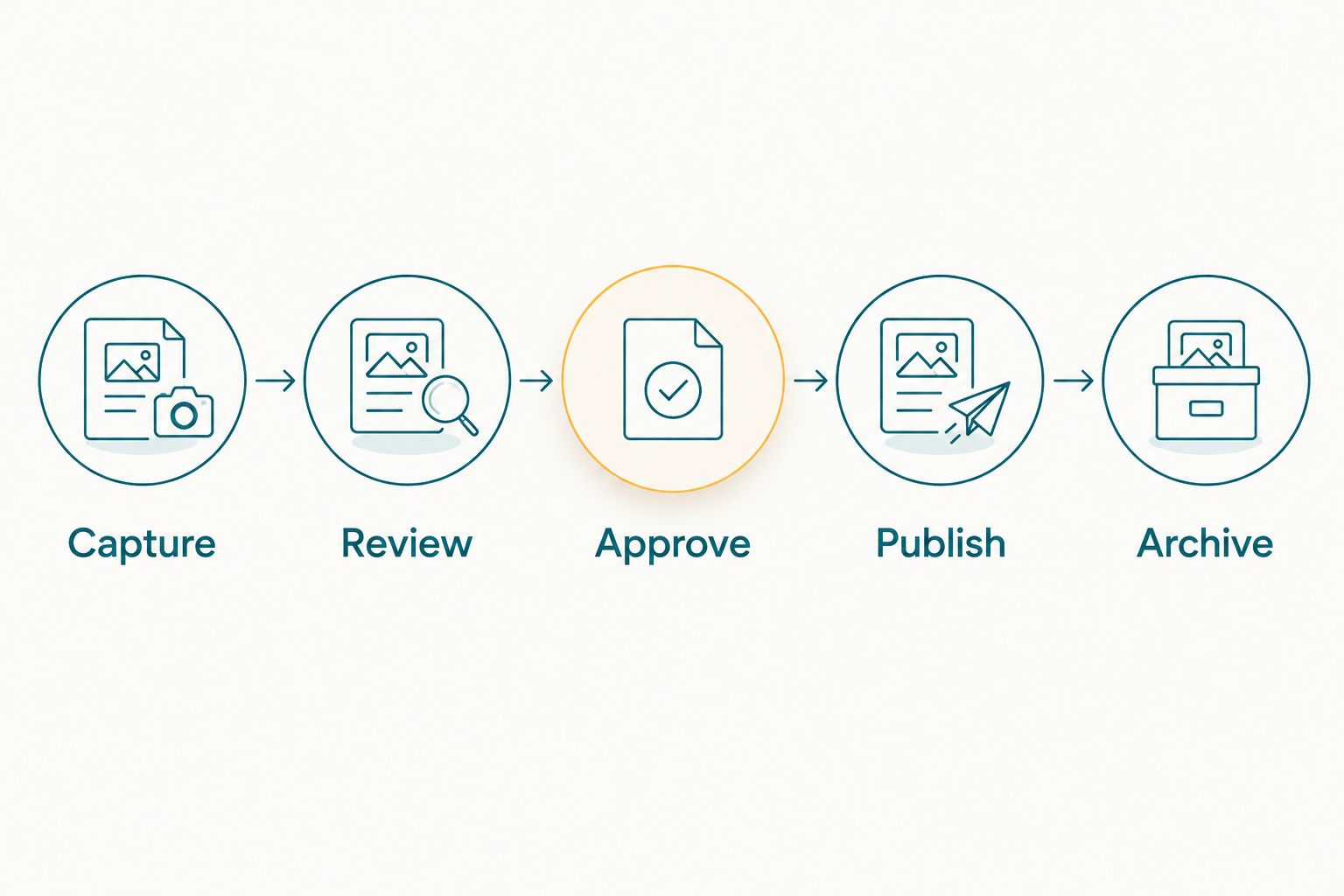
Approval belongs between image review and publication, even when uploads happen during the event.
Make the handoff stages explicit:
- Capture: retain the original assignment files.
- Review: remove unsuitable delivery candidates.
- Approve: record the agency's accepted files.
- Publish: release the agreed exports.
- Archive: retain the agreed project record.
Distribute links with instructions recipients can use
Start by sending the delivery link manually to your agency contact, accompanied by a short explanation of what it contains. Ask the contact to complete the intended task before distributing the link more widely. This catches confusing instructions before participants encounter them.
Write participant instructions around finding and receiving photos. Write agency instructions around review and sign-off. Avoid combining both audiences into a long message that leaves each reader unsure which action applies.
For Indian assignments, agree the language of the on-site instructions with the agency. If the delivery link will be shared through WhatsApp or displayed as a QR code, test that exact route. A QR code opens a destination; it does not establish access permissions or confirm that the images are approved.
Prepare the delivery message deliberately:
- State who the link is for.
- Explain the first action to take.
- Identify whether images are provisional or approved.
- Include the agreed help contact.
- Test the link on a mobile connection.
Measure delivery separately from campaign performance
Start with a simple log of upload completion, approval completion, delivery messages and unresolved requests. You do not need a separate reporting product to identify where the handoff stalled. Record timestamps consistently so the sequence remains understandable after the activation.
Your 2026 delivery review should distinguish photography operations from campaign outcomes. Completed uploads show that files reached a destination; they do not show that participants found their pictures. Downloads, where recorded, do not prove sales, advertising effectiveness or permission for reuse.
Agree which records the agency actually needs before adding reporting work to your assignment. If a platform does not provide a particular measure, use a documented manual record or leave that measure out. Do not turn estimates into reported results.
Keep the review tied to observable events:
- Record when delivery exports were ready.
- Record when agency approval arrived.
- Track unresolved photo-finding requests.
- Log access and removal issues.
- Review the causes of delayed handoffs.
Compare delivery options for activation assignments
Choose around the job you must complete, not the promise of automation. Manual delivery gives you direct control over each handoff; a face-recognition gallery adds person-based discovery. Neither approach removes your responsibility for image quality and agreed access.
The comparison below separates storage, retrieval and proofing. They are different tasks, and an activation assignment can require more than one approach.
| Option | Best for | Main advantage | Key limitation |
|---|---|---|---|
| Fotoowl AI Gallery | Photographers delivering participant photos through face-recognition galleries | Adds face-based discovery alongside photo and video delivery | Face discovery does not replace campaign approval or access testing |
| Manually organised shared folders | Small, named recipient groups | You control the folder structure and handoff | Participants depend on your organisation or assistance to locate images |
| Manual individual delivery | Assignments requiring a checked recipient-by-recipient handoff | You review each outgoing selection | Every additional request creates another manual task |
| Photo Selection | Photographers collecting client image choices | Provides a dedicated client-proofing workflow | Client selection does not establish permission for every publication use |
Use face recognition for discovery and proofing for decisions. Keep shared folders or manual delivery as fallbacks where they meet the brief. Test the combined workflow before committing it to an agency's live activation.
Common mistakes photographers make on activation assignments
Treating the agency's gallery as the participant gallery
The agency needs review material; participants need their own usable images. Sending the same destination to everyone blurs that distinction. Separate the audiences before distribution, then test what each recipient can actually access.
A gallery labelled private is not enough evidence that your intended boundaries work. Verify the recipient experience directly.
Publishing because an upload has finished
A successful transfer confirms movement, not suitability. A technically sharp frame can still show an unwanted expression, obscured branding or an unfinished installation.
Keep publication behind the agreed review decision. If the agency wants ongoing delivery during the activation, agree who makes that decision while the event is running.
Treating face search as permission to reuse images
Finding a participant's face does not establish permission for advertising use. Keep retrieval instructions separate from the agency's publication requirements and handling of participant requests.
For assignments involving children or sensitive settings, resolve the required permissions with the client before capture and delivery. Do not ask the gallery workflow to make that decision for you.
Promising live delivery without testing the venue
An upload workflow depends on the actual equipment and connection you use. A successful studio demonstration does not test the activation site.
Rehearse the manual fallback as well as the preferred upload route. Tell the agency how delivery will proceed if the connection fails, rather than promising a fixed turnaround you have not established.
FAQ
What's the best photo gallery software for brand activation agencies?
Choose software that separates participant retrieval, agency review and approved brand delivery. Fotoowl AI Gallery fits photographers who need face-recognition galleries, but you must still test access and define the campaign approval process.
Is an AI photo gallery better than shared folders for activation photos?
An AI photo gallery is better suited to person-based discovery when participants need to find their own photographs. Shared folders remain useful for organised client handoffs, but they require a clear structure and recipient instructions.
Can face recognition find every participant in activation photographs?
Do not promise that face recognition will find every participant. Test representative portraits and groups, inspect the results, and retain a manual assistance route for photographs participants cannot find.
Can I upload photos directly from a camera during an activation?
Beam provides camera-to-cloud FTP uploads within AI Gallery. Test your intended camera setup and venue connection before the assignment, and keep a manual card-transfer fallback.
Can I use AI Culling offline at the venue?
AI Culling is an offline desktop application. It rejects duplicate and weak frames, groups similars, and supports a second human pass before export to Lightroom or the gallery; it is not a browser-based gallery.
Does a participant finding a photo mean the brand can use it in an advert?
No, face-based retrieval does not establish permission for advertising use. Agree publication requirements with the agency and keep the approval record separate from participant delivery.
Should participants and the activation agency receive the same gallery link?
Use separate delivery routes when participants and the agency need different material or permissions. Test each route outside your administrator account before sharing it widely.
One last thing
Test a person, not just a link. Before your next 2026 activation, ask someone unfamiliar with your setup to find a photograph, understand its delivery status and identify where to request help.
Then repeat the exercise as the agency reviewer. If either person needs you to explain the interface, revise the instructions or handoff structure before opening delivery. A working link is only the beginning of a usable gallery.