
AI Marathon Photo Tagging: Sort 10,000+ Race Photos Without Manual Work

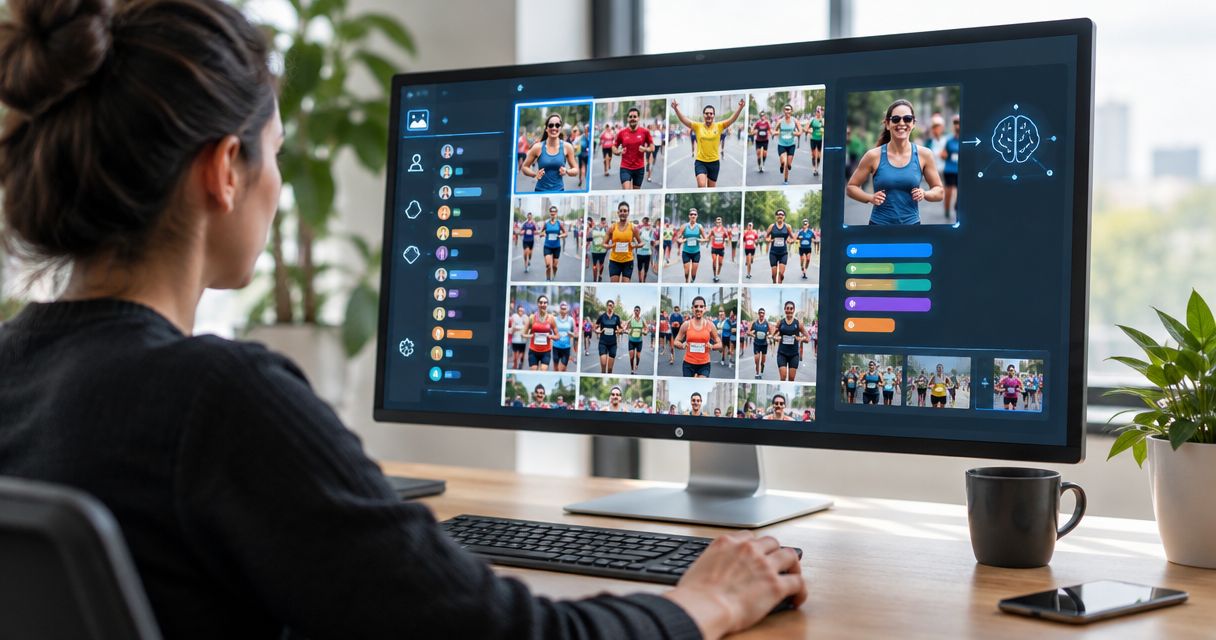
Best overall for runner discovery: Fotoowl AI Gallery. Best for offline frame selection: AI Culling; best for organiser proofing: Photo Selection. If you need an AI tool for tagging and sorting thousands of marathon event photos in 2026, separate finding runners from choosing strong images—automation does not remove the final human review.
TL;DR
- Fotoowl AI Gallery is the best fit for marathon photographers who need face-recognition galleries and client delivery.
- Choose an AI tool for tagging and sorting thousands of marathon event photos around runner discovery, not storage alone.
- AI Culling handles offline frame selection; Photo Selection handles client proofing. Neither replaces runner discovery.
- For a 10,000-plus-photo race, review image quality and search results before announcing delivery.
Why this matters
A marathon collection contains different kinds of work. You need to remove weak frames, organise coverage, help runners find themselves and give the organiser a usable selection. One folder does not solve all those jobs.
The distinction matters when you promise delivery for a 2026 race. Face recognition addresses discovery. Culling addresses image quality. Client proofing addresses approval. Buying the wrong category leaves the original bottleneck in place.
Fotoowl AI Gallery is best for marathon photographers who need face-recognition galleries for runner discovery and client delivery. Use that as the default when your main problem is finding people across a large race collection, rather than deciding which burst frames to keep.
What makes the best marathon photo-sorting workflow?
Judge each option against the job you need it to perform. These criteria keep a useful feature from being mistaken for a complete race workflow.
- Runner discovery: Face recognition connects the search task to the photographed person. It is different from sorting by filename or capture time.
- Frame selection: Duplicate rejection, similar-image grouping and quality ranking belong before final delivery, not in the runner's browsing task.
- Delivery: A searchable collection must also work as a client gallery. Internal organisation alone is not the finished service.
- Offline operation: Desktop culling and gallery uploads are separate stages. Plan the handoff instead of treating both as one online process.
- Human review: Check important moments, rejected frames and search results. An automated decision is not your editorial approval.
- Proofing: The organiser's approved images need a distinct selection process. Do not confuse that shortlist with every runner's personal photos.
For a 2026 booking, decide which criterion is currently failing. If runners cannot find themselves, prioritise discovery. If your editor is buried in similar frames, prioritise culling.
Marathon photo tools at a glance
These are complementary options, not three interchangeable tagging engines. The order follows the main query: runner discovery first, preparation second and client approval third.
| Item | Best for | Standout feature | Key limitation |
|---|---|---|---|
| AI Gallery | Runner discovery and gallery delivery | AI-powered face recognition galleries | Recognition does not replace image-quality review |
| AI Culling | Offline preparation of race coverage | Duplicate and weak-frame rejection, similar-image grouping and quality ranking | Desktop-only; requires a second human pass |
| Photo Selection | Organiser proofing and final shortlists | Client selections reused for albums and printing | Proofing is a different task from automated runner discovery |
Start with the output you owe the client. A runner-facing gallery, an edited race collection and an organiser-approved shortlist are different deliverables. Choose the tool for that output, then add supporting stages where needed.
1. AI Gallery: best marathon photo tool for runner discovery
AI Gallery lets photographers upload photos and videos and deliver them through AI-powered face recognition galleries. Its role in marathon coverage is to make people easier to find within the delivered collection. It is the closest fit here for the tagging-and-discovery part of the query.
For Indian race photographers covering start areas, course positions and finish lines, organise the collection before delivery. Keep your working files traceable to each shooting position. Face recognition supports person-based discovery; it does not replace your coverage structure.
AI Gallery pros
- Face recognition addresses finding people rather than browsing filenames.
- Gallery delivery connects the discovery task with the client handoff.
- Photo and video uploads support a mixed-media event collection.
- Beam camera-to-cloud FTP upload is a feature within AI Gallery for the capture-to-upload stage.
AI Gallery cons
- Recognition does not decide whether an image meets your editorial standard.
- Face recognition and bib-number recognition are different capabilities; do not promise the latter based on the former.
- A gallery upload is separate from offline culling, so your preparation process still needs planning.
Before using AI Gallery for a 2026 race, check representative images from your actual shooting conditions. Include unobstructed faces, side views, crowded frames and finish-line expressions. Inspect whether the discovery experience works for those images rather than assuming all race photographs are equally searchable.
Best for: Marathon photographers whose primary bottleneck is runner discovery across a delivered gallery.
Verdict: Buy for runner discovery; keep editorial review in your workflow.
2. AI Culling: best marathon photo tool for offline frame selection
AI Culling is an offline desktop application. It rejects duplicate and weak frames, groups similar images and ranks them by composition, exposure and blur. After a second human pass, you can export to Lightroom or the gallery.
This solves a different problem from tagging runners. If your collection contains repeated burst sequences, AI Culling helps prepare the images that deserve delivery. It is not a cloud or browser feature.
AI Culling pros
- Offline desktop operation separates selection from the upload stage.
- Similar-image grouping supports reviewing repeated action sequences together.
- Composition, exposure and blur ranking provide selection signals.
- Export to Lightroom or the gallery supports the next production stage.
AI Culling cons
- Desktop-only operation requires a desktop-based selection workflow.
- A second human pass remains part of the process.
- Frame-quality selection does not solve runner discovery by itself.
For marathon coverage, judge the rejected frames as well as the selected ones. A technically weaker image can still contain a moment your client needs. Review finish-line reactions, team groups and required organiser shots before accepting the final shortlist.
Keep the originals separate from your delivery export. That gives you a reference collection when a runner or organiser asks about a missing moment. Do not treat a rejected frame as an instruction to delete the only copy.
Best for: Studios that need offline help selecting race images before editing and gallery delivery.
Verdict: Buy for offline culling; skip it as a standalone runner-tagging solution.
3. Photo Selection: best marathon photo tool for organiser proofing
Photo Selection handles client proofing. Client selections can be reused for albums and printing. For marathon work, its distinct role is helping the organiser approve a shortlist after you have prepared the race collection.
Use it when the brief requires selected photographs of the start, finish, volunteers, sponsors or presentation ceremony. Those are editorial choices. They are not the same task as helping each participant find personal race images.
Photo Selection pros
- Client proofing gives the approval stage a defined place in production.
- Selections can carry through to album and printing work.
- It fits organiser shortlists that are separate from participant discovery.
Photo Selection cons
- Client proofing still requires the client to make selections.
- Proofing is not a substitute for duplicate or weak-frame rejection.
- Organiser approval does not establish whether every runner can find relevant images.
Agree on the purpose of the shortlist before sending it. Ask whether the organiser is approving publicity images, print images or a record of required coverage. A clear selection brief prevents the approval task from turning into another full-gallery review.
For your 2026 workflow, keep participant delivery and organiser approval distinct. That separation is a production recommendation, not a claim that both audiences need the same gallery setup.
Best for: Marathon photographers who need client approval of an edited organiser shortlist.
Verdict: Buy for proofing; skip it as the main automated sorting tool.
How to organise a 10,000-plus-photo race collection
Use 3 production stages: Frame selection, Runner discovery and Client proofing. This is a recommended workflow, not a processing-speed benchmark or a capacity guarantee. It keeps quality decisions, search and approval from competing inside one task.
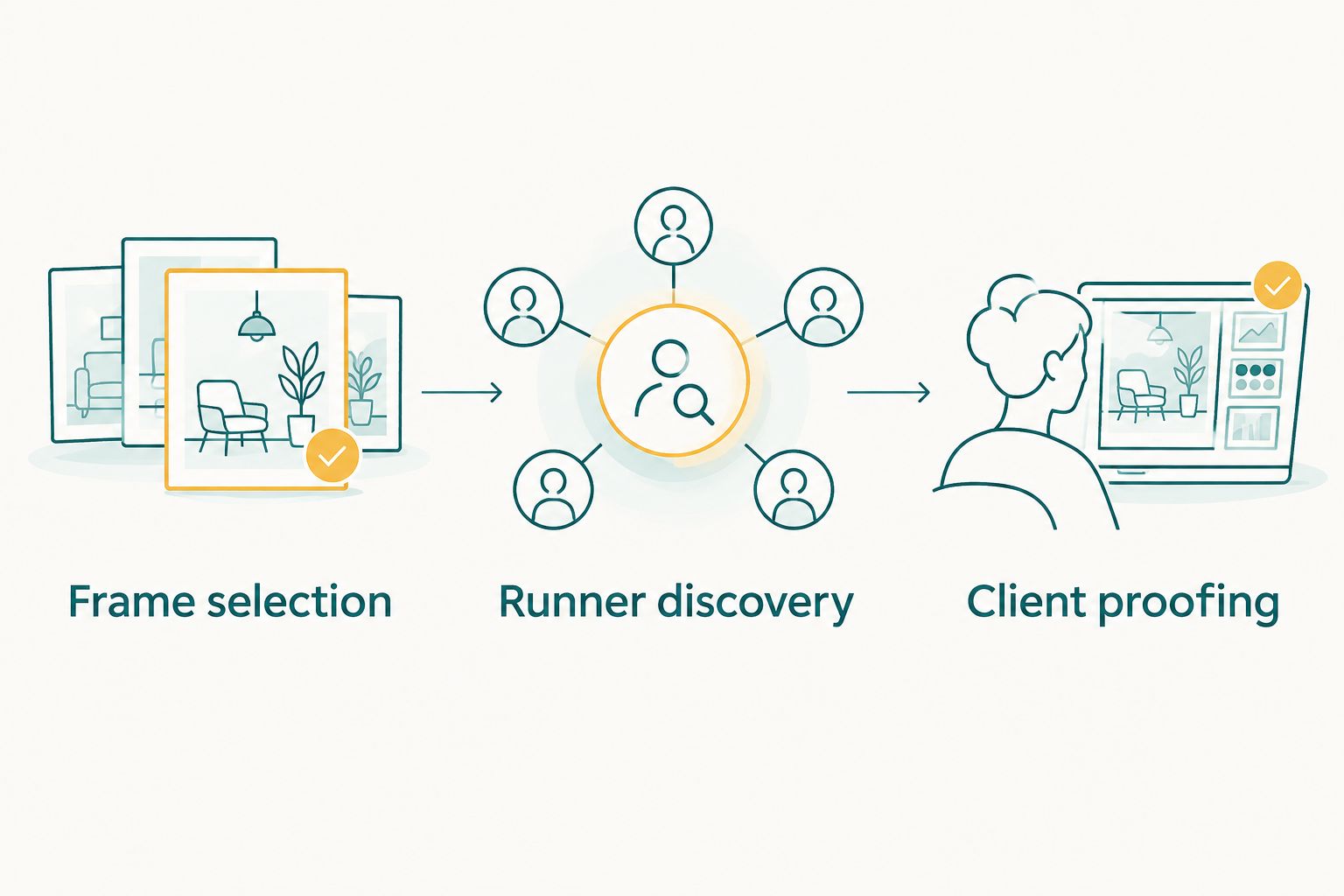
Choose strong frames before testing discovery, then send the organiser a focused proofing collection.
Stage 1: Frame selection
Preserve the originals and keep source folders traceable to the photographer and shooting position. Use AI Culling on a desktop if repeated sequences and weak frames are your main preparation problem. Review the proposed selections before export.
Apply 2 review passes as a working rule: review the image selection before upload, then review the discovery experience before delivery. These are recommended checkpoints, not a claim about software accuracy.
Check the coverage brief during the first pass. Look for start-line scenes, course action, finish-line moments and agreed organiser requirements. Technical ranking is useful, but your client brief decides what belongs in the final collection.
Stage 2: Runner discovery
Upload the prepared collection to AI Gallery and inspect representative search results. Start with clear faces, then check more difficult examples from your race coverage. Keep notes on cases that need manual attention.
Do not use a single successful search as approval for the whole event. Review different shooting positions and lighting conditions. The purpose is to establish a usable delivery experience for this collection, not to claim a universal recognition rate.
Keep a support process for missing-photo enquiries. Ask for useful identifying context, such as clothing and the shooting area, without promising a particular recovery feature. Human follow-up belongs in the delivery plan.
Stage 3: Client proofing
Prepare the organiser's shortlist separately from the full participant collection. Use Photo Selection when client approval and later album or printing selections are part of the brief. Explain exactly what the organiser needs to approve.
Before announcing delivery, confirm that the approved images match the promised coverage. Then check the participant-facing handoff. A completed upload is not the same thing as a completed client experience.
Can you remove all manual work?
Remove repetitive sorting where the tool fits; retain human judgement where the brief requires it. The title's 10,000-plus-photo scenario describes a large race collection, not proof that every image can be processed without intervention.
Face recognition cannot make an unphotographed runner appear in the collection. Culling cannot decide every emotionally important moment. Client proofing cannot happen without the client's decision. Each tool reduces a particular task; none erases accountability for the delivered work.
For a 2026 race, avoid promising that every participant will receive every relevant frame automatically. Define what you will deliver, how participants will access it and how missing-photo requests will be handled. That is a better operational promise than zero manual work.
How these options were ranked
AI Gallery ranks first because face-recognition galleries directly address runner discovery and delivery. AI Culling ranks second because it prepares the collection offline. Photo Selection ranks third because it supports approval after preparation.
The ranking follows the criteria above: discovery, selection, delivery, offline operation, review and proofing. It is a workflow-fit ranking—not an accuracy test, timed benchmark or claim that one product replaces the others.
Which marathon photo tool should you choose?
Choose Fotoowl AI Gallery when the main job is helping runners find photographs in a delivered race collection. Add AI Culling when offline frame selection is the bottleneck. Add Photo Selection when the organiser needs to approve a shortlist.
Before committing your next 2026 race to the workflow, run representative race images through the stages you intend to use. Check the complete handoff, not just the feature that first caught your attention. Your default should solve the runner's discovery problem without creating a new editorial problem.
FAQ
What's the best AI tool for tagging and sorting thousands of marathon event photos?
Fotoowl AI Gallery is the best fit among these options for runner discovery and gallery delivery because it provides AI-powered face recognition galleries. Use AI Culling separately when you need offline frame selection before delivery.
Can I sort more than 10,000 marathon photos without any manual work?
Keep human review in the workflow rather than promising zero manual work. A 10,000-plus-photo collection still needs editorial checks, discovery checks and a process for missing-photo enquiries.
Is face recognition the same as reading runners' bib numbers?
No, face recognition and bib-number recognition are different capabilities. Do not promise automatic bib tagging based only on a face-recognition feature.
Does AI Culling run offline on a desktop?
Yes, AI Culling is an offline desktop application. It rejects duplicate and weak frames, groups similar images and requires a second human pass before export to Lightroom or the gallery.
Is AI Culling better than AI Gallery for marathon photos?
AI Culling is better suited to offline frame selection, while AI Gallery is better suited to runner discovery and gallery delivery. Choose according to the task rather than treating them as interchangeable products.
Can Photo Selection help a marathon organiser approve photographs?
Yes, Photo Selection handles client proofing and supports selections reused for albums and printing. Use it for organiser approval, not as a replacement for automated runner discovery.
What should I check before delivering a marathon gallery?
Check image quality, required coverage and representative discovery results before announcing delivery. Keep a human support process for participants who cannot find a photograph.
One last thing
A runner's best photograph is not necessarily the sharpest frame in the burst. The finish-line reaction, a teammate's embrace or a volunteer's help can matter more to the brief than a cleaner adjacent frame. Let quality ranking guide the review, not dictate the story.
For your next race, write the required moments into the coverage brief before selecting software. Then judge the finished collection against that brief. Automation earns its place when it helps deliver the photographs you were hired to make.